Tips

You can contact us right now and get a quote on your project, ask questions and get recommendations. This is totally FREE!

Quotes from our clients

"THANK YOU for your captcha plugin! Before I had up to 100 spam comments per day - now it's one within 3 weeks! I'm really thankful for your work! That's all. Regards from Germany Birgit."

Birgit Engelhardt

There are 469 comments:

  1. Thank You for this plugin!

  2. I can not turn off the side bars on the gallery page. I am using the side bars on other pages and need to turn it off some how on the gallery page. Do you have any suggestions?

    • Please follow the instructions below.

      Open ‘gallery-template.php’ and ‘gallery-single-template.php’ file, in the end of the file find the string below:

      < ?php get_sidebar(); ?>

      and remove this string.

      • Martha's SOS said:

        I have followed your advise to remove the string however, I am still seeing the sidebar. The website I am working on is not published yet.

        • There are several reasons of this issue can be:

          1) Perhaps, it is cache.
          2) It is possible that you didn’t save changes in the file or didn’t upload file to the server.
          3) You have made changes in wrong file.

  3. Escorts New York said:

    Thanks for this nice plugin

  4. Hello . how can i create a link to all albums in wordpress frontend ?
    what is the link ?

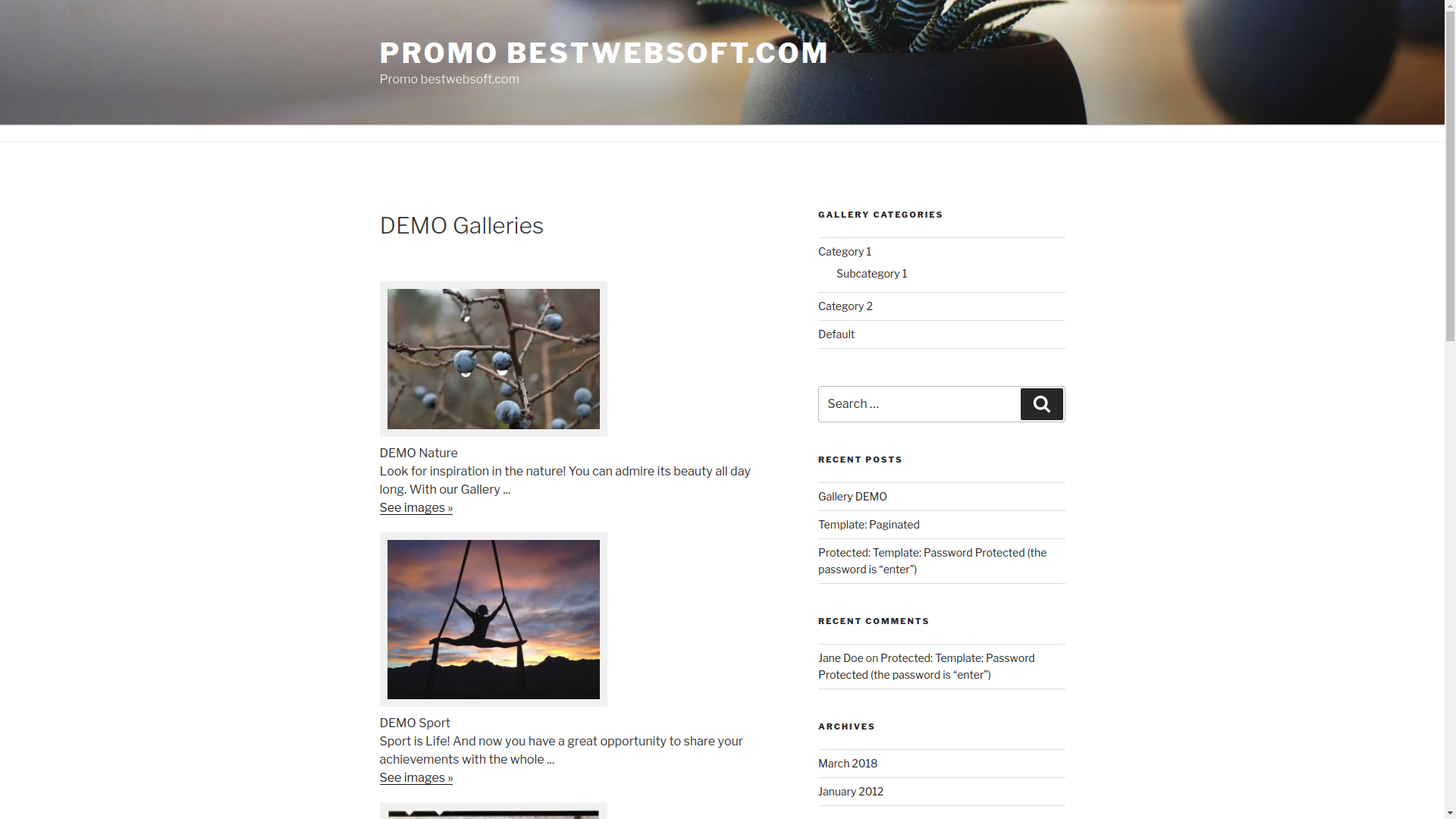
    • 1. First of all, you need to create your first Gallery page and choose ‘Gallery’ from the list of available templates (which will be used for displaying our gallery).
      2. If you cannot find ‘Gallery’ in the list of available templates, then just copy it from `/wp-content/plugins/gallery-plugin/template/` directory to your templates directory.

  5. Bade Ayoade said:

    Found your plugin extremely useful. Thanks

  6. Nedim Hazar said:

    Very nice!
    Is it possible to that the gallery appears below text content, when the short code [print_gllr id=Your_gallery_id] is included?

    • This issue was fixed in version 3.06.

  7. It would be really great if you’d add the possibility of putting pictures that exist in Media in the gallery.

    • We have such kind of option in our plugin.

      • How can I enable it? I only see this “Choose an image to upload: Upload a file”. Thanks for the quick answer :)

        • Hello Tibor,

          you should upload the files there at first, save gallery and then you can add other parameters.

          • Manuel said:

            Would you kindly explain how to do this? I already have images in the Media Gallery but when i create the gallery page I only see the “upload a file’. How can I add the other parameters that you mentioned?

            Thanks .

          • bws_lvp said:

            Hello Manuel,

            This opportunity doesn’t exist. You can attach files to the gallery via uploading them on the gallery page.

            Kind regards

          • Mark said:

            But he was asking about pictures that have already been uploaded. In other words, pictures that are posted on other pages or posts. Or at least that’s what I thought was being asked. If not, I’d like to know how to do that.

          • bws_lvp said:

            Hello Mark,

            At the moment gallery works only with attached images, and doesn’t work with images, which are already present in media gallery.

            Kind regards

  8. how to fix the “no comments allowed” Bug?

    Made a Post with a gallery and there are “no comments allowed”. If i disable the plugin, the comment functions works.

    any hint?

    • It is possible that the comments are not allowed. Try to allow the comments for gallery:

      Please open plugin and after string 889:

      $gllr_output = ob_get_clean();

      Add string below:

      wp_reset_query();

        • If you are not using a shortcode then it is necessary to remove ‘comments’ in the ‘gallery-single-template.php’ file in your theme.

          • Stephen Simmons said:

            i still cannot figure out how to turn off comments on the images i place in my gallery (from my media). i am using the shortcode

            whenever i select any of my images: http://stephensimmonsmusic.com/?page_id=22

            there is spam on almost all of them…i have comments disabled for entire theme, but they show on the gallery images. please advise.

            thanks,
            stephen

          • bws_lvp said:

            Stephen,

            this is not our plugin, please contact developers of this plugin.

      • Good morning,

        I am trying to insert comments on my slideshows but I have a message saying “comments are not allowed”. Then I tried to find the line $gllr_output = ob_get_clean(); on the code but I can’t find it…
        Can you help me?
        Many thanks in advance!

        • Hello Celine,

          Please clarify, where you want to add comments – to the gallery page with images or to the lightbox? Why you are looking $gllr_output ?

          Kind regards

  9. Can you tell me how to turn off the thumbnail borders

    • In order to turn off the thumbnail borders you can modify styles in the ‘style.css’ file in plugin:

      .gallery img {
      border: 10px solid #F1F1F1;
      }

      Or you can add strings below to the style file of your theme:

      .gallery img {
      border: none !important;
      }

  10. I made a bunch of galleries and when I use the shortcode to link to each specific gallery in a post, I get the same gallery every time no matter what post. for example your shortcode = my-gallery and shortcode = another-gallery would bring up the same gallery.

    • You are using wrong value in the shortcode. It is necessary to insert ‘post id’ instead of ‘post slug’ in the shortcode (ie. numbers, not letters).

      • I have the same issue. I can see the field for the slug after enabling it in the screen options, but where do I find the gallery post id?

        • The easiest way is to go on the page of the editing of one gallery in the admin panel and there will be the path like
          wp-admin/post.php?post=1784&action=edit in the line of the browser, so 1784 it is post_id

  11. Found your plugin extremely useful and easy to use and configure. Thanks

    but I have a little issue, when I try to increase the size of the cover album for gallery and the Size for gallery image, the images loss resolution and see pretty bad, how can I solve this issue?

    thanks a lot!

    • If the images size was changed in the plugin setting, then you need to upload these images once again, because WordPress is not allowed to change size for created images while you are uploading them (you can find information about it on our plugin settings page, under ‘Size for gallery image’ fields).

  12. Hi,

    I want to show in side bar last few uploaded into galleries images. How to do this?

    How to stream these same images as RSS?

    • I want to show in side bar last few uploaded into galleries images. How to do this?

      Unfortunately we don’t have such kind of option in our plugin.

      How to stream these same images as RSS?

      RSS doesn’t allow to display ‘custom post type’. We don’t have such kind of option in our plugin.

  13. Hey I am trying to get separate gallery pages. One group shows up but not the other. What can I do? What is a plugin id.

    • Please insert a shortcode [print_gllr id=344] .
      344 is a gallery post id. Please make sure that there are no extra white spaces between id=344.

  14. Hello! I’m wondering how to tell which image is the featured image in a gallery.

    I’ve found this plugin extremely reliable and malleable, so thanks! i’ll post a link to the final product when it’s done!

    • There is the block “featured imgae” at the right sidebar on the page of the editing of the gallery – please set up the necessary image as featured image in it. Here you can find more detailed information http://codex.wordpress.org/Post_Thumbnails

  15. My problem is that it’s not calling galleries properly, no matter what gallery ID I use all the galleries only display the latest thumbnails I’ve uploaded, which is very odd.

    • Please be sure that you use post id but not post slug (it should be number but not the line). In order to check this please go to page of the editing of one certain gallery in the admin panel, there you can see URL like wp-admin/post.php?post=1784&action=edit in the browser line – number 1784 it is post id. Please check the correctnes of the shortcode [print_gllr id=1784] – the space should be just between print_gllr and id.

  16. Helloo.. i get this error

    Fatal error: Call to undefined function get_post_thumbnail_id() in D:\Sites\single57\koollook\webroot\wp-content\themes\tree-house\gallery-template.php on line 53.

    Any idea? the template flies r there in the folders specified.

  17. Hi, I just installed your plugin and it looks great however I can’t upload photos.
    I get this error:

    xxxxx.jpg
    undefinedxundefined

    I read in one of the post that I had to change the permission in the file folder and I did so, however I still have the same problem!
    Can you help?
    thank you

    • Please set up 777 for the following folders:

      - plugins
      - gallery-plugin
      - upload
      - files
      and use the standard uploader of WordPress (there is the icon Media above content editor on the page of the editing of one gallery in the admin panel.

    • Hello, I have the same problem like Alessia with uploading photo. This plugin, worked properly and one day suddenly confusing error that the picture is undefinedxundefined. I set on folders plugins, gallery-plugin, upload, files 777 permissions and the bug is still there. Please help..

      • Please use a standard WordPress uploader on the editing gallery page and after that you can work in the image’s block which is located under editor (add text, change the order and ect.).

  18. I am having the same problem that Shawn was having – I use the shortcode to link to each specific gallery in a post, I get the same gallery every time no matter what post. I don’t see where the post ID is listed…only the slug. How can I get the postID? The URL shows the slug and the slug is everywhere I look.

    • Please go to page of the editing of one certain gallery in the admin panel, there you can see URL like wp-admin/post.php?post=1784&action=edit in the browser line – number 1784 it is post id.

  19. Hi, great plugin.

    Is it possible to change the text “Show Photo” to “Show Photos” on the gallery list screen?

    • You can change the words in the gallery-plugin.php file.

      • Wnela Wallace said:

        Is it possible to change the text “Show Photo” to “Show Photos” on the gallery list screen?

        bws_com said:
        Reply

        You can change the words in theIs it possible to change the text “Show Photo” to “Show Photos” on the gallery list screen?

        bws_com said:
        Reply

        You can change the words in the gallery-plugin.php file.

        Hello I am also trying to change ‘photo’ to ‘photos’ and I’ve looked in the gallery-plugin.php file but can’t see where to do so. I also would like to know if there is a way to set the width of the container displaying the albums wider? Currently it shows only two albums on a page but there is room for many.

        • Wnela Wallace said:

          looking in the code it seems like the number of albums showing on the page is a variable that is set somewhere on the wordpress admin. Can you tell me where this is done?

          • bws_lvp said:

            Wnela,

            the plugin showing the number of albums on the page uses the setting posts_per_page on the page wp-admin/options-reading.php

        • Hello Wnela,

          This can be changed in the admin panel on the page wp-admin/admin.php?page=gallery-plugin.php

  20. Bill Langis said:

    I am setting up a video art teaching site. And I installed your plug in so all the members could upload their art for reviewing .I already loaded my gallery and it looks great. Is there a way to have the members upload their own work as once I get moving with a lot of members it would be time consuming if I had to do it for them.

    • This will be possible if you provide WordPress admin panel access for your members.

  21. When an image is selected from the gallery, the display box with photo appears behind the header, but infront of the body (twentyeleven theme).

    The header and nav display on top of the launched photo/player. Is there a fix?

    • This issue appears because you have selected z-index:9999 in your theme.
      Please find style.css file, string 503

      #branding {
      border-top: 2px solid #BBBBBB;
      padding-bottom: 10px;
      position: relative;
      z-index: 9999;
      }

      And replace it with the strings below:

      #branding {
      border-top: 2px solid #BBBBBB;
      padding-bottom: 10px;
      position: relative;
      z-index: 9;
      }

      • Great plug-in by the way. I’m having the same issue where the lightbox is displaying behind the Header. I went into the style.css and changed z-index from 9999 to z-index 9, but the lightbox is still showing behind the header. Is there an alternative solution? Thanks.

        • Please clear the cache of the browser and then everything will be displayed correctly.

  22. Hi. I uploaded lots of photos, in full quality, and it finished uploading them. By the time I click save, the session timed out, and the photos arent listed.. The photos are on the server, and I can see them in FTP. Do I have to reupload them?

    • If you are trying to upload to many files it is possible that script has not enough time to process them.
      Try to upload smaller quantity of files or change images size or use standard WordPress media uploader on the editing gallery page.

  23. Hello, great plugin. I have 2 questions:
    1. How to call a gallery inside a php file?
    2. How to show the last 4 uploaded photos in a php file?
    I need everything in php please…

    • 1.

      How to call a gallery inside a php file?

      – it is possible to call only single gallery in the general php file, please write the following line:
      < ?php if ( function_exists( "gllr_shortcode" ) echo gllr_shortcode( $attr ); ?>
      $attr – this is array kind of ‘id’=>345, where 345 is id of the post of the gallery

      2.

      How to show the last 4 uploaded photos in a php file?

      – unfortunately there is no such functional

  24. Paul Maisonneuve said:

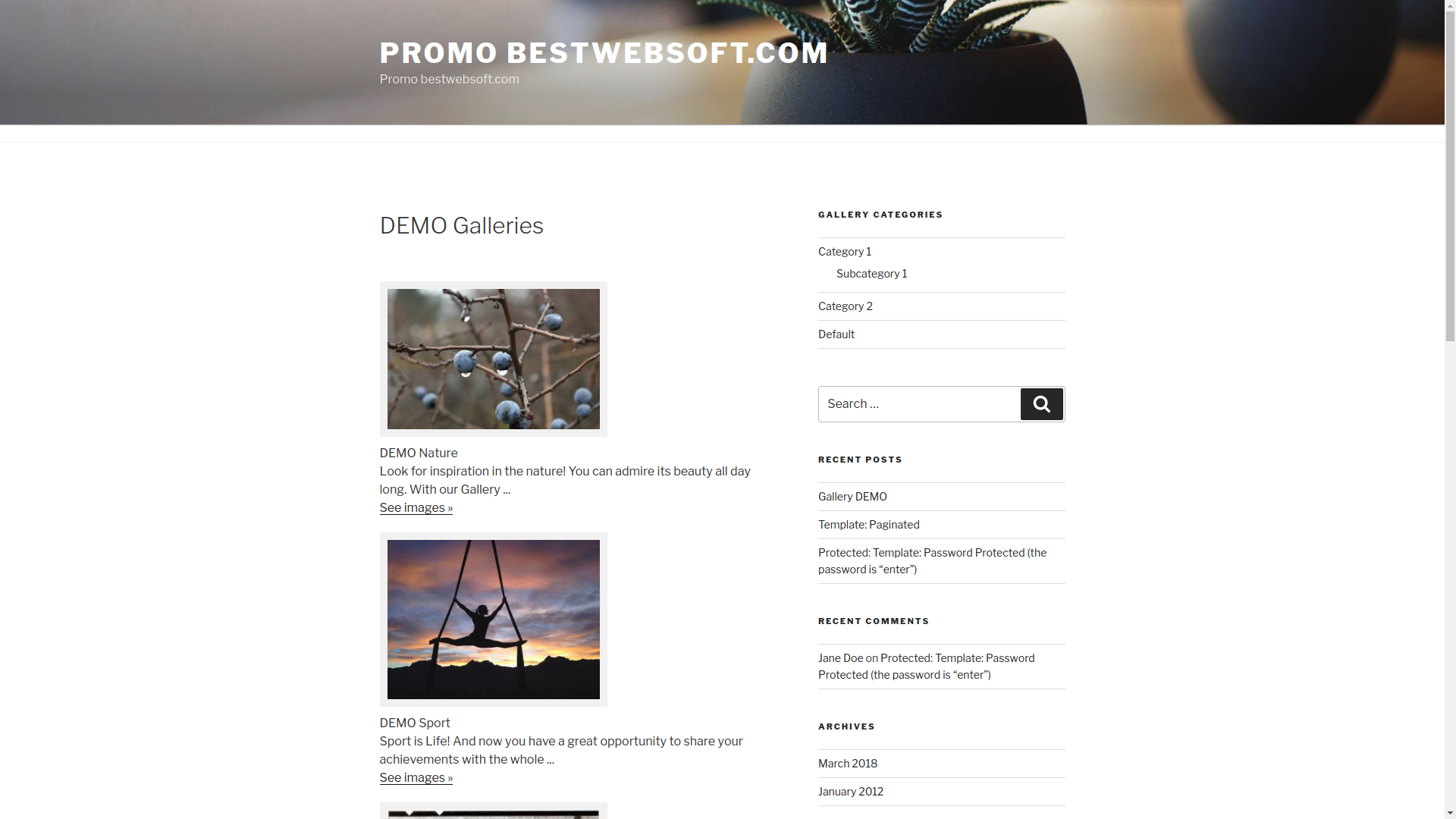
    sorry, site is still under construction and you can’t see, but I’m really confused as to how you generated an albums page like in your screenshot where there is only 1 images shows and then the name and text from the actual gallery are displayed. I only have found the one shortcode that generates the page full of thumbnails. Works great from there, but I really need to have a page with the single album “covers”. Please tell me how?

    • = I cannot view my Gallery page =

      1. First of all, you need to create your first Gallery page and choose ‘Gallery’ from the list of available templates (which will be used for displaying our gallery).
      2. If you cannot find ‘Gallery’ in the list of available templates, then just copy it from `/wp-content/plugins/gallery-plugin/template/` directory to your templates directory.

  25. Hi,

    I really like your plugin and want to use it on my page. It works good, but I need to set an “alt” and” title” for the images. Is it possible?

    • We have a title option and provision for ‘alt’ in process, but it is not allowed to include value (in orderto block popups while you are prompting), you can add call of a necessary text.

  26. Stan Woodard said:

    Thanks for the plugin!

    I have questions about formatting thimbs and the larger gallery images.

    On the thumbs I would like to center align images in the box; and would also like to be able to remover the box.

    I saw an answer above about removing the box but it doesn’t seem to have any effect AND on alignment, I changed the .format-gallery .gallery-thumb parameters, as below (with no effect)

    /* =Gallery
    ———————————————– */

    .format-gallery .gallery-thumb {
    float: center;
    display: block;
    margin: 0 0 0 0;
    }
    .gallery img {
    border: none !important;
    }

    On the large gallery image I would like to change the background color as well as the text color. Can you help with these issues. )BTW, I am using an amended Twentyeleven.) Thanks,

    • Please write strings below for ‘remover the box’ in the ‘style.css’ file of your theme:

      #content .gallery_box li img {
      border: none !important;
      padding: 0 !important;
      }

  27. If I understand, you can’t use this in a page, only a post because you need the ID. Correct?

    I can see how to create galleries in WP but not albums. I want 1 gallery with several albums.

    • You can use current shortcode in the pages and in the posts.
      In order to create a page with albums please follow the instruction below:

      = I cannot view my Gallery page =

      1. First of all, you need to create your first Gallery page and choose ‘Gallery’ from the list of available templates (which will be used for displaying our gallery).
      2. If you cannot find ‘Gallery’ in the list of available templates, then just copy it from `/wp-content/plugins/gallery-plugin/template/` directory to your templates directory.

      • I am having the same problem. When I select to add a new gallery, I don’t see where a template can be selected. Any help would be greatly appreciated.

        • There is no any selecting template block on the ‘add a new gallery’ page.
          You can select the template for the general page (add/edit page) and for the gallery – plugin will selects necessary template.

  28. i have success fully installed gallery how can i use it as a slider on my front page

    • Our plugin doesn’t intend for slider option. It is appropriate for images displaying which you want to share with other people on separate page.

  29. can you help me i cant find where to upload images or how to upload images. is there any tutorial how to set up a gallery

    • Here is the quote from the file readme.txt that can be found in the folder of the plugin or on the page of the plagin on WordPress:

      = How to add an image? =

      - Choose the necessary gallery from the list on the Galleries page in admin section (or create a new gallery – choose ‘Add New’ from the ‘Galleries’ menu).
      - Use the option ‘Upload a file’ available in the uploader, choose the necessary pictures and click ‘Open’
      - The files uploading process will start.
      - Once all pictures are uploaded, please save the page.
      - If you see the message ‘Please enable JavaScript to use the file uploader.’, you should enable JavaScript in your browser.

      = How to add many image? =

      The multiple files upload is supported by all modern browsers except Internet Explorer.

  30. Thanks for you wonderful your gallery. but I have one issue. Default is three album per page. Right?
    Please let me know how to increase the #of album per page. I’d like to increase 6 or 9 albums per page. Thanks.

    • The quantity of albums on your page is related to the settings page of your theme (Settings->read). It is not related to the plugin’s settings.

  31. Mark Brethauer said:

    I’m getting the following message because of the theme I’m using. I’m a newb at this. Where do I paste the files in my directory theme?

    The following files “gallery-template.php” and “gallery-single-template.php” were not found in the directory of your theme. Please copy them from the directory `/wp-content/plugins/gallery-plugin/template/` to the directory of your theme for the correct work of the Gallery plugin

    Thanks so much

    • You have installed Gallery plugin, but it needs to have “gallery-template.php” and “gallery-single-template.php” files for correct work. These files are located in your theme. You got this error message because plugin is searching for theses files and couldn’t find them.
      Please follow the instructions:

      The following files “gallery-template.php” and “gallery-single-template.php” were not found in the directory of your theme. Please copy them from the directory `/wp-content/plugins/gallery-
      plugin/template/` to the directory of your theme for the correct work of the Gallery plugin.

  32. Andre Lefebvre said:

    Hi,

    Excellent plugin! Thank you!!

    One question: I wanted to be able to change the order of the images without having to reload everything. I found out that the last image loaded goes to the very bottom of the page. Is there a way to modify the order the pictures appear?

    Regards,

    Andre Lefebvre

    • You can change order of images displaying for gallery on the page in the WordPress admin panel :

      wp-admin/admin.php?page=gallery-plugin.php ===> ‘Attachments order by’ block.

      You can choose Attachments order by -> attachments order settings and select sorting on the ‘gallery’ tab in the media block on the editing gallery page. The order is changing when you are using dragging-and-dropping images (higher or lower).

  33. Is there a way to make the captions or the images themselves into hyperlinks that take you to other pages (outside or within your site)? I tried inserting it as HTML text, but it messed up the formatting. I tried using this plugin because the one WP uses just wasn’t formatting right.

    • You can add a text-link to the description of the image.

  34. Annie Rizzini said:

    Hello from Brazil! I`d like to use the plugin in the same site but in diferents pages with diferents galleries. Is any way to use the plugin twice in the same site?

    Sorry for my english!

    • It is necessary to add shortcodes to each gallery. You can find explanation on the WordPress plugin page or in the admin panel on the plugin settings page.

  35. I can’t see the ” Upload a file ” button . Isn’t appearing, so I can’t upload my images.

    • You can use a standard WordPress uploader (via media button above the editor).

  36. Hi,
    is it possible to connect from front end to a single gallery, that the gallery gets displayed without any further clicks required?
    When I put [print_gllr id=29] shortcode whenever I use “display=short” or not I first get a blank page gallery icon with “see photo” text.
    I have only one gallery and none will be added.

    • The shortcode [print_gllr id=29] should display full gallery without any links, but make sure that you added a shortcode to the page and did not select gallery template. It is necessary to have ‘Default’ template in order to get the shortcode works correctly.

  37. How can I get more than just one Gallery to show in the Gallery page? or possibly make the page number more noticeable.

    • In order to have more then one gallery you can use a special ‘Gallery’ template. It is necessary to create a page and select this template from the templates list.

      = I cannot view my Gallery page =

      1. First of all, you need to create your first Gallery page and choose ‘Gallery’ from the list of available templates (which will be used for displaying our gallery).
      2. If you cannot find ‘Gallery’ in the list of available templates, then just copy it from `/wp-content/plugins/gallery-plugin/template/` directory to your templates directory.

  38. How do I get more than one Gallery to show up on the main Gallery Template page?

    • In order to have more then one gallery you can use special ‘Gallery’ template. It is necessary to create a page and select this template from the templates list.

      = I cannot view my Gallery page =

      1. First of all, you need to create your first Gallery page and choose ‘Gallery’ from the list of available templates (which will be used for displaying our gallery).
      2. If you cannot find ‘Gallery’ in the list of available templates, then just copy it from `/wp-content/plugins/gallery-plugin/template/` directory to your templates directory.

  39. Hi, thnx for your nice free plugin, Nice job.
    - I removed from both gallery-template.php and gallery-single-template.php and save truly, but the sidebar still shown in gallery pages. how to fix this?
    - Is it possible to set a previously made “Page Template” for gallery page?

    • It is necessary to do all these actions in the files of your theme (not in the plugin’s files). Do you have a cacheing plugin? Please clean the cache.

  40. Mitesh Shah said:

    I am using gallery plug in.. but the problem is i upload image of more than 1000 pixels and when i see images in gallery on front page the images are loosing their size.. i.e. they are getting smaller to the size i uploaded .. its fine with small size images but big size images are loosing their size

    • Yes, plugin is set to cut images which size more then 1000 px in order to allow users( who has not too big screens)to view images comfortably.
      1) Please find string 34 in the ‘gallery-single-template.php’ file of your theme:

      $image_attributes_large = wp_get_attachment_image_src( $attachment->ID, 'large' );

      Replace ‘large’ with ‘full’ in this string.

      2) If you are using a shortcode, then please find string 926 in the ‘gallery-plugin.php’ file in the plugin:

      $image_attributes_large = wp_get_attachment_image_src( $attachment->ID, 'large' ); ,

      Replace ‘large’ with ‘full’ in this string.

      • peter lazarov said:

        I change this (large with full) and image size still stay the same.
        My images are 1000×1413 and show 589×833 or to the edge of browser
        Can’t they show full size, to expand over the screen and have to scroll for see it.

        • Hello Peter,

          Please provide the page URL and access to your admin area, then we can check what exactly is wrong.

          Waiting for your reply.

          Kind regards

  41. Hello I have created two galleries. I have included sizes 100X100, in the setup menu.
    But I would add new dimensions to 100×150 for one of two galleries. how can I do?

    • It is impossible to add new settings for the one of two galleries, because settings are applying to all galleries.

  42. Hello,

    is there any codesnippet I can paste in my own site templates, because the gallery prints out a searchfield, my site structure etc. and I can’t find that in the two gallery templates.

    Thanks!

    • In order to use your template, please use a shortcode which it necessary to insert to the content of your page or post.

  43. Excellent plugin, does what promises no glitches. Excellent support! My question got answered in a flash and I was up and running a minute later.
    Highly recommendable.

  44. Is it possible to see the thumbnail images of pictures that are in portrait format in the correct orientation, versus sideways? I am able to get the actual picture in the lightbox to show the correct way, but not the thumbnail of it. Can this be fixed?

    • As we can see almost all thumbnails are oriented correctly, incorrectly displayed images which are ‘turn up’. Script couldn’t be able to turn images, it is necessary to do it before uploading the image.

  45. Hello,
    how can i hide the caption under my picture in the gallery and keep it in high resolution (in the box) ?
    Thanks

    • 1) Do not fill with text under image in the admin panel and you’ll not get ‘caption under my picture’.
      2) It is necessary to add changes to the ‘gallery-single-template.php’ file. Please find the string below:

      $image_attributes_large = wp_get_attachment_image_src( $attachment->ID, 'large' );

      And replace it with :

      $image_attributes_large = wp_get_attachment_image_src( $attachment->ID, 'full' );

  46. I’m using your Gallery plugin on a client site http://twintownsgardenclub.com and they would like to hide the thumbnails. I can’t see where I can do that. Could you assist please?

    • The main idea of the plugin is show miniature of all images, in order to provide an ability for users to choose necessary image for the viewing. That is why ‘hide the thumbnails’ option is not exist.

  47. I proudly use this plugin. It is very flexible and well done. The best thing is i can always count on support from BESTWEBSOFT which solved a lot of issues in short time. Thank You guys !

  48. Hello, I write from Rio de Janeiro. Can I put the images link to open a new window?
    I thank you.

    • Yes, just fill URL field under necessary image in the gallery.

      • Carmel James said:

        This is almost what I’m looking for. I want the images on my site to open in a blank window so they can be closed with the cross and the original page is still there. Will this plug in do that? A simple option under the ATTACHMENT DISPLAY SETTINGS section would be good!

        • Please clarify, you need that the image will download not in lightbox, but in another window on the top of the website window. (i.e. as a modal window – as an authentication on Facebook or Twitter)
          We don’t have this functional at this moment, but we can create it – at an additional cost – $20.

          Waiting for your reply.

  49. I have problem on my start page (index.php) I have added proper code to the post but (short box) but it is only display when I am reading one post at once not on front page. How can I fix it? (babcia.ayz.pl first news from top) click and you will find short gallery incide but not on main page with all posts

    • You have ‘the_exсerpt()’ function call in the ‘index.php’ file, but gallery shortcode works with ‘the_content()’ only.
      Please see the information below (you can find this information in the WordPress codex):

      When the_content is displayed, the shortcode API will parse any registered shortcodes such as “[myshortcode]“, separate and parse the attributes and content, if any, and pass them the corresponding shortcode handler function. Any string returned (not echoed) by the shortcode handler will be inserted into the post body in place of the shortcode itself.

      1) You can make a call for the the_content() in your template instead of the_exсerpt(), but all posts will be displayed on the main page.
      2) Or do not display galleries on the main page.

  50. Everytime i try to upload a pic i get this Error:

    Fatal error: Maximum execution time of 30 seconds exceeded in /var/www/virtual/djbytecode.com/htdocs/wordpress/wp-includes/media.php on line 258″

    • 1) You have not much execution time for the call processing and actions in the server’s settings.
      2) You are trying to upload a large file or to much small files.
      3) Please use media uploader button on the editing gallery page instead if gallery uploader.

  51. winston conway said:

    been through all these posts, all the css you have posted is non working, sahme because it could have been a usable plugin :(

    • It is impossible that all posted css non working. Perhaps you added in wrong place or you have cache on the website?

  52. hi. i have created 16 galleries, each one with different images attached. all the galleries are displayed in one page with different titles and with unique codes (e.g. [print_gllr id=221], [print_gllr id=222] etc.).
    the problem is that when you click on an image to see it in lightbox effect, the user can navigate through all the images from all the galleries.
    is there a way to limit the lightbox to show the images only from the gallery that the user clicked to see the photos?

    • If you have several images on the page which are intended for displaying in the lightbox then gallery script shows all of them and there is no ability to limit quantity except displaying on separate pages.

  53. I’ve used your plugin for two of my clients, I really love how it works.

    I have a quick question for you, is there a way to create a “page 2, 3, etc” after so many photos? Right now, one of my clients has about 70 photos in her gallery and It would be nice to break that up into 2 or 3 pages.

    • Yes, it is possible to add necessary functionality to the plugin. This is a paid service. Please contact us to get more information about it.

  54. Alan Chavez said:

    Hi, first of all, let me congratulate you guys because you have created such an amazing plug in!

    But I have encountered a minor bug, that I tried to address myself, but I haven’t been able to fix it.

    If I upload two images with identical filenames, the second picture will take the thumbnail of the first one, but the rest of the information will be correct.

    Let me elaborate a little bit more,
    Let’s say I upload: mary.jpg and it is 120×120
    Then I upload: mary.jpg and that one is 1204×720

    The plugin will show for the first mary.jpg its thumbnail and its dimensions, but for the second mary.jpg it will show the thumbnail of the first one, but the dimension and filenames are right.

    As soon as I hit update post, just the first one is saved.

    I tried to address this my adding a random number at the end of the filename, but that does not seem to work.

    Any ideas how to troubleshoot that? Thank you!

    • Unfortunatly, it is WordPress specification. During uploading the photos, WordPress is creating several thumbnails which has specific size (usually on the Media page and in the plugin settings). Also, it is checking, if other thumbnails have the same names, then it is not creating the new thumbnails and saving place and time. That is why you have 1 thumbnails image with 120*120 size instead of two separate files.

      Preferably to not to use the same names for the files, it also affects to the seo of the website and page.

  55. Hello,
    I’ve read all questions above and haven’t found the solution of my issue: I have got multiple posts on frontpage. Each post contains its own gallery, everything is ok when I open a certain post page but when I click a thumbnail from the front page the slideshow displays photos from all galleries and not only from the one where the picture is attached. Would you help, pls? Greetings

    • The lightbox script works with all images which has specified rel parameter. Just place galleries on the separate pages.

      • Robert Tyson said:

        This can be corrected by making the rel=”gallery_fancybox” and javascript different for each post.
        To do this, edit the gallery-plugin.php file and look for the two instances of the word gallery_fancybox, which should occur in the rel attribute of the image links, and in the javascript that displays the gallery.
        Change these to gallery_fancybox_ID?> and this will prevent the gallery images in multiple posts from getting mixed together.

        • Hello Robert,

          Unfortunately this will not work because one script is used for the whole page but several galleries can be displayed on one page (up to 10). But the idea is good and we will think about its implementation.

    • Due to the fact that you already have the script of lightbox colorbox on the website, so, it intersects with our plugin and it shows its own lightbox at the same time as our plugin does this. It is desirable that you disable the scritp colorbox for this page.

  56. is it possible to set the images to either open as a pop up or open in a new window, rather than just opening in the current window?

    Thanks,

    V

    • If there are no conflicts of scripts on the website, then, the image should open in lightbox.

      Your website contains connection of the third-party script for jquery https://ajax.googleapis.com/ajax/libs/jquery/1.5.1/jquery.min.js on the website in the theme or in the plugins.

      There is its own jquery in core of WordPress and it must be used – our plugin does so, but as there is the connection of the third party jquery, so, the functionality of our plugin does not work. Please delete the connection of the third party script and add the connection of jquery to the theme from the core http://digwp.com/2009/06/including-jquery-in-wordpress-the-right-way/

      • First of all congratulations for the plugin, simple and efective.

        My question is, right now when I click on any gallery image link it opens into a new tab-window by default.

        ¿Is there a way to make it open into the same window?

        Thanks for your help.

        • Hello Antonio,

          Unfortunately, this kind of functional doesn’t exist at the moment. But the version “Gallery Pro”, which will appear in the nearest future, will have this opportunity.

          Kind regards

  57. Hello! Nice plugin but I have a problem. When I select one of the pics from the gallery 2 fancybox/lightbox are shown the one from the theme and the other from the plugin is there any way so I could hide the plugin’s one?

    • The script for prettyPhoto lightbox is already connected on your website – it intercepts the clicking on the image and loads the second lightbox.

  58. I have three galleries and have posted the suggested shortcode in each (with different ID numbers) but they all show the same photos from the most recent gallery yet have the “short” link on top for the correct gallery.

    • If you use shortcode, then it should be the simple post or the page with the default template. Or you can create the page with the template Gallery but do not use shortcode in its content.

  59. Hi there – I refer to your answer to Thomas Lee’s question. You say that there is an option to put images in a gallery dat are already in the ‘Media’ section that is built in in the WordPress Media section. I don’t seem to be able to find out how to do it. Can you help? Thanks!!

    • Unfortunately, there is no such function but we are working on its implementation.

  60. When I click one of the photos in the gallery,
    the photo is covered by the top header image and the menu bar.
    The photo lays under the header image, and the upper rim of the photo is hidden.
    I use twenty eleven thema. with WordPress 3.4.2
    How can I fix the problem?
    Thanks in advance.

    • Please do the following:
      1. find the file style.css in the theme;
      2. find the line z-index:9999 in this file and change it to z-index:9

  61. Love the plugin. One of the easiest to get what I want. Only problem I have is when I upload images the correct image sizes are given. Once the post is saved and I publish the gallery the images link to resized images which are smaller than what I uploaded.

    How can I link the gallery images to the original sized images I uploaded ?

    thanks
    Henti

    • The setting on the page of the editing of the gallery already exists – it is necessary to add the link to full-size image.

  62. Just gone to update the gallery plugin from 3.4 to 3.6 and had the update fail saying it couldn’t remove the old files.

    I’ve gone to my FTP client and tried to remove the files manually and everytime I hit delete the files seem to recreate themselves.

    I’ve managed to rename the folder to allow me to install 3.6 but how do I remove 3.4 permanatly?

    • Please go to the root of the website and setup the rights 755 for folders and 644 for files for the folder wp-content.

  63. Hi, I would like to know, how to force the thumbnails to be showing the correct aspect ratio on the small images, I have some non-standard pictures, that when clicked show properly, but as an thumbnail, they show just a little piece from, that has changed size and/or ratio – I would like to set it so it shows 100% of width of the image – no matter that it would not fit the border.

    I was checking the CSS files but could not find it in there

    • Images cutting is the standard WordPress option – images are cut according to the size which you setup on the page of the plugin settings. Unfortunately, WordPress does not support different sizes of the cutting for different photos. You can increase the width or the length of thumbnails and re-upload images.

    • You got the visual errors which are related to your theme. Our free services are not applied to the layout stylizing of custom WordPress
      themes. All standard WordPress themes support our plugins. If you’ll install standard theme 2010 or 2011 then everything will be displayed
      correctly. We are not responsible for differencies between custom and standard themes. We understand that not every user can edit styles and add necessary changes to the plugin template manually, and that is why we are offering our service in order to help you and adjust plugin for your current WordPress theme. If you have programming skills then you will cope with this modification easily.

      Please go to the admin panel, open the file gallery-template.php, open another temlpate (for example, page.php) and with the help of comparison add the necessary blocks or classes to blocks in order that pages look similar.

  64. martijn van geldere said:

    Dear sir,

    How can i change the image that’s shows on the gallery picture?
    There is no featured change image cover button.

    kind regards,

    Martijn

    • Either featured image or the first photo is displayed there.

  65. Nalinda Wickramaarachchi said:

    Can I add images to the gallery from media library ?

    • Unfortunately, for now, there is no such kind of functionality. It is necessary to upload images to media gallery on the page of editing of the gallery, otherwise images cannot be attached to the gallery.

  66. Hi There,

    It’s a great plugin. I created a gallery page using ‘Gallery Template’.
    I created two albums/ galleries and added photos.

    But I want to see these two galleries as separate albums in my gallery page as per your sample. But I tried a few ways and didn’t work out.
    Please see my gallery in the below link.

    http://www.teamvisiondynamic.com/gallery/

    Much appreciated, if you could assist me on this.

    Many Thanks,
    Malin

    • You can create 2 separate pages with the default template and add shortcode of 1 gallery to each page and add both pages to the menu Gallery.

  67. Jeff Pernick said:

    I have pages where I display several galleries. each gallery displays the thumbs when i use short code print_gllr id=nnn

    When the user clicks a thumb in one gallery, all the galleries and every photo in the entire post show up in the slideshow.

    Can the slideshow be limited to just one gallery when there are multiple galleries inserted in the post?

    Thank you

    • Unfortunately the script works in such way – it takes all images for gallery and works with all images at the same time.

  68. I can’t get titles or captions to show up. All I get is “image 1/4″ etc…. anyone else have that problem. thanks.

    • There is the text field under each image on the page of the editing of the gallery and if you fill it, then, you will be able to see text under image on gallery page and in lightbox.

  69. please help with my gallery it shows the same gallery twice on the page and all thats on the page is the code “[print_gllr id=166]“

    • If you use shortcode, so you should not add it to gallery. Shortcode is used for basic posts or on pages.

  70. Serretta Wilson said:

    This website http://www.bobanglesbrides.co.uk was set up by an expert( apparently) now i am supposed to be able to keep it going..How can I put the photos in the galleries to align 3 across ..they are presently down the middle of the page ..nonsense can you help ?

    • You can make the settings of images as 3 images per line on the page of the plugin settings and then, fix CSS styles of blocks in order that it will be possible to set 3 images per line.

  71. I used to use this plugin and it worked great. Now all of a sudden I can’t add a gallery after my first one. When I choose “add gallery” it goes to a blank white page. What am I doing wrong?

    • The blank page appears when you are trying to create a new post/page/gallery. This problem is not in our plugin – even if we deactivate the plugin, this error is present. Did you install new plugins and activates new theme? You can try to install default theme and deactivate all plugins and check whether this is the error of WordPress, theme or the error on any plugin.

  72. I have both portrait and landscape images in my galleries. The portrait thumbnails are truncated (top and bottom) from the original. I can see how I’d change the default thumbnail to provide for correct display of portrait images, but is there a way to display thumbnails for a mix of the two orientations without clipping off parts of the image?

    • Actually, you are cannot set both horizontal and vertical cropping of photo – you can set either horizontal or vertical.

  73. Hi:

    I loved your plugin, it’s awesome and easy to setup and use.

    Is there a way of stopping images auto redirecting to the next image in the modal popup?

    I had to set the interval time to really high in order to fake that.

    Thanks

    • Auto redirecting to the next image can be set up in the admin panel on the page of the plugin settings – Start slideshow checkbox.

  74. Hello,
    I have question. What I need to do, album thums are verticaly, I wan’t to do them horizontaly?

    • Hello Dovydas,

      You should go to the page of the plugin settings and set up vertical sizes for The size of the cover album for gallery instead of horizontal.

  75. plug in didn’t work on my test site Fatal error: Call to undefined function get_post_thumbnail_id() in /hermes/waloraweb019/b1299/moo.creativeplanet/testsiteone/wp-content/themes/welcome_inn-child/gallery-template.php on line 53

  76. Adam Carter said:

    Love the ease of use with this plugin. Thank you.

    I have a Gallery page linking to several different albums. All works fine. I would like to sort the Albums (pages) by A-b-c- etc rather than by last one uploaded. Can this be changed? http://carter.im/?page_id=33

    • Hello Adam,

      You can edit the sorting:
      1. find the file gallery-template.php in the theme (through the admin panel or ftp);
      2. open this file;
      3. find the setting:

      $args = array(
      'post_type' => 'gallery',
      'post_status' => 'publish',
      'orderby' => 'post_date',
      'posts_per_page' => -1
      );


      and change it as following:

      $args = array(
      'post_type' => 'gallery',
      'post_status' => 'publish',
      'orderby' => 'title',
      'posts_per_page' => -1
      );

      More detailed information can be found here http://codex.wordpress.org/Class_Reference/WP_Query#Order_.26_Orderby_Parameters

  77. Hi there,

    Where can we edit style, so to have gallery titles in bold.

    Also, move the title, description and read more link to appear under the thumbnail rather than to the right ?

    Many thanks.

    Emma

    • Hello Emma,

      You got the visual errors which are related to your theme. Our free services are not applied to the layout stylizing of custom WordPress themes. All standard WordPress themes support our plugins. We are not responsible for differencies between custom and standard themes. We understand that not every user can edit styles and add necessary changes to the plugin template manually, and that is why we are offering our service in order to help you and adjust plugin for your current WordPress theme. If you have programming skills then you will cope with this modification easily.

  78. Hi,
    After installation and creating gallery with four images, i added that in a post. it is showing thumbs there but no SlideShow. In gallery setting i have checked start slide show option also.

    Plz help……….

    Thanks in advance

    • Hello,

      As for “i added that in a post” – you should not do this. You should connect the plugin, create necessary galleries, add images to galleries (but not to the editor of post), save, check in the frontend.

      If you have any questions please let us know.

  79. Hi, I just downloaded the plug in and it seems like exactly what I wanted except I am finding that the arrows in the pop up viewer when I call the short code are very glitchy…is there a fix for that?

    • Hello Matt,

      Unfortunately it is not clear enough what is wrong with arrows. Please provide more detailed description of your problem and URL of the page.

  80. How to move the gallery Thumbnails to center of the page?
    I mean my thumbnails are little too much to left side…

    • Please provide URL of the page with gallery in order to examine the issue and give recommendations.

  81. Hello,

    When I go to the page to view my gallery, the text and the image photos appear outside of the page formatting. I am guessing that this is related to the theme I am using, but not sure how to fix this problem.

    Please advise

    • Hello Tim,

      You got the visual errors which are related to your theme. Our free services are not applied to the layout stylizing of custom WordPress themes. All standard WordPress themes support our plugins. If you’ll install standard theme 2010 or 2011 then everything will be displayed correctly. We are not responsible for differencies between custom and standard themes. We understand that not every user can edit styles and add necessary changes to the plugin template manually, and that is why we are offering our service in order to help you and adjust plugin for your current WordPress theme. If you have programming skills then you will cope with this modification easily.

      As for ” when I activate this plugin, it eliminates one of my admin links for other functions” – there is the conflict of the plugin with the theme or other plugins; we can help you to find out the problem only.

  82. Hi There,

    I love the plugin. I do have one question. In my site, ‘Return to all albums” always go to the same gallery, Not to the Main Gallery page. Just wondering how to redirect that ‘return to all albums’ link to the Gallery page, instead of the gallery itself?
    http://www.teamvisiondynamic.com/gallery/

    Thanks,
    Malin

  83. when i open a album. everything looks fine.
    but when i click on a picture it opens like behind a curton. i use twenty ten and lookt in to the style css. but the line

    #branding {
    border-top: 2px solid #BBBBBB;
    padding-bottom: 10px;
    position: relative;
    z-index: 9999;
    }

    is not in there.

    • Hello,

      you should change

      #fancybox-wrap {
      display: none;
      left: 0;
      outline: medium none;
      padding: 20px;
      position: absolute;
      top: 0;
      z-index: 1101;
      }

      to

      #fancybox-wrap {
      display: none;
      left: 0;
      outline: medium none;
      padding: 20px;
      position: absolute;
      top: 0;
      z-index: 11010;
      }

      if you are talking about the effect like on this page http://www.gs4r.com/k9export/?gallery=sebastiaan-on-vacation-in-the-states-2012

  84. Self Taught said:

    Awesome plugin. Nicest and most simple gallery plugin so far. Only problem is that on any page I use it, it makes every other link on the page link within its permalink.

    Example:

    My site is installed in a sub directory lets call it website.com/wpsite

    My permalink to the gallery is website.com/wpsite/gallery

    Once I am on the gallery page, every link ends up staying on website.com/wpsite/gallery so if I click on another navigation link (like contact us) it ends up trying to take me to website.com/wpsite/gallery/contact-us instead of back to website.com/wpsite/contact-us

    When I disable your plugin the links all work fine. Any thoughts?

    • Hello,

      this is not the feature of our plugin but the feature of the interaction of the theme and the plugin since everything works correctly on other themes. If you provide admin panel access, we will try to solve this issue.

  85. oke afther some troubelshooting and getting irriteted ha ha ha i have olmost all problems solved. don’t ask how ha ha ha.

    we changed the theme from twentyten to raindrops… oeps…

    Warning: include() [function.include]: Failed opening ‘C:\domains\gs4r.com\wwwroot\k9export/wp-content/themes/raindrops/gallery-single-template.php’ for inclusion (include_path=’.;/PHP5/pear’) in C:\domains\gs4r.com\wwwroot\k9export\wp-content\plugins\gallery-plugin\gallery-plugin.php on line 463

    afther lots of opening php files i copyd the gallery-single-template.php to the directory of the theme “raindrops”

    yeeeeah problem solfed…..almost

    only one thing remain….

    thake a look at :
    http://www.gs4r.com/k9export/?gallery=sebastiaan-on-vacation-in-the-states-2012

    at first everting looks fine, but if you look at the bottem of the album. you see that the menu is on the end of the page instade at the top left.

    how do i fix this ?
    my head is spinning, don’t know it anymore ha ha ha

    • Pierre,

      You got the visual errors which are related to your theme. Our free services are not applied to the layout stylizing of custom WordPress themes. All standard WordPress themes support our plugins. If you’ll install standard theme 2010 or 2011 then everything will be displayed correctly. We are not responsible for differencies between custom and standard themes. We understand that not every user can edit styles and add necessary changes to the plugin template manually, and that is why we are offering our service in order to help you and adjust plugin for your current WordPress theme. If you have programming skills then you will cope with this modification easily.

  86. I have uploaded the photos, but sometimes your plugin automatically rotate my picture from portrait to landscape. How to avoid this?

    • Hello Joseph,

      The plugin can not rotate pictures because it does not include such functional. We use the standard functional of WordPress when uploading images (both for images upload as well as for the thumbnails creation). Please upload photo in the required position, but if the received thumbnails are stretched horizontally, please change the settings of thumbnails size in the admin panel on the page of the plugin settings.

  87. Malin Bring said:

    Very happy with the plugin so far, but I can’t figure out how to link directly from my main menue to the gallery (which bears the name Foto). Now I go via an extra page, also called Foto.
    From reading previous answers it seems to have something to do with shortcode, but I’m not familiar with the term. Can you please help?
    All best,
    Malin

    • Hello Malin,

      please provide more detailed description about what you want to do.

  88. Hi, I just installed your plugin (gallery 3.7) and it looks great however I want to display all gallery on one page then what will short code .
    and one more issue , large image don’t display in fancy box it is open on original path

    • Hello,

      Please create a new page using the template Gallery – all galleries will output through pagination.
      As for the image – there is the conflict of js scripts of the plugin and the theme; please provide admin panel access in order to help you to fix this problem.

  89. Hi, the plugin is really nice but i’m trying to delete the box surrounding the thumbnails, this 1px line (you know what i mean right?).

    I tryed some of the answers you post for Stan Woodard and Surj but seems like is not working for me.

    Could you help me with that?

    • Hello Marc,

      Please provide URL of the page with gallery in order to examine the issue.

    • Hello Andris,

      Please add the following lines to the file style.css of your theme

      #content .gallery .gllr_image_block a img {
      border: 3px solid #F1F1F1 !important;
      margin: 7px !important;
      }

  90. Is there anyway I can turn the captions off under the thumbnails but still have the display in the slideshow?

    • Hello Gina,

      do not add text under images in the admin panel and text will not appear.

      • I can’t disable the caption under the thumbnails and keep it in the slideshow.is it possible to do this?

        • Hello Marco,

          Please add these strings to the style.css file in your theme:

          .gllr_single_image_text {
          visibility: hidden;
          }

          Kind regards

  91. Marcel Westerhoff said:

    Hi,

    Great plugin! The best Gallery plugin I’ve found after looking for hours. Just 3 questions:
    1. Is it possible to make the thumb of gallery clickable instead of text (See photo)?
    2. Is it possible to let different gallery thumbs float next to each other instead of underneath each other?
    3. When I use the “return to all albums” link it doesn’t redirect me at the page where I have put the several galleries. Instead it loads the exact same page.

    Thank you in advance!

    • Hello Marcel,

      Please see our comments below:

      1. Is it possible to make the thumb of gallery clickable instead of text (See photo)? – yes, this is possible but it will be necessary to customize the files of the plugin.
      2. Is it possible to let different gallery thumbs float next to each other instead of underneath each other? – it is necessary to look at your gallery.
      3. When I use the “return to all albums” link it doesn’t redirect me at the page where I have put the several galleries. Instead it loads the exact same page. – the link “return to all albums” works correctly only when the page for the gallery is present and the template Gallery is assigned for it. In other cases it is necessary to customize template in order to output single gallery.

  92. Hi, thank you for the plugin.
    I have 2 lines space before and two after the gallery.
    Can you tell me how to remove these spaces, please?
    Here is the link page of my site:
    http://www.kathy-toma.com/peinture/
    Thank you very much.

    • Hello Mary,

      Do you use shortcodes? Please provide the screenshot of the admin section page where shortcode is inserted in HTML mode.

  93. Angela Klaves said:

    I’m setting up and testing a new site using your plugin and once I install it the formatting for the gallery page gets messed up. See: http://worthingtoneventscenter.com/gallery/

    I tested it with the same images using WordPress’ default gallery without this problem, but I’d like to use the added features your plugin provides. How can I fix this?

    • Hello Angela,
      You got the visual errors which are related to your theme. Our free services are not applied to the layout stylizing of custom WordPress themes. All standard WordPress themes support our plugins. If you’ll install standard theme 2010 or 2011 then everything will be displayed correctly. We are not responsible for differencies between custom and standard themes. We understand that not every user can edit styles and add necessary changes to the plugin template manually, and that is why we are offering our service in order to help you and adjust plugin for your current WordPress theme. If you have programming skills then you will cope with this modification easily.

  94. Hello.

    Is it possible to centrally align all content on the page?

    Thanks

    Chris

    • Hello Chris,

      Please provide URL of the page where you want to align all content.

  95. Great plugin – is there a way to add text title to each picture?

    • Hello,

      There is a text field in the admin section on the page of gallery editing in the block with images – this is for text under the image in the frontend.

  96. I am using the standard Twenty Eleven theme with your plugin but when I view the gallery my left side bar widgets get pushed below the gallery and the page title heading doesn’t look the same as that of a normal page. How do I go about fixing these?

    • Hello,

      Please provide URL of the page in order to analyze the problem.

  97. I’ve downloaded and installed the plugin, and I’m seeing frequent instances of the following message in various places:

    “Notice: Trying to get property of non-object in C:\xampp\htdocs\wordpress\wp-content\plugins\gallery-plugin\gallery-plugin.php on line 415″

    Among other places, I’m seeing this when I try to add a new gallery. (I currently have no galleries and no image uploaded.) Any idea what’s going on?

    Additional info: I’m developing on a Windows Vista box with XAMPP v1.8.1, PHP 5.4.7, WordPress 3.4.2, and Gallery plugin 3.7.

    • Hello Rob,
      Please see our comments below:

      1) it is not clear enough where this error appear from, since the line 415 is if( ! function_exists( ‘gllr_page_css_class’ ) ) {
      2) as far as we understand you have been working locally, right?
      3) could you please describe what you do and when the error appears?

  98. Hi thanks for your quick response.
    Is it possible to have a caption under the image in the gallery but not under the thumbnail?
    Thanks

    • Marie,

      please add the following lines to the file style.css of your theme

      .gllr_single_image_text{
      display:none;

  99. Hello!
    It’s a great plugin, but..
    I have a site with wordpress: 3.4.2 and jellybean theme.
    The gallery page is ok, but posts with shortcode shows TWICE.

    • Hello,
      Please provide the page URL with gallery, that we can do analyze of
      error. Also send the screenshot of this page in admin area and,
      please, send what text written in editor and which template is
      selected??

        • Hello,

          Why your post is displayed twice in the page?
          Can you provide the access to your admin area, that we could clarify in what the problem? Maybe it is nuances of your theme.

          Waiting for your reply.

  100. I use template twentyeleven. There are pages with the standard template and other pages with the sidebar template. When i crate an album i see the album on a page with the sidebar and the created links. But how cani take care that the albums are shown on the standard template so without the links.
    At this moment is the album not shown on te website

    • Hello,

      I am sorry, but I can’t understand exactly what need to do.
      Do you have page with all albums and do you have a link to separate
      album near with each albums.
      What exactly you need to do?

  101. I recently transferred a new domain name onto my server, and I exported my wordpress site onto it (which was on the same server, but under a different domain name). Unfortunately, my galleries are all gone. All the photos are in the media library, but under the “galleries” tab, all the galleries I created are gone. Any help would be greatly appreciated.

    • Hi Gina,

      Please provide a access in your admin area of new site and describe
      how exactly you did the site transfer on other domain.

      Waiting for your reply.

  102. Paolo Quaglino said:

    Hi, my site is translated by the qTranslate plugin.
    I made a menu entry “pictures” and added submenus that link straight to galleries.
    When I click the submenu the chosen language is lost and the site switches to default language (English).
    Submenus should link to something like “wordpress/it/gallery/galleryname” but even if i write it in the browser it doesn’t work…
    I’m using a twenty-eleven child theme (made by me)
    Anything that can be done?
    Thanks a lot
    Paolo

    • Hello Paolo,

      I am sorry, but I can’t understand exactly what’s wrong. Here is URL http://www.redwest.net/wp/it/gallery/live-2 , everything are loading well. What is wrong?
      And for menu you should to create custom links of the URL that you need.

      Waiting for your reply.

  103. Marco Loretelli said:

    is possible display text ONLY in PrettyPhoto pop-up window?

    • Hello Marco,

      Please, at your theme in file style.css write these strings:

      .gllr_single_image_text {
      display:none;
      }

      Kind regards

  104. Excellent plugin! Just How to do that by clicking on the image link trigger the same page and not open again? For the Edit Gallery page is only one option: clicking on the image open link in new window) :(

    • Hello Marius,

      You should replace _blank to _self in the code of template gallery.

      Kind regards

  105. Sjoerd van Tilburg said:

    Where can I add alt tags to the pictures?

    When I add them in the media bar of WP they don’t appear in the gallery.

    • Hello,

      Please add the output of tag alt in the plugin’s template – it is empty now.

      Kind regards

  106. Thank you for the good plugin. Qustion: The text above the pictures is very small. I want to change it into another font and or change the size. How is this possible?

    • Hello,

      Please write in file style.css of your theme these strings:

      .gllr_single_image_text{
      font-size: 14px !important;
      }

      Instead of 14 could substitute any number that you need.

  107. Hi there! Love the plugin but the fancybox is not working on my custom template. I added all of this to the header.php of my template, but no luck.

    • Hello Josie,

      The plugin has its templates and the plugin can’t work with another templates. Please use the plugin’s templates. You can edit them for your theme. The templates for edit are placed in the folder with the theme.

  108. I asked something about modify the discription text, but no answer. The question is gone! So again, how can I modify the text size etc. above the pictures?

    • Hello Jan,

      You can edit it on the gallery page in your admin area. It is the field under the each picture.

      Kind regards

  109. Hi, I have read some of the above comments to see if i can find a solution without asking, however i am still confused. I installed your plugin. the client does not want to have all pictures on one page. after how many pictures does the page gets cut off so you can click page “2″ to see more pictures? Im not sure if iam explaining right. I dont want to have pictures all on one page. So is there a setting where i can indicate how many pics per page? will out it being a separate navigation to a different page.

  110. Also how do i change the color of the “caption” I would like it to be more readable by changing it to black.

    • Hi Jade,

      You mean in the gallery page under the text???
      You can do it with help of this string in file style.css at your theme:

      .gllr_single_image_text{
      color:black;
      }

  111. Can u please tell me which code I should change so that the link opens in the same window rather than a popup? I use the twentyeleven theme!
    Great plugin, btw! Thanks a lot!

    • Hello

      Please find the file gallery-single-template.php in your theme and change the word _blank to the word _self

  112. Is there a way to automatically add the image name into the image text field?

    Thanks

    • Hello Chris,

      Unfortunately, at this moment we don’t have this kind of way. You can do this only by hands.

      Kind regards

  113. Gualter Amaro said:

    Hi,

    Thanks for this very useful gallery plugin!
    I have a gallery working on a page, but I have two questions:
    1. I would like to cut the distance between rows.
    2. When I click on a photo it opens that photo and behind it opens the slideshow. So, I have to close the photo to see the slideshow behind (and being able to navigate back and foward)
    What should I do to have only the slideshow open when I click an image in the gallery?

    THanks a Lot

    • Hello Gualter,

      1. I would like to cut the distance between rows. – you should to change the css styles at your theme.
      2. When I click on a photo it opens that photo and behind it opens the slideshow. So, I have to close the photo to see the slideshow behind (and being able to navigate back and foward)
      What should I do to have only the slideshow open when I click an image in the gallery? – it is a feature of your theme, because the gallery, by clicking to the photo, allows to see photo in the lightbox and nothing else.

      Please feel free to contact us if you have any questions.

      Kind regards

  114. Can you keep the side bar on the gallery page? I would like to keep it but the gallery pushes it down

    • Hello Jessica,

      You got the visual errors which are related to your theme. Our free services are not applied to the layout stylizing of custom WordPress themes. All standard WordPress themes support our plugins. If you’ll install standard theme 2010 or 2011 then everything will be displayed correctly. We are not responsible for differences between custom and standard themes. We understand that not every user can edit styles and add necessary changes to the plugin template manually, and that is why we are offering our service in order to help you and adjust plugin for your current WordPress theme. If you have programming skills then you will cope with this modification easily.
      We can fix it.
      Kind regards

  115. Hi, is there anyway to wrap the text around the album image, and how can i get the sidebar not to be pushed down. Here is the link to my gallery page. http://thelifeoutside.com/gallery/

    thanks so much for your help, love the plug-in! just want to make sure it appears wonderfully

  116. I apologize, also when I click “Featured Image” so I can set the album cover nothing happens. WHat should I do…thanks!

    • Hi,

      I can’t understand – where should to click “Featured Image” and what exactly does not happen?

  117. Mostafa Wasat said:

    Hi, first of all, i just wanna thank you for the awesome plugin;)

    i have a small issue thou.. i’ve installed the plugin on two wordpress websites. when adding/editing a gallery on one (@ admin page) it views “Featured image” box normally

    while on the other one, the Featured image box doesnt appear either when adding new gallery or editing existing one !!

    plugin files are uploaded as it is .. no changes have been done to either !! what could have i done wrong ?

    • Mostafa Wasat said:

      ok, it’s solved.. i just added
      add_theme_support( ‘post-thumbnails’ );
      to my functions.php

      and it worked :)

  118. Jack Stebbins said:

    Greetings,
    I am using your gallery plugin… love it.. would like to make one change if it is possible.
    When you go into a gallery and click on a thumbnail, the photo comes up and then you can scroll though them, that is great but is there a way i can increase the size a little bit on those in lue of having to click the “download full image”
    I just would like to increase the size of those by about 20 to 30 % if that is possible.
    Thanks,,,

    • Hello Jack,

      In case that we adjust for all users and for all resolutions, we don’t see any sense to do lightbox more than 1000*1000 pixels. Otherwise most of our users will not have a chance to close lightbocks or they have to use scrolling for view images – it is inconvenient.
      So we use images less than 1000*1000 pixels for lightbox.

      Kind regards

  119. I use gallery plugin and when I create a new gallery and post the short code directly on page or post it show me the gallery photos for 2 times.
    What’s wrong?

    • Hello Nikc,

      We need a screenshot of the page from admin area where insertion the occurs of the screenshot.

      Waiting for your reply.

  120. Pramod Kumar Verma said:

    Hi I am using your gallery plugin but when i am uploading images it showing error “undefinedxundefined”. I don’t know what to do.
    Please help!

    • Hello,

      Probably, the script don’t have all the rights for the correct image upload. Please try take advantage of standard upload on the same page.

      Kind regards

  121. On my admin panel, once I activate the gallery plugin, drag ‘n drop, and left admin’s panel menu animations when hovered, does not work. I have to deactivate the gallery plugin to see this working again.

    Only happens on plugin’s version 3.8.1, not in version 3.7 which I do have installed in another website.

    • Hello Koko,

      We fixed it on the 3.8.2. version of the plugin.

      Kind regards

  122. Used Gallery plugin successfully to good effect on a 3.4.2 website. But just used the NEW versions (fit for 3.5) on a 3.4.2 and it makes the WP widget area unuseable. Have tested this by loading and deleting your plugin several times and this is definitely the problem plugin since the 3.5 update. Can you provide advice — or the old version of the plugin to use on 3.4.2. I like the simplicity but it’s a shame the latest edits seem to have affected performance on anything but 3.5 as I cannot use it unless I have the ‘old’ version! Thx for help (email provided)

    • Please download the last version of the plugin 2.4.1 – we fixed all bugs for the 3.4.2 version of WordPress.

      Kind regards

  123. BASSAM AL-DERAZI said:

    hello…

    first i want to thank you for this plugins …

    second…

    i have a question
    how can i change the language

    • Hello,

      Please change the language of the WordPress kernel and the language of the plugin will change, if this language present in the sub-folder at the folder with plugin.

      Kind regards

  124. Have you any immediate plans to include the alt= attribute in the pluggin?

    Cheers

    • Hello Con,

      This attribute is present there, but it is not filled with information, because when you hover to it will pop up the window with text, and it is not good for everyone.
      But we will try to invent something for resolve this situation.

      Kind regards

  125. Andrew Mann said:

    I get following error when viewing my gallery page.

    Fatal error: Call to undefined function the_excerpt_max_charlength() in /home/mmiso893/public_html/wp-content/themes/twentytwelve/page-templates/gallery-template.php on line 76
    Please help

    • Hello Andrew,

      This function is present in the plugin – please check that the plugin active.

      Kind regards

  126. Hi, great work! i’d like to put galleries (in gallery template) on 3 columns with title and single gallery link under the pic. Is it possible?
    Thanks

    • Hello Marco,

      It is not clear – at the page, where display all galleries or at the page, where display the images of separate gallery?

      Waiting for your reply.

  127. rosy sbrana said:

    hello i want to display a description text only in the lightbox but not in the thumbnails. how do i do that?

    • Hello Rosy,

      Please append these string in file style.css at your theme:

      .gllr_single_image_text {
      display:none;
      }

      Kind regards

  128. After the update to WordPress 3.5 on all posts that have the gallery, content is duplicated.

    • Hello Jovan,

      The plugin was tested with 3.5 version of WordPress – the problem, that you wrote, can’t happen.
      What is your version of the plugin?
      Please provide the page URL with Gallery.

      Waiting for your reply.

        • Hello Jovan,

          Thank you for contacting us.

          These are some nuances of you theme – according to code of finished page, it is a single-post template, it include text, image and gallery shortcode.
          The block for displaying content in the page code repeated twice – and it is not the fault of our plugin (plugin is answering only of displaying shortcode).
          If you want, we can help you to understand why the theme is working bad, after the plugin update to the last version of WordPress. But this service costs $15.

          Looking forward to your reply.

          Kind regards

  129. —Images rotating on import—

    Thanks for the plug-in – really useful.

    Joseph Yu has a problem which I share. Images are rotating when they are imported. As you say, your plug-in does not have this functionality. I think the problem is to do with wordpress and fancy cameras. My camera records if it was rotated to portrait format when the shot was taken in the exif data.

    When I import these images, wordpress ‘corrects’ them and removes the rotation, making them landscape, which of course is not what I want.

    There is a plug-in to deal with this automatically…
    http://wordpress.org/extend/plugins/image-rotation-fixer/

    It works fine on the normal import to the media library, but doesn’t work through the Gallery import method.

    Can you suggest a fix?

    • Hello Pavski,

      Please can you sent us the several these images for tests?
      You can use the standard functional of media gallery, but on the gallery edit page in the admin area – so that the images will attached to the gallery, and not to saved in the media gallery.

  130. Hi!
    I really like your plugin and it works fine for me.
    I have one thing: I’m using gallery on a page, so i put the gallery with insert/upload. I give the pictures captions as well, but it goes in one line, is there any way that I can break the lines in the caption?
    And btw is the description shown anywhere?
    Thank you in advance!

    • Hello Balazs,

      Regarding your question:
      1) We need the page URL from frontend, that we can see what is exactly wrong.
      2) We need the page screenshot in the admin area, where you want to display gallery – that we can understand what exactly you do with images and description.

      Waiting for your reply.

      Kind regards

      • I realized that I can use in the caption so its okay now. Thank you anyway :)

        • Please install featured image for Gallery.

  131. When I add text to a gallery it only shows a dark grey color, no matter what the color settings are on the rest of the site. How can I change the color of the text in a gallery?
    Thanks

    • Hello Zinkies,

      If you just updated plugin, then you should copy (by hand) files from the subforlder template of plugin folder to the your theme folder – then the functional will work.

      Kind regards

  132. JR Pentolino said:

    Fantastic PlugIn! I have one question. I am using the brief display of the gallery. It only shows one image in the brief display before you click to see more, which is perfect. But I want to choose which image I use out of all of the images in that gallery. How do I choose which image is the one shown?

    • Hello,

      Please install featured image for Gallery.

      Kind regards

  133. This is an awesome gallery plug-in – the best I’ve used! (and I’ve dabbled with MANY). Not only is the plug-in intuitive and customizable, but the support is outstanding. I e-mailed with an inquiry and received a response a mere hours later with the solution to my issue (a customization which, kindly, they didn’t charge me for). ***Definitely recommend!!!***

    • Hello Alexa,

      Please provide a page URL in the frontend and a page screenshot in the admin area.

      Looking forward to your reply.

  134. Hello :)
    I created a gallery but the output page (source code) goes in a infinite loop and no gallery is displayed:

    test_gallery


    I am using wordpress 3.3.3 (theme limitations)
    Thank you for any ideas!

    • Hello Alexa,

      Please provide a page URL in the frontend and a page screenshot in the admin area.

  135. Greetings, super plugin thank you. Is there a way to increase the length of the caption / title of the image in the lightbox? My titles and captions are long. Thank you

    • nevermind – thanks.

  136. Tom Monheim said:

    Hello – I just installed your plugin, and really like the way the thumbnail images look. However, when I click any of the photos, the pop-up box does not come up… it just loads the full image as if I clicked on a standard image link. Ideas?

    • Please provide the page URL with Gallery.

  137. please add the right capabilities, so i can add this to my capability manager.

    ‘capability_type’ => ‘gallery’,
    ‘capabilities’ => array(
    ‘publish_posts’ => ‘publish_galleries’,
    ‘edit_posts’ => ‘edit_galleries’,
    ‘edit_others_posts’ => ‘edit_others_galleries’,
    ‘delete_posts’ => ‘delete_galleries’,
    ‘delete_others_posts’ => ‘delete_others_galleries’,
    ‘read_private_posts’ => ‘read_private_galleries’,
    ‘edit_post’ => ‘edit_gallery’,
    ‘delete_post’ => ‘delete_gallery’,
    ‘read_post’ => ‘read_gallery’,
    ),

    • You can add this stings to the code yourself. We can add some customization to the code, only in the case if most of users need it.

  138. Hi there,

    On my website the plugin (which is great by the way) makes my images go down the page. I would actually like them to go across the page. So in three columns. Is there a way to do this please?

    http://www.imakemaps.net/dynamic-maps/

    Thanks

    James

    • Hello James,

      Please add these stings to the style.css file in your theme:

      #content .gallery .gllr_image_block a img {
      padding: 0 !important;
      }

      Kind regards

  139. If I click a thumbnail, and let it open, it opens in white border window – is there somewhere an option of turning this window into black? Or is this somewhere in stylsheets to be changed?

    Thanks for reply

    • Awrite, found it, if anyone is interrested, its in:

      gallery-plugin/fancybox/jquery.fancybox-1.3.4.css

      and you are looking for following:

      .fancybox-title-inside
      #fancybox-content
      #fancybox-outer

      These contains value of Background: #color; that can be changed in order to get a color that you require to match the style of website

    • Hello Zheiko,

      Thank you for contacting us.

      Please add these strings to the syule.css file in your theme:

      #fancybox-content {
      border-color: #000 !important;
      }

      #fancybox-outer {
      background-color: #000000 !important;
      }

      .fancybox-title-inside {
      background-color: #000000 !important;
      }

      Kind regards

  140. I have installed the gallery template but the side bar items load underneath the gallery. I took out the from the 2 files you mentioned to other and that takes them out but leaves the side bar area there. Any help?

    • Hello Jason,

      You got the visual errors which are related to your theme. Our free services are not applied to the layout stylizing of custom WordPress themes. All standard WordPress themes support our plugins. If you’ll install standard theme 2010 or 2011 then everything will be displayed correctly. We are not responsible for differencies between custom and standard themes. We understand that not every user can edit styles and add necessary changes to the plugin template manually, and that is why we are offering our service in order to help you and adjust plugin for your current WordPress theme. If you have programming skills then you will cope with this modification easily.

      We can help you to add the changes in the template for your theme, but it is an additional payment.

      Kind regards

  141. Hi, updated to wordpress 3.5.1 and a latest version of the BWS gallery plugin and now the light box and fancy box are broken and do not work anymore… website is timelessearthphotography.com check out the portfolio and please advise… Thank you

    • Hello,

      Perhaps, you have not update the plugin and WordPress – the last versions have a lot of changes.
      You need to copy two files from the plugin subfolder template to the folder with your theme. Or deactivate and activate again the plugin -it allows to copy the last versions of templates to your theme.
      If you will have some errors after these actions, please feel free to contact us.

      Kind regards

  142. HI, Im working on my new website and Im trying to doing a portfolio and when I click on my image to have it bigger, the image is going under my header of my website design?? can you help me please!

    • Hello,

      These are the features of some themes. If the post has an image with big size, it is automatically putting in the theme header – we can’t do anything here.

      Kind regards

  143. I really like this plugin, but I have one issue. I have a picture that I want with the text on my gallery page, but I don’t want to include it in the gallery part. Is there a way to exclude it?

    • nevermind, just unlinked it from the page

    • Hello Kira,

      Please describe more detailed what is wrong.

      As far as we see from your second email, you solved the problem.
      Can we help you with something?

      Kind regards

  144. Hello, thanks for great plugin!
    With keyboard arrows i can scroll back and forward in lightbox , but the mouse wheel scrolls the images only forward. Any suggestion?
    Thanks in advance.

    • Hello Jozef,

      It is a features of the lightbox library.

      Kind regards

  145. Is there a way of putting the text under the image instead of to the side on the page that displays all the different galleries ?

    Many thanks

    • Hello Janette,

      This way is exist. Needs the page URL for recommendations – what changes it is necessary to make in the page styles, so that it will work how you want.

      Kind regards

  146. Hi. Love your plugin, but I have a question: I have a Social Media plugin that appears at the end of the post/page. When I insert a gallery made with your plugin, another Social Media bar appears under the gallery.

    Can you please show me what file should I look to remove that code? I looked but can´t find.

    Thanks.

    • Hello Silva,

      We need the screenshots of the first and second variants, which you wrote previously.
      Because now we can’t understand exactly how we can help you.

      Kind regards

    • Hello Cecilia,

      You got the visual errors which are related to your theme. Our free services are not applied to the layout stylizing of custom WordPress themes. All standard WordPress themes support our plugins. If you’ll install standard theme 2010 or 2011 then everything will be displayed correctly. We are not responsible for differencies between custom and standard themes. We understand that not every user can edit styles and add necessary changes to the plugin template manually, and that is why we are offering our service in order to help you and adjust plugin for your current WordPress theme. If you have programming skills then you will cope with this modification easily.

      Kind regards

  147. Darryl Briggs said:

    I created a gallery page, used the gallery template, and have added galleries using the “Add Gallery” option. However, I want to add a second gallery page. If I’ve read the above posts correctly, I create a regular page, and then do the “Add Gallery” option again. I then post the shortcode on the newly created page. That all works, but I must be missing something because the newly created gallery still shows up on the originally gallery page, not just the second one. Help please.

    • Hello Darryl,

      It is not clear, you want to create two galleries or two pages with the output the different galleries.
      Please send us links to these pages and describe in more details what you exactly want.

      Kind regards

  148. Ton van Hout said:

    Hi, I love the Gallery plugin. I have one challenge. While using this in the twenty eleven theme, the sidebar starts filling below the picture gallery. On other pages used without the gallery theme the sidebar starts at top. Any idea how to resolve this?
    thnx!

    • Hello Ton,

      The gallery pages for WordPress is a single page, but in the theme indicated that .singular #content, .left-sidebar.singular #content have an another page width, that’s why sidebar can’t seat there.

      Please find these stings in the file style.css in your theme:
      #primary {
      float: left;
      margin: 0 -26.4% 0 0;
      width: 100%;
      }

      And change them to:
      #primary, .singular.page-template-gallery-template-php #primary {
      float: left;
      margin: 0 -26.4% 0 0;
      width: 100%;
      }

      Kind regards

  149. Great Plugin – and one problem:
    How can I change the style of the description of an Album-Thumbnail displayed i.e. in Posts like this: http://mv-althengstett.de/archive/958
    Would be great if the text shown for the album thumbnail looks like the rest aof the text in the post… thanks for any comments!

    • Hello Jochen,

      Do you mean the phrase Dieser Eintrag wurde veröffentlicht in Medien, News, Veranstaltungen von Webmaster. Permanenter Link des Eintrags or something else?

      Kind regards

  150. Steven Lane said:

    Great plugin! I am trying to add a gallery within a gallery. Example: Graphic Design galery then within that gallery, a business cards gallery. I tried using parent on the business cards but that doesnt work.

    • Hello Steven,

      How exactly you try to make it? Please describe it in more details.

      Kind regards

  151. Hello. Can not for the life of me figure out how to add images to a new or existing gallery. All the folders have 777 chmod, so uploading to the gallery works. But, there does not appear to be a way to add images that are already in the media library. I’ve created a test gallery but am unable to add images.

    If I click the media button the only option is to add image to the page, not the gallery.

    Please explain the standard way to add images via the media library.

    • Hello Peter,

      It doesn’t have opportunity to load the images, which are already present on the Media Library. You should reload these images.

      = How to add an image? =
      - Choose the necessary gallery from the list on the Galleries page in
      admin section (or create a new gallery – choose ‘Add New’ from the
      ‘Galleries’ menu).
      - Use the option ‘Upload a file’ available in the uploader, choose the
      necessary pictures and click ‘Open’
      - The files uploading process will start.
      - Once all pictures are uploaded, please save the page.
      - If you see the message ‘Please enable JavaScript to use the file
      uploader.’, you should enable JavaScript in your browser.

      Kind regards

  152. Is there a option to align the albums next to each other instead of in 1 row down?

    Kind regrards

    • Hello Koen,

      Initially, all albums are placed next to each other by several in a row. But they can be placed one by one in the row.
      Please provide the page URL, so that we can tell you exactly it is theme or plugin settings.

      Kind regards

  153. Hi, Can i add five or six separate galleries on the same page as here stonk.net/insights for some reason my second and third galleries are showing twice when I only want the lower copy of the gallery to show can you please help me. the first gallery on the page works fine. I am using Hatch theme.
    Thanks

    • Hello Gavin,

      We don’t see any repetitive galleries on the http://www.stonk.net/insights page. Did you solve this problem or you still need our help?

      Kind regards

    • Gavin, did you solve your problem? I have the same issue, all of my galleries are doubled.

      http://fajf.si/galerija/

      Regard, Damjan

      • hello Damjan,

        Please stop to insert images to the content. Our plugin works with attached images and it is not necessary to insert them to content.

        Kind regards

  154. http://stonk.net Okay so I am changing it up as you can see but I am getting two sets of the same images within the same gallery in McCAINS gallery ? Why is this?

  155. Do not let me upload the images, all say “Failed”
    What can be the problem? Permissions?

    _DSC5673.JPG undefinedxundefined

    • Hello Alejandro,
      Yes, it doesn’t have all the rights.
      Please use the standard media uploader on this page.

      Kind regards

  156. How can I change the display of the gallery so it wouldn’t show the Archives and the search bar below but instead a normal sidebar (like normal yet separate page)?
    http://www.vivatkonin.pl/gallery/lokal/

    PS in the editing mode there is a spelling mistake: “If you want to take a brief display of the gallery with a link to a Single Sallery Page:”

    • Hello Peter,

      It is not clear, what is wrong – this page looks the same as other pages at your site. It has the same sidebar and footer.

      Kind regards

  157. Frank Berzau said:

    How can I avoid the line spacing for the text below an image, when it wraps to more than one line? You can see an example at http://gsl-neuhausen.de/wordpress/bilder/, for example under the first image (and a few more) the text automatically wraps but it shows an excessive spacing between the two lines.

    • Hello Frank,

      Please write this strings in the style.css file in your theme:

      .gllr_single_image_text {
      line-height: 16px;
      }

      You can change 16px to larger or lower value.

      Kind regards

  158. Ngoc Thuy Do said:

    Hello,

    Thanks for the plugin ^^

    I just want to ask if there’s the pagination feature for the single gallery display? Because I have so many photos in each gallery.

    Thank you

    • Hello Ngoc,

      Unfortunately, the page navigation for images doesn’t exist. We can make this customization for you.
      But this is a paid service.

  159. Keir Lavelle said:

    Is it possible to not crop the gallery thumbnails, just to scale them down instead?

    • Hello Keir,

      Please set a size of thumbnail, which will be proportionally match to your original images, on the plugin settings page.

      Kind regards

  160. Love the plugin, but how do I choose which picture is the cover of an album? Also, I’ve reuploaded pictures, and they still pixellate when I try to make the album cover a decent size. Thanks!

    • Hello Hayley,

      If you want to specify the size for the cover of an album, please go to the plugin settings page ‘/wp-admin/admin.php?page=gallery-plugin.php’ and choose ‘The size of the cover album for gallery’. Then set featured image in the gallery page, upload them again, so that they haven’t pixellate)

      Kind regards

  161. Hi, love the plugin. However, when I delete an image from a gallery then update the post by clicking Update, I get a error:

    Warning: array_merge() [function.array-merge]: Argument #1 is not an array in /home/rocktris/public_html/wp-includes/post.php on line 2996

    Warning: Cannot modify header information – headers already sent by (output started at /home/rocktris/public_html/wp-includes/post.php:2996) in /home/rocktris/public_html/wp-includes/pluggable.php on line 876

    • Hello Mark,

      Please describe what actions you made, when this problem appeared.

      Kind regards

  162. How to give and get seprate title for each gallery image ?

    • hello Nilesh,

      It is not clear, what you mean- please describe it in more details.

      Kind regards

  163. Hello,

    I would like to know how to display more than 3 galleries per page using the gallery template.

    • Ok let me rephrase my request… How can I completly remove pagination from the gallery template?

      Thanks

      • Hello Julien,

        I would like to know how to display more than 3 galleries per page using the gallery template. – it is the settings on the page Settings->reading (wp-admin/options-reading.php) the item Blog pages show at most.

        How can I completly remove pagination from the gallery template? – you can do this, but you need to have the programming knowledge.

        Kind regards

  164. Hi I’m just wondering if it’s possible to not display the gallery title with the gallery? How can I choose to not display it? Thanks

    • Hello Teresa,

      You should add these strings to style.css file in your theme:
      .gllr_single_image_text{
      visibility:hidden;

      }

      Kind regards

  165. Cas Timisela said:

    Thanks for your great plugin! I have a question about uploading pictures. At on of our sites, we are missing the red upload button. We only can upload pics using the normal wp upload button.

    If we click on the pics in the gallery the pictures don’t pop up in the usual style but opens in a new window.

    • Hello Cas,

      It is related with conflict between plugins scripts and theme scripts or with other plugin scripts.

      Kind regards

  166. Thank you for this lovely, well thought out, clean and beautiful gallery plugin.

    I hope you can help me with an issue.

    1. I’ve read all your responses and did not find an answer.

    Currently, I have pages containing galleries set to full width and have removed the side bar from both gallery php pages. However, there still seems to be an invisible column on the right side. I attempted to change “count images in a row” to “5″ and this results in a row with 2 images, followed by a row with one, followed by a row with two images again. This pattern repeats so that it takes three rows to fit 5 thumbnails. For the container width of 940px this doesn’t make sense.

    When I chnage the number to “4″ I get a new pattern but not 4 across on one row, which should also fit in 940px. I cannot seem to fit more then three thumbnails in one row. Can you help me find a solution, I would like fit as many thumbnails per row as possible.

    • Hello Sonya,

      Your page http://vhue.net/gallery/photography/ has style for element:
      #content {
      float: left;
      margin: 0 0 30px;
      width: 64.1667%;
      }

      The content (gallery) can’t be biggest than the specified width, that’a why there can’t be placed this number of pictures.
      It is necessary to edit CSS styles.

      Kind regards

    • Hello Balazs,

      Did you make any changes in the plugin files, particularly in the gallery-template.php file?

      Kind regards

  167. How to get separate title for each images of gallery ?

    • Hello Nilesh,

      The field for title is exist under the each images on the page of your gallery.

      Kind regards

  168. Hello !

    2 questions regarding my gallery :
    - how to keep the right column align on the top, beside the gallery?
    - how the galleries displayed in this page in several rows/columns?

    Thanks a lot for your help…

    • Hello Marc,

      1. You got the visual errors which are related to your theme. Our free

      services are not applied to the layout stylizing of custom
      Wordpress themes. All standard WordPress themes support our plugins.
      If you’ll install standard theme 2010 or 2011 then everything will be
      displayed correctly. We are not responsible for differences between

      custom and standard themes. We understand that not every user can edit
      styles and add necessary changes to the plugin template manually, and
      that is why we are offering our service in order to help you and
      adjust
      plugin for your current WordPress theme. If you have programming
      skills then you will cope with this modification easily.
      2. Unfortunately, this kinf of functional doesn’t exist.

      Kind regards

  169. Ronald Veldhuizen said:

    Hi, is it possible to change the font size fot the amount of pages in the album overview? At this moment it’s very small.

    Thanks for this grat plugin, Regards, Ronald

    • Hello Ronald,

      The amount of pages in the album overview -your theme creates it, that’s why the styles for it must be prescribed in the theme.
      You can add these strings to file .css on your theme for it:
      .pagination {
      font-size: 20px;
      }

      Kind regards

  170. How can I fix the code so that the thumbnail photo displays to the left of the text? It used to do this, but stopped after I updated some of my Word Press software and plug ins. Thank you!

    • hello Melanie,

      Please add these strings to the file style.css of your theme:
      .gallery_detail_box {
      float: left;
      width: 75%;
      }

      Kind regards

  171. Ziad Boutros Tannous said:

    Hi,

    I want to add page numbers to separate between galleries pages. I want every gallery page to hold only 6 images.

    Then the user needs to click on page 2 to see the next set of 6 images or 2nd gallery and so on and so forth.

    Here is my page: http://recettetunisienne.com/picture-gallery/

    Looking forward to your reply.

    Thank you

    Ziad

    • Hello Ziad,

      Unfortunately we don’t have the functional for images paginate navigation.

      Kind regards

  172. I’m trying to set up your gallery plugin for a community sculpture site using a responsive theme. The next and previous navigation don’t seem to work on an iPad or on an iPhone. Can you advise – thanks

    • Hello Trina,

      Please provide a page URL with gallery, so that we could analyze this problem.

      Kind regards

    • Hello Piotr,

      It is a feature of your theme.
      You theme has strings in the style.css file:
      .postcontent ul > li {
      background-image: url(“images/postbullets.png”);
      background-position: left top;
      background-repeat: no-repeat;
      overflow-x: visible;
      overflow-y: hidden;
      padding-left: 15px;
      }

      The string background-position: left top; places the arrow on the top left. We can change this css style, so that everything will look as you want for gallery. But this is paid service, please contact us directly if it is appropriate for you.

      Kind regards

  173. hi there,

    on my page
    http://thomashelbig.de/?page_id=3728
    when I click on a pic…there is the message “Page not found”
    Shure its my mistake somewhere, but I dont no where…
    Regards
    Thomas

    • Hello Thomas,

      Did you make changes in the plugin files?

      Kind regards

  174. I am just starting to use the Gallery plugin and so far it’s perfect! I need to know how to remove the sidebar from the gallery pages.

    I already removed the function that gets the sidebar from both the gallery-template and gallery-single-template, but the sidebar still appears.

    I cleared cache and the edits were made on the live site so I know they were removed.

    Any thoughts?

    • Hello Lane,

      The plugin copies the template files to the folder with theme. You should find the gallery-template and gallery-single-template in the folder with the current theme (not in the plugin folder) and remove string there: < ?php get_sidebar(); ?>

      Kind regards

  175. how to create albums, using this plugin?

    • Hello Nik,

      1. Choose ‘Add New’ from the ‘Galleries’ menu and fill out your page.
      2. Upload pictures by using an uploader in the bottom of the page.
      3. Save the page.

      Kind regards

  176. Hi Great plugin. However, the lightbox has stopped working. When a gallery image is clicked the image opens in the browser rather than the lightbox. Any suggestions please?

    • Hello Dave,

      Probably, you have script errors in the theme or in the other plugins.
      That’s why the lightbox script doesn’t work. We need a page URL for detailed information.

      Kind regards

  177. Hello! I love the plugin but I need to adjust a couple of things to fit my site better and cannot figure out how to do it.

    1) I would like to make the thumbnails in the main gallery page larger than they currently are (150px sq?). Where can I make that edit?

    2) I would LOVE to link the images themselves to their project page. How can I go about setting that up?

    • Hello Ana,

      1. Try to specify the size ‘Size for gallery image ‘ on the plugin settings page ‘wp-admin/admin.php?page=gallery-plugin.php’ and then upload images again, so that the plugin could create the necessary size thumbnails.
      2. The gallery edit page has the input field ‘Link URL under the each uploaded image.

      Kind regards

      • Thank you! Your reply was helpful.
        I am now experiencing that the thumbnails are pixelated (I have reset the featured image on the “Fathers & Suns” gallery, and the original is 700px, the thumbnail set at 333px but still it is being pixelated.)
        Do you know how I can resolve this?
        http://dreaminspireddesign.com/portfolio-2/

        • Hello Ana,

          It is not clear what you try to do, please describe it in more details.

          Kind regards

  178. Dan Garratt said:

    Hi,

    having a problem using your gallery plugin, when I click on the image in the gallery, it opens but my site banner is over the top of the image! what have I done wrong :-)

    • Hello Dan,

      Please provide a page URL with gallery.
      Your banner has a big z-index, that’s why it always is placed above other elements on the page.

      Kind regards

  179. Great Plugin! However, it worked fine but does not work now. My galleries open the lightbox feature but at the bottom of the page. Each time you scroll to the next image, it opens below the previous image thus moving further and further down the page. How do I change this? Thank you in advance. ym-designs.co.uk/portfolio/logos

    • Hello Lee,

      You got the visual errors which are related to your theme. Our free services are not applied to the layout stylizing of custom
      Wordpress themes. All standard WordPress themes support our plugins. If you’ll install standard theme 2010 or 2011 then everything will be
      displayed correctly. We are not responsible for differencies between custom and standard themes. We understand that not every user can edit
      styles and add necessary changes to the plugin template manually, and that is why we are offering our service in order to help you and adjust
      plugin for your current WordPress theme. If you have programming skills then you will cope with this modification easily.

      Kind regards

  180. Hello! I’ve installed the plugin and upload some photos. When I use the shortcode for a page, it displays all the photos on that page, and the album preview(showcase) under the photos. I don’t want to post all the photos on the page, I want to see only the album preview. If I use the shortcode with the mention “display=short” , it posts only one photo, and I have the option to go to the gallery page to see the album.
    In conclusion, I want to know if I can display only the album preview on a page, with the possibility of viewing all the photos without leaving the page. Thnak you!

    • Hello Bogdan,

      Unfortunately, this kind of opportunity doesn’t exist.
      It only has an opportunity to show a preview with transition to gallery page with all photos or to show gallery page with all photos.

      Kind regards

  181. Wil Hatfield said:

    Have you tested your Gallery on a tablet. Everything seems to work fine on all popular browsers on desktops, but on tablets it seems all of your z-indexes are being ignored. I’ve incremented them all from say 1100 to 11100 keeping them all in sequence and I get the same results. Overlay seems to be all the way up front and pics showing behind menus, etc. Very random as I said seems like they are completely ignored.

    • Hello Wil,

      We are testing for compatibility our plugins with plane-tables. We checked your page http://www.todbowen.com at ipad, and everything is displaying correctly. Perhaps, you have already solved the problem. If the problem was with z-indexes, you should edit it in the theme, because some themes have a
      too large values of z-indexes.
      Our free services are not applied to the layout stylizing of custom WordPress themes. All standard WordPress themes support our plugins. If you’ll install standard theme 2010 or 2011 then everything will be displayed correctly. We are not responsible for differencies between custom and standard themes. We understand that not every user can edit
      styles and add necessary changes to the plugin template manually, and that is why we are offering our service in order to help you and adjust
      plugin for your current WordPress theme. If you have programming skills then you will cope with this modification easily.

      Kind regards

  182. Hi, I’m really enjoying your plugin however I have one issue I can’t seem to find a solution to.
    When clicking on a thumbnail in my gallery, the lightbox (prettyphoto) that pops up is really small – not full size.
    Any suggestions as to how I can fix this?

    • Hello,

      Please provide a page URL, so that we could analyze it.

      Kind regards

  183. ‘Brief display’ shortcode appears to have bug
    [print_gllr id=3374 display=short]

    I am using a Themify theme ‘edmin’ –

    when I use the short code in a post that appears on the homepage, that specific post is duplicated and a large number of other posts (in categories that should not appear on the homepage, suddenly appear plus additional page numbers suggesting even more are accessible, but when you click on the numbers the message ‘page not found’ appears)

    As soon as I remove the shortcode, everything goes back to how it should be.

    • Hello Candice,

      Please describe in more details how and where you add the shortcode and provide a page URL, so that we could analyze your problem.

      Kind regards

        • Hello Candice,

          It is not clear, what exactly is wrong, because the page, which you sent us, doesn’t have a gallery.
          If you mean that the gallery has a link to the overall page for all galleries on the bottom, you can deactivate the displaying of this link in the admin area on the plugin settings page.

          Kind regards

  184. hi, it was good plugin , thank you
    i want the last added picture in the gallery, to be shown on top of page
    how can i fix it

    • Hello Grati,

      You can specify the sort order on the settings page /wp-admin/admin.php?page=gallery-plugin.php, also you change the location of images by dragging them on the gallery edit page.

      Kind regards

    • Hello James,

      It is not related with the folder path.
      You got the visual errors which are related to your theme. Our free services are not applied to the layout stylizing of custom
      Wordpress themes. All standard WordPress themes support our plugins. If you’ll install standard theme 2010 or 2011 then everything will be
      displayed correctly. We are not responsible for differencies between custom and standard themes. We understand that not every user can edit
      styles and add necessary changes to the plugin template manually, and that is why we are offering our service in order to help you and adjust
      plugin for your current WordPress theme. If you have programming skills then you will cope with this modification easily.

      Kind regards

    • Hello Mark,

      The script of our gallery has a conflict with plugin scrip cool-video-gallery/third_party_lib/fancybox/jquery.fancybox-1.3.4.css
      The styles of this plugin are distorting the lightbox on the gallery page.

      Kind regards

  185. David Brown said:

    How can i get rid of the text (search box etc) which appears when I have multiple galleries on the one page?

    Thanks

    • hello David,

      It is not clear what you mean, which text (search box etc)? We need an example.
      Please provide a page URL.

      Kind regards

  186. Very nice gallery, but I have one problem with it.
    All the thumbnails are shown in the footer or sidebar. My theme used the footer and sitebar for other things, like the menu. Is it possible to place the thumbnails in the mainpage?

    I tried to delete the strings and in the ‘gallery-template.php’ and ‘gallery-single-template.php’ files, but it didn’t help

    • Hello Mark,

      Please can you provide a page URL with gallery, so that we could analyze it?

  187. Fiona Palmer said:

    I have set up a number of galleries which I am then posting in pages via the shortcode. Up until now they have worked very well, and some of them are still working, however, others don’t seem to be able to find the page. I’m getting a “Can’t find page” message. They seem to have been set up the same way so not sure what the problem is.

    • Hello Fiona,

      Please check that the shortcodes point to the existing galleries, also please note that you can’t view the gallery in the draft condition. If this message appears by click on the image, then you should check that the image links to the existing URL (the gallery edit page has a field for URL under each image).

      Kind regards

  188. hello sorryI found someone else talking about exactly what I wanted just with different plugin they said to do this in plugin css:
    .ngg-gallery-thumbnail-box {
    float: left;
    width: 20%;
    }

    but can’t find same lines similar but not the same
    please let me know
    thanks

    • If the image amount, which you chose in the gallery settings, can’t be placed in a row, then images will be displayed as much as can be placed there. That’s why in mobile it goes to one column when phone is held vertical and 2 columns when phone is held sideways. images can’t be stretched on the whole screen width.
      If you want you can specify styles, so that images will be placed in the center. Please add these strings in the css file of your theme for it:

      .gllr_image_row {
      margin: 0 auto;
      width: 660px;
      }

      Kind regards

  189. We’ve added your gallery to our website and love it. I have one question. We want the images in the gallery to link to another site. When we add the links it no longer allows the popup slideshow. Is there a way to have both the slideshow and the link

    • Hello Lisa,

      This is a gallery principle – we are showing it by click in the lightbox or by click to the link it takes to another site.
      It can’t be together at one image (lightbox and click).

      Kind regards

  190. I updated the theme of the website, and regenerated thumbnails for the theme. Unfortunately now the thumbnails on my galleries are stretched out of proportion. Please help!

    • Hello Liz,

      You wrote that you regenerated thumbnails for the theme – probably, there got the gallery images. You should change a size of thumbnail for gallery in the plugin settings or reupload all images for all galleries.

      Kind regards

  191. Hi: I am getting 404 errors for shadow png’s of this type:
    /dog-collars-blog/dog-lifestyle/dapper-dozen-most-popular-dog-collars/fancybox/fancy_shadow_se.png

    /dog-collars-blog/dog-lifestyle/dapper-dozen-most-popular-dog-collars/fancybox/fancy_shadow_ne.png

    These png’s are actually located here:
    /wp-content/plugins/gallery-plugin/fancybox/

    How to correct?

    Thanks,
    Scott

    • Hello Scott,

      In what conditions do you see these errors?

      Kind regards

      • Normal conditions. I recently added the gallery plugin and noticed these 404 errors a few days later. They are happening every day.

        I only showed a few types:

        /dog-collars-blog/dog-lifestyle/dapper-dozen-most-popular-dog-collars/fancybox/fancy_shadow_e.png
        /dog-collars-blog/dog-lifestyle/dapper-dozen-most-popular-dog-collars/fancybox/fancy_shadow_sw.png
        /dog-collars-blog/dog-lifestyle/dapper-dozen-most-popular-dog-collars/fancybox/fancy_shadow_n.png
        /dog-collars-blog/dog-lifestyle/dapper-dozen-most-popular-dog-collars/fancybox/fancy_shadow_s.png
        /dog-collars-blog/dog-lifestyle/dapper-dozen-most-popular-dog-collars/fancybox/fancy_shadow_nw.png

        /dog-collars-blog/dog-breeds/purebred-dog-breeds/fancybox/fancy_shadow_e.png
        and so on.

        Here is the site:
        http://www.dogcollarsboutique.com/dog-collars-blog/

        Version: 3.5.1

        I attached a list of the plugins.

        Thanks for looking at this.

        • Hello Scott,

          Could you please send me the page URL?

          Kind regards

  192. I am getting a double of my page when I post the shortcode

    http://silvernestprinting.com/graphicdesign/

    I am only pasting the shortcode once this is what my code for the page looks like

    We offer a detail-oriented path in graphic design and brand solutions; committed to creating the most insightful and uncompromising work attainable for our clients. Through simple, clean language and striking design, we earn your consumer’s attention and direct traffic to your business.

    Print Design
    Silver Nest delivers visual solutions that embody your culture and voice for the digital world. Your design defines you and we ensure your vision is completely delivered.

    Web Design
    Whether you’re seeking a simple tune-up or complete rebuild, we deliver seamless, unique web design adapting at the speed of change in today’s growing online marketplace.

    [print_gllr id=244]

    • Hello

      Probably, you chose the template “Gallery template” for this page displaying. It is wrong, please don’t do this.
      If you use a shortcode then the template will stay the same.

      Kind regards

  193. Is there another way of adding images to a gallery apart from uploading from my computer? Many of the images I want to use in a gallery I already have in my wordpress media section. When I upload images from my computer that I already have in the media section, it creates duplicates of the images, and I can’t see any way of adding images to the gallery that I already have in my media.

    Many thanks

    • Hello Ben,

      Unfortunately, this opportunity doesn’t exist. For adding images you should load them again.

      Kind regards

  194. My gallery is showing up twice for some reason any idea why? You can see the site here http://silvernestprinting.com/graphicdesign/

    Here is what the post says

    We offer a detail-oriented path in graphic design and brand solutions; committed to creating the most insightful and uncompromising work attainable for our clients. Through simple, clean language and striking design, we earn your consumer’s attention and direct traffic to your business.

    Print Design
    Silver Nest delivers visual solutions that embody your culture and voice for the digital world. Your design defines you and we ensure your vision is completely delivered.

    Web Design
    Whether you’re seeking a simple tune-up or complete rebuild, we deliver seamless, unique web design adapting at the speed of change in today’s growing online marketplace.

    [print_gllr id=244]

    • Hello Michael,

      Probably, you chose the template “Gallery template” for this page displaying. It is wrong, please don’t do this.
      If you use a shortcode then the template will stay the same.

      Kind regards

      • Thanks for the reply the page I am putting the gallery on is just a regular word press page set to default layout. any other ideas as to what it might be?

        • Hello Michael,

          Please provide an access to admin area, so that we could find and remove this problem.

          Kind regards

  195. Hello, I am trying to get the thumbnails top open in a lightbox as opposed to a new page. Here is my site: http://208.97.149.66/furniture-market/
    It sounds like that is the way it’s supposed to work, but I see the jquery files are “inactive where I would go to “edit” this plugin. ?

    • Hello Ellen,

      You somehow changed a code structure for gallery displaying (maybe a theme or some plugin is responsible for it), that’s why the lightbox doesn’t work.

      Kind regards

  196. Please explain the standard way to add images via the media library.
    Please explain the standard way to add images via the media library.

    • Hello Alex,

      Unfortunately, the adding of images, which are already present in the media gallery, doesn’t exist. You should upload these images again.
      You can upload them with using the standard media uploader on the gallery edit page. images which are attached to this page, will be displayed in the gallery.

      Kind regards

  197. HErnán Pesce said:

    Hi… I’m trying to put a lower number of pixels on this line of code…

    I’d like to put 60 instead of 86px, but if I inspect the code with Chrome, he said that the css line is an “inline” css.. How can I change it or where can I lok for this line of code?

    • Hello Hernan,

      It is not clear what do you mean. Please provide a link to gallery and describe on this example what you try to reduce.

      Kind regards

  198. Hi, We love your gallery plugin but I have a question about sidebars. I have set the sidebar to no sidebar on the gallery edit page but the sidebar still shows on the gallery page and it is a sidebar that we did not create and do not have saved in our sidebars. I have tried changing the “no sidebar” to our “blog sidebar” but we still get the wrong sidebar. How can I fix this? Here is a link to one of our galleries
    http://re-scape.com/gallery/interiors-2/

    • If you want to remove the sidebar for pages with Gallery Template, you should find gallery-template.php and gallery-single-template.php in the folder with the current theme (not in the plugin folder, because the plugin copies the template files to folder with theme) and remove the string

      Kind regards

  199. i am using your plugin and created an album Random Pics. The title Random Pic is very big which is completely different from my site. can you or anyone help with changing its font size and color? here is the link of what i am talking about >> http://gurgaoncricket.com/gallery/random-pics/

    • Hello Vinay,

      This is the standard title of page. It has the common styles in the css file of your theme.
      h1 {
      font-size: 40px;
      }
      You can replace it, but these changes will be for all titles h1 site.
      You should specify these strings for changing in the css file of your theme:
      h1 {
      color: black;
      font-size: 30px important;
      }

      Please replace the 30px to a necessary for you.
      You should write a required color instead of the word “black” (
      http://www.w3schools.com/cssref/css_colors.asp ).

      Kind regards

  200. Enjoying the gallery plugin. Only problem I have with it is it’s W3C markup validation.

    Get a number of errors from rel tags, white space in filenames, etc.

    • Hello Jamie,

      Rel tags is necessary for lightbox work (the plugin use a third-party library of lightbox)
      white space in filenames – exactly you add files; its has original names, the wordpress doesn’t change anything.
      What other problems do you have?

      Kind regards

  201. Hi Really happy using your plugin. All options is good . i want pagination option this plugin. can i have explain how to add pagination options this plugin. Thank you

    • Hello Muthu,

      If you mean the navigation for albums, then you can do this. You should adjust number of displayed galleries in Settings->Reading Settings (Blog pages show at most),
      But the navigation will work only for pages with gallery template, not for regular pages or posts.
      If you mean the paging navigation for images, then this functional doesn’t exist. But you can order a paid customization.

      Kind regards

  202. Krystine Sykes said:

    Hi, when I add the album preview shortcode, I get extra line breaks in my template. How do I get rid of that?? I’m using the Quark template.

    • Hello Krystine,

      Quark template – this is a custom template of your theme or of some other plugin.
      In this case, you should do changes in the Quark template or add necessary css styles, so that you could remove extra line breaks.

      Kind regards

Leave a Reply

Your email address will not be published. Required fields are marked *

6 × nine =