Tips

You can contact us right now and get a quote on your project, ask questions and get recommendations. This is totally FREE!

Quotes from our clients

"Great plugin. Much better than the awful unreadable captcha's all over the internet today. Extremely useful and stopped all of our spam signups. Very efficient and quick support also. Definately recommended."

Byron Pinn | Web Designer < Developer

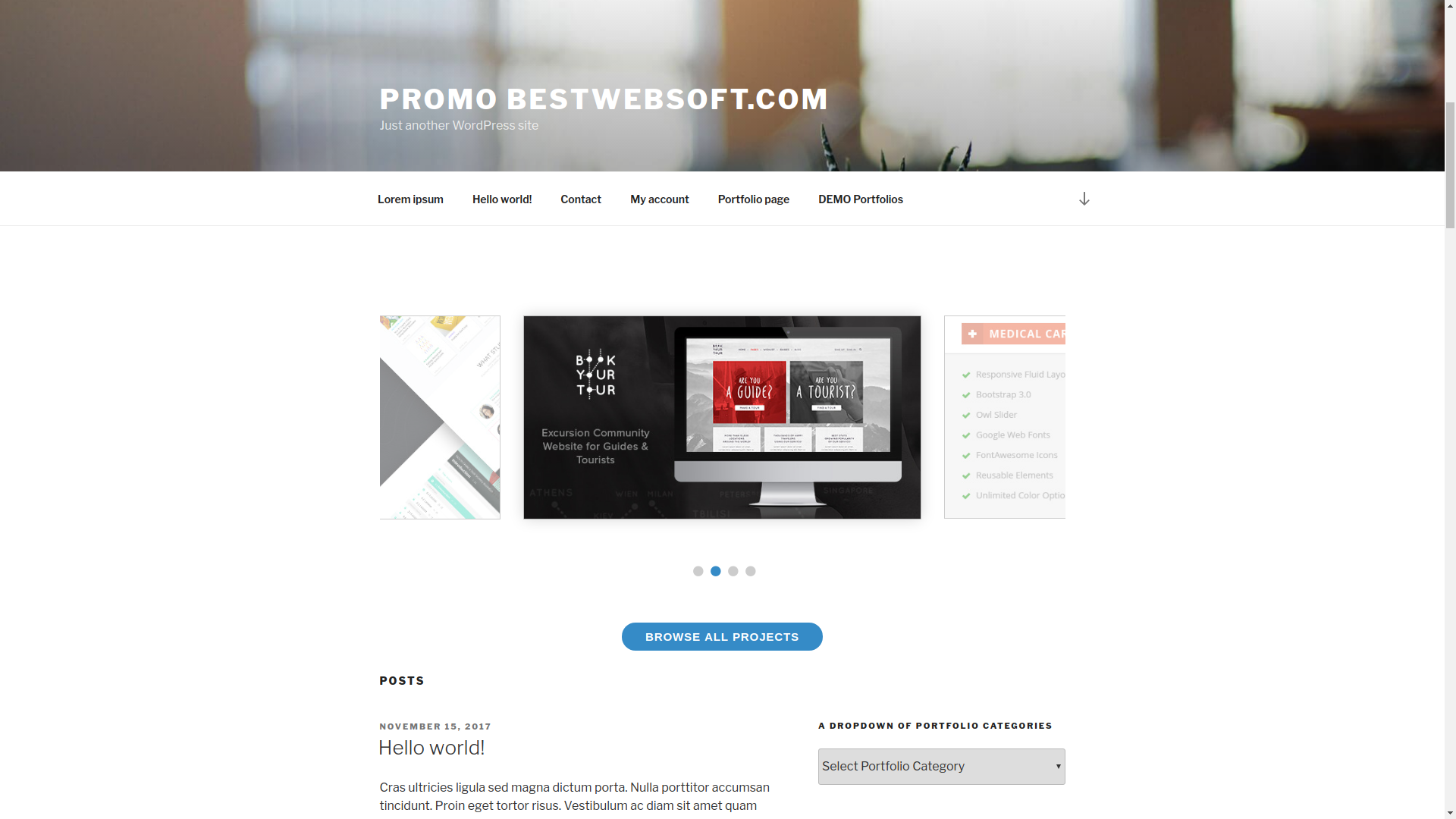
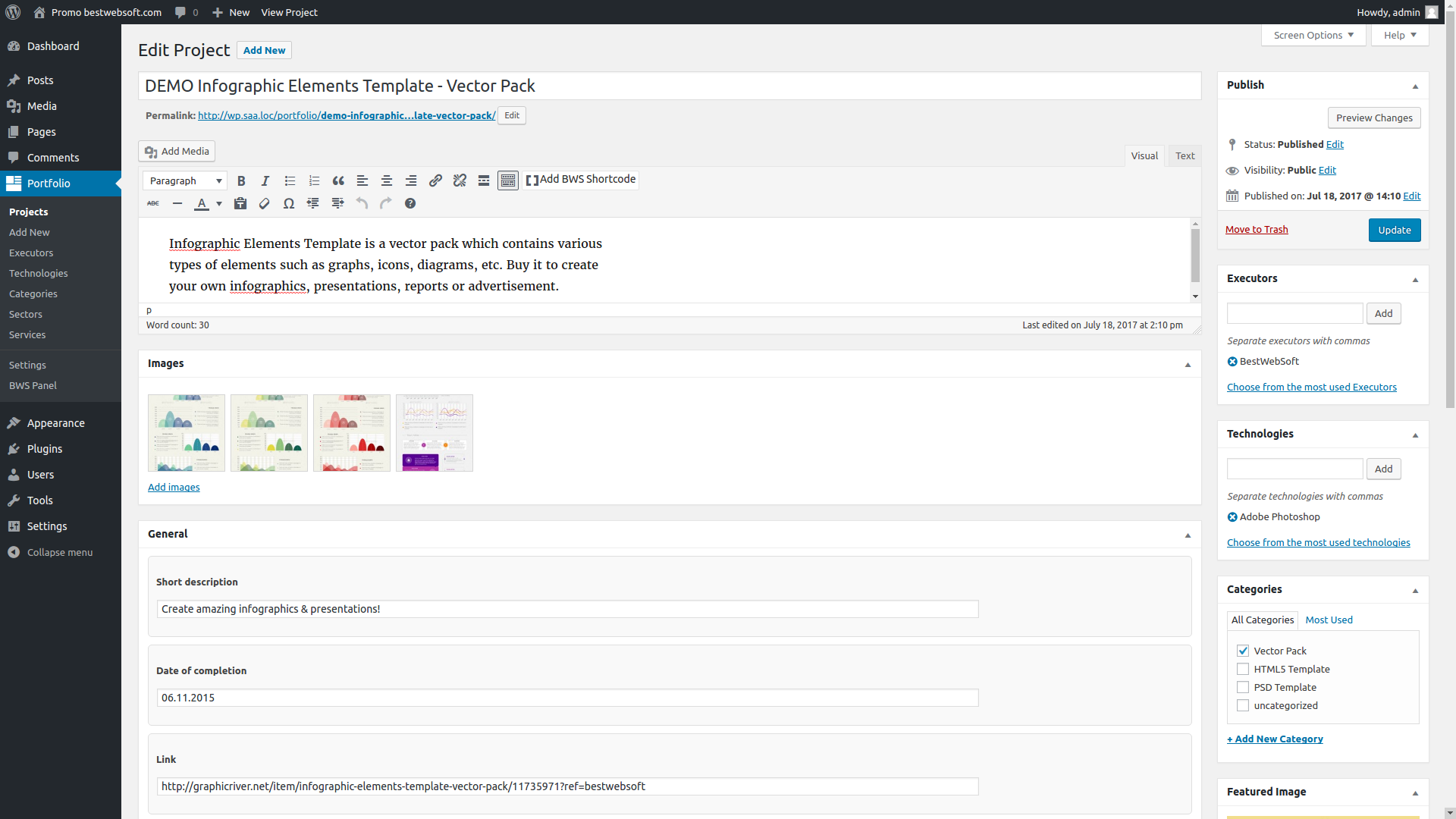
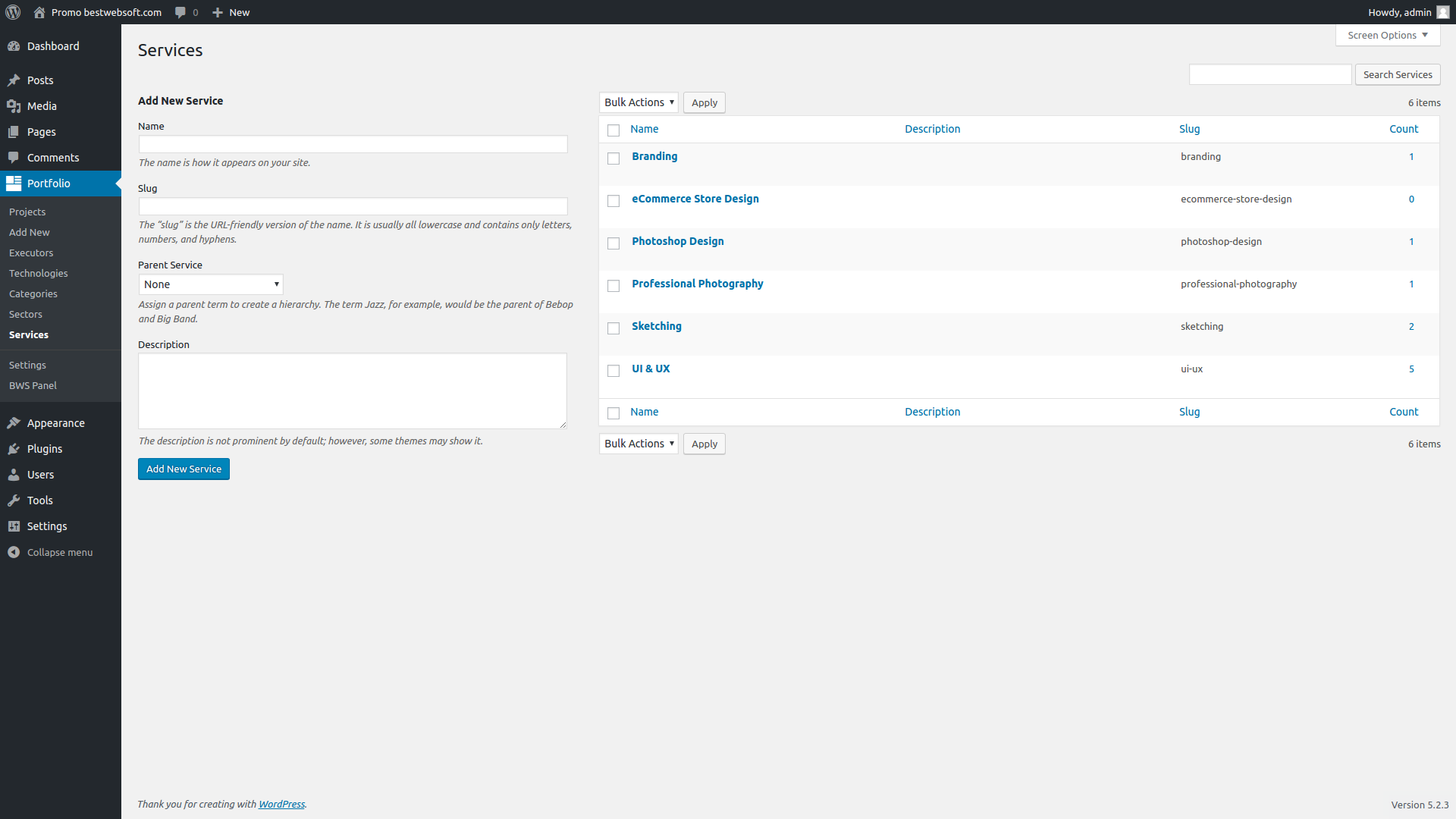
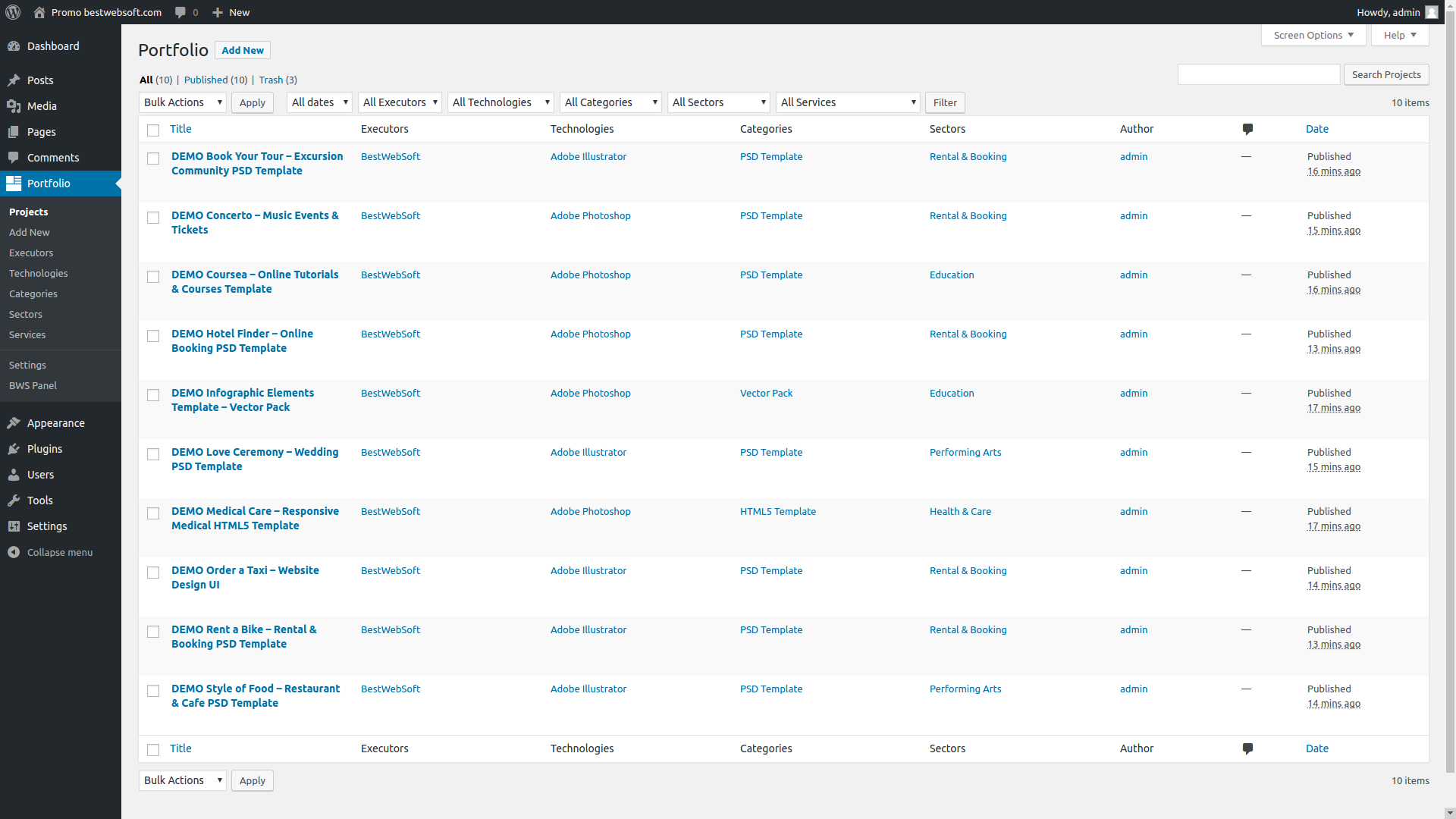
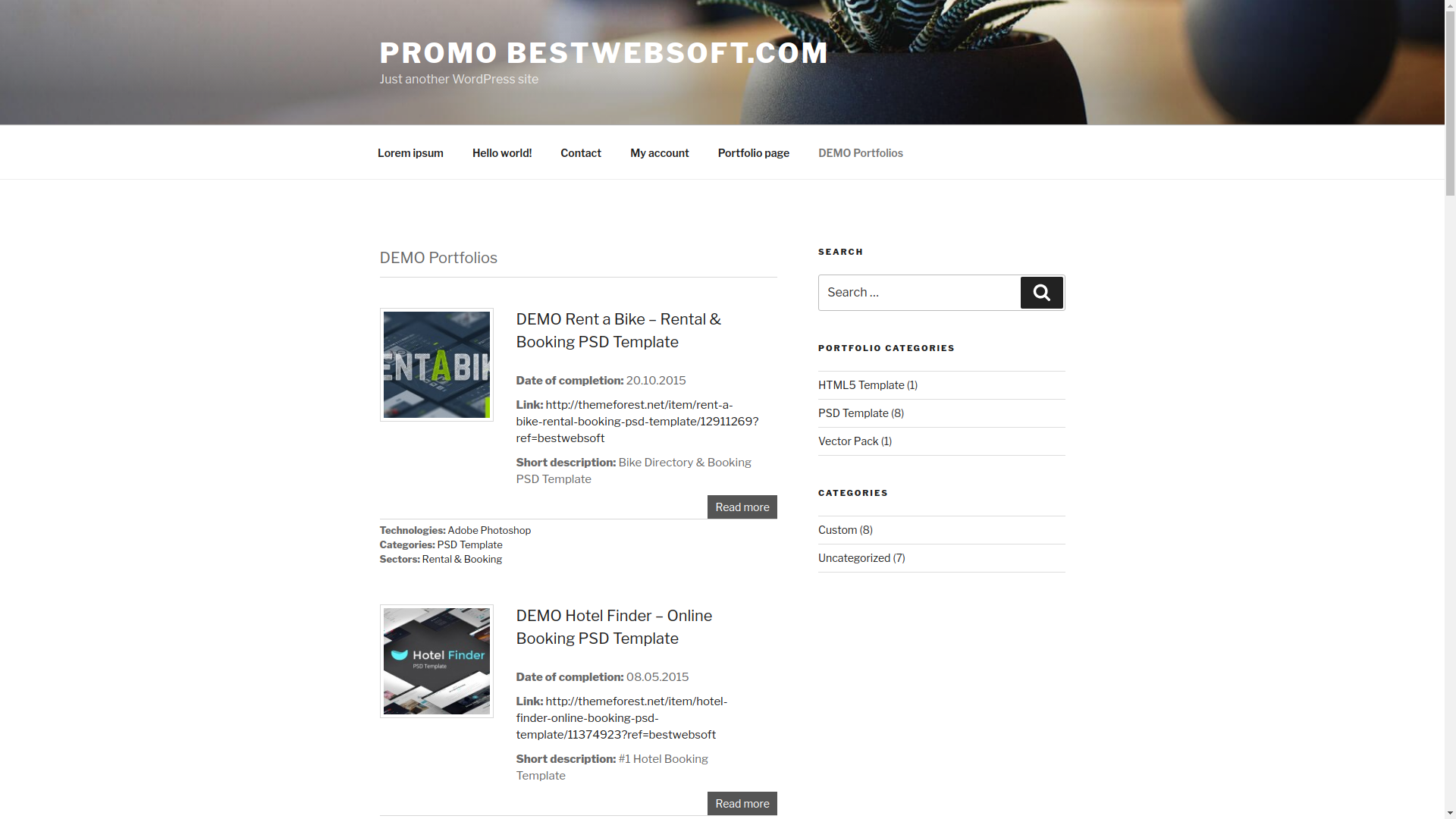
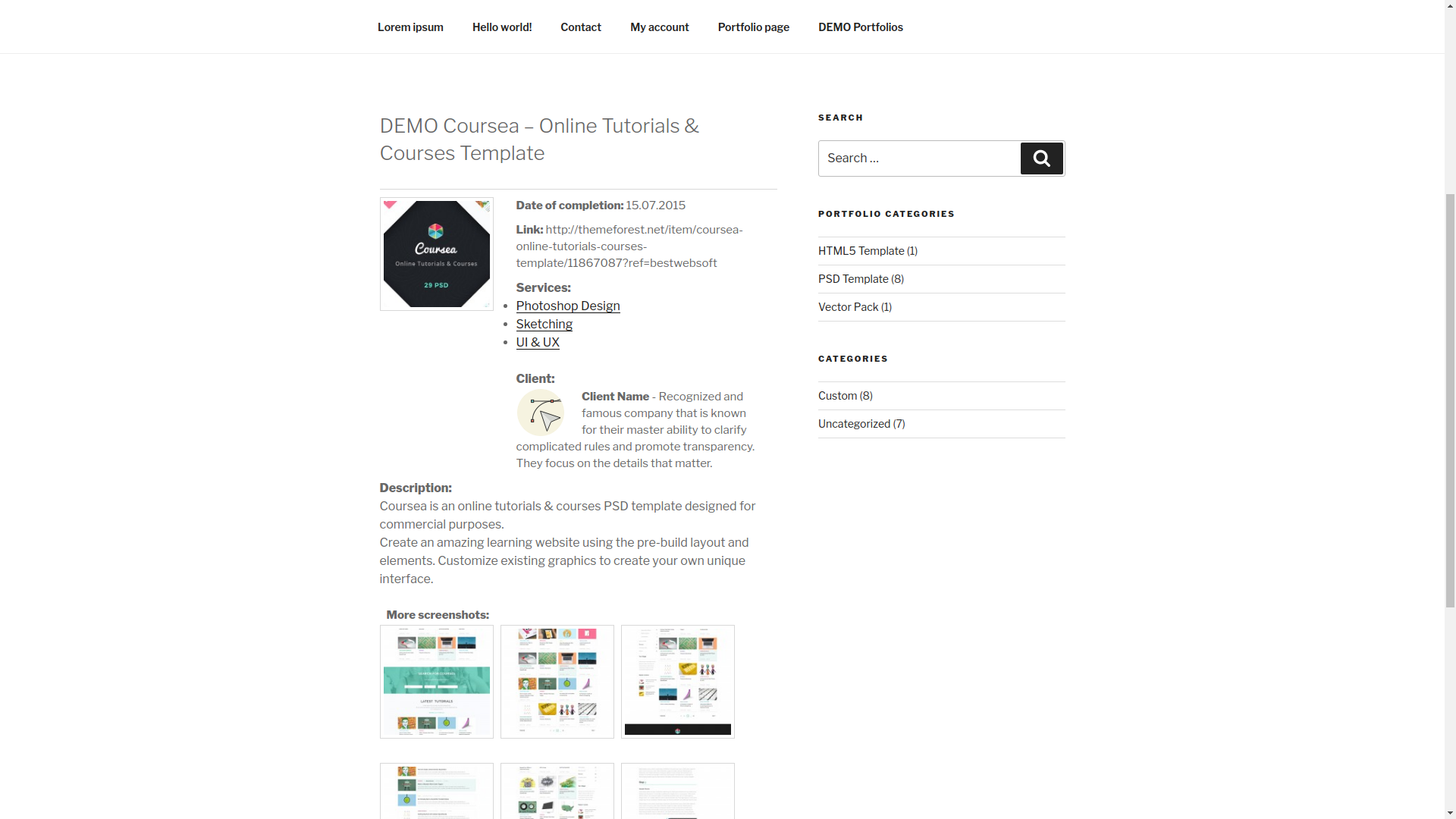
With the Portfolio plugin you can create a unique page for displaying portfolio items consisting of screenshots and additional information such as description, short description, URL, date of completion, etc. Moreover you can add not just one, but many screenshots to one portfolio item for better visual guidance. FAQ Support

Features

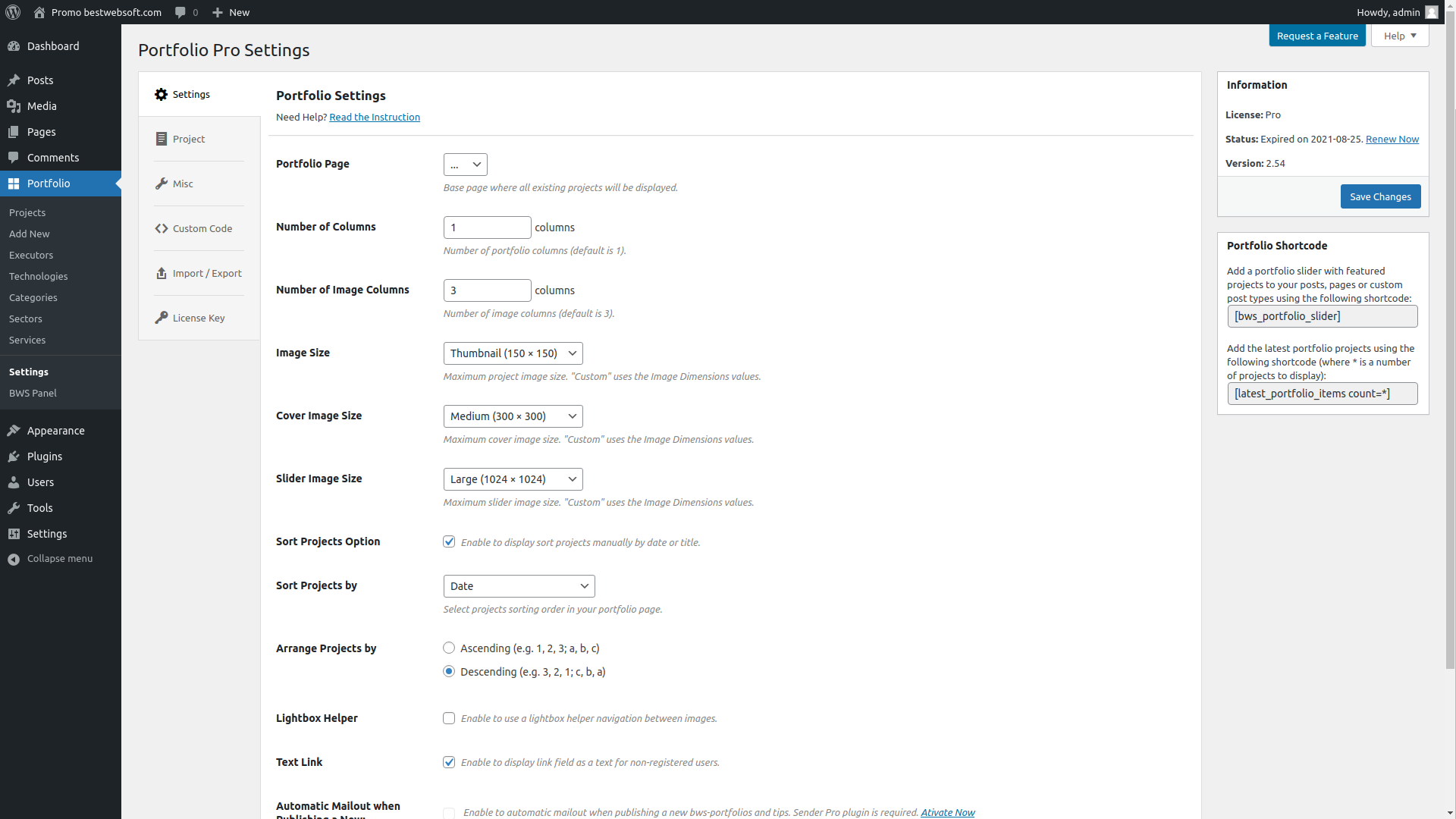
* Actions: Create a template with page navigation to display all portfolio items.

* Actions: Regenerate thumbnails after changing their size.

* Options: Change image size and a number of images displayed in the row.

* Actions: Edit labels of additional fields.

* Display: Enable/disable the option of additional fields displaying.

* Actions: Display the latest portfolio items on your page or post using the shortcode [latest_portfolio_items count=3].

Translation

* Brazilian Portuguese (pt_BR) (thanks to DJIO, www.djio.com.br)

* Dutch (nl_NL) (thanks to HostingU, Ronald Verheul)

* French (fr_FR) (thanks to Jeff)

* German (de_DE) (thanks to Felix Griewald, www.felix-griewald.de)

* Hebrew (he_IL) (thanks to Sagive SEO)

* Hindi (hi_IN) (thanks to Outshine Solutions, www.outshinesolutions.com )

* Italian (it_IT)

* Persian (fa_IR) (thanks to Amir Maskani, www.emir.ir)

* Russian (ru_RU)

* Spain (es_ES) (thanks to Grupo Gomariz, S.L. www.grupogomariz.com)

* Ukrainian (uk) (thanks to Cmd Soft, www.cmd-soft.com)

If you would like to create your own language pack or update the existing one, you can send the text of PO and MO files for BWS and we'll add it to the plugin. You can download the latest version of the program for work with PO and MO files Poedit.

Technical support

Dear users, our plugins are available for free download. If you have any questions or recommendations regarding the functionality of our plugins (existing options, new options, current issues), please feel free to contact us. Please note that we accept requests in English only. All messages in another languages won't be accepted. If you notice any bugs in the plugins, you can notify us about it and we'll investigate and fix the issue then. Your request should contain URL of the website, issues description and WordPress admin panel credentials. Moreover we can customize the plugin according to your requirements. It's a paid service (as a rule it costs $40, but the price can vary depending on the amount of the necessary changes and their complexity). Please note that we could also include this or that feature (developed for you) in the next release and share with the other users then. We can fix some things for free for the users who provide translation of our plugin into their native language (this should be a new translation of a certain plugin, you can check available translations on the official plugin page).

There are 74 comments:

  1. hi
    tnx
    i install this plugin , but it don’t work

    Fatal error: Call to undefined function get_post_thumbnail_id() in /home/*****/portfolio-post.php on line 18

    i send translate file to fa_IR for you/ check it plz

    • This error says that your theme doesn’t support thumbnail option, in order to add this option please find ‘functions.php’ file in your theme and add strings below to this file:

      add_action( 'after_setup_theme', 'theme_setup' );

      function theme_setup() {
      add_theme_support( 'post-thumbnails' );
      }

  2. i install the plugin but it disturbs my whole site foot came up on all my pages… plz check can send me solution of it as soon as possible…

    • This is impossible, plugin cannot change website layout style, because plugin template styles are used for plugin only.

      • I have the same problem as Zubair.
        If I activate your plugin, my footer comes up. I’m using an smtheme.
        Please, try to fix it.
        Thank you

        • Hello Ricard,

          Thank you for contacting us.

          You got the visual errors which are related to your theme. Our free services are not applied to the layout stylizing of custom WordPress themes. All standard WordPress themes support our plugins. If you’ll install standard theme 2010 or 2011 then everything will be displayed correctly. We are not responsible for differences between custom and standard themes. We understand that not every user can edit styles and add necessary changes to the plugin template manually, and that is why we are offering our service in order to help you and adjust plugin for your current WordPress theme. If you have programming skills then you will cope with this modification easily.

          Kind regards

  3. Can we link the pics to a different site when they are clicked on?

    • Unfortunately this functionality is not provided by the plugin.

  4. Hello, is there a ‘latest portfolio entries’ or related widget to display x of the entries with thumbnails? I only see a technologies widget.

    • There is no such widget but you can use shortcode [latest_portfolio_items count=3] in the content of the pages.

  5. Mark Larson said:

    Is there a way to insert a photo into the Gallery from the Media Library? I can add new photos from my computer without a problem, but I can’t seem to find a way to add from the Media Library.

    • Unfortunately our plugin doesn’t have such kind of option. It is necessary to to upload images from the portfolio editing page and use Media Library for this.

      • I have the same problem as Mark.

        If I activate your plugin, my footer comes up. I’m using an smtheme.

        Please, try to fix it.
        Thank you

        • Hello Ricard,

          You got the visual errors which are related to your theme. Our free services are not applied to the layout stylizing of custom WordPress themes. All standard WordPress themes support our plugins. If you’ll install standard theme 2010 or 2011 then everything will be displayed correctly. We are not responsible for differences between custom and standard themes. We understand that not every user can edit styles and add necessary changes to the plugin template manually, and that is why we are offering our service in order to help you and adjust plugin for your current WordPress theme. If you have programming skills then you will cope with this modification easily.

          Kind regards

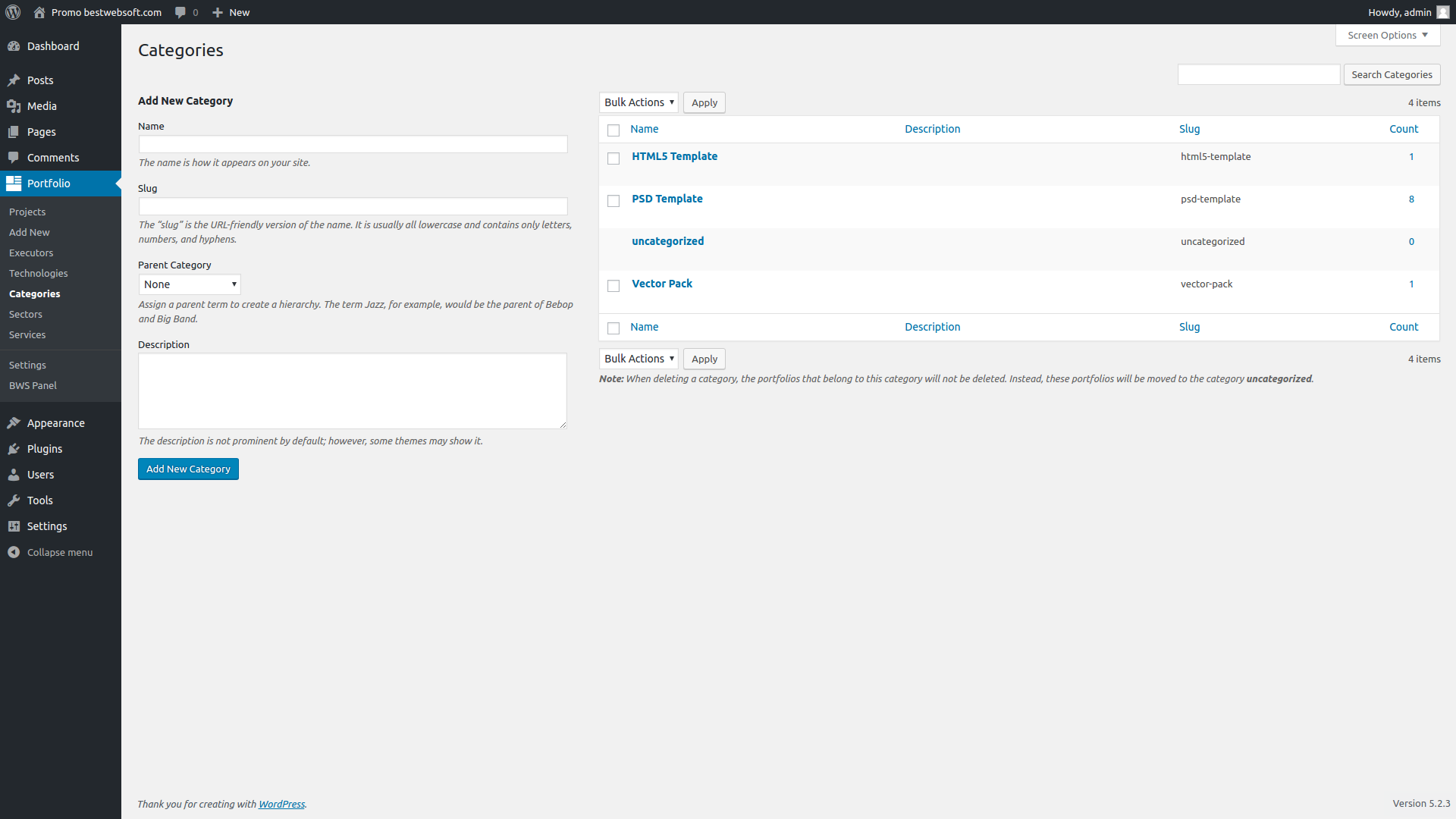
  6. Hi there, Executor Profile seems to be another name for Categories, however I’ve set 3 up (Web Design, eCommerce and Marketing) and although I’ve assigned a Portfolio item to Web Design, it doesn’t seem to have done anything.

    I was hoping that we could segment the Portfolio page into the three area’s (or setup 3 different pages – 1 for each cat) so prospects could look only at what we;ve designed, or only what we’ve marketed. Is that possible?

    If no could you point me in the direction of what Executors Profiles are about?

    Cheers, Neil

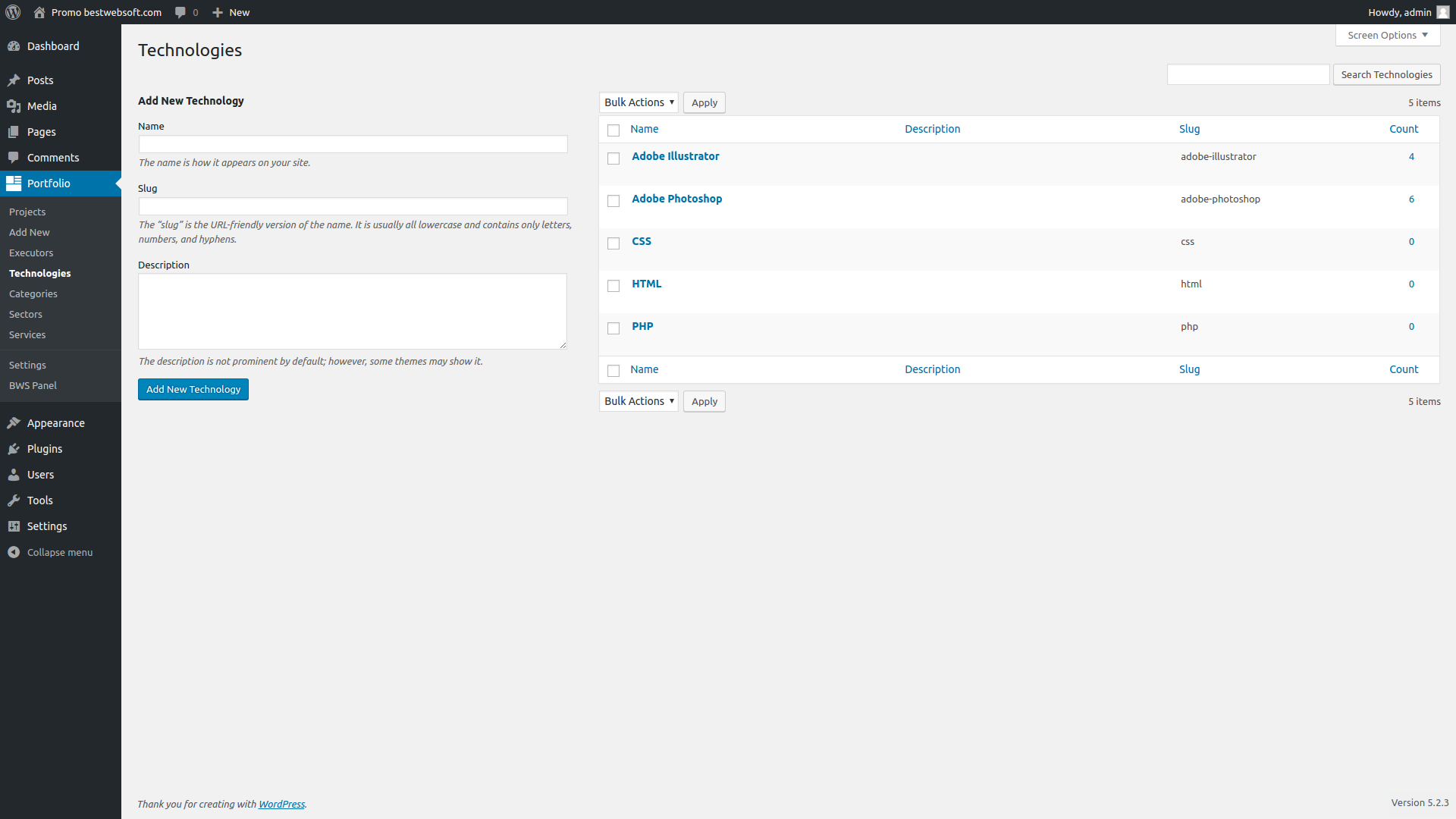
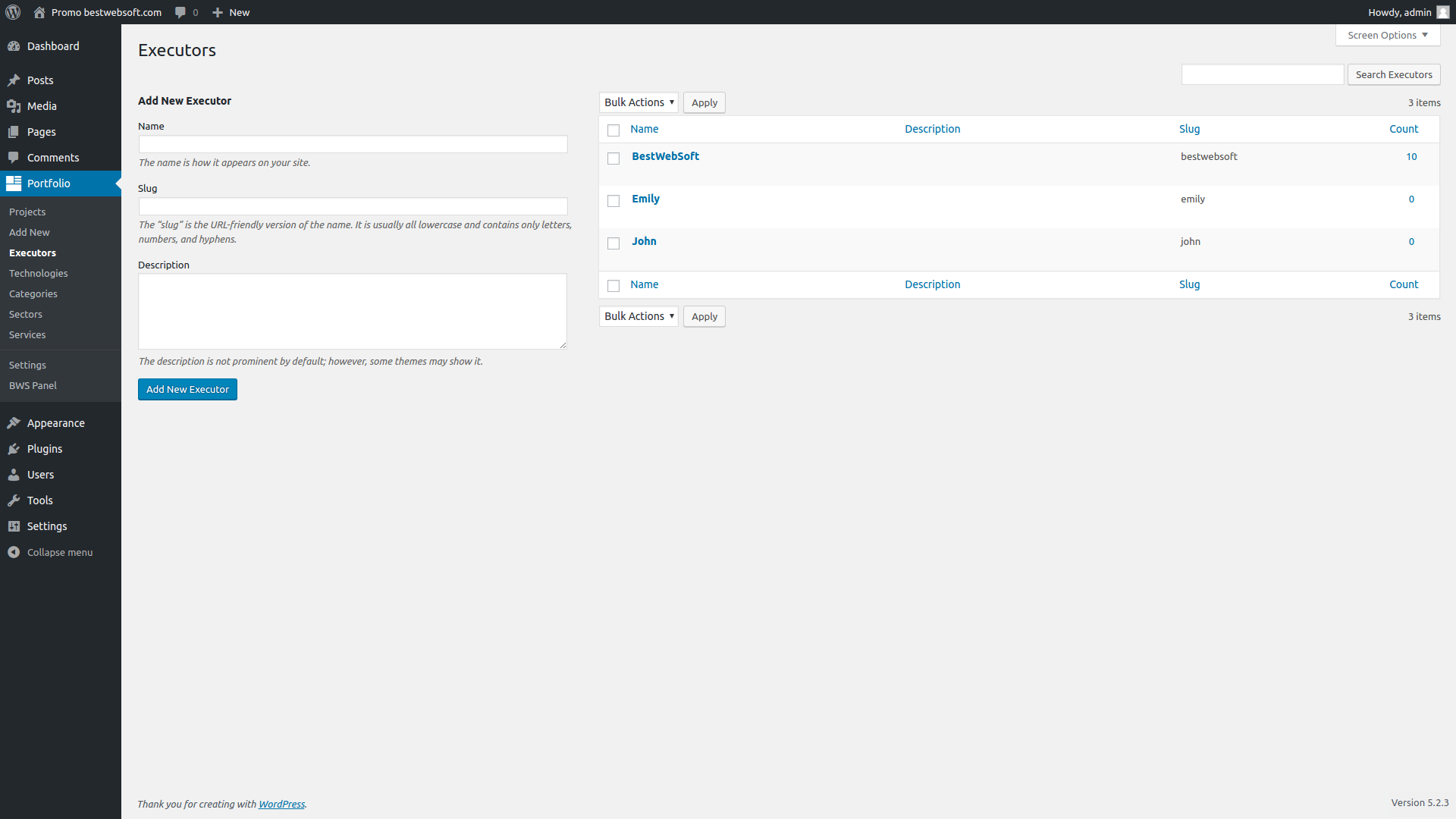
    • Executor Profile is something like category, but it saves user’s information which is carry out the project.
      In your case will be better to use Technology this is more looks like WordPress’s categories.
      And also Technology widget
      You can check how works this functionality on our website on the Portfolio page.

  7. Can you guys tell me what an Executor Profile is and how it is meant to be used.

    I added once called “Test 123″ and added it to a portfolio.

    Damned if I can see it anywhere?

    What are they?

    • ‘Executors Profile’ – information about person who has made the project (responsible person (name)).
      It displays on the portfolio page (single portfolio) if you selected ‘Executor’ in the ‘Display additional fields’ block on the wp-admin/admin.php?page=portfolio.php page in the admin panel.

  8. Nate Mitchell said:

    Hi guys, this plugin looks great, though when I install it and click add, I get a completely blank page.

    I followed these instructions but can’t seem to find the portfolio or portfolio-post.php files anywhere?

    • You need to copy files from the ‘template’ foulder to the folder with your theme (physically) via FTP or cPanel.

  9. Hi, is it possible to have a navigation of technologies as tags to organize a portfolio by? Such as

    for categories, can this be done for the portfolio?

    • There is the output of technologies on portfolio page — please go to the page of the plugin settings wp-admin/admin.php?page=portfolio.php, check that all check marks are set up in the block «Display additional fields», save changes and then, technologies will be displayed under each portfolio on portfolio page. Everything is already implemented in the template and you should not add anything. It is impossible to output technologies with the help of standard WordPress settings — they work only with standart categories.

  10. Thanks for plugin. I am having one issue. If image is landscape or portrait and i have set image size 250X250 then it is not maintaining ratio and always generating square image, so some of image part is cut.

    • I found the solution:

      in =>function prtfl_image_resize_dimensions, $crop is somehow always passed as true, so it always crops an image.
      So if i make it 0 before condition, image retains it’s ratio.
      $crop = 0;
      if ( $crop ) {

      I hope this makes a sense.
      BTW nice plugin, Thanks for sharing.

  11. Tefeles Ionut said:

    How the hell do you display the damn portfolios????

    I need a page where they are all displayed :(

    • Hello,

      if you need a page where all portfolios will be displayed, you should create the page and assign the template Portfolio to it.

  12. Hello, Is there a way to customize the portfolio plugin’s alignment? I would like the thumbnails and descriptions be centered inside the black box, http://achallaestcouture.com/?page_id=14 , thank you!

    • Hello,

      please add the follwing code to css file (at the end of the file or find and change styles for these elements):

      /* line: 100 */
      #container {
      background: none repeat scroll 0 0 #0B0B0E;
      border-top: 3px solid #121316;
      color: #686868;
      margin: 10px auto 0;
      overflow: hidden;
      width: 960px;
      }

      /* line: 240 */
      #content {
      /* float: left; */
      margin: 0 auto;
      width: 920px;
      }

      /* line: 104 */
      #container .breadcrumbs {
      margin-top: 10px;
      }

      In standard CSS the width of the block .portfolio_short_content is 335px (the description block is to the right of featured-image). The distance between the featured image and description is too big; you can increase the width of the block in order to reduce it

      .portfolio_short_content up to 620px.
      /* line: 138 */
      .portfolio_short_content{
      width: 620px;
      }

      Note: in the field “Description” that is on the page of the separate portfolio (for example, http://achallaestcouture.com/portfolio/a-geisha/ ) you should add text-description but not images.

    • Hello Matthew,

      You can limit posts and portfolio in the admin panel: Settings->Reading-> Blog pages show at most

  13. Hello,
    Is there a premium version of the plugin that we can purchase, with additional features ?

    • Hello Secua,

      Please send the list of all additional features you want to add to the plugin and we will estimate them.

  14. Hi, I have been building a website with a theme called rework from pixelentity. The display was all wrong. Now I found out that it has to do with your plugin After deactivating it it was all ok.

    It has to do something with a float that doesn’t work. Can send you the files if you want to look in to it.

    • Hello Rogier,

      You got the visual errors which are related to your theme. Our free services are not applied to the layout stylizing of custom WordPress themes. All standard WordPress themes support our plugins. If you’ll install standard theme 2010 or 2011 then everything will be displayed correctly. We are not responsible for differencies between custom and standard themes. We understand that not every user can edit styles and add necessary changes to the plugin template manually, and that is why we are offering our service in order to help you and adjust plugin for your current WordPress theme. If you have programming skills then you will cope with this modification easily.

      • Hello,
        I have simillar problem as Rogier. I just activated the plugin and it changed my theme styles now I do not have padding from left and averything starts from the border of the frame.
        I want to notice that I am with basic twenty eleven theme.

        • Hello Trayan,
          Regarding your question:

          According to the used template have to present the sidebar on the right – but you don’t have it.

          Please add the sidebar and everything will be look correctly.

          Kind regards

  15. I want to use the Portfolio pluging to create a catalog with 25 categories.
    In the principal page there appears only 16 categories, so I need to increase it. How can I do it?
    Thanks!

    • Hello Juan,

      The number of portfolio on page is specified by the value posts_per_page (it is set up in the admin panel on the page wp-admin/options-reading.php).

  16. I can’t seem te get the image working with in the lightbox and getting this error:
    Notice: Trying to get property of non-object in ****/wp-content/themes/***/portfolio-post.php on line 33

    • Hello,
      Please provide URL of the page in order to analyze the problem.

  17. Anderson Martins said:

    I made a single.php file with the following content:

    The plugin creates two files: portfolio.php and portfolio-post.php, renamed the portfolio-post.ph to portfolioPost-single.php, and created a file called single-single.php. It works, but the problem remains remains not show the full content.

    URL: http://b2bd.com.br/website/?attachment_id=676

    Would like help, thanks.

    • Hello Anderson,

      Please do not rename nothing, the plugin works only with files portfolio.php and portfolio-post.php.

      What is wrong exactly? Please provide the page URL ans describe what is wrong there.

      Waiting for your reply.

  18. Hi,

    What a great plugin developed by you :) . Cheers…

    I want to change the date format for the portfolio plugin.

    I just need 1,1970 instead of January 17, 1970.

    Please help me with this as this very critical issue for my client.

    Thanks in advance,

    • Hello Moin,

      The single portfolio page template has this string:

      $date_compl = date( get_option( ‘date_format’ ), strtotime( $date_compl[1].”-”.$date_compl[0].’-’.$date_compl[2] ) );

      I. e . we take the date format, which is recorded at the wp-admin/options-general.php page in the Date Format section.

      Please change the date format at this page and the portfolio format will change.

      Kind regards

  19. Hi,

    Love your plugin. Have a question: is a short code available for specific portfolios. I have over 10 portfolios that i need to organize on 4 different pages. I was thinking to use short code on specific page to organize my work.

    • Hello William,

      It is not clear, you need the 4 different pages with 10 portfolio on the each page or you need the 1 page with page navigation of 10 portfolios on the page?

      Waiting for your reply.

      • I need 4 pages for 2-3 portfolios per page.

        • It is not clear – it will be the 4 different pages or it will be one page with page navigation?

  20. Ed Markowski said:

    Hello, is there a instruction manual for this the portfoio plugin? I do not think the options are clear and how do you to edit the portfolio template. Any information would be great, thanks.

    • Hello Ed,

      You can find the instructions in the file “Read me” in the plugin or in the plugin page at the WordPress site.
      If you say what exactly you want to do, we can give you recommendations.

      Kind regards

  21. Hello, I’m using [latest_portfolio_items count=4] to show the latest entries, but it’s not showing the latest entries. I have portfolio entries submitted after the 4 that are showing, but the latest will not show. It appears to be stuck on the current 4… I made a new entry to test this and the entry did not show up on my home page under the latest portfolio gigs. No idea what’s wrong…?

    • We will fix this bug in the nearest future, but you can fix it yourself now.
      Please open the portfolio.php file from plugin folder, find the string 999

      ‘orderby’ => ‘data’,

      and change it like this:

      ‘orderby’ => ‘date’,

      save changes.

      Kind regards

  22. is there any way to make featured image non clickable?

    • Hello William,

      You should change the template code in the theme, so that instead of the image in the link will deduce just the image.

  23. steve bittle said:

    So what if my theme does not have the Portfolio selection in the atribute section? I am using PBK Mega Menu and it doe snot offer this as a page selection.

    FYI the portfolio.php files is loaded in the editor.

    • Hello Steve,

      You mean, when you edit the ordinary page you don’t have the necessary template in the template selection block?

      Looking forward to your reply.

  24. Are there plans to have in-built functions to add custom Portfolio taxonomies? I find I need more than Executor Profile & Technologies.

    • Hello,

      We can add any number through plugin customization. If you have experience, then you can do it yourself. If not, we can help you with this, but it is a paid service.

      Looking forward to your reply.

      Kind regards

  25. Before I get too much into the redesign of my site… will this plugin export correctly when I migrate from a test server (using BackupBuddy), or will I have to rebuild it?

    • Hello Kay,

      In your case, it will be the best to make the database and files transference with help of cpanel. Because some plugins can’t make the information import by custom types of posts.

      Kind regards

  26. The date on the portfolio page and single portfolio page is displayed in English. Anyone an idea how to change this into Dutch?

    • Hello Justus

      We are displaying the date with help of standard WordPress functions, respectively if you have the WordPress on Dutch language, everything must display correctly.
      But you can fix it, if something is wrong:
      - template portfolio.php the string 80 and 89
      change date to date_i18n
      - template portfolio-post.php the string 41 and 52
      change date to date_i18n

      Kind regards

  27. I’ve got the plugin working ok, but can’t seem to get the “more screenshots” feature to work.

    Images added to the post stay in the post, some however do appear in the “more screenshots” section.

    • Hello Will,

      If you want to use more screenshots” section, it is necessary to reupload images on page with portfolio, not to choose them from already existed section in the standard WordPress media gallery.

      Kind regards

  28. Thanks for this great plugin. Works pretty well. But I found one thing which is a bit strange. Not sure if it is a bug or just not knowing me hoer to handle it: if I create a post (portfolio item), write a text, add some images (via Media Upload) – everything is fine. If I then delete the images, they ar not visible any more in the Editor section, but still in the frontend. The database seams also to be up to date. Only the singel portfolio view is messed up. Strange enough that I cannot find the images (visible in the frontend) in the backend. Hope you can retrace somehow what I’m trying to explain.
    Do you have an idea how I can deal with that issue? Did I miss something or just messed something up?

    Thanks
    Wolfgang

    • Hello,

      If I then delete the images, they ar not visible any more in the Editor section, but still in the frontend. – I.e portfolio works with attached images, than it is not necessary to insert the added image to content. And when you will remove it from content, it will not disappear, because it stays attached to this portfolio.

      Kind regards

      • I have the same problem. How do I remove pictures from the portfolio. I’ve already deleted them from the editor section, but they’re still showing in the frontend.

        -David

        • Hello David,

          The portfolio can’t work with images in content. It can work only with attached images. (I.e. images, which were loaded to media library on the portfolio edit page)
          Please remove image from media library and it will not be in the frontend.

          Kind regards

  29. Hello David,

    I can’t seem to change the order of the pages in my portfolio. I tried in settings but it isn’t doing anything. I would like the pages to be ordered from newest entry by date (at the top of the first page) to oldest entry (at the bottom of the last page). If you could let me know how to make this change I would really appreciate it.

    Kind regards.

    • Hello Jordan,

      Please provide a screenshot of portfolio settings page from admin area.

      Kind regards

    • Hello Emir,

      We will add you link in the next update.

      Kind regards

  30. I try to use your portfolio, but my problem is to sort in first time, the “categories”, and when you walk in, the order of the images in there.

    How can I get it?

    • Hello Jordi,

      Please can you describe in more details, what exactly is wrong – it is not clear – to sort in first time ? the “categories”? the order of the images in there ?
      It will be better if you could provide a pages URL with portfolio and give explanation on this page example.

      Kind regards

Leave a Reply

Your email address will not be published. Required fields are marked *

one + 4 =