

Keeping track of user activity is important for any WordPress website that allows registration or profile editing. Whether you run a membership site, community platform, or business portal, knowing when users join or update their profiles helps maintain security and communication.
The Profile Extra Fields plugin by BestWebSoft now includes a new notification system that sends automated emails to both administrators and users during registration and profile updates.
This feature allows you to fully control email notifications without additional plugins or complex configuration.
What Notifications Are Available?
The plugin introduces four types of email notifications:
Admin Notifications
- New user registration
- User profile updated
User Notifications
- Registration successful
- Profile updated confirmation
Each notification type can be customized independently.
Admin Notification – New User Registration
This notification is sent when a new user registers on your website.
Settings include:
- Subject line customization
- Message body customization
- Shortcode support
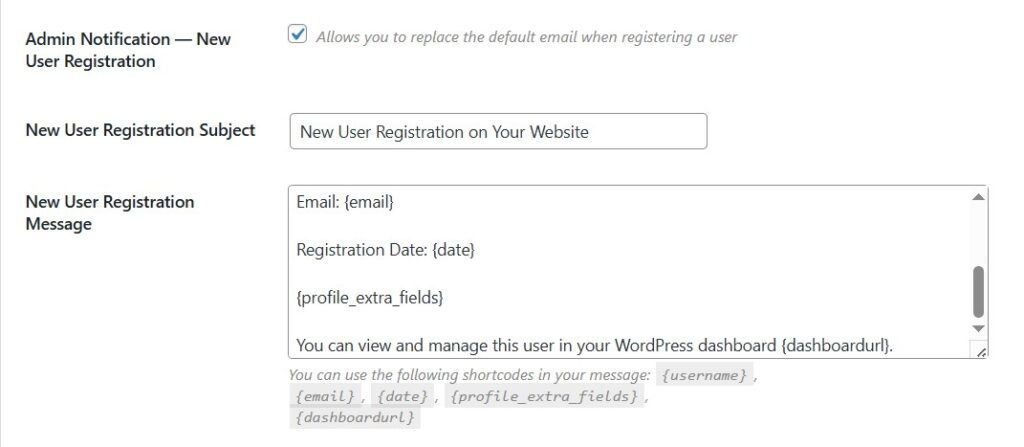
Available shortcodes:
- {username} — user login name
- {email} — user email
- {date} — registration date
- {profile_extra_fields} — additional profile fields
- {dashboardurl} — WordPress admin dashboard link
Example message:
New user registration email includes full user details and direct access to the dashboard.
Admin Notification – Profile Updated
This email is triggered when a user updates their profile.
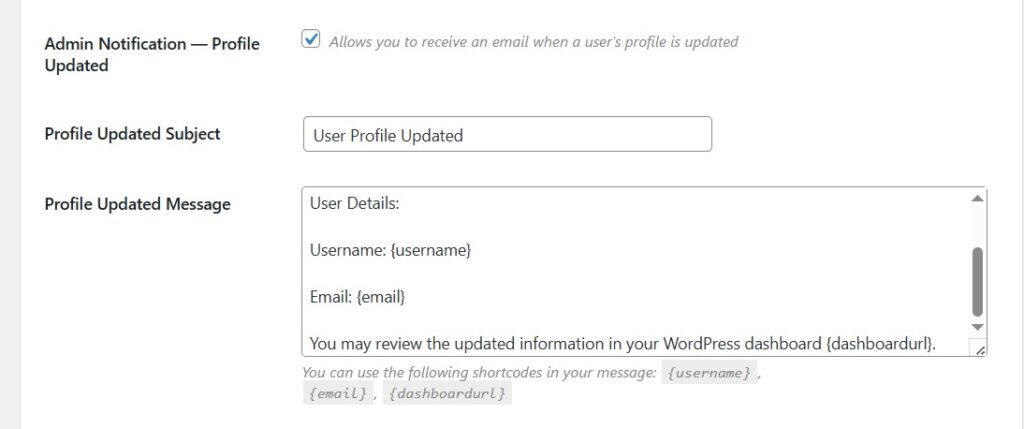
Available shortcodes:
- {username}
- {email}
- {dashboardurl}
This helps administrators stay informed about all profile changes in real time.
User Notification – Registration Successful
After successful registration, users receive a confirmation email.
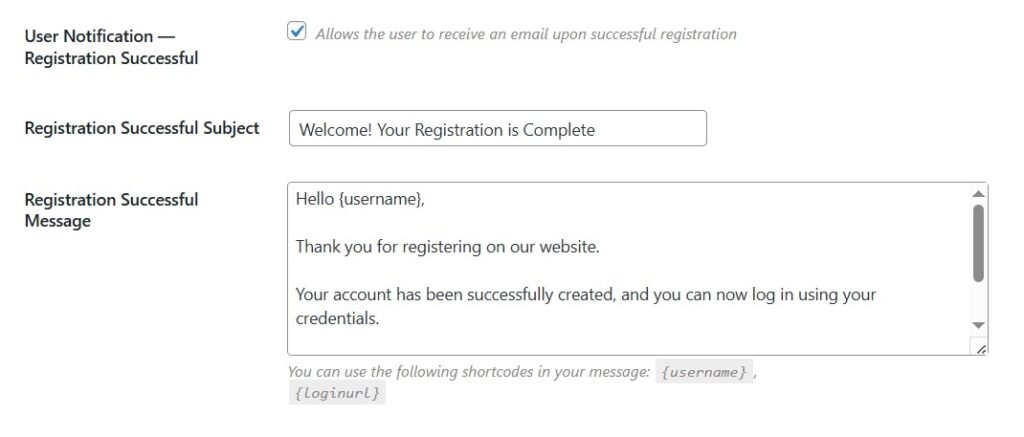
Available shortcodes:
- {username}
- {loginurl}
This email confirms account creation and provides login or password setup instructions.
User Notification – Profile Updated
Users are notified when their profile information has been changed.
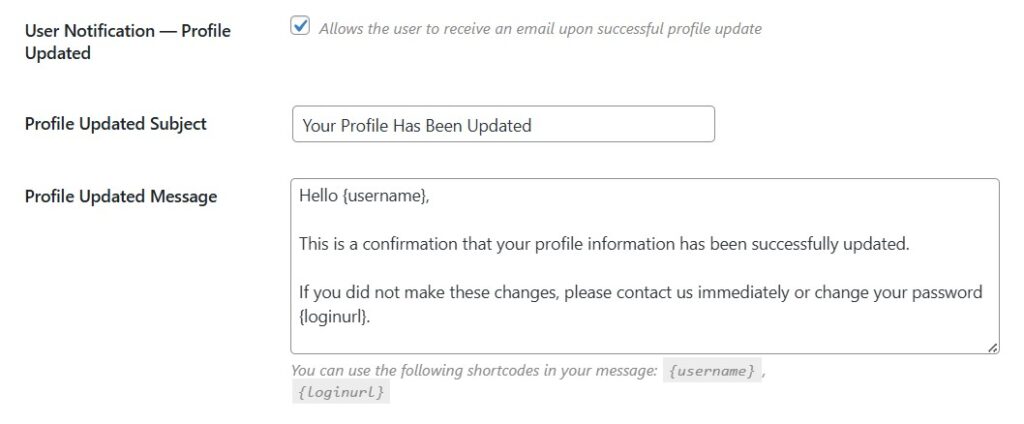
Available shortcodes:
- {username}
- {loginurl}
This improves transparency and helps users detect unauthorized changes.
Why Email Notifications Are Important
Adding automated notifications improves both security and communication:
- Keeps administrators informed about user activity
- Helps detect unauthorized profile changes
- Improves user trust and transparency
- Reduces manual monitoring of user actions
- Enhances overall site management workflow
Practical Use Cases
Membership Websites
Track new registrations and profile updates in real time.
Community Platforms
Stay informed about user activity and changes.
Business Portals
Ensure accurate tracking of client or employee data.
eLearning Platforms
Monitor student registration and profile updates.
FAQ
Can I customize email subjects and messages?
Yes. Both admin and user notifications allow full customization of subject and message body.
Are shortcodes required?
No, but they help dynamically display user data such as username, email, and dashboard links.
Can I disable specific notifications?
Yes. Each notification type can be enabled or disabled separately.
Do notifications work for all user roles?
Yes, they apply to all registered users unless restricted by site configuration.
Will this replace default WordPress emails?
It can override default registration emails if enabled.
Conclusion
The new email notification system in the Profile Extra Fields plugin gives WordPress site owners full control over registration and profile update alerts. With customizable messages and shortcode support, you can keep both administrators and users informed in real time.
This feature improves security, transparency, and communication — making user management much more efficient.


