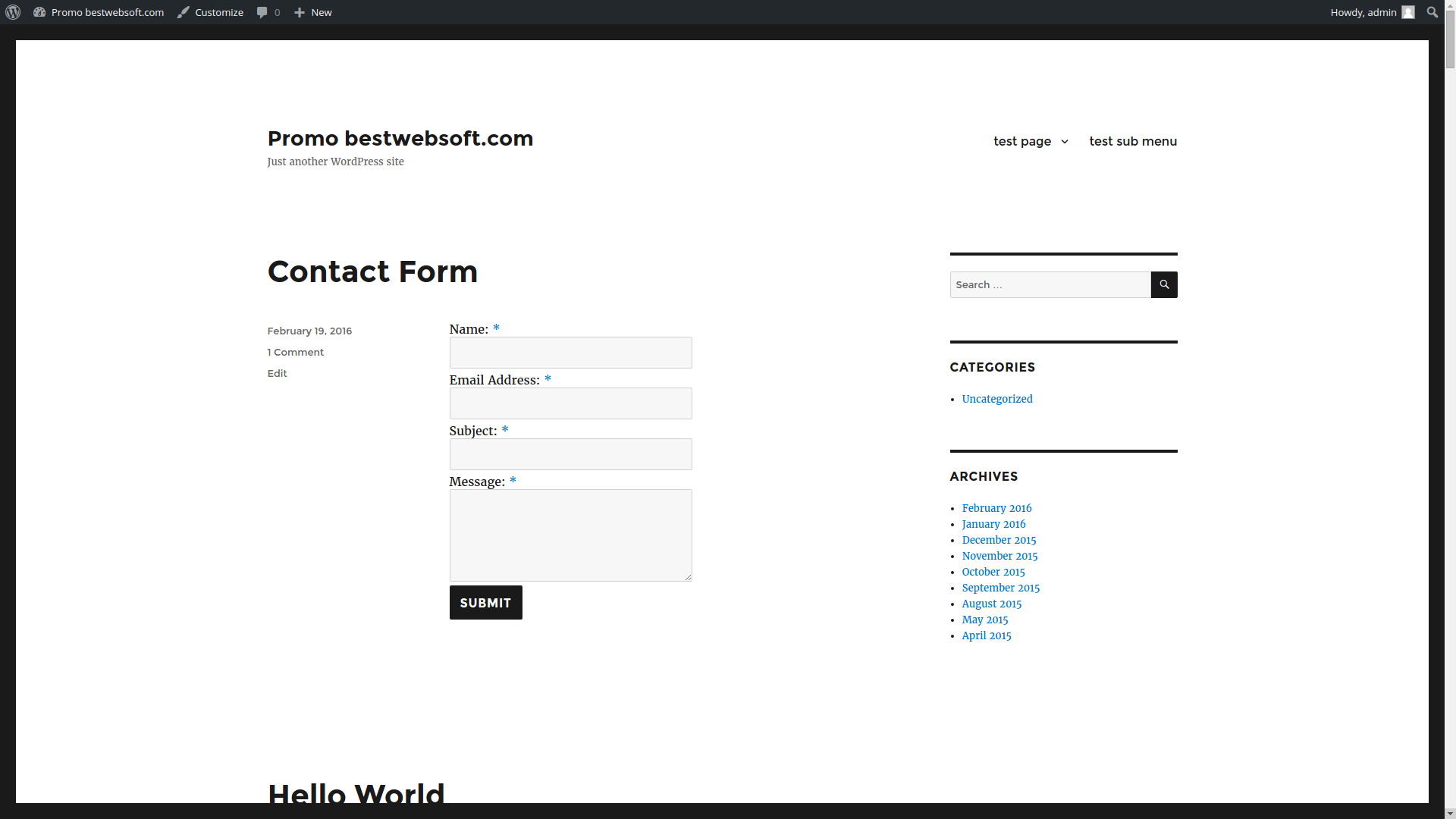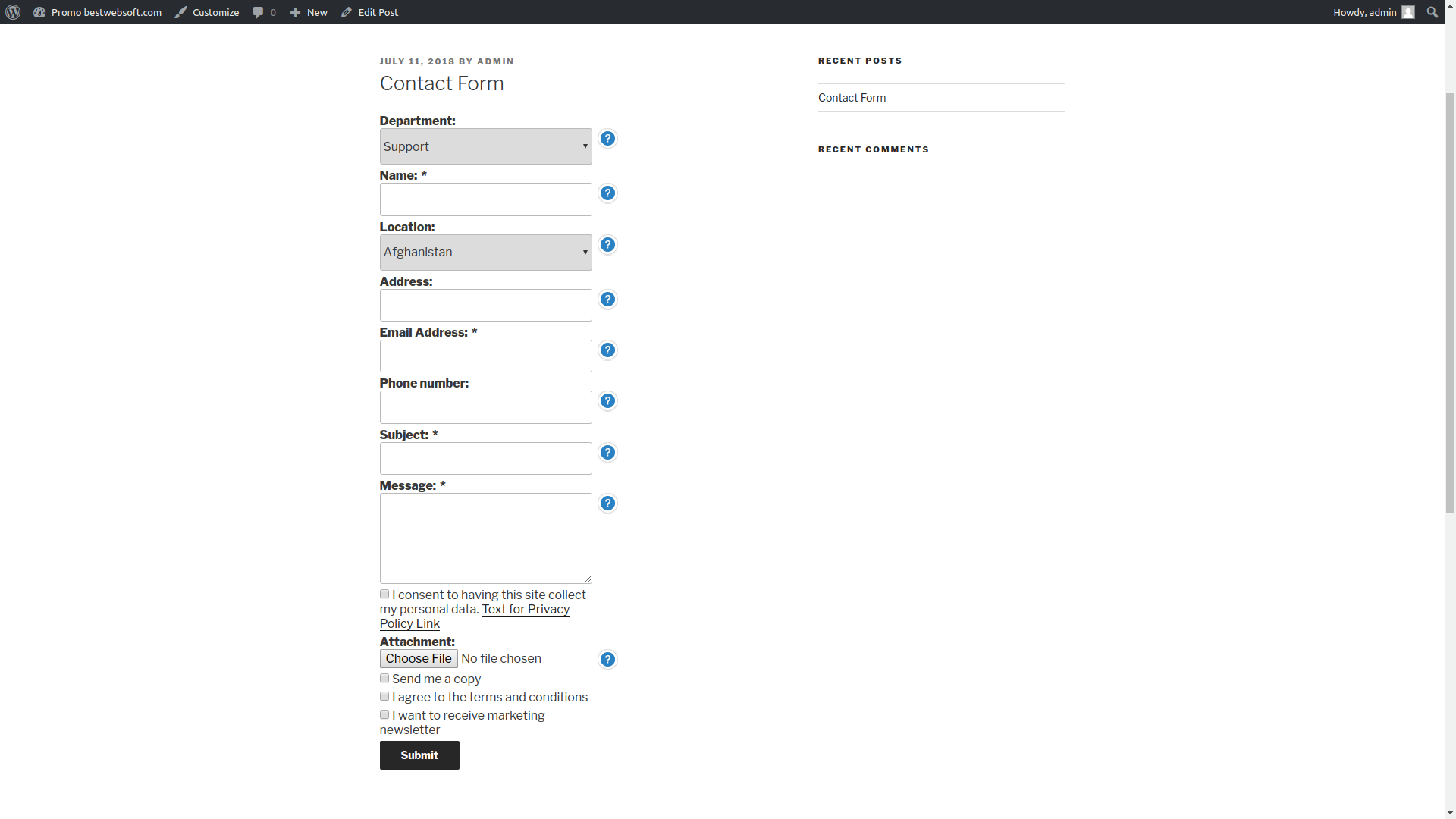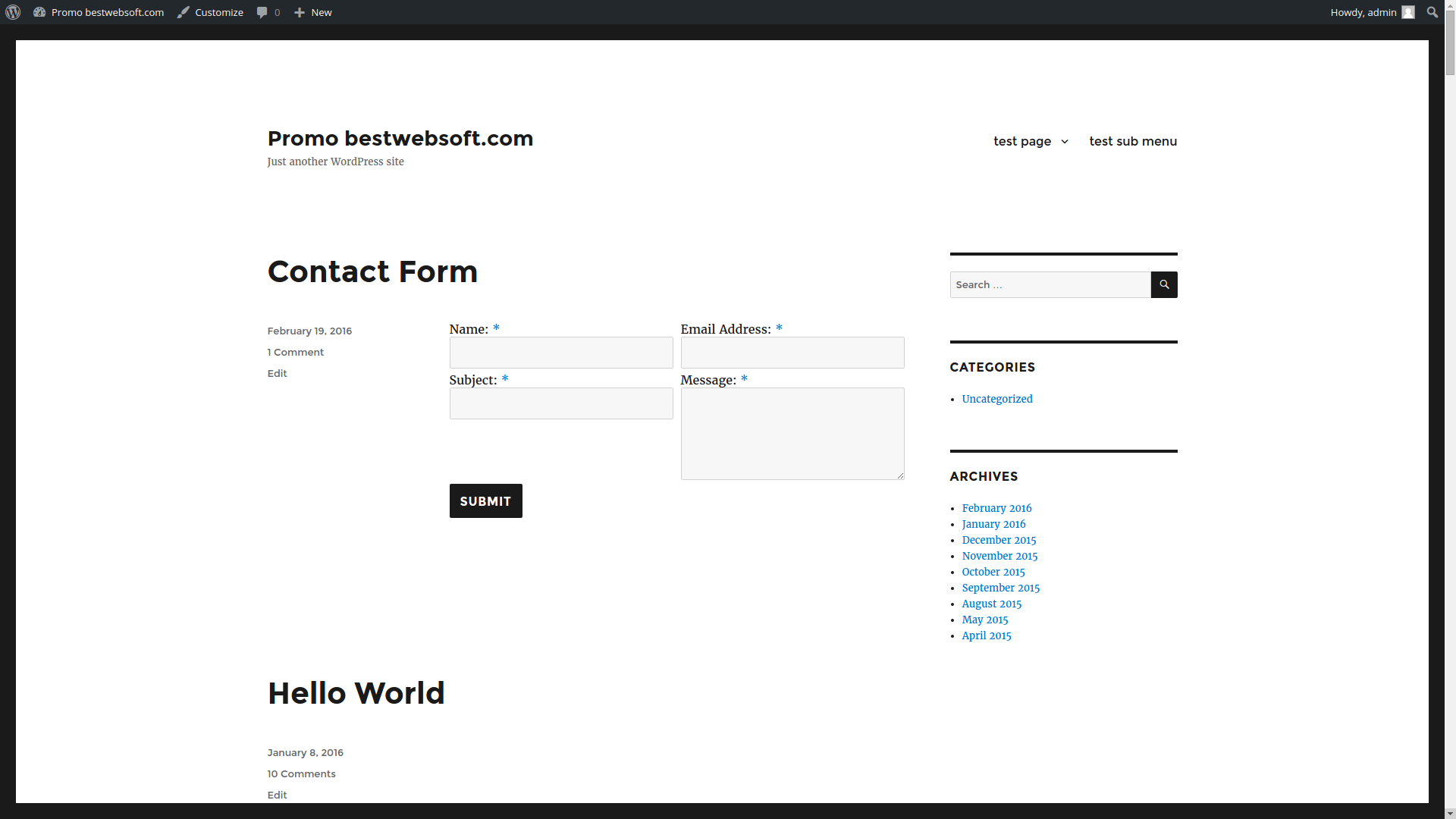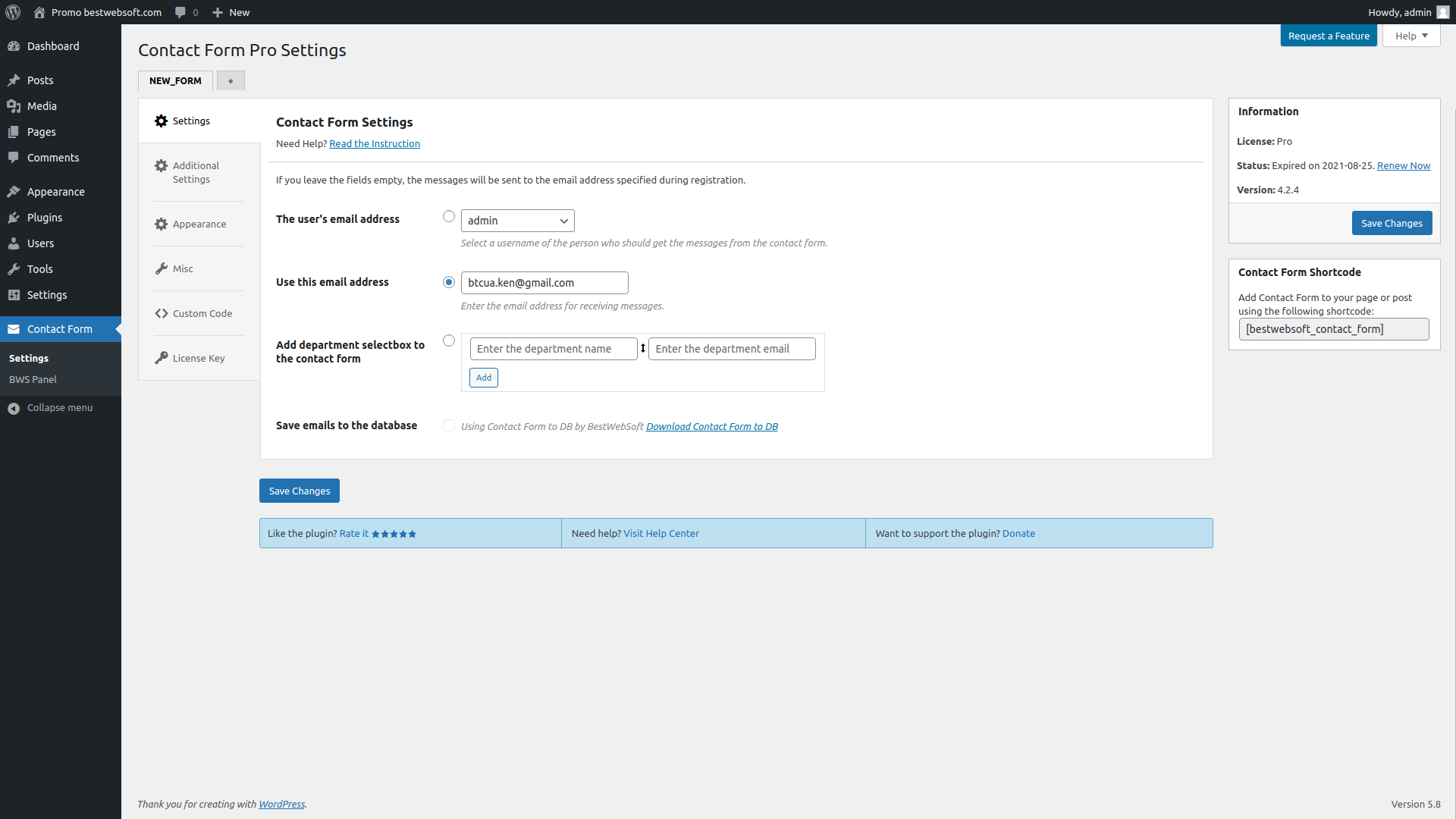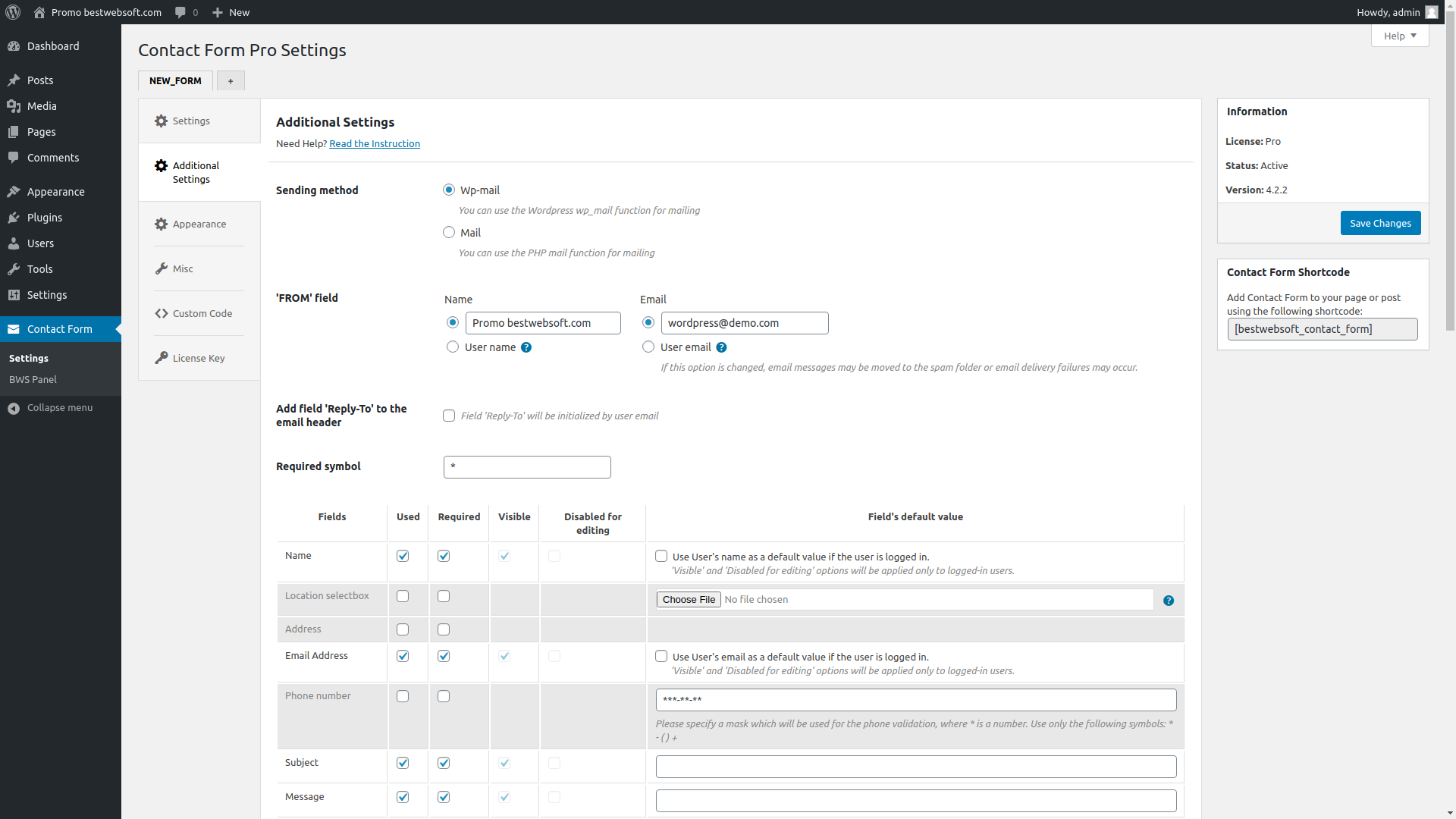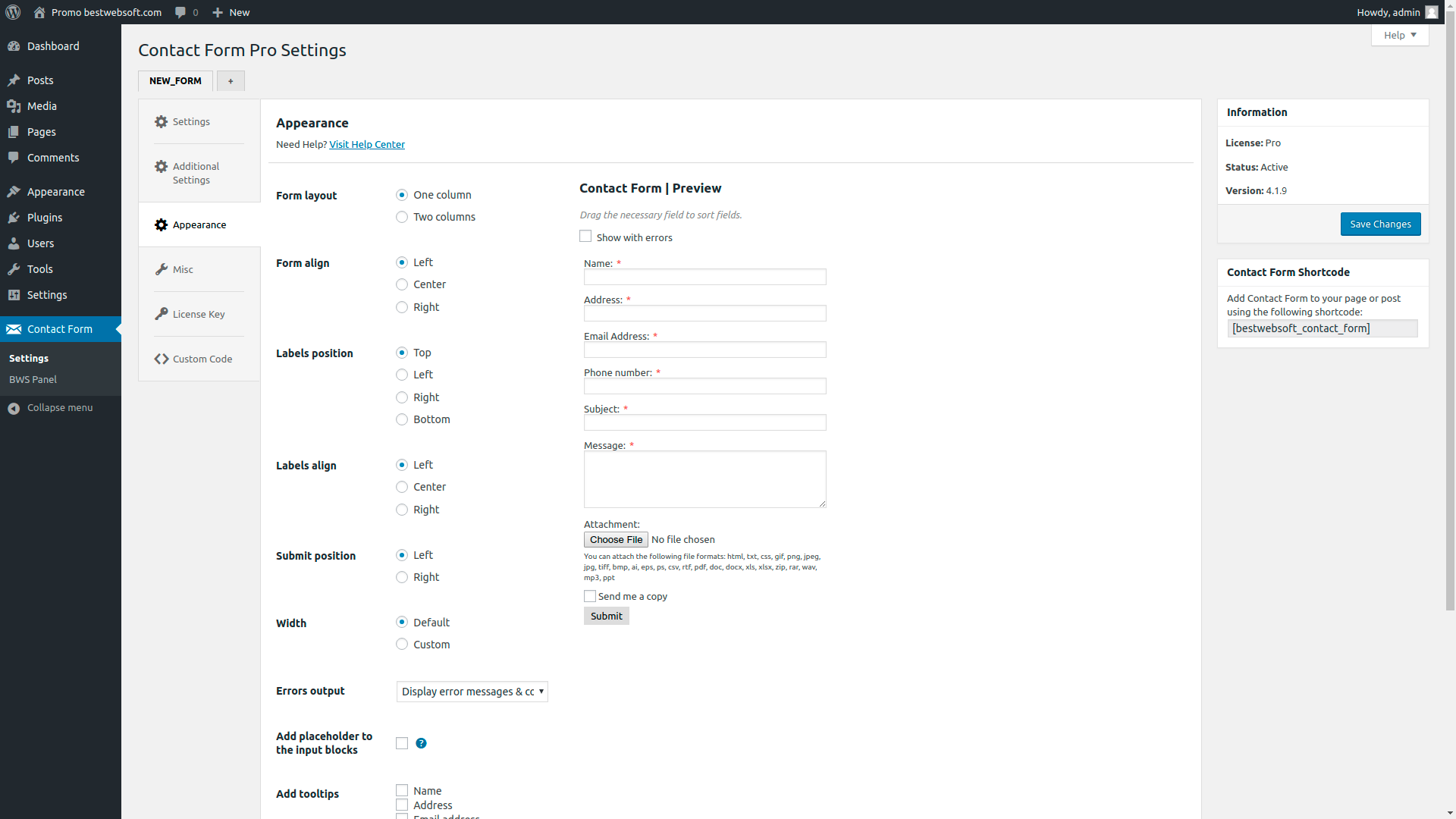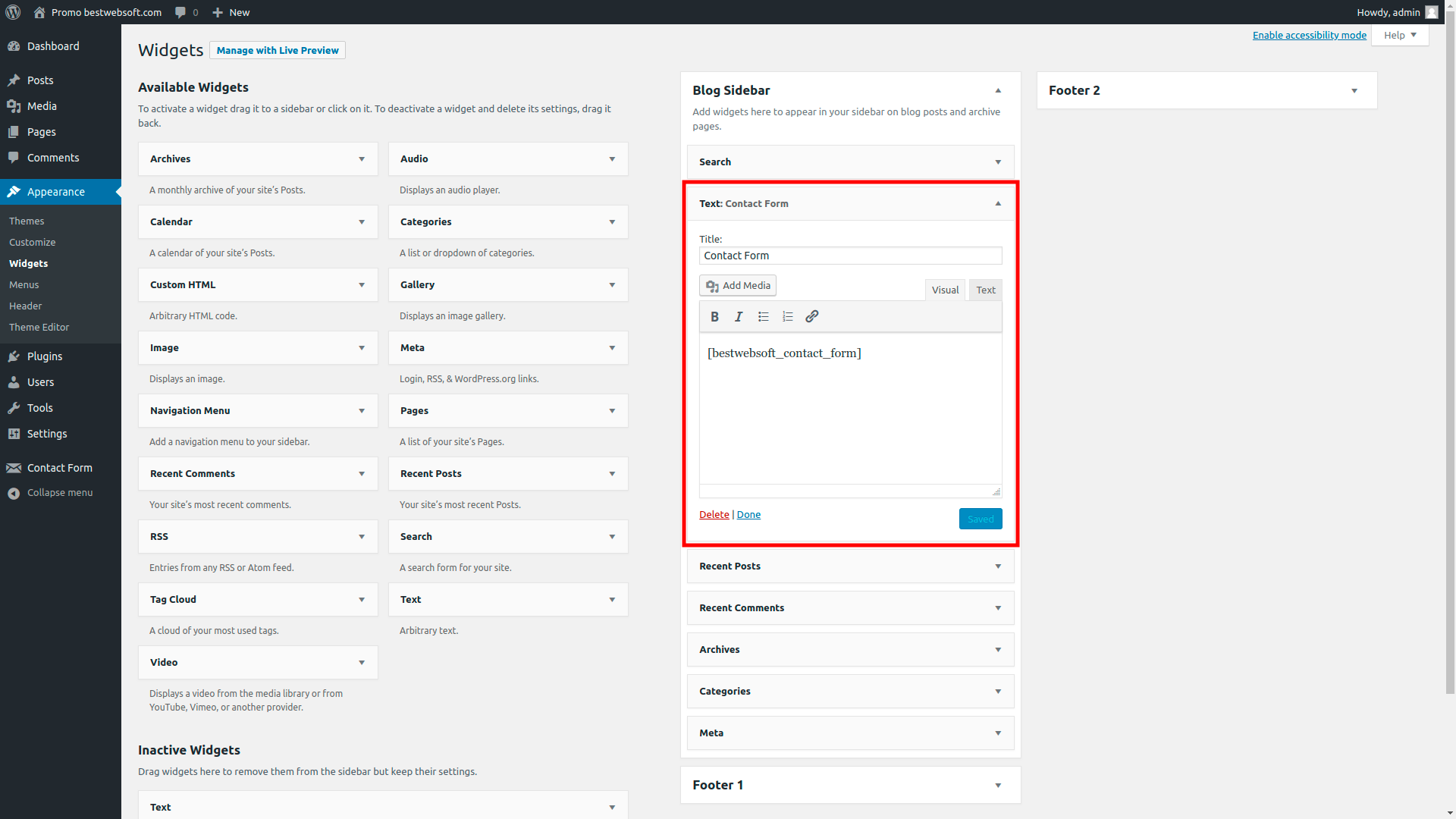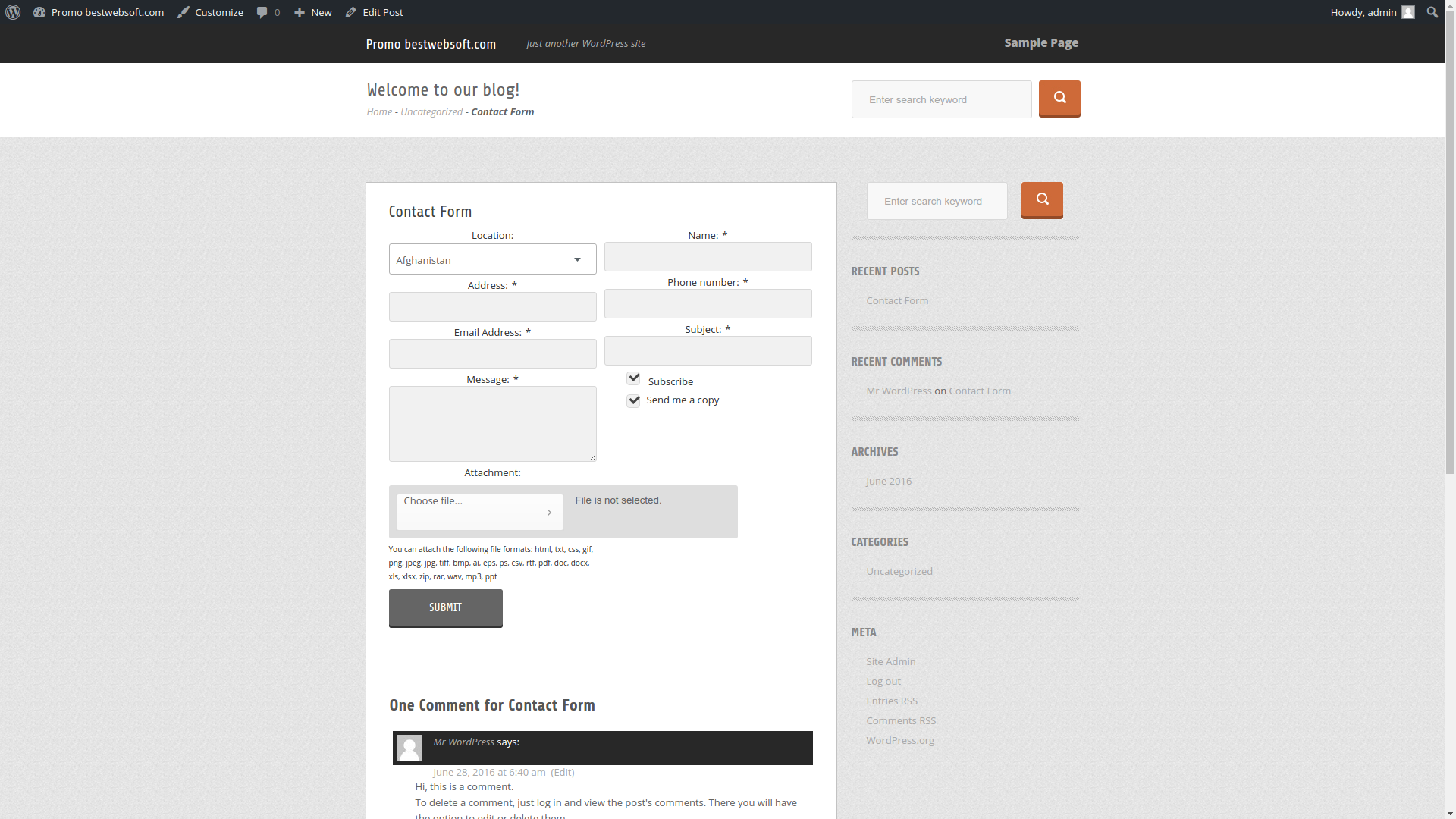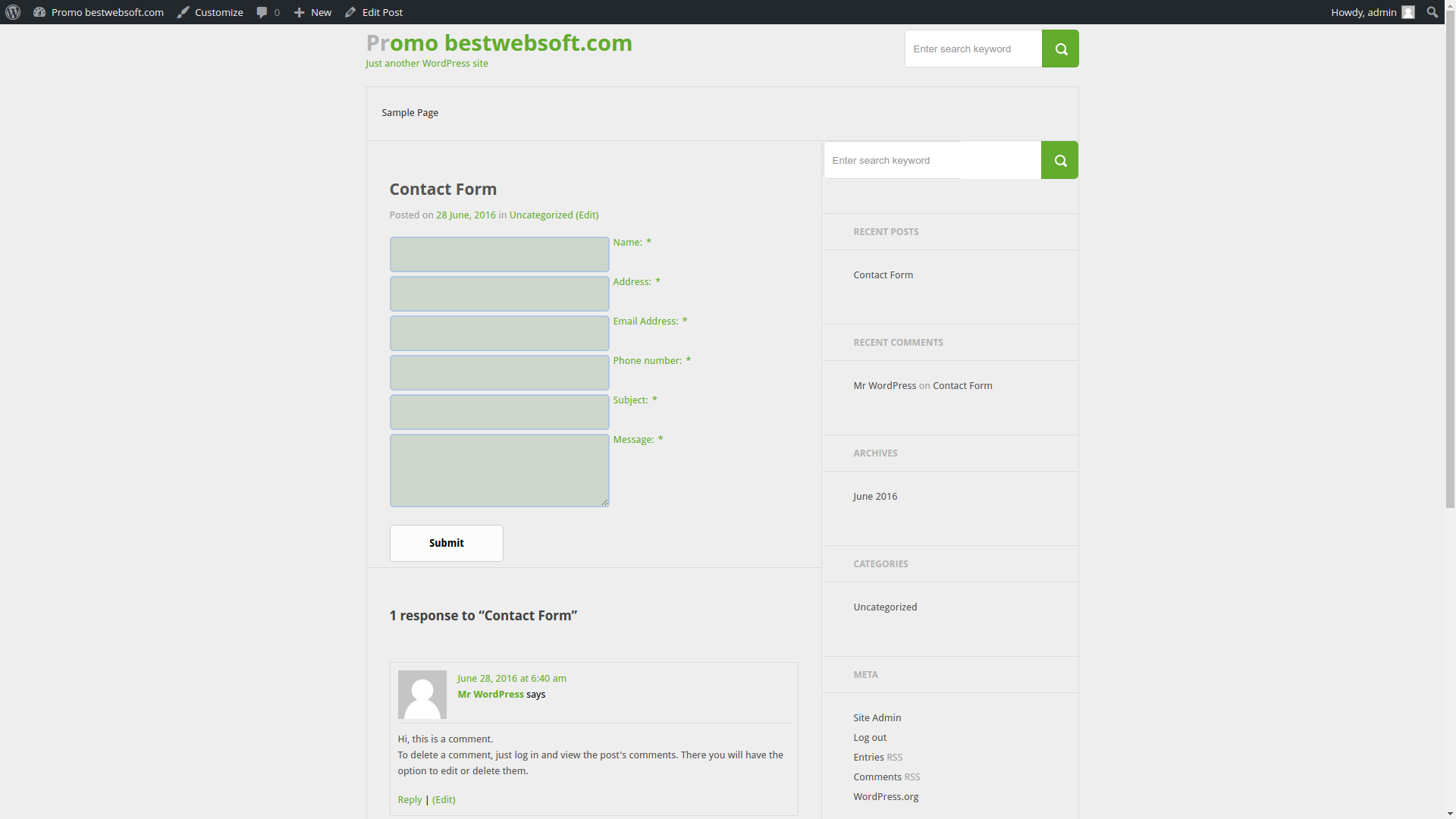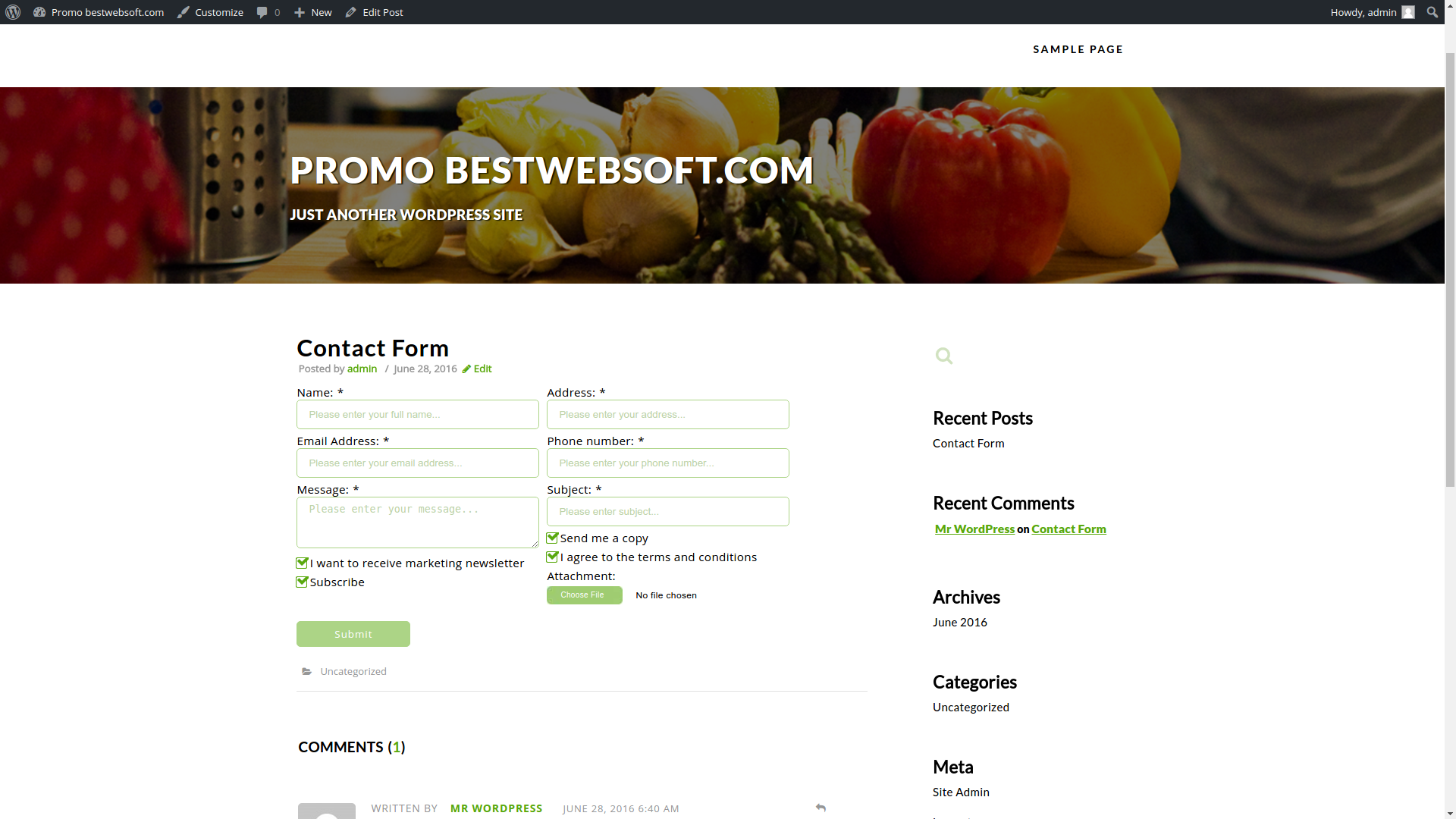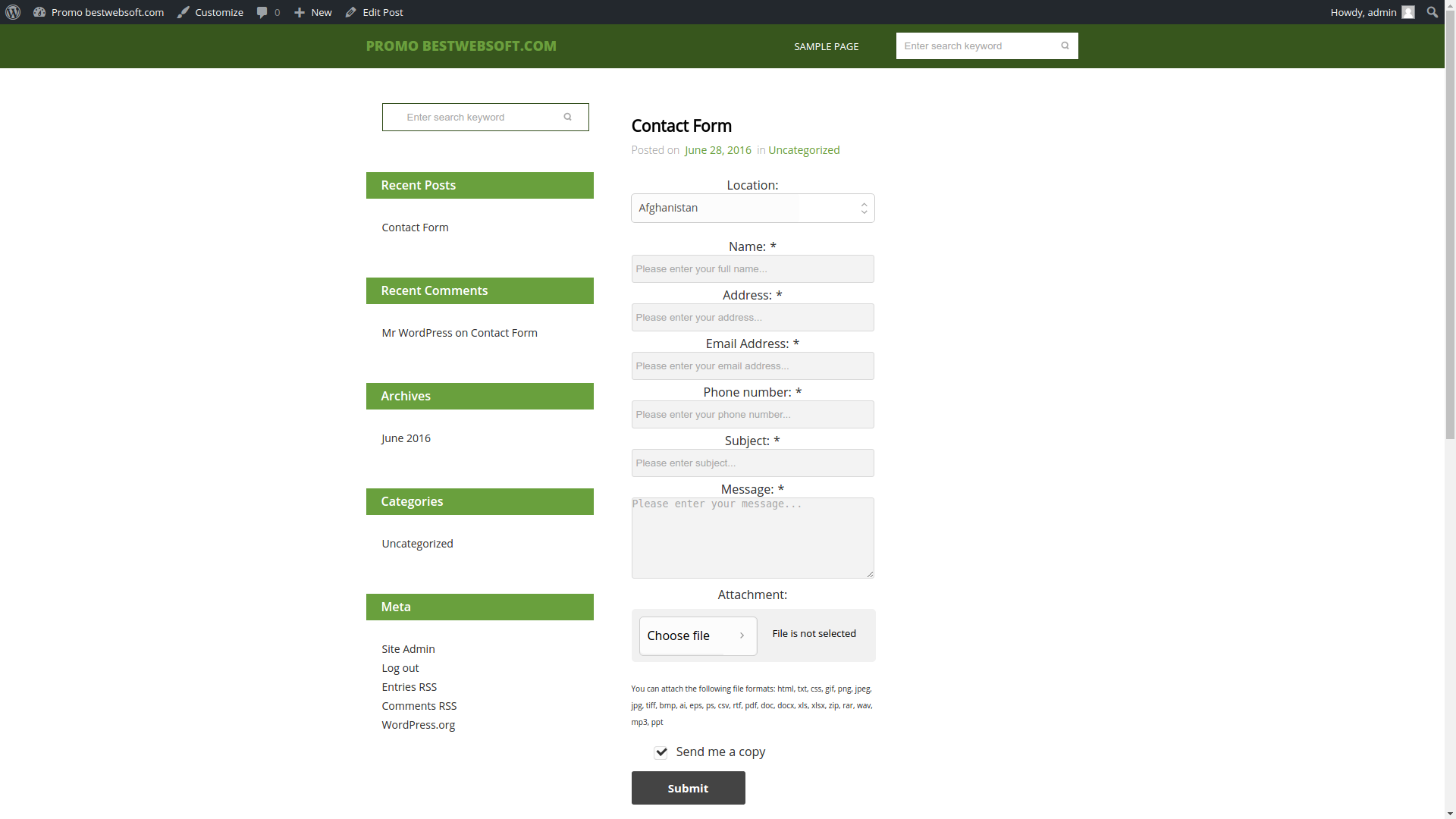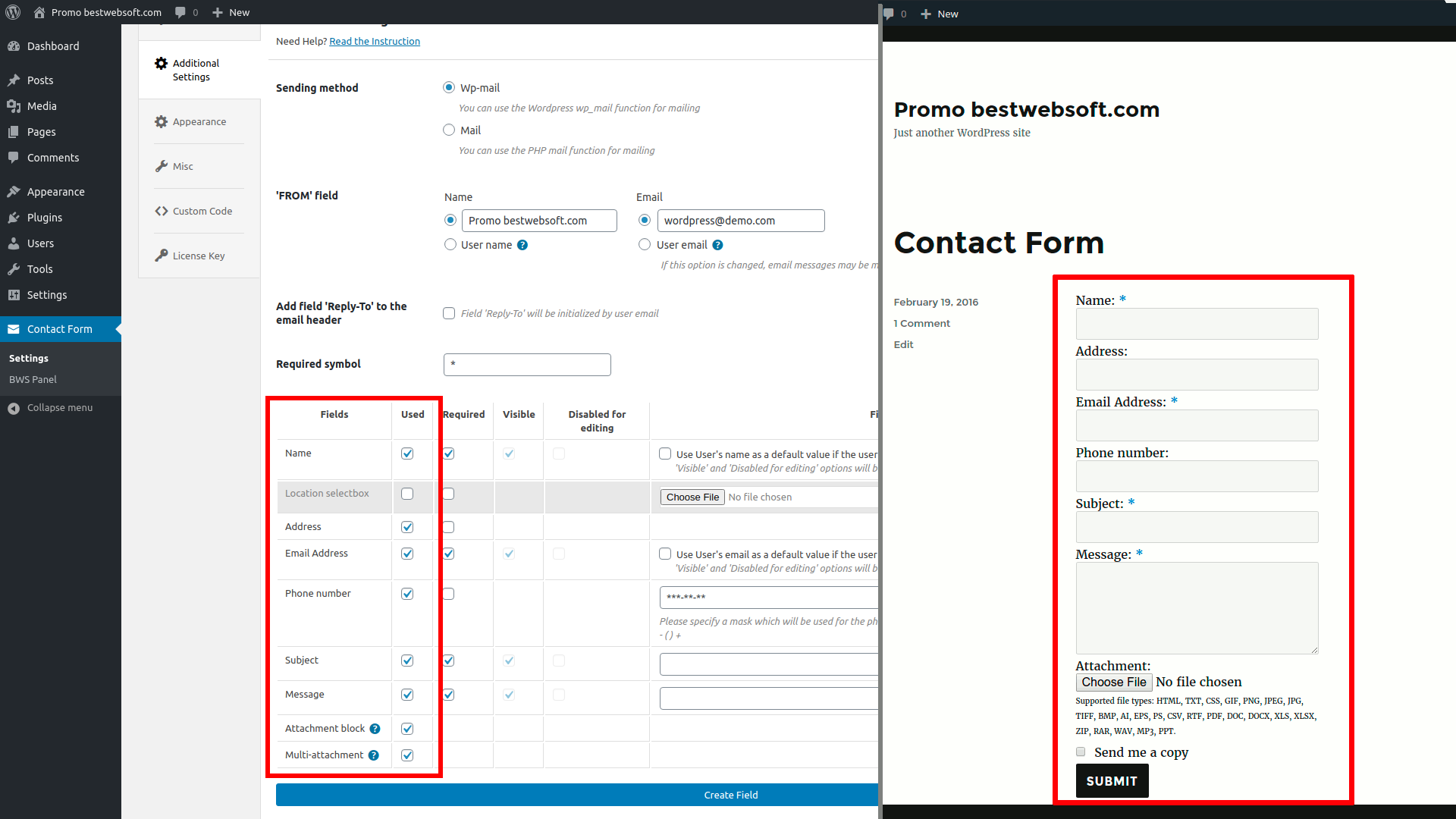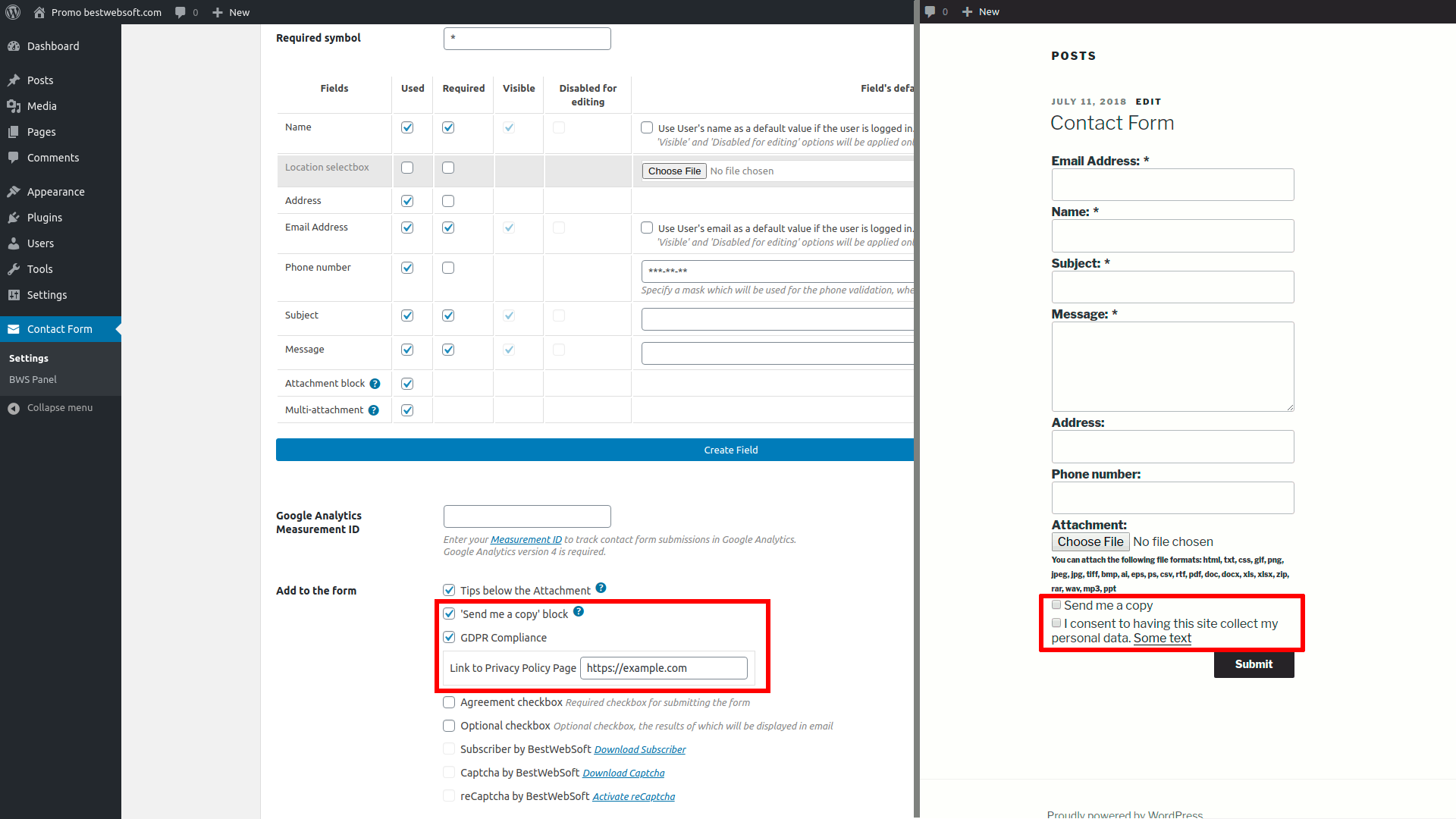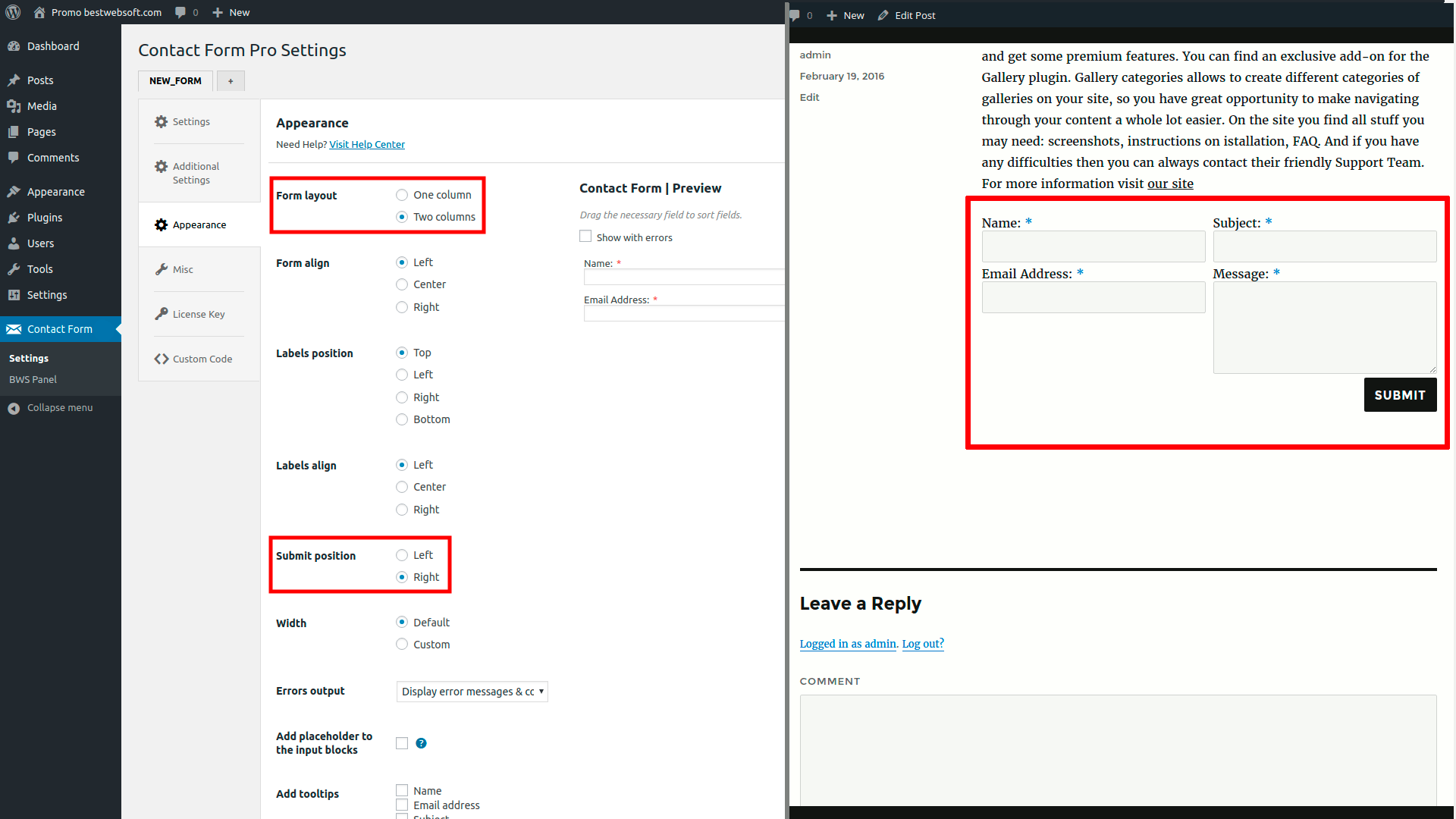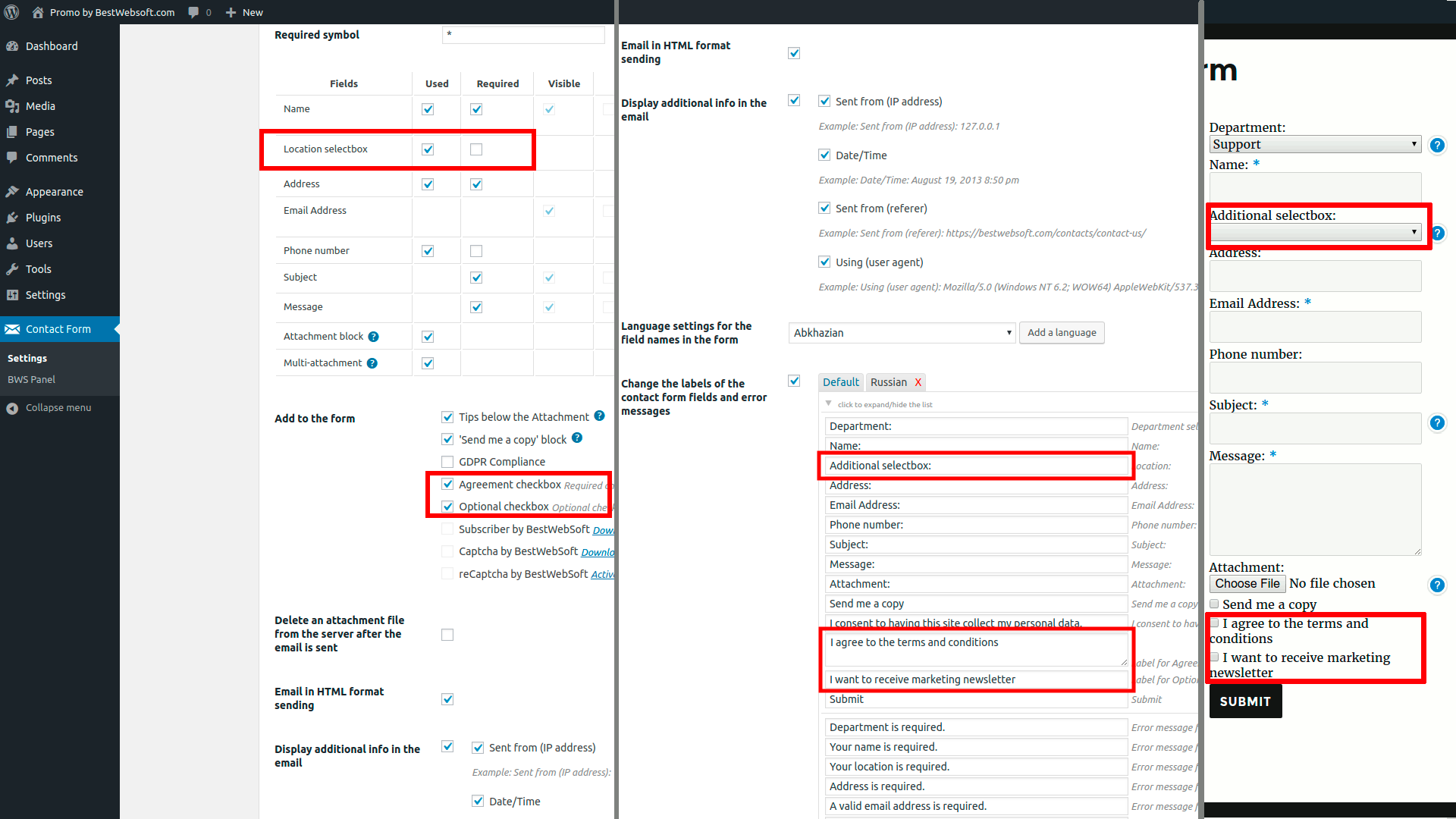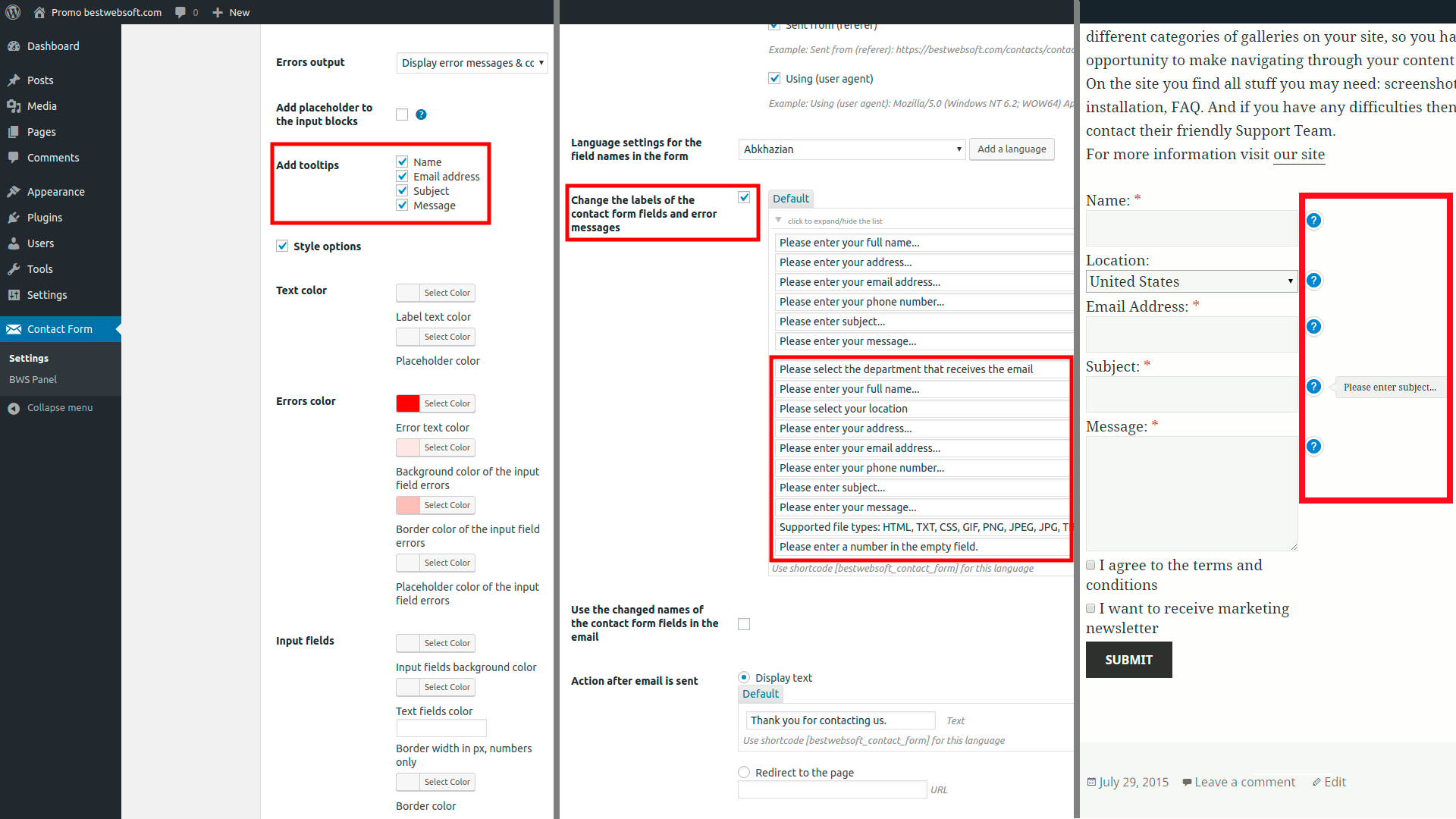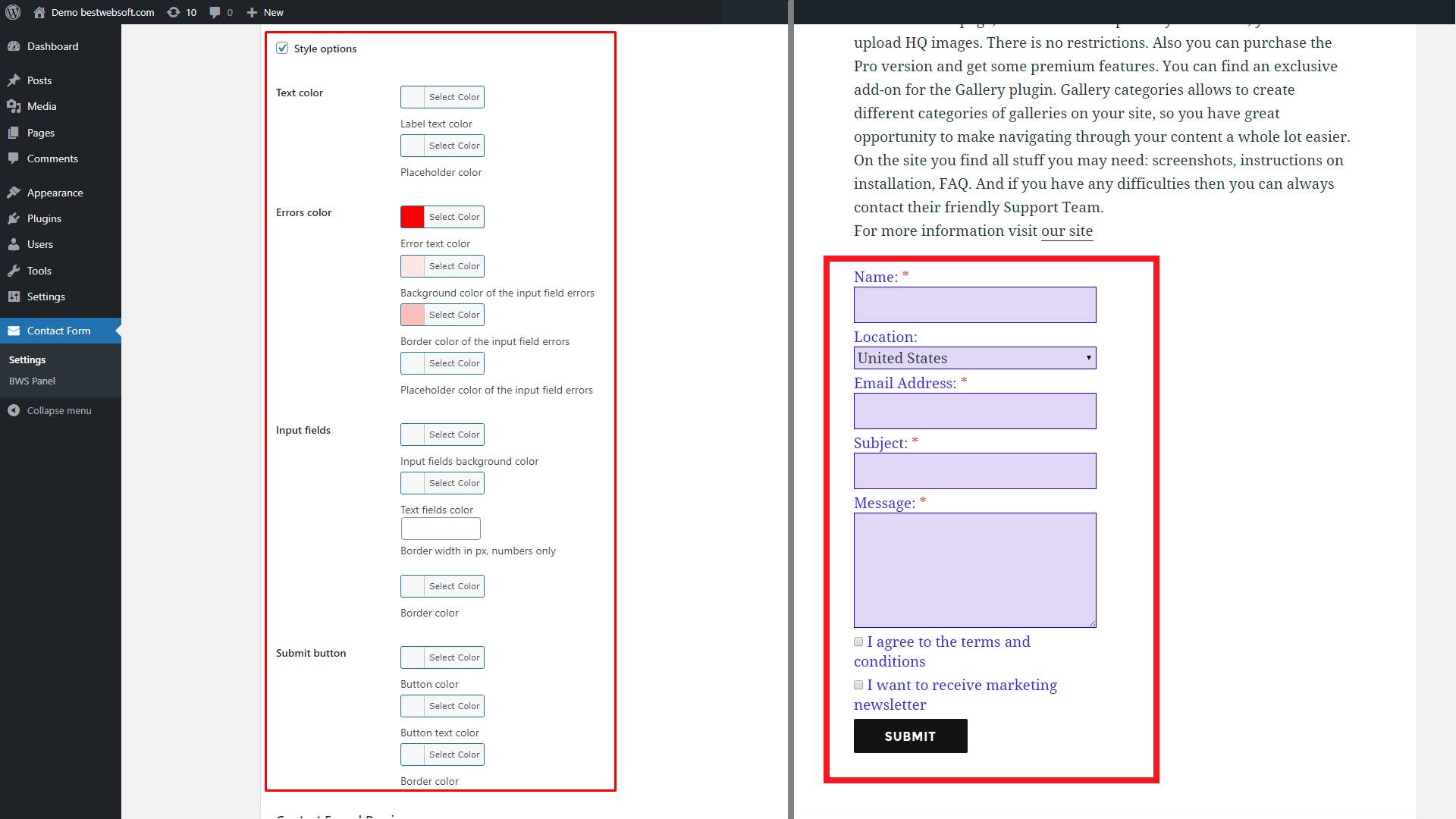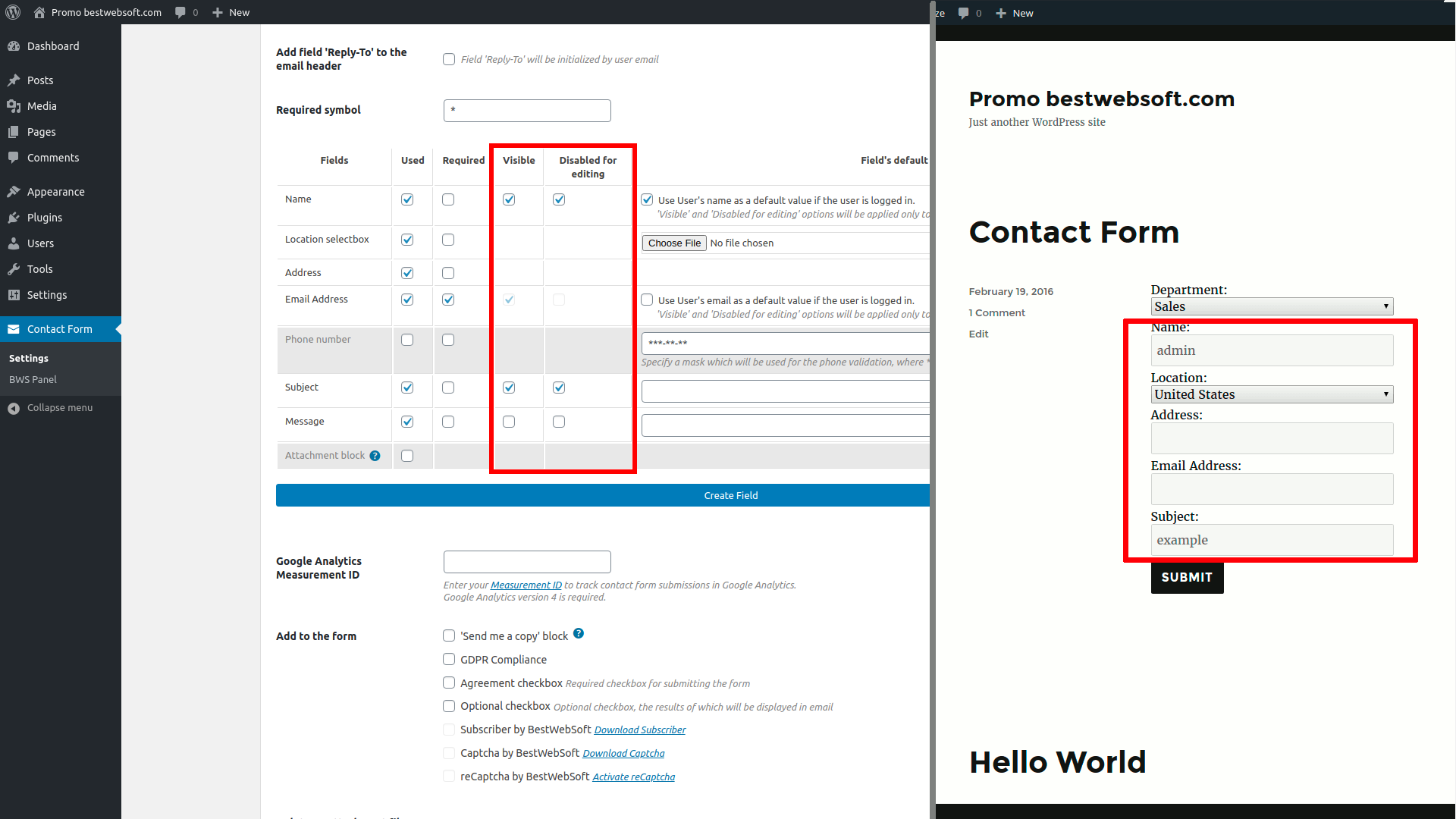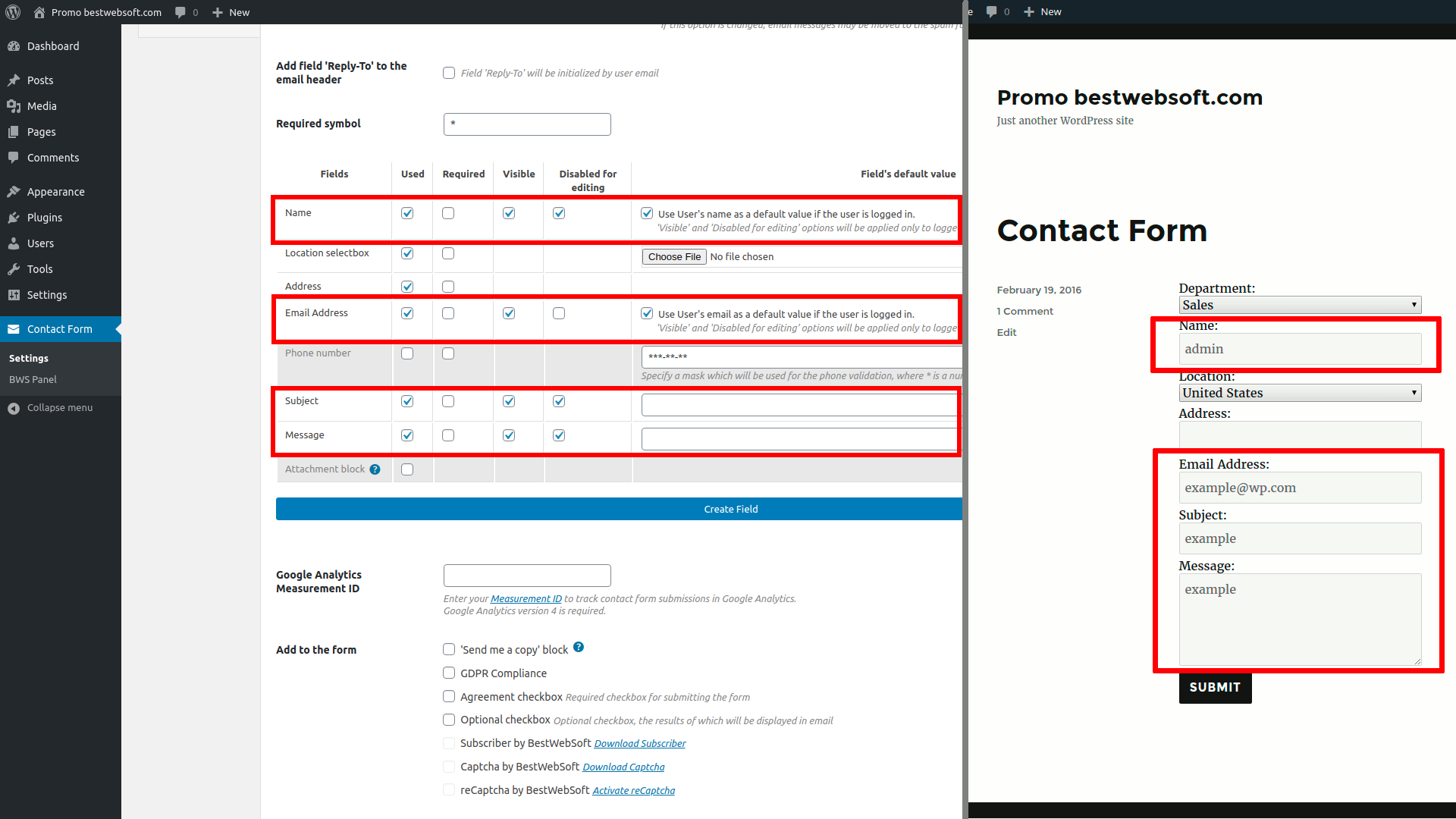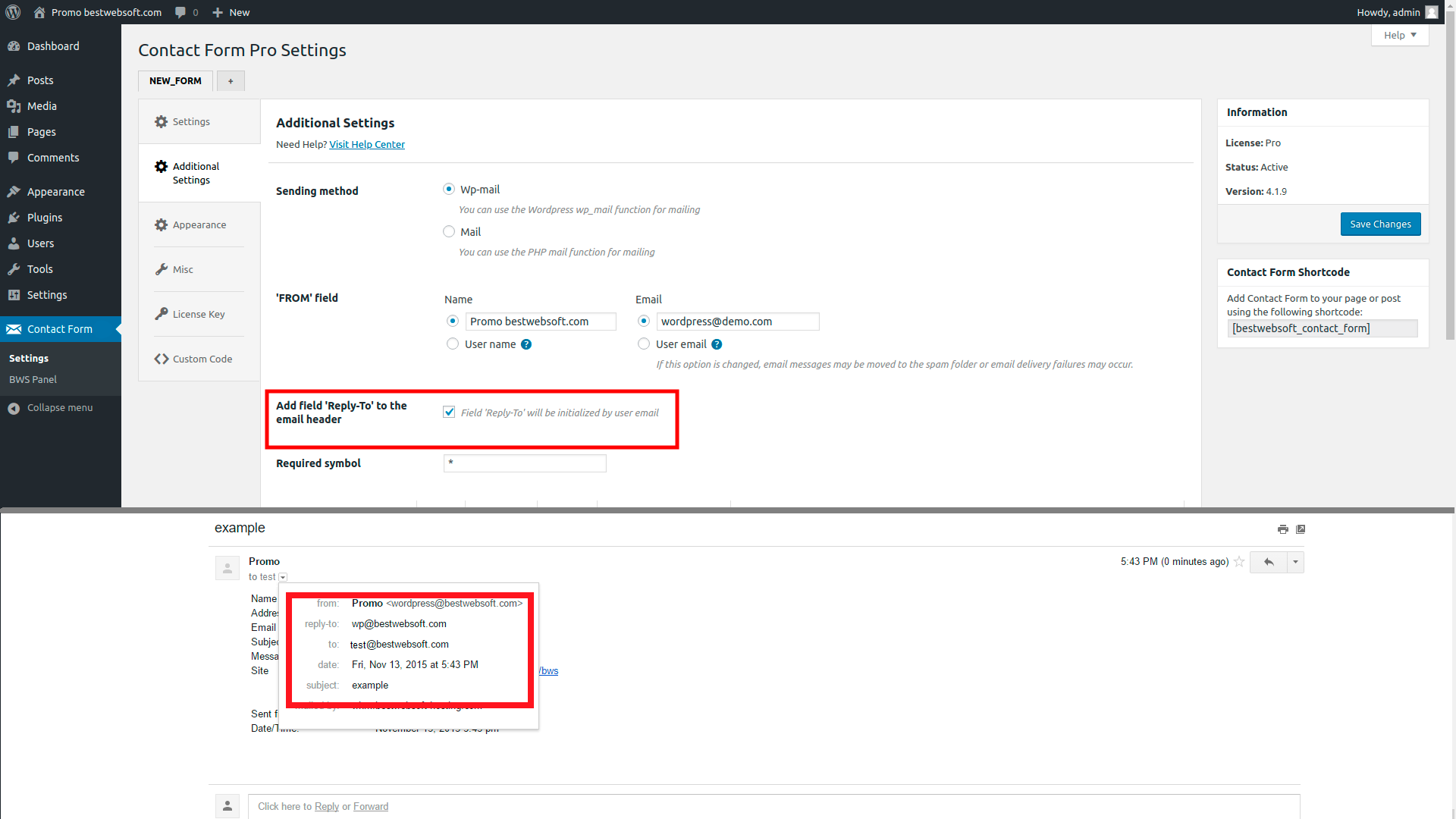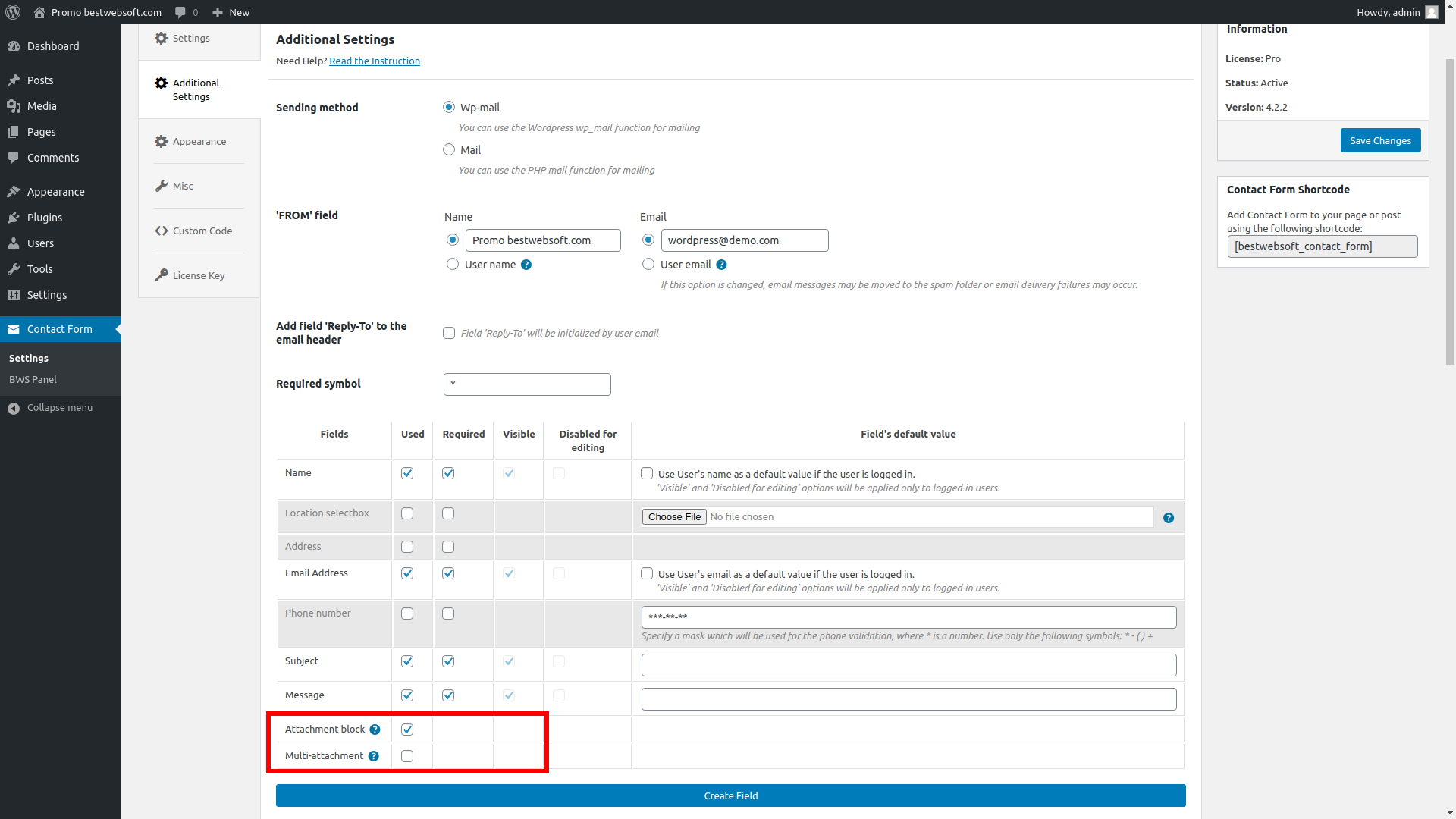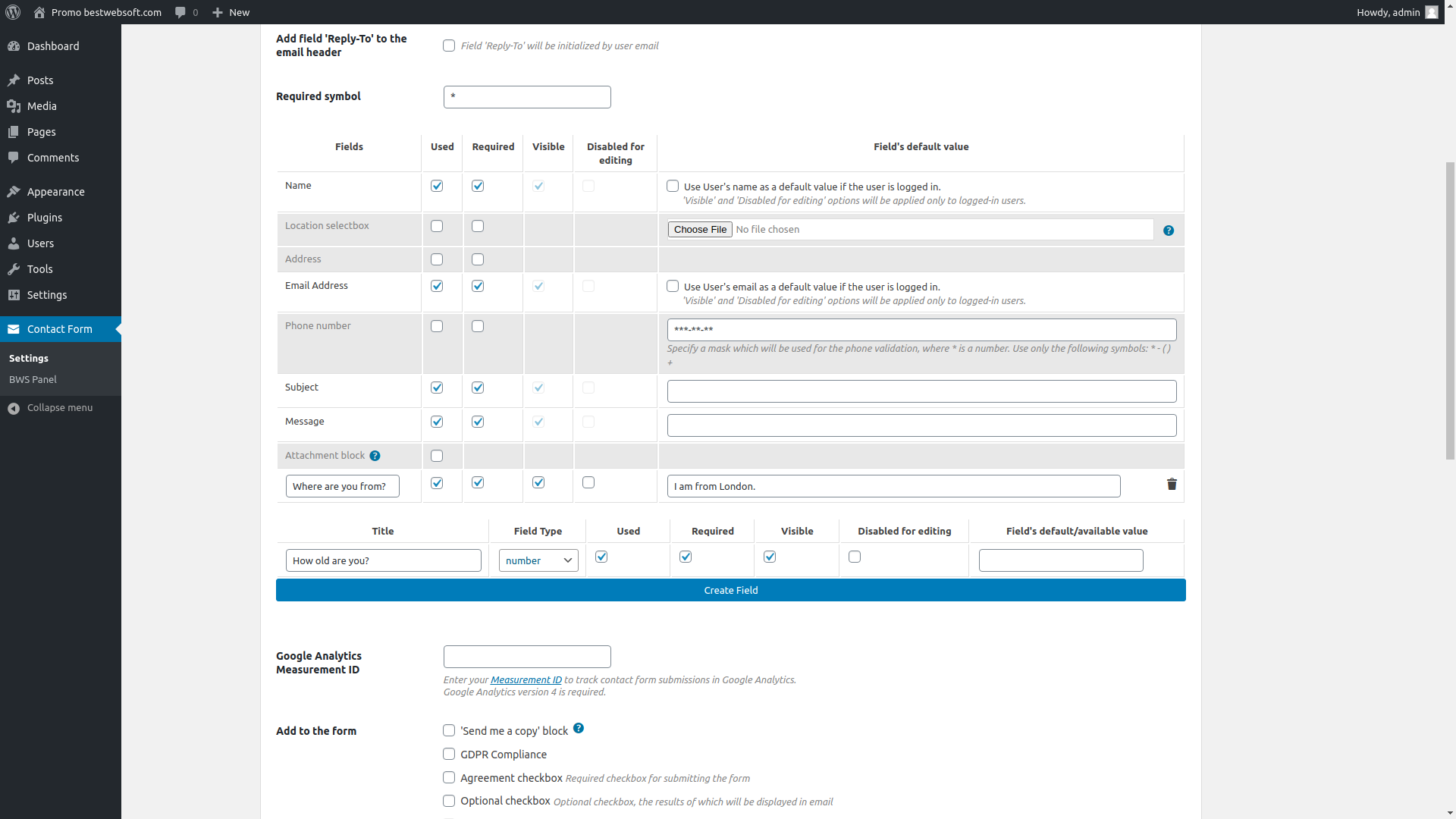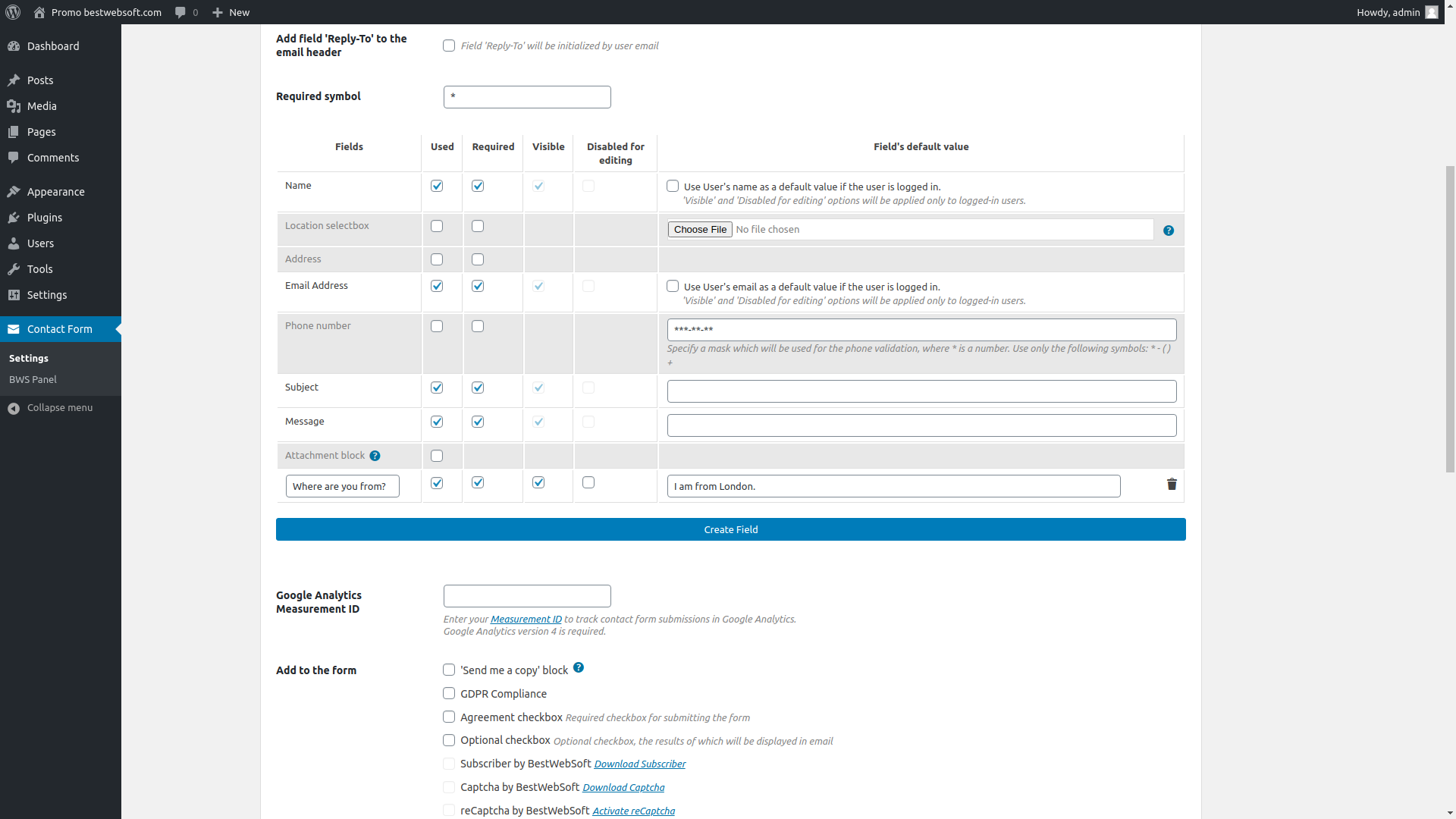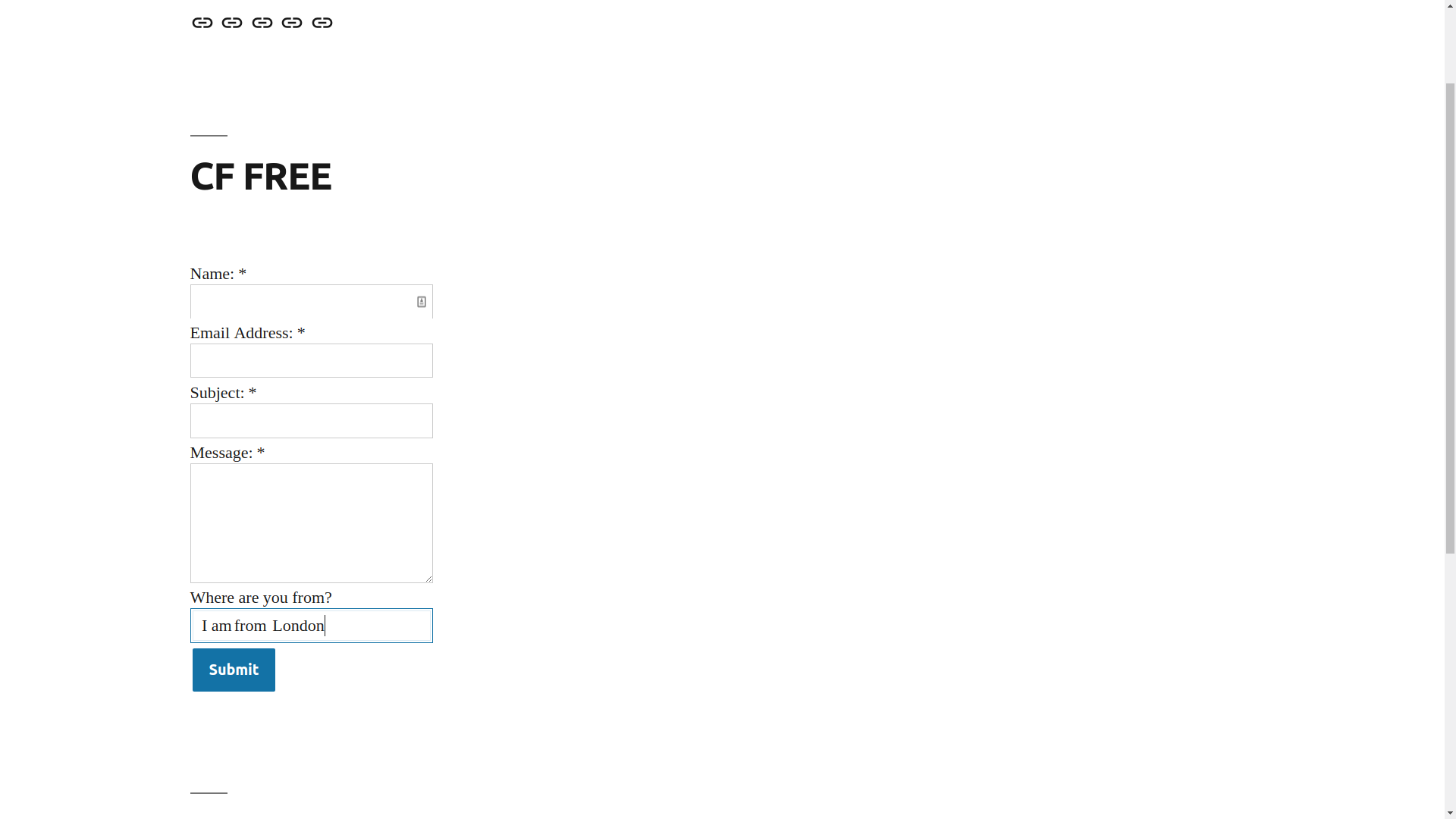
Contact Form allows you to add a feedback form to a post or a page in an easy manner.
FAQ SupportFeatures
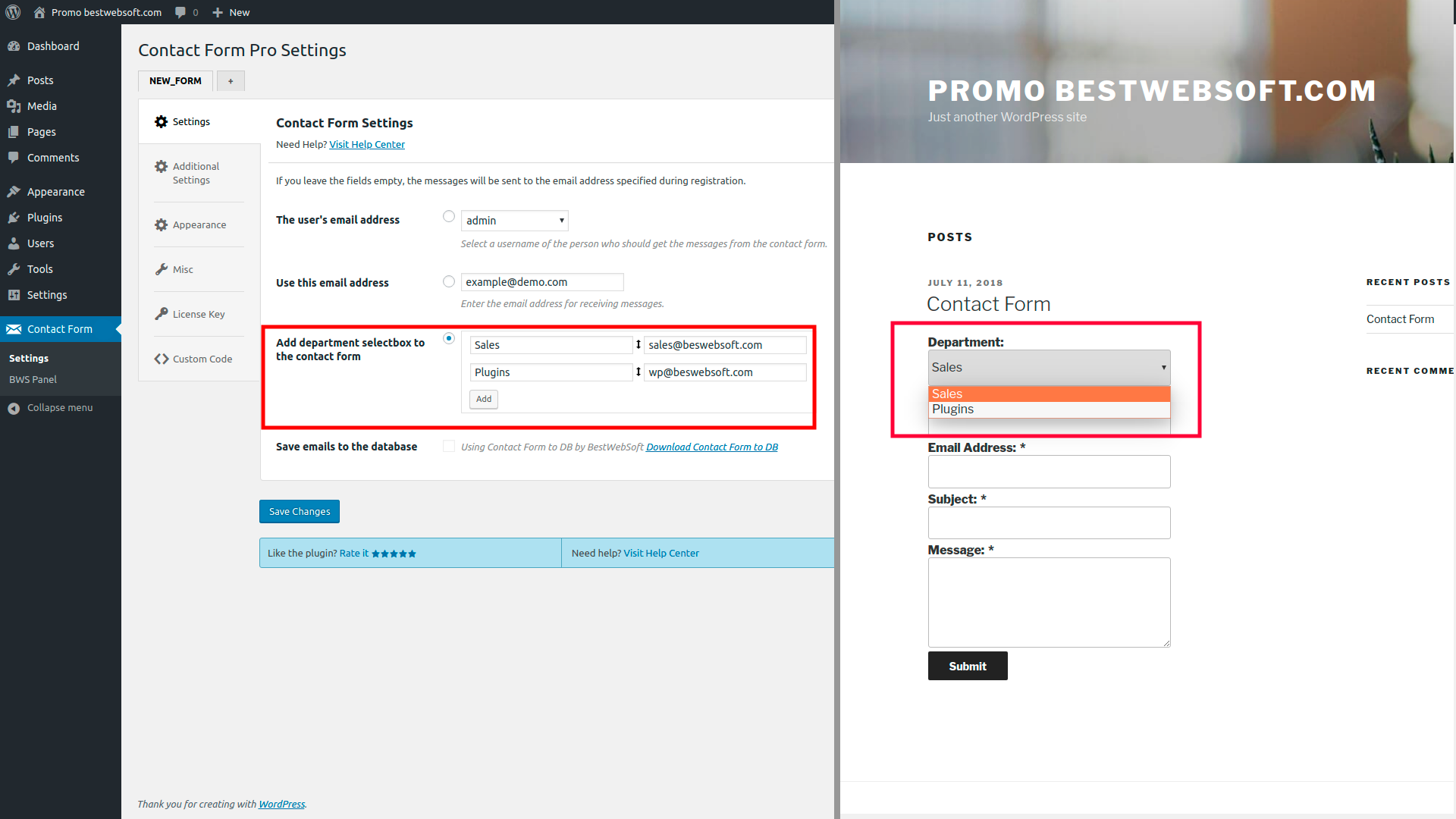
* Actions: You can choose where to send the messages - this can be any user and any email address.
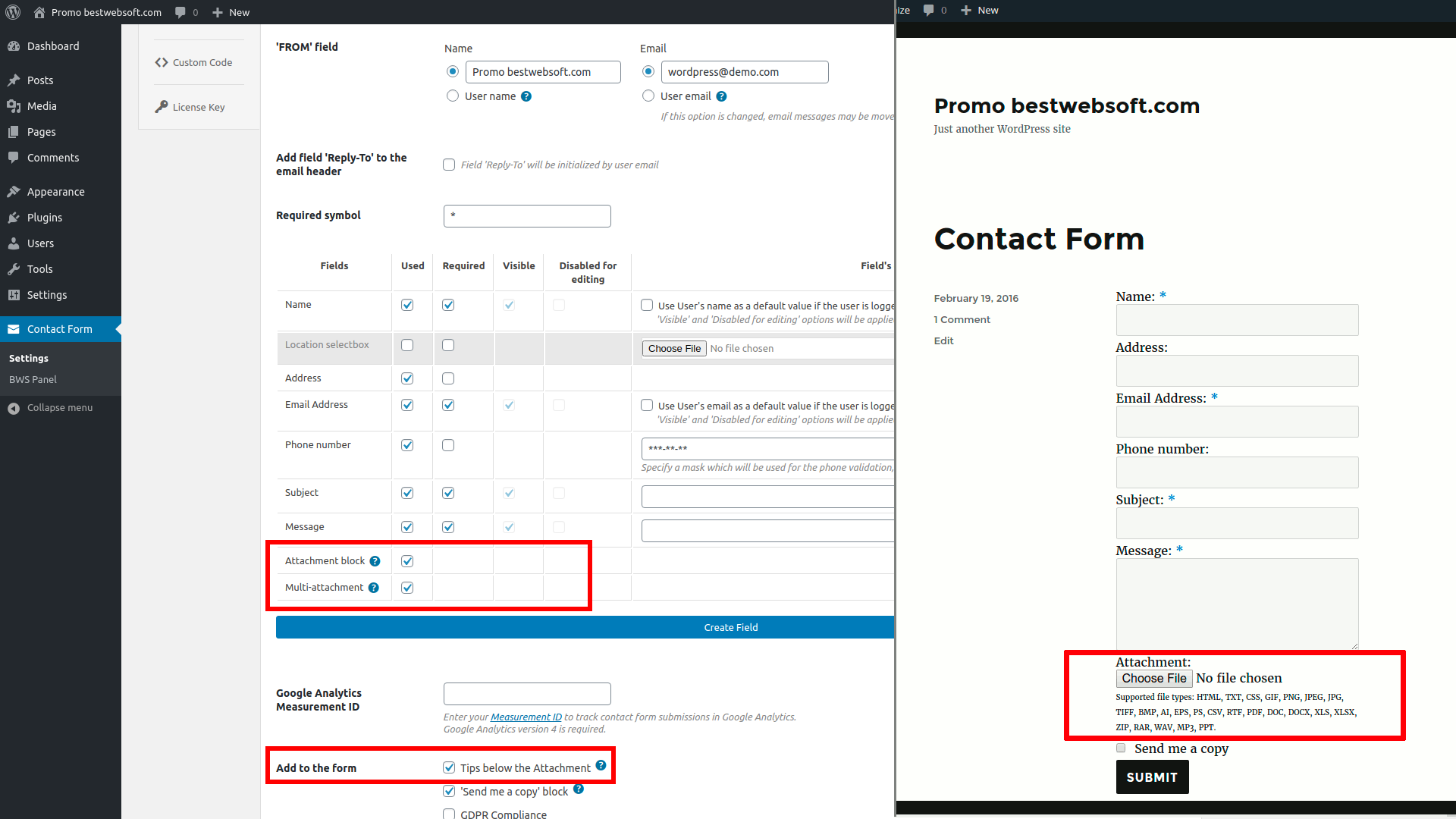
* Actions: You can add a field for file attachment.
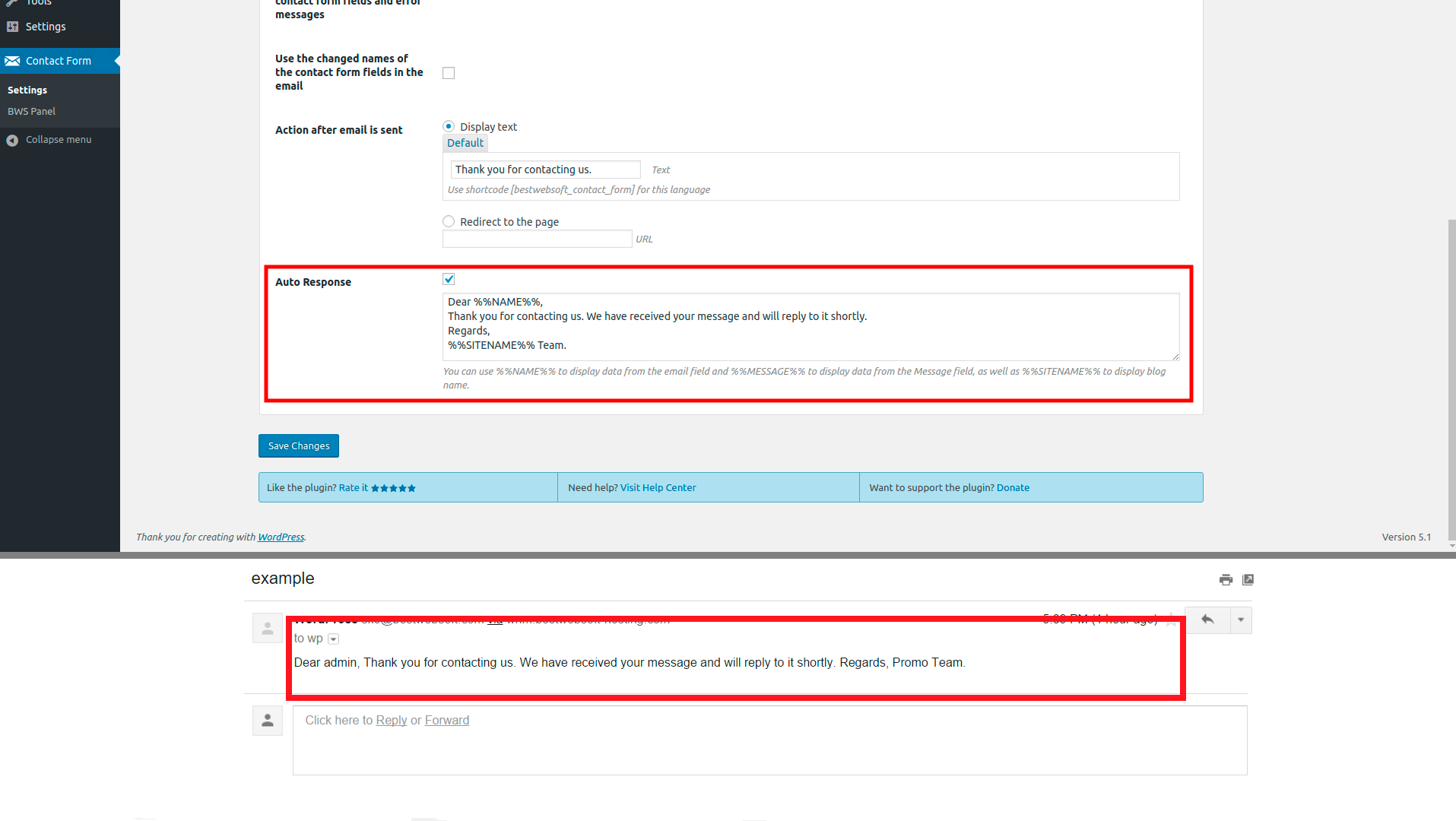
* Actions: You can add a field for sending a copy of the message to the user who fills out the contact form. A copy will be sent to the email address specified while filling out the contact form.
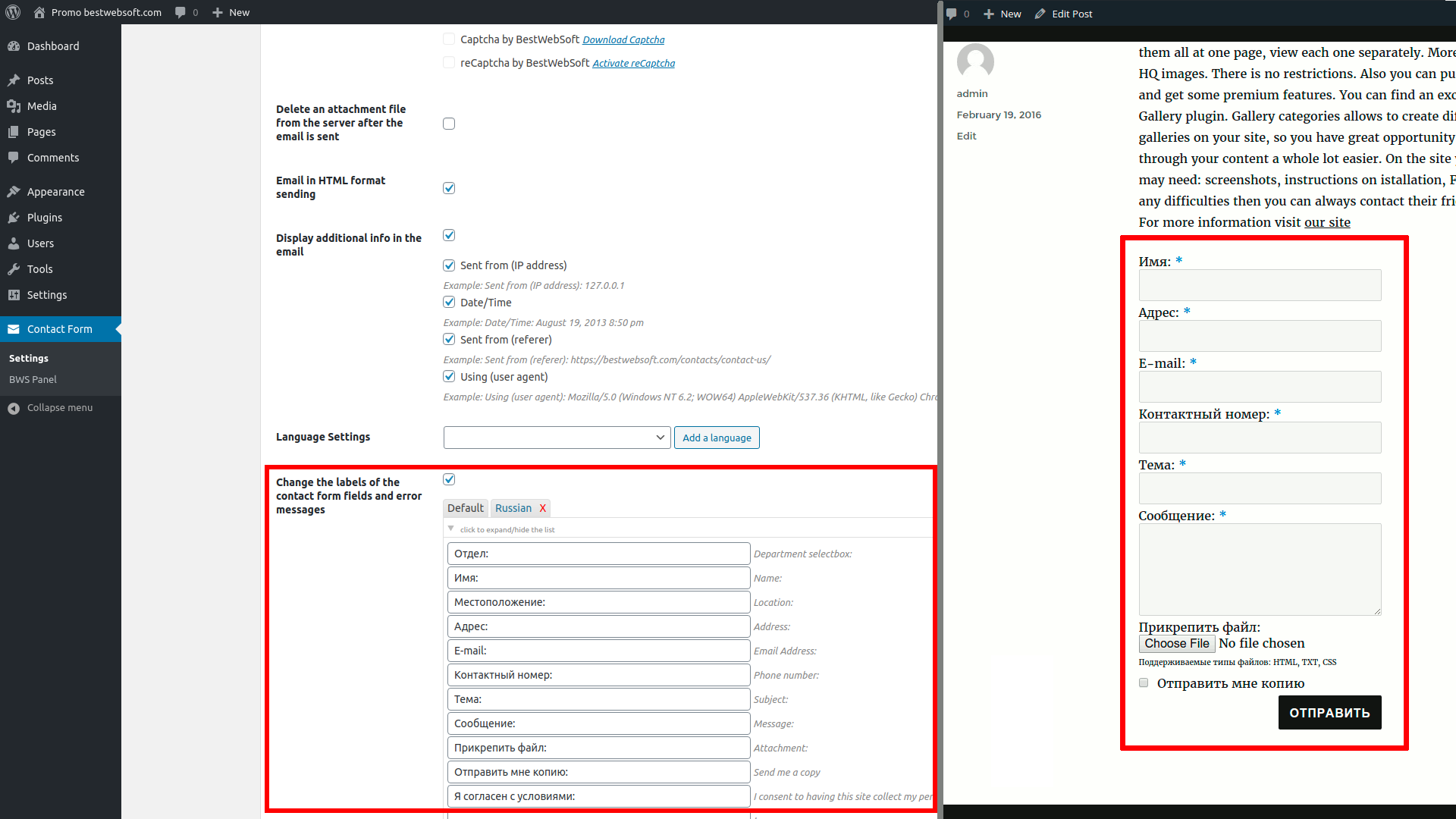
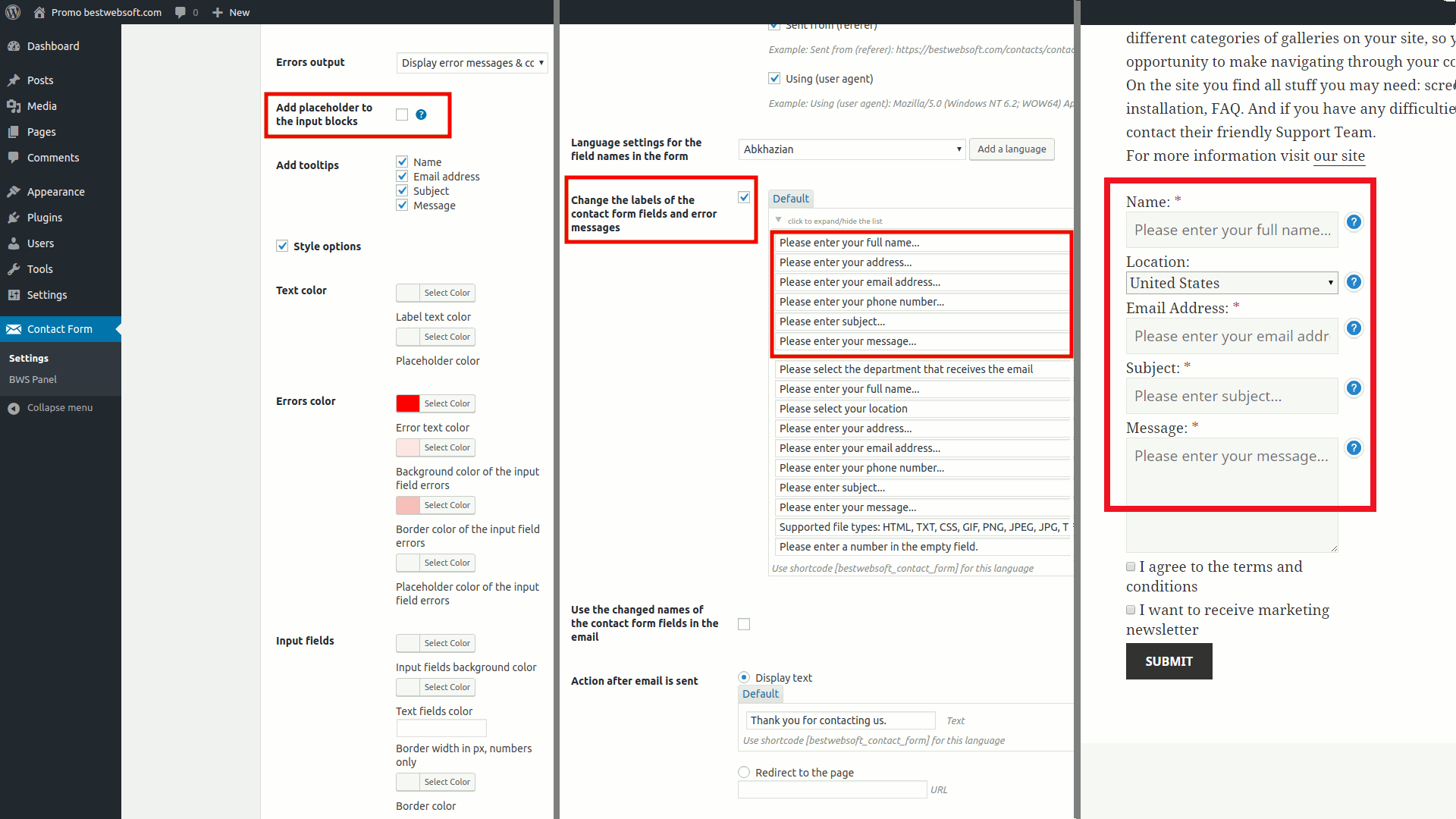
* Label: Ability to change a label when the fields are displayed.
Translation
* Arabic (ar) (thanks to Hammad Alshammari (ABU HATIM), www.abuhatim.net)
* Belarusian (be_BY) (thanks to Sakałoŭ Alaksiej)
* Bulgarian (bg_BG) (thanks to Martin Jekov)
* European Portuguese (pt_PT) (thanks to César Silva, www.clubetelemoveis.com )
* Brazilian Portuguese (pt_BR) (thanks to Breno Jacinto, www.iconis.org.br)
* Czech (cs_CZ) (thanks to Petr Zápotocký)
* Danish (da_DK) (thanks to Mads Hannibal)
* Dutch (nl_NL) (thanks to HostingU, Ronald Verheul, Jan Boeijink, Dorine Kat-Stronck)
* French (fr_FR) (thanks to Alain Thomas and Vincent Cibelli and Capronnier Luc)
* Galician (gl_ES) (thanks to Paula Rios)
* German (de_DE) (thanks to Hartung Thomas)
* Greek (el_GR) (thanks to Pantelis Panteloglou)
* Hebrew (he_IL) (thanks to Sagive SEO)
* Hindi (hi_IN) (thanks to Team Outshine)
* Hungarian (hu_HU) (thanks to Karoly Kovacs)
* Italian (it_IT) (thanks to Ilian Gagliardi)
* Japanese (ja) (thanks to Foken)
* Norwegian (nb_NO) (thanks to Tore Hjartland)
* Persian (fa_IR) (thanks to Alireza Jamali, alirezajamali.net, Mostafa Akbari Motlaq)
* Polish (pl_PL) (thanks to Jarek Spirydowicz)
* Romanian (ro_RO) (thanks to George Bejan and Cosmin Berescu)
* Russian (ru_RU)
* Serbian (sr_RS) (thanks to Georgijevic Team, www.georgijevic.info)
* Spanish (es_ES) (thanks to Jesús Parra)
* Swedish (sv_SE) (thanks to Martin Tonek, Joakim Lindskog, Maarten van den Driest - www.crossanddot.nl)
* Turkish (tr_TR) (thanks to Devrim Bulent Ibis, www.devrimhoca.com)
* Ukrainian (uk) (thanks to Andrew Yaschuk)
If you create your own language pack or update the existing one, you can send the text in PO and MO files for BWS and we'll add it to the plugin. You can download the latest version of the program for work with PO and MO files Poedit.
Technical support
Dear users, our plugins are available for free download. If you have any questions or recommendations regarding the functionality of our plugins (existing options, new options, current issues), please feel free to contact us. Please note that we accept requests in English only. All messages in another languages won't be accepted.
If you notice any bugs in the plugins, you can notify us about it and we'll investigate and fix the issue then. Your request should contain URL of the website, issues description and WordPress admin panel credentials.
Moreover we can customize the plugin according to your requirements. It's a paid service (as a rule it costs $40, but the price can vary depending on the amount of the necessary changes and their complexity). Please note that we could also include this or that feature (developed for you) in the next release and share with the other users then.
We can fix some things for free for the users who provide translation of our plugin into their native language (this should be a new translation of a certain plugin, you can check available translations on the official plugin page).
V3.44 - 16.05.2013
* NEW : Added email adress as additiional form field.
* Bugfix : We fixed the bug of adding an attachment.
V3.43 - 08.04.2013
* Update : We updated the English text in the plugin file.
* Bugfix : We fixed the bug of displaying phone error messages when a phone number field is not display.
V3.42 - 01.04.2013
* Update : The Serbian language file is updated.
* Bugfix : The bug after clicking submit, when site uses a custom port, is fixed.
V3.41 - 22.03.2013
* NEW : Added ability to change a label 'Send me a copy'.
* Bugfix : The bug of changing the message 'Action after email is sent' was fixed.
V3.40 - 19.03.2013
* NEW : Hungarian language file is added to the plugin.
* Bugfix : The bug of displaying error messages was fixed.
V3.39 - 04.03.2013
* NEW : Ukrainian language file is added to the plugin.
V3.38 - 26.02.2013
* NEW : We added HTML tag for the text, that is displayed after email is sent.
V3.37 - 21.02.2013
* NEW : Belarusian language file is added to the plugin.
V3.36 - 19.02.2013
* Update : European Portuguese language file is updated.
V3.35 - 19.02.2013
* Bugfix : The error related to the cross-site scripting vulnerabilities was fixed.
V3.34 - 7.02.2013
* Update : We changed the English text in the plugin file and all language files were updated.
V3.33 - 4.02.2013
* Update : Dutch language file was updated.
V3.32 - 31.01.2013
* Bugfix : Bugs in admin menu were fixed.
* Update : We updated all functionality for wordpress 3.5.1.
V3.31 - 25.01.2013
* Update : Swedish language file was updated.
V3.30 - 19.12.2012
* Bugfix : The error related to extra "rn" in the user email address when using WP_mail and in the Name field when using php_mail was fixed.
* Update : We updated all functionality for wordpress 3.5.
V3.29 - 12.12.2012
* Bugfix : The error related to the empty label on the contact form was fixed.
V3.28 - 11.12.2012
* NEW : Galician language file is added to the plugin.
* NEW : Multilanguage labels for fields is added to the plugin.
* Update : The shortcode structure was changed.
V3.27 - 20.11.2012
* Bugfix : The error related to the saving of the field "Change FROM fields of the contact form" was fixed.
V3.26 - 19.11.2012
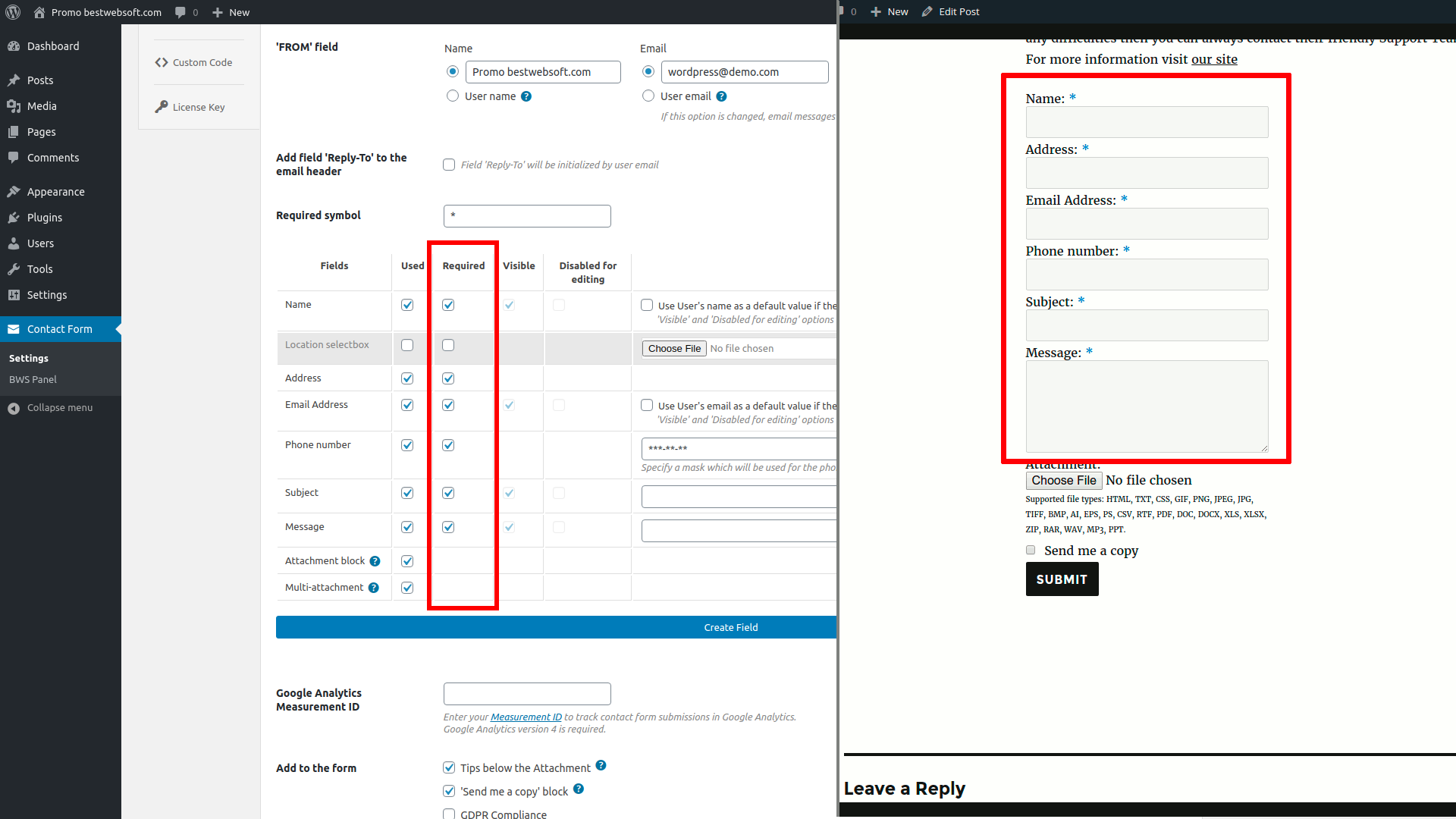
* NEW : The setting of the required fields was added.
* NEW : Persian language file is added to the plugin.
* Update : The email address validation was changed.
V3.25 - 22.10.2012
* NEW : Added phone number as additiional form field.
* NEW : Serbian language file is added to the plugin.
V3.24 - 12.08.2012
* NEW : Czech and Romanian language files are added to the plugin.
V3.23 - 03.08.2012
* Bugfix : Cross Site Request Forgery bug was fixed.
V3.22 - 24.07.2012
* NEW : Japanese language file is added to the plugin.
* Bugfix : Cross Site Request Forgery bug was fixed.
V3.21 - 10.07.2012
* NEW : Hebrew language file is added to the plugin.
* Update : We updated French language file.
* Update : We updated all functionality for wordpress 3.4.1.
* Update : In the email in the field Date/Time used correct time zone - instead of UTC we use local settings which are setup on the page Settings -> General.
V3.20 - 27.06.2012
* NEW : Added ability to select action after the send mail - Display text or Redirect to page.
* Update : We updated all functionality for wordpress 3.4.
V3.19 - 19.06.2012
* Bugfix : The bug of email address validation in admin section was fixed.
V3.18 - 18.06.2012
* NEW : Arabic and Hindi language files is added.
* NEW : Added ability to display or hide explanations after Attachment block.
V3.17 - 12.04.2012
* NEW : Danish and Greek language files is added.
* NEW : Added ability to send mail using the functional: wordpress wp_mail function or php mail function.
V3.16 - 26.03.2012
* Bugfix : The form output code is validated.
V3.15 - 22.03.2012
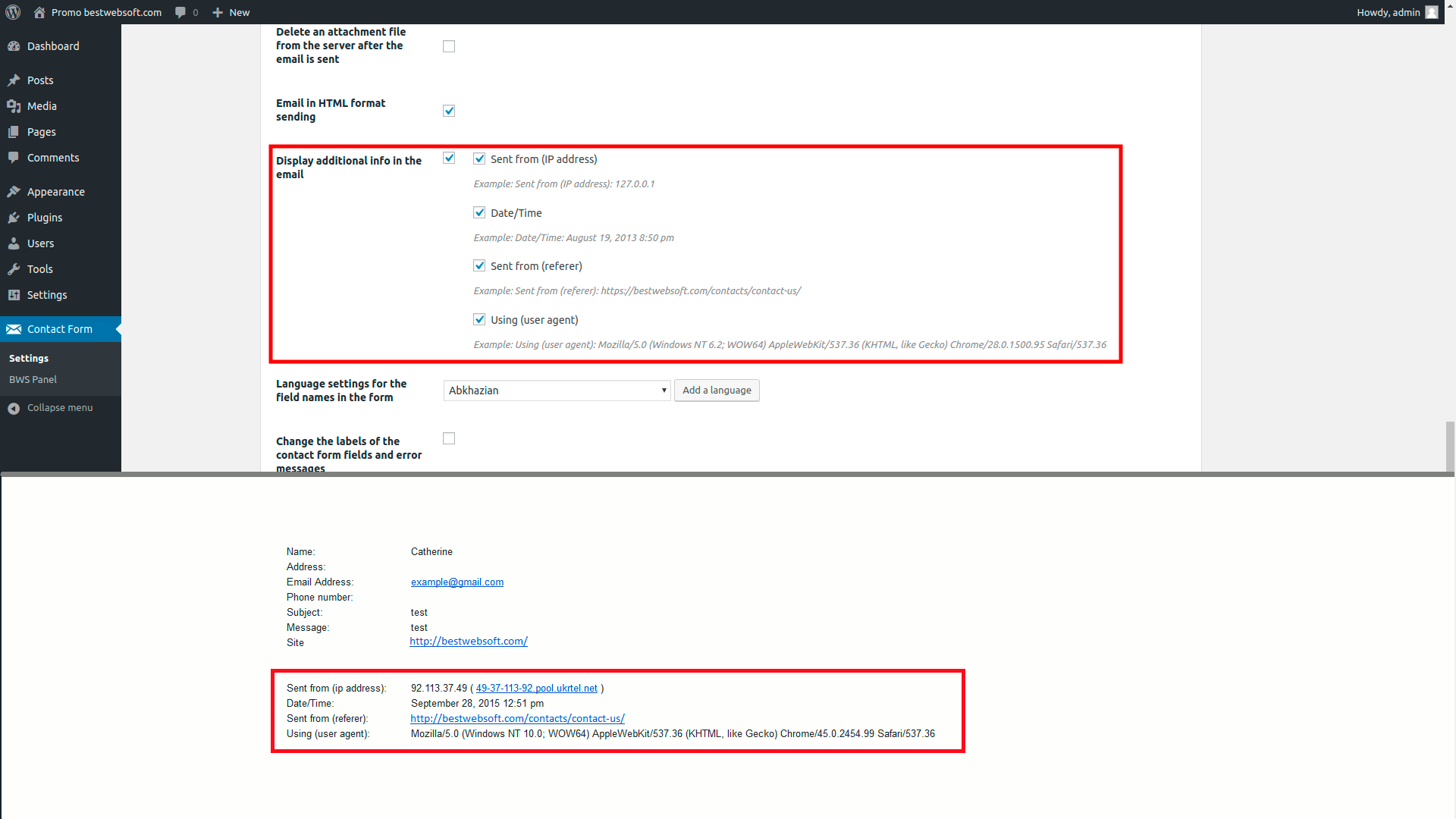
* New : The feature to setup the displaying of the additional information fields in the email was implemented (Sent from (ip address), Date/Time, Coming from (referer), Using (user agent)).
* Bugfix : The bug of attribute action on element form was fixed.
V3.14 - 20.03.2012
* NEW : Added ability to change FROM fields.
V3.13 - 14.03.2012
* Change : French language file is changed.
V3.12 - 12.03.2012
* NEW : Added ability to upload wav and mp3 files.
V3.11 - 12.03.2012
* NEW : French language file is added to the plugin.
* NEW : Added ability to use the contact form shortcode as widget in the sidebars.
* Change : The change was done to an email sending functionality – now it is using wordpress functionality only.
V3.10 - 02.03.2012
* NEW : Bulgarian language file is added to the plugin.
V3.09 - 24.02.2012
* NEW : Spanish language file is added to the plugin.
* Change : Code which includes styles and scripts is added to the plugin for correct SSL verification.
* Bugfix : The bug of email address validation in admin section was fixed.
V3.08 - 17.02.2012
* NEW : Spanish language file is added to the plugin.
V3.07 - 17.02.2012
* NEW : Norwegian language file is added to the plugin.
* NEW : Polish language file is added to the plugin.
V3.06 - 07.02.2012
* NEW : Dutch language file is added to the plugin.
V3.05 - 09.01.2012
* Bugfix : The bug of sending emails to admin user even if a different user is specified when setting plugin to "use email of wordpress user" was fixed.
* Bugfix : The bug of sending a blank attachment field of the form was fixed.
V3.04 - 05.01.2012
* NEW : Brazilian Portuguese and Turkish language files were added to the plugin.
V3.03 - 04.01.2012
* NEW : German language files are added to the plugin.
* Bugfix : The bug related to resending of an email after the page is updated was fixed.
V3.02 - 02.01.2012
* NEW : Italian language files were added to the plugin.
* NEW : A possibility to change a label when the fields of the form are displayed.
* Changed : Display of the files types names that user can attach to an mail.
V3.01 - 28.12.2011
* NEW : 'Attachment' and 'Send me a copy' blocks were added to the contact form.
* NEW : Language files are added to the plugin.
V2.08 - 12.11.2011
* Slashes bug in email is fixed and server info is added to email.
V2.07 - 10.11.2011
* The bug of complex form validation when captcha is not used in the contact form is fixed. Please upgrade immediately.
V2.06 - 16.09.2011
* The bug of complex email validation when filling in the contact form is fixed.
V2.05 - 23.08.2011
* BWS Plugin's menu section was fixed and right now it is consisted of 3 parts: activated, installed and recommended plugins.
The bug of positioning in admin menu is fixed. Translation omissions are corrected. Now there is a link where it is possible to see the site where email comes from.
V2.04 - 14.07.2011
* BWS Plugin's menu section was fixed and right now it is consisted of 2 parts: installed and recommended plugins. Icons displaying is fixed.
V2.03 - 13.07.2011
* The bug of using custom email is fixed in this version. Please upgrade the plugin immediately. Thank you
V2.02
* The bug with the link to the settings page is fixed in this version. Please upgrade the plugin immediately.
V2.01
* Usability at the settings page of the plugin was improved.
V1.03
* Contact form email address bug is fixed.
V1.02
* "Thanks" message display bug is fixed. Radio buttons automatic switching is added (for the settings page) after setting mouse cursor (clicking) at a text field.
V1.01
* Contact form positioning bug is fixed.
V1.00
* Ability to add Contact Form into a post. Ability to adjust displaying of the form via shortcode is added.
Great plugin. Thank you.
Really geat plugin, since it allows to send attachments from a widget area (functionality that other similar WP plugins seem to lack)!
I am trying to add more space to the contact form. I have it set to center but it is far left. Can you help me determine what to do to correct this?
Please add strings below to the’style.css’ file of your theme:
#cntctfrm_contact_form {text-align: center;
}
#cntctfrm_contact_form div {
margin: 0 auto;
width: 320px;
}
I have your contact form installed but do not know html. Can you please explain a little more in detail how to center the form? How do I get to this area to post this code? Your help is appreciated!
Hello,
Please write this strings in the style.css file at your theme:
#cntctfrm_contact_form {
margin: 0 auto;
width: 340px;
}
Hi where to add CSS code
In the theme style.css
it doesnt have any effect
lemme know please
Hello Sreekanth,
Did you save the changes? Please clean a cache in the browser ctrl+f5, maybe some caching plugins are present on the site – clean the cache on the site.
Kind regards
got that, works great. Now how do I get the captcha center too?!
Hello Yvonne,
Please provide the URL and turn on the Captcha, so that we could give you right recommendations.
Kind regards
I would like to have the contact us form serve two purposes. One is to allow users to submit requests for information or support…but the other purpose is to allow users to submit LOGOS they wish to use for their orders.
If I adjust the settings I get the same behavior on both forms. Is there a way to make one contact form show the “attachments” field while the other one does not?
Unfortunately we don’t have such kind of option in our plugin.
I need change this text: “Thank you for contacting us.” for “Gracias por contactarse con nosotros” but from admin panel. Thanks.
Unfortunately we don’t have such kind of option in our plugin, but we are working on it.
Is there a code to change the font color for the text entered into the boxes? My site theme uses a default font color of white… and the boxes are white. i need a fix ASAP! (i need black text.)
thanks
Please write the following line in your theme in the style.css file
#cntctfrm_contact_form input.text,#cntctfrm_contact_form textarea {
color:#000;
}
What is the CSS code to change the label colors (i.e. “Name”, “Email Address”, etc)?
Please write the following line in the style.css file of your theme:
#cntctfrm_contact_form label {color: white;
}
You should write a required color instead of the word “white” ( http://www.w3schools.com/cssref/css_colors.asp ).
This is just GREAT……….Thanks for making it possible for use it….FREEEEE….
Hello,
I want to customize your captcha plugin for your’s custom form. Please can you help?
Thank you
Everything is depending on which plugin you are using for contact form.
Please follow the instructions below:
= I would like to add Captcha to custom form on my website. How can I do this? =
1. Install Captcha plugin, activate it.
2. Open file with the form (where it is necessary to implement captcha).
3. Find the place where it is necessary to insert code to display captcha.
4. Insert lines to display captcha
`if( function_exists( 'cptch_display_captcha_custom' ) ) { echo ""; echo cptch_display_captcha_custom() } ;`If the form is html it will be necessary to insert the line with tags php
`< ?php if( function_exists( 'cptch_display_captcha_custom' ) ) { echo ""; echo cptch_display_captcha_custom(); } ?>`5. It is necessary to add the lines in the function of check of the entered data (where it is checked what the user enters and if everything is correct the mail will be sent)
`if( function_exists( 'cptch_check_custom_form' ) && cptch_check_custom_form() !== true ) echo "Please complete the CAPTCHA."`or
`< ?php if( function_exists( 'cptch_check_custom_form' ) && cptch_check_custom_form() !== true ) echo "Please complete the CAPTCHA." ?>`It is possible to enter this line in variable and display this variable in required place instead of `echo “Please complete the CAPTCHA.”`. If there is a variable (which is answered for the displaying of the errors) in the function of check so this phrase can be added to this variable. If the function returned true then you have entered captcha properly. In other cases the function will return false.
Hello,
Is it possible to change the “Submit” text to anything else I want? If yes, how can I do it?
Thank you
Please find the string below in the ‘contact-form.php’ file:
<input type="submit" value="'. __( "Submit", 'contact_form' ). '" style="cursor: pointer; margin: 0pt; text-align: center;margin-bottom:10px;" />And change word “Submit” to the necessary one. Don’t forget to leave the quotes.
Hi I took a look inside contact_form.php and tried to change both instances of “Thank you for contacting us” to “I’d like to thank you for taking the time to contact me, should your message require a reply I’ll respond as soon as my busy schedule will allow.”
I’ve then reuploaded the file to the server but it seems to have no affect at all. Could you help?
You can find current option on the plugin settings page. Don’t need to edit it in the file.
is it possible to stylize the text “Thank you for contacting us” and how?
Hello,
You should to make the plugin update to the last version, then write the following line in the style.css file of your theme:
#cntctfrm_thanks {
border: 2px solid white;
color: white;
padding: 10px;
}
You should write a required color instead of the word “white” ( http://www.w3schools.com/cssref/css_colors.asp ).
Also change the values 2px -thickness of the frame, 10px – indent from the frame to the text.
Kind regards
I would like to change the “Submit” text on the submit button, how is it done? Thanks in advance =)
Please find string ‘submit’ in the ‘contact-form.php’ file and change text to the necessary one.
Does your plugin allow for CC’ed email addresses? I’ve tried comma separating addresses in the ‘Use this email:’ field to no avail.
Great plugin, simple and robust.
Regards, Pete
Please go to the WordPress admin panel and write necessary email addresses using comma.
Please tell me how can I add more custom field?
Thanks
The only way is manually customize the plugin.
HI,
I’ve got the contact form installed but it runs too far off the screen to the right. Is there a way to move it a little to the left to make sure it doesn’t go off the screen?
You can reduce form width. Just change strings below in the plugin’s ‘ style.css’ file (the best way is replace current strings from style.css plugin’s file to the style.css folder with your theme).
.widget-container #cntctfrm_contact_form input.text, .widget-container #cntctfrm_contact_form textarea, .widget-container #cntctfrm_contact_message, .widget-container #cntctfrm_contact_name, .widget-container #cntctfrm_contact_email, .widget-container #cntctfrm_contact_subject, .textwidget #cntctfrm_contact_form input.text, .textwidget #cntctfrm_contact_form textarea, .textwidget #cntctfrm_contact_message, .textwidgetr #cntctfrm_contact_name, .textwidget #cntctfrm_contact_email, .textwidget #cntctfrm_contact_subject {width: 200px !important;
}
Replace it with strings below:
.widget-container #cntctfrm_contact_form input.text, .widget-container #cntctfrm_contact_form textarea, .widget-container #cntctfrm_contact_message, .widget-container #cntctfrm_contact_name, .widget-container #cntctfrm_contact_email, .widget-container #cntctfrm_contact_subject, .textwidget #cntctfrm_contact_form input.text, .textwidget #cntctfrm_contact_form textarea, .textwidget #cntctfrm_contact_message, .textwidgetr #cntctfrm_contact_name, .textwidget #cntctfrm_contact_email, .textwidget #cntctfrm_contact_subject {width: 180px !important;
}
Hi, is there a way to remove the Twitter, Facebook, Stumble Upon and Digg buttons at the bottom of your contact form?
Thank you,
Our Contact form doesn’t generate any Twitter, Facebook, Stumble Upon and Digg buttons. Perhaps you have another plugin which is implementing current buttons in the page (the same page where our form is located).
nice plugin, thanx for providing….,
Hi,
Very nice plugin, I really like it.
I’ve install the contact form and the captcha for the contact page. Now I’m translatting the site. How can I create an english version:
actual http://bernardmarsy.com/contact/
english version http://bernardmarsy.com/contact_en/
thank you for your support
Unfortunately, there is no multi language option in our plugin.
Love the simplicity of this plugin the only trouble is I can’t figure of how to alter it’s look. At the moment there no space between each section, they are all very close.
I want to change the font colour and size and to increase the spacing between say Name and Email input fields.
Thanks
1) In order to change space, please add strings below to the style.css file in your theme:
#cntctfrm_contact_form input, #cntctfrm_contact_form textarea {margin: 5px 0 !important;
}
p.cptch_block {
padding-bottom: 0;
line-height: 15px;
}
2) In order to change font colour and size, please add strings below to the same file:
#cntctfrm_contact_form label {font-family:Arial;
color:red;
}
Instead of Arial and red write necessary values.
The plugin is great! Is it possible to make it more narrow?
You can add changes to the form’s styles.
Please add the strings below to the ‘style.css’ file of your theme:
#cntctfrm_contact_form input.text, #cntctfrm_contact_form textarea, #cntctfrm_contact_message, #cntctfrm_contact_name, #cntctfrm_contact_email, #cntctfrm_contact_subject {width: 220px !important;
}
I’m trying to send an email but nothing happens.
No skills in development.
Somewhere I read about adding WP to SMTP plugin. Nothing happened (don’t know if this have to be intalled).
Any suggestions?
Thnx in advance
It is not enough to add SMTP plugin. You need to set up it on the plugin settings page and send test email in the debug mode. If you will get errors then it is better to contact to the hoster provider.
I am buildign a site and using you contact form plugin. Can I change the date format from day/mth/yr TO month/day/year1
We are using the WordPress functionality for the date displaying.
The function date_i18n and date_format and time_format settings from your website. The page wp-admin/options-general.php , blocks Date Format and Time Format.
I have sucessfully installed Contact Form on my site. It works fine in IE9, Chrome & Safari but does not work in FireFox v15.0.1. Is this a known issue?
It was an issue with WP SuperCache & the FireFox cache. A corrupt file had been cached by the browser & took some clearing.
Really nice plugin.
after uploading the form with the code the first fields you can not fill in…it highlights the field but you can not put your name etc.
There are the following lines in the file style.css of your theme
textarea, select, input[type="date"], input[type="datetime"], input[type="datetime-local"], input[type="email"], input[type="month"], input[type="number"], input[type="password"], input[type="search"], input[type="tel"], input[type="text"], input[type="time"], input[type="url"], input[type="week"] {-moz-box-sizing: border-box;
...
}
This line does not allow to display what is written in the inputs. You should remove this feature and everything will work correctly.
captcha doesn’t display in contact-form.
workaround?
Please check that you selected the checkbox Contact form and that you saved the changes on the page of captcha settings in the admin panel. And also, please check that you are using our plugin of the contact form.
Captcha is not showing up next to your contact form. I did check “Contact Form” in captcha settings. Both are your plugins. Any ideas? Also when I try to change Thank you for contacting us message to anything else and then press on “Save Changes” button, it never updates. And when I deselect “Subject” in options, the checkbox stays deselected but it still shows up on the form.
Hello Arthur,
What the version of the plugins + the version of wordpress?
Waiting for your reply.
Pingback: PitchPaper » Launch Ideas Socially » Top 50+ WordPress Plugins 2012
Hi, it´s possible to change the FROM field to show the name of the person who sends the message to me?
Currently if I leave this field empty it´s shows “”wordpress” as a name from the sender.
Thank you.
Yes, you can change this on the page of the plugin settings in the block Additional options -> Change FROM
fields of the contact form.
I see the place to set the “FROM” field, but I don’t see an option to use the name of the person filling out the form. Is there a particular coding I should use so that it takes the data from the “Name” field and uses it as the “FROM” when sending the e-mail.
Thank you for any assistance.
Hello Jackie,
In this case you don’t correctly understand the “FROM” field. When sending email, there is a header, where it is specified who is this email from – site or user. And there is a field “FROM” write in the email message. So the text “FROM” field is for the header – there is not be the user’s name, it is write in email message in the field From.
Kind regards
When I attempt to change the FROM field, it reverts back to the original entry? We are finding that the emails are not being sent even when the form submits successfully. Any ideas?
Hello Jamie,
Please follow instructions below:
1) Please check plugin’s settings ‘/wp-admin/admin.php?page=contact_form.php’
2) It is possible that email messages are detected like a spam on the
server. Instead of administrator ‘email’ choose another ‘email’(‘Use
this email:’ block) – for example, gmail account or similar. If the
message will be approved (it will be sent), then you’ve an email
filtering configured on your server.
3)Have you get notifications about new users registration? If not,
perhaps you didn’t configure email sending. Then You need to install
an extra plugin called WP-mail-SMTP and configure it.
I have been going around in circles to get the captcha to show on my contact form. I have downkoaded the suggested contact form in hopes that I will have better success getting the captcha to activate, but am having the same problems as I did when I had a previous basic contact form installed: the captcha will not activate. Any suggestions would be appreciated!
If you downloaded BWS Contact Form plugin, then, it is necessary to go to setting page of captcha and set the check next to Contact Form.
Hi!
i use the following code to display you captcha at the bottom of the register form supply by “profile builder” plugin:
if( function_exists( 'cptch_display_captcha' ) )echo ""; echo cptch_display_captcha();
‘got the captcha’form at the right place but i can submit the form without filling it!???? do i miss something or should i add some lines in the function of check???
thks for your help,
best regards,
Joe ;o))
Yes, it is necessary to call the function of captcha checking, except the call of the function of captcha displaying.
The instruction can be found in readme file or on the plugin page on WordPress website.
Can I get this to work with Contact Form 7, and if so, how? Thanks for your help.
Captcha does not work with Contact Form 7 because this contact form has its own Captcha and it cannot be changed.
I was install this plugin on this site and working great, but translation into Slovak is problem.
I was generate .mo file from Project-Id-Version: Contact Form Plugin v3.25 | File: languages/contact_form-sk_SK.po using Code Styling localization plugin, but in form haven´t still translated Labels, only button Submit was translated correctly…
Where I am doing mistake ?
Hello,
Please use the program “poedit” – it works with our files and files work (received in the result of the work) in WordPress correctly.
I tried use poedit on your contact form pomo files, save with poedit and getting both the .po and .mo saved, transfered the .mo to the languages folder… and the translations does not change…
pressing F5 on the site, seeing no change…
What is wrong ?
Hello Peter,
You should place both files – po and mo in the plugin folder “languages”.
Kind regards
Hi! Is it possible to make Content Form form function as a pop-up window?
Hello Andrei,
Unfortunately this is not provided in the standard plugin Contact Form but we can adjust it according to your requirements – this service is paid.
Hi,
I would like to ask the feature to set default the “copy to me” to “yes”. So it is an action less to take for the viewers.
Question: where do you get the translation from to be set in the email. I would like to use the phone field for an other perpos but dont find it.
Hello Christophe,
it is difficult to say what will be easier for you: either set the checkmark if you want to get a copy or remove the check mark if you do not want to get a copy.
You can set the check mark by default – please open the file contact-form.php of the plugin and find the following lines 511-514:
$content .= '
';
and change them as following:
$content .= '
';
As for your question – in the translation file in the folder language in the folder with the plugin or in the code of the plugin find the necessary line and change it but these changes will be lost when the plugin is updated.
i have installed this form plugin for my website but my hosting is from godaddy and this form is not working there, why is that ?
Hello,
Please try to install the extra plugin called WP-mail-SMTP and configure it. If this does not help, then, it will be necessary to change the code of the email sending – write “from” on behalf of the administrator instead of “from” on behalf of the user.
If you have any questions please let us know.
I’d like to know how to change the “from” as you suggest?
Hello Jamie,
Please update the plugin to new version, then remove it and install again.
It is necessary to remove all settings and reinstall them, because you have a conflict.
Kind regards,
I really like the plug-in, how do you remove the requirement for subject and message?
Hello Tony,
It is possible to do with the help of the editing (changing) of the script of the plugin but this is not desirable because it will be necessary to make the same changes each time when the plugin is updated. Since, the goal of the writing of the email is that users want to say something – why do you want to make the fields “subject” and “message” as not mandatory? What is the sence to fill in the form if it is not necessary to write anything? There is no point to do this, sorry.
HI, Your Plugin is good. Is there any way that I can restrict the upload filetype to doc and specify the size.
Thanks
Hello Ankit,
This can be done by changing the code of the plugin – there are no such settings in the admin panel.
My visitors cannot send any contacts to me. The red message “Sorry, your e-mail could not be delivered.” keep showing on the top of the form. How can I fix it?
Hello Chris,
Please install the extra plugin called WP-mail-SMTP and configure it.
Nice plugin. I really like this form. It seems to be more stable than another one I’ve tried.
It works well for files under 8mb. I’m trying to sort that out with GoDaddy but in the meantime, when I do try to send file over 8mb (or the limit specified on my host), the process starts, I see the upload happening, but then I don’t get the “Thank You” response. The file is not received at the specified email address and nothing happens. I specify on the form page that if user doesn’t get a “Thank You” message, then the upload was likely unsuccessful but I think the experience would be better if an error message could be posted.
Therefore, is there a setting that can tell the user about an error? Furthermore, can it specify what the error was? Any help would be great.
Hello Don,
8Mb – this is the limitation of the server and this does not relate to the plugin; there is the limitation of the file upload, the limitation of size of transferring file etc. Please contact the hosting company.
hi,
i need “phone ” as a required field, also with a *,
how could I do it?
Thanks, very nice plugin.
Hello Ana,
here is the version of the plugin which includes the required field “phone”.
Hi, I would also like to be able to display a phone number field. I tried changing the ‘cntctfrm_display_phone_field’ => 0, in the php to 1 but it didn’t work. Can you please help?
Hello Jamie,
The checkbox Display phone field’ exists for it on the plugin setting page ‘wp-admin/admin.php?page=contact_form.php’
Kind regards
Hey, great plugin I really like that users can contact me through the website and all but I seem to have an issue with receiving any of the attachments, when users send pictures.
When a user sends a picture, all I receive is a plain text message and code….
Any suggestions as to what is going on?
Hello,
” If you can see this MIME than your client doesn’t accept MIME types!” – i.e., your email cannot receive attachments.
How can you set which fields are required? I do not want them all required… thanks for your help!
Hello Chrys,
You should manually remover * (star) in code and delete the check on the obligatoriness of the filling of each field.
Hi There. I would like to change the background color of the contact form fields to something other than white. How would I go about this?
Thanks in Advance!
Hello Francois,
please add the following lines to the styles file style.css that is in the folder with your theme or through the admin panel to the same file:
#cntctfrm_contact_form input.text, #cntctfrm_contact_form textarea{
background-color: #F9F9F9;
}
instead of #F9F9F9 you can write necessary color (here is the instruction http://www.w3schools.com/cssref/css_colornames.asp).
Hi, the labels are not matching the boxes, name appears above first box so everything is one box out, is there a way to fix this?
Hello,
This is the feature of your theme but not the feature of the plugin. If you provide URL, we will tell you what styles you should write but this service is paid.
Hello, great work!
I have a small question: how can I change the color inside the fields from white to red for example?
Thank you in advance for your time!
Hello Polli,
Please add the following lines to the files style.css that is in your theme
#cntctfrm_contact_form input.text, #cntctfrm_contact_form textarea{
background-color:red;
}
instead of red you can use other colors (here is additional information http://www.w3schools.com/cssref/css_colornames.asp).
Hi
How can enlarge message text area??
I tried to change in contact_form.php
textarea rows=”5″ which is working fine
cols=”100″ Do NOT WORK???
contact_form.php
Hello Abraham,
Please add the following lines to the file style.css that is in your theme
#cntctfrm_contact_message{width:300px;
heaight:200px;
Hello,
I’ve installed your math captchas plugin.
Can you help me integrate it with s2Member payment forms?
Thank you,
Chris
Hello Christopher,
The instruction for Captcha implementation can be found in the file readme and on the plugin page on WordPress website.
when trying to access Settings from the Plugin menu in WP Admin I get “You do not have sufficient permissions to access this page.” — this is a WP multisite network, and I have tried from the network admin and the subsite admin.
any ideas how to correct permissions? thanks
Hello Todd,
Please check that the plugin is activated on that website where you are trying to get (general admin panel or admin panel of sub-site). If everything is ok, please provide the admin panel access of the website in order to analyze the problem.
Hey, good job,
I activate your plugin, but its doesnt work
You can look on my website si you registrer nothing appear
thx
Hello Julien,
You should go to the page wp-admin/admin.php?page=contact_form.php of your website, read the instruction and make necessary settings, and then everything will work correctly.
Hi,
I have used your plugin for a client and it works fantastically. I have been able to customise the Submit button to a new design, but I haven’t been able to do a hover state for it. I want to use CSS sprites for this as you can see below with the current code. Any help would be appreciated!
Thanks
$content .= ‘
‘;
Hello Nic,
Please send what you want to do in a file, since the part of the code you sent is not displayed correctly and it is not clear enough what you want to do.
Hello, I installed your contact form plugin and so far this is the easiest to use I found. I had a problem though, this is with Polylang, it doesn’t translate all fields. This was easy to fix but I don’t see where I can submit this fix. Could you please tell me.
Hello Alix,
All fields can be translated in the admin panel on the page of the plugin settings.
I Have a multiple language site (french, english, laotian), how can I activate 3 different language for my contact form ?
Thanks for your support
Hello Eric,
You cannot do this if your website is not multisiting; for now the plugin does not support multiple languages on one website.
Is there a way to include a word or phrase in every Subject line after it is submitted online? Example:
Subject entered by user on web form:
“Hello”
Subject as seen in our inbox:
“WEB FORM RECEIVED – Hello”.
Therefore the hardcoded text would be “WEB FORM RECEIVED_-_”. This would be helpful as the mailbox is a general use inbox used by the production staff in our shop and the preface example would highlight urgent client emails.
Hello Don,
unfortunately there is no such option
Great plugin!
I would like to change the ccs style of the submit button, is this possible?
Kind regards,
Jeroen
Hello Jeroen,
Yes, this is possible, you should add necessary styles to the file style.css of your theme.
Keep getting the error:
“E-mail has not been setup properly. Please add your contact e-mail!”
I have done this all perfectly
http://www.theenergydivision.co.uk/contact/
Thanks for you help.
Hello James,
Please provide the screenshot of the settings page in the admin panel when this notification appear.
How can i change the label of form fields .
i have edited this
‘cntctfrm_name_label’ => __( “username:”, ‘contact_form’ ),
‘cntctfrm_email_label’ => __( “E-Mail :”, ‘contact_form’ ),
‘cntctfrm_phone_label’ => __( “Phone:”, ‘contact_form’ ),
‘cntctfrm_subject_label’ => __( “Website:”, ‘contact_form’ ),
‘cntctfrm_message_label’ => __( “Message:”, ‘contact_form’ ),
but still label are same??
Hello John,
There is the block for the changing of label fields in the admin panel on the page of the form settings in the block “additional settings”. So, you can change the label of form fields in this block.
How am I change this form to be RTL ?
Hello Eli,
Please add the following lines to the file style.css of your theme
#cntctfrm_contact_form > div {direction: rtl;
text-align: right !important;
Is it possible to add more than one attachment fields? I want to have three attachments from my users.
Hello,
Yes, it is possible to add more than one attachment fields – you should make changes in the plugin code.
I was wondering if you could tell me what I need to do to change the contact form so our users can upload more that 1 file?
Thanks,
Marcy
Hello Marcy,
Regarding your question:
It is only the plugin customization and you will do this customization after each update of the plugin.
Kind regards
Hello,
I would online like to have Name, Email and phone#. Can I removed message and subject feild. Thank you.
Ivan,
please see below:
the function cntctfrm_display_form – delete the output of the message and subject feild;
the function cntctfrm_check_form – delete the validation of these fieldsу;
the function cntctfrm_send_mail – delete the sending of these fields at the email.
If you have any questions please let us know,
Hello, I try to make the contact form works, but when I put all the informations in the fields but when I confirm it’s just says: please correct this problem”! But I don’t know what is the problem…and it is impossible ton confirm. Can you help me?
Thanks.
Hello Camille,
Please update the plugin up to the latest version. If the error does not appear, you can provide access to the admin section of your website and we will try to help you.
My contact page was working great, but it was necessary change string [contact_form] to [bws_contact_form] cause it was in conflict with another old contact plugin. Ok, but now I try change the string in contact_form.php and the plugin stops work. What is the problem?
Luiz,
please do the following:
1. change the shortcode in the content of the page;
2. change this line in the plugin
add_shortcode('contact-form', ...)to
add_shortcode('new_shortcode', ...)
Is it possible to change the style of the submit button? I want to change the color.
I hope this is possible
Hello,
Yes, this is possible, please describe in details what you want to do.
Hello there,
I am not able to receive any mails after clicking submit button not to the admin and not even the copy.
Can you please help me. Thank you in advance.
Hello Rushi,
Please install the extra plugin called WP-mail-SMTP and configure it.
I have a simple set-up and installed on our page “Contact Us”. I don’t get the email. I tried sending it to “admin” and to my email directly. I tried using wp_mail and the other option (php?). No luck on any of those attempts. Thanks!
Hello,
Please install an extra plugin called WP-mail-SMTP and configured it.
i want to add a border around the contact form. can you assist?
Hello,
You have to write in this file “style.css” of your theme these strings:
#cntctfrm_contact_form {
border: 1px solid red;
padding: 5px;
width: 325px;
}
Thank you very much for this free contact form. I’ve been using it quite a bit. I’ve enhanced the functionality and I thought you might like the updated code. All I did was change line 676 in contact_form.php. The new line reads:
‘.__(‘Sent from (ip address)’, ‘contact_form’).’:’.$_SERVER['REMOTE_ADDR'].” ( “. $userdomain .” )InfoSniper Link“.’
Basically, in the email that is sent as a result of the contact form submission, it just creates a link called “infosniper link” that will take the user to InfoSniper.com and pre-populate the IP address of the contact form sender. This will tell the user where the sender was on the globe when they submitted the contact form.
I hope this makes it into your next update.
Thanks again!
Jerod
Hello Jerod,
Thank you, we will think about you proposal!
Are the files required by the form (css/js etc.) loaded on every page, or only the pages that actually have forms?
Hello Joe,
Considering that the form is inserted into the page content with help
of short code, so it will be difficult to track this kind of page,
that’s why the scripts and styles are loaded on each page.
Thank you.
Hi
Just updated my wp and the contact form isn’t showingthe text just the boxes to fill in ?
Hello,
Please go to the admin area on the page of plugin settings. Find checkbox Additional options, find in the appeared content a block Change label for fields and choose the checkbox, then write the needed text label, which are appearing before the stars and save the settings.
Hi im getting an error message like this
“Sorry, your e-mail could not be delivered.”
how should i configure my outgoing server
Hello Dushan,
Please install an extra plugin, which called WP-mail-SMTP and configured it.
Great job frend… i just update the plugin now but when i tested the plugin by sending a mail to info.at.companydomain.com, the message i sent but nothing show in the box, only the Attachment.
pls advise
Hi again,
As I understand from your email, it is not a plugin’s problem. It is a setting of your mail. If the plugin could not send Attachement, then it would not have been in any mail. But it is absent only in info@mycompany.com
Thank you.
i am testing the form on my website and if i enter an email address from gmail.com or yahoo.com the generated email does not get to me, if I use any number of other domains as the from email address on the form the generated email comes right through.
any ideas?
Hello Scott,
Maybe it is a spam filter at your server, we need more test results.
Kind regards
I have been using your Contact Form on my site for some time and am grateful for it. I posted a ticket in the support form but thought I would drop a note here to that since I updated to 3.5, all of my emails are being pushed to spam because an extra “rn” is added to the user email address when using WP_mail and in the Name field when using php_mail. Tried messing with the setting but at a loss. Your help would be grately appreciated. Thanks.
Hello,
We fixed it in the 3,30 plugin version (it will be released today)
Kind regards
How Can I add a custom image to replace the SUBMIT button
Hello Ryan,
Only adding to the button styles. Please append to the file style.css these stings in your theme:
#cntctfrm_contact_form input[type="submit"]{
background: url(images/hand.png) repeat-y #fc0; //The URL of the image, repetition or non-repetition of the images, The background colour under the image
}
I keep getting these errors when I activate the plugin:
Warning: session_start() [function.session-start]: open(/var/chroot/home/content/42/10033342/tmp/sess_it4stfb8rmhb09s4udj9erkv04, O_RDWR) failed: No such file or directory (2) in /home/content/42/10033342/html/wp-content/plugins/contact-form-plugin/contact_form.php on line 1115
Warning: Unknown: open(/var/chroot/home/content/42/10033342/tmp/sess_it4stfb8rmhb09s4udj9erkv04, O_RDWR) failed: No such file or directory (2) in Unknown on line 0
Warning: Unknown: Failed to write session data (files). Please verify that the current setting of session.save_path is correct () in Unknown on line 0
Hello Jacob,
Please update the plugin for 3,30 version and try again to activate the plugin.
Kind regards
Hi
Thanks for your plugin. I installed the captcha and contact us plugin, but captcha is not showing on contact form, can you please help me to fix it?
here is my website: oakvillecarwash.com
Thanks
Hello,
The captcha appears by default only at our contact form http://wordpress.org/extend/plugins/contact-form-plugin/. If you want to add the captcha into the other plugins – please read the instructions – in the file “read me” or in Captcha plugin’s page at the WordPress site.
Kind regards
Hi,
For some reason, the contact form appears twice in my contact page, with the word “or” between the two versions (which are identical).
Plus, I cannot change the thank you sentence after a mail is sent. I change it in the options page, but it doesn’t save it.
How can this be fixed?
Thanks,
A.
Hello Avner,
Please remove all the previous versions and set the last version of plugin.
Kind regards
No matter what settings I adjust or which email I put in I keep getting the error ‘E-mail has not been setup properly. Please add your contact e-mail!
What am I missing here?
Thanks
Hello SJ,
Please write, what the email you try to save in the settings?
Waiting for your reply.
I would want to add the captcha and that must be mandatory for the user. I have added it in the register.php page. when i add that code in page the captcha is not mandatory, which means the spammers can easily sign up in the code.
Here is the code that i have added in Buddypress Default 3.0:
<?php if( function_exists( 'cptch_display_captcha_custom' ) ) { echo "”; echo cptch_display_captcha_custom(); } ?>
Hello Mohammed,
Except the function call adding for displaying captcha, need to add the function for checking captcha – all the explanations are in the file “read me” at the plugin and in the plugin’s page at the WordPress site.
Kind regards.
Hi there, I was just wondering how to change the styling of the “submit” button on the Contact Form plugin. Thanks!
Hello TJ Mitchell,
You should append the styles in the style.css file for button at your theme:
#cntctfrm_contact_form input[type="submit"] {
// necessary styles for you
}
Kind regards
Hello,
I tried to change the language to NO, using .mo and .po but it ain’t work from me. Is there any other way to change the language of the e-mail I get from the users who fill up the form? I want to change all the fields like e-mail, phone, from website, date/time etc. Can you help?
Hello Adrian,
If you want to change the language, you need to change the language of WordPress. Then the files of plugin will be on the necessary language.
Email always comes on the language, which set at the WordPress.
Hello,
Ever since I did all my updates to WordPress and Contact Form Plugin over
the weekend, I am no longer receiving e-mails with the sender’s e-mail
address in the “From” field. Instead, all of my e-mails come from the
following:
Contact Form \n
This makes it very hard to immediately respond to the person as when I
reply, “Contact Form \n” goes into to the “To” field, and not the e-mail
address like it used to be.
Strangely, inside the e-mail itself, I will see
the following next to the “From” field:
“Contact Form \n”
However, the reply still won’t work as it takes the “Contact Form \n” and
places that in the “To” field when replying, and not the e-mail address in
brackets.
Can you please help?
I am using Plugin for Contact Form, Version 3.3 and WordPress 3.5.
This is the page that has Contact Form Plugin:
http://monkeymonkeymusic.com/contact/
Thank you.
Hello Meredith,
The specific setting for field Form is at the plugin settings page in the admin area – please write what exactly must be there.
Kind regards
Great plugin…thanks.
I am running version 3.30 and want to add a captcha to my form but there is no option to do this on the settings page. How can I add a captcha?
Thanks
Hello Nick,
The instructions how you can add the captcha to the custom form placed in the file “read me” in the folder with plugin or you can find it on the plugin page at the WordPress site.
Kind regards
Hello,
I’m new with this.
I have installed the plugin, and I can use it in some themes.
But I have bought one (Kipoo) that has its own “contact form”. And when I want to use this WP Plugin with [contact_form], it follow showing the theme contact form, not the new (and more complete).
Anyone can help me?
Thank you very much.
Done! thanksss
Hello Jordi,
Please open the folder with plugin, find the file contact_form.php, open it with any text editor or from admin area.
Find the string at the end of the file:
add_shortcode( ‘contact_form’, ‘cntctfrm_display_form’ );
and change it like this:
add_shortcode( ‘bws_contact_form’, ‘cntctfrm_display_form’ );
Then instead of shortcode [contact_form] you can use for work with our plugin the shortcode [bws_contact_form]
Kind regards
Sitelock recently informed me of a cross site scripting vulnerability in the contact form or captcha form. Not sure which. Here is one of the alerts from Sitelock.
URL:http://www.luckystarsdance.com/contact/?%3DVersion:
2.4%26cntctfrm_contact_action%3Dsend%26cntctfrm_contact_email%3D1%26cntctfrm_contact_message%3D1%26cntctfrm_contact_name%3D1%26cnt
ctfrm_contact_subject%3D1%26cntctfrm_language%3Den%26cptch_number%3D1%26cptch_result%3DF9o%3D
Cross site scripting vulnerability found in args:,cntctfrm_contact_action,cntctfrm_contact_email,cntctfrm_contact_message,cntctfrm_contact_name,cntctfrm_contact_subject,cntctfrm_l
anguage,cptch_number,cptch_result
Is there something I can do to remove the vulnerability? I like the plugin but need to remove the vulnerability to maintain the sites security level.
Thank you.
Hello Jeremy,
Regarding your question:
There is the input fields, then and this error will be present – we can’t do nothing here.
Kind regards
Hi,
what code/shortcut i have to use to add this plugin in the contact form??
pls suggest
thanks
Hello Moeed
Please go to the plugin settings page in the admin area – there you can find all instructions.
Kind regards,
Hi,
I have a probleme:
After user is choosen via plugin settings page I have got this error: “Please input correct email. Settings are not saved.”
This means that you have made a syntax error.
which syntax error could it be as the email address is well written.
Here is the link to the page:
http://rebuffetvinsdiffusion.com/contact-test-2/
Many thanks
Hello Yannick,
There are not our theme at the http://rebuffetvinsdiffusion.com/contact-test-2/ page – probably, it is some form from the woocommerce theme or plugin – maybe they have the same shortcode like in our plugin.
Kind regards
Hi!
Is it anywhere possible to influence the way the contactmessage appears in e-mail?
My client wants every detail to be perfect
for example; answer shows up in a 2 column table. vertical align seems to be middle, should be top…
hope you can help me
Hello Natalie,
Please can you explain in more details what you need to align. Please send the screenshot how it looks and how you want that it will be looks.
Kind regards
I have put the contact form on my blog, it is great.
But can i put another contact form (i mean this one but 2 times), different than the first one, with no phone, email, just the textarea and upload button ?
Hello David,
Regarding your question:
The settings for both forms are the same – if one of them has all the fields, then and other has all the fields.
Kind regards
After activation of the plugin i hit settings, blank screen, blank website, no dashboard acces anymore.
Website and dash backonline, the plugin is not showing in widget of my website.. Theme issu? – the contact form does not have a widget, you should choose the text widget and add shortcode there.
Kind regards
Website and dash backonline, the plugin is not showing in widget of my website.. Theme issu?
Hi – is there a way to move the submit button to the right hand side of the form instead of the default left side?
Hello Martin,
You should write these strings in the style.css file:
#cntctfrm_contact_form {
width:350px;
}
#cntctfrm_contact_form input[type="submit"] {
float: right;
}
Kind regards
How to change the field types of your contact form?(i’m thinking about a drop down type).
And how to add multiple options?
Great plugin btw!
Hello Luigi
You can customize the code only by hands – maybe you should use other plugin?
Hi
Thanks for your plugin. I installed the captcha plugin, but no capcha showing on the comment form of posts. But when trying to send a comment it requests input.
Can you please help me to fix it?
My website: http://www.mouseclick.com
Thanks
Hello Alexander,
Please check the setting for Captcha in your admin area – should be selected the block without comments.
Perhaps, it is the features of theme – if it does not have the hook call for captcha displaying, then the captcha will not displayed.
Kind regards
The theme has a call in comments.php
This plugin is really nice! How can I add a “reset” button?
And also is possible to take off the “subject” line ?
Thanks !!
This functional does not exist at this moment. But we can add it for additional payment (if you need it now) or you can wait until we add it to the plugin gratis.
The emails sendend by this form arribe like spam, are some solution for this? thanks!
Please add the captcha plugin http://wordpress.org/extend/plugins/captcha/
I just updated my contact form plugin (1/25/13) and now when someone tries to use the form, an error message says, “Sorry your email can not be sent.” Please advise1 .
Hello Leslie
As far as we see from your email, the form worked correctly previously? Have you done any changes?
Kind regards
How would i add a drop down field to the contact form??
Hello Richard,
Unfortunately, you can change the plugin code only manually. Maybe, you will try other plugin?
Or we can change the plugin code for you, but it is additional payment.
Kind regards
Hi i have a problem, i am trying to change the style of the submit button. could you tell me where I can add a class to the button as i have a predefined button style
Hello Connor,
Please write these strings in the style.css file in your theme:
#cntctfrm_contact_form input[type="submit"] {
//here you can write any style of a button “Submit”
}
Kind regards
Any plans to allow PDF files to be uploaded in Gallery style? I know that PDFs are not really images but I have a customer that may be willing to pay a small installation fee for the facility. Each week they upload a set of 12-16 PDFs to their website, each one a single page of a small publication. A series of text links allow online readers to access the PDFs, one page at a time, it’s a bit laborious. If they could access a given page via a thumbnail then scroll forward and back through the rest it would be vastly superior.
Hello Andy,
Unfortunately, our plugin works only with images, it does not work with pdf files.
We are sorry, but we can’t help you.
Hi,
I am using both Captcha and Contact form plugins of yours and very pleased. I was just wondering if there is a way to add a tick box (checkbox) to the contact form as I want my customers to savvy an important point on the products I am selling, before they ask for it.
Thank you,
Hello Kaan,
It is not clear, what exactly you need to do – what you want to save and where?
Hello, a great plug in!!!
I have one error saying “Sorry, your email could not be delivered”. I have adjusted my email to which mail needs to be sent. But the error is still in there. Can you suggest me a way out?
Hello Nikki,
Please install an extra plugin called WP-mail-SMTP and configured it.
Kind regards
hey, I have created the form and it showed up on my page, but when i submit it, it keeps saying Sorry, your e-mail could not be delivered and i can’t recceived anything. Not sure what’s wrong…
Hello Gina,
Please install an extra plugin called WP-mail-SMTP and configured it.
Kind regards
Hi, can we add google conversion tracking html code to your contact form or is there a better way?
Hello Rick,
If you want add the code to the form, you should add the changes to the plugin. This changes will be removed after every plugin update to new version.
Or, you can add the code to the page with contact form.
Kind regards
then fill out the form completely, though. “Sorry, your e-mail to be sent.” . What should I do?
Hello Cihan,
Please install an extra plugin called WP-mail-SMTP and configured it.
Kind regards
I think it will be very useful to add the possibility to show the “url of the filled form page” into the emails received from the admin. In this way every web site showing services and products will know about which product and service the client is asking about. I need this functions for http://www.hotelintransilvania.com/ and many other blogs, and probably many other wordpress users too.
I would be happy to pay in advance 10$ for the trackback url customization.
Hello,
This function is already present in the form – the field Coming from (referer) in the plugin setting and in the email.
Kind regards
If I want to use the same style for this contact form, as in the site in general – how do I achieve this? I tried to change the button class to simply “button”, but that didn’t do the trick.
I am not very skilled when it comes to customization etc… :-/
Hello Marre
It is not clear, what exactly you want to do, so that we can’t give you the right recommendations.
Please describe your problem in more details.
Kind regards
I am researching your plugin and it looks nice. Before I install it, is there a way to send the form to more than one email, with different domains?
Hello James,
Please write several emails separated by commas.
Kind regards
Thanks for the plugins, great job
Not Working.
It generate the following message:
“Please make corrections below and try again.”, but there are no errors…
Hello Xavier
Please provide the page URL with form and a settings screenshot in admin area.
Kind regards
Really Great Plugin, thank you so much…
how can i add your captcha plugin in contact form ?
in captcha settings , enable captcha for contact form is disabled.
how can i use it in contact form ?
Hello Moji,
Please install our Contact Form plugin.
You should add the necessary code manually to any other form.
Kind regards
Hello
I have put your contact form in my website , it is great. All fields are translate to spanish but phone field…you read “phone number” instead of “Teléfono”…i have been trying to modify, but i can’t find where is there this text. Can you help me please?
Thank you
Elena
Hello Elena,
Regarding your question:
wp-admin/admin.php?page=contact_form.php ->Additional options->Change label for fields of the contact form and error messages->Phone:
Kind regards
Hello,
Thank you for the great plugin!
Everything is working great, except when we set an auto responder when we are out of town. Any emails coming directly from personal email accounts work fine, but any emails that come from the contact form dont. Do you have any thoughts on how I could solve this issue?
thank you for your help.
Hello Kylie,
Regarding your question:
wp-admin/admin.php?page=contact_form.php -> Additional options -> What to use? -> Wp-mail
Also, please, check what email is written in the The user’s email address: and Use this email address:
Kind regards
Very good plugin, thanks for your work
When i fill out form to test it, it wont let me submit the form. It says:
“Please make corrections below and try again.”
even thought everything is filled out. Please Advise!
Hello Kristen
Please provide the screenshot of plugin settings page from admin area and the page screenshot with form.
Kind regards
I cannot update the address the contact form sends to, despite changing users, email addresses and wp-mail vs mail php settings in Contact Form Settings (and the Admin in Settings General). Any other tips on what to look for that might be causing the override? It continues to use the original admin email of the blog.
thanks
Hello Amergin,
Please describe your actions when you changed the email address and what messages you saw when you updated the plugin settings page.
Kind regards
I have set up the contact form plugin and added it to my main page but when I submit the form, I get the error msg that the email cannot be delivered.
I have installed and successfully tested the plugin “configure SMTP” to handle the mail settings.
Hello Devin,
Please try these variants:
1) Please check plugin’s settings ‘/wp-admin/admin.php?page=contact_form.php’ .
-> Additional options -> What to use? -> try Wp-mail
2) It is possible that email messages are detected like a spam on the
server. Instead of administrator ‘email’ choose another ‘email’(‘Use
this email:’ block) – for example, gmail account or similar. If the
message will be approved (it will be sent), then you’ve an email
filtering configured on your server.
Kind regards
I have installed the plugin and when I try and run a test run from my page it gives me
“Sorry, email message could not be delivered.” error but does not say why.
I have gone back through the entire configuration section and rechecked and it seems to be all in order.
Please let me know steps to proceed.
TY
Hello Chris,
Please install an extra plugin called WP-mail-SMTP and configured it.
Kind regards
Hi –
I’m looking for a solution to center the contact form. I’ve seen the other replies on this topic, but neither worked for me.
Thank you for your help!
Hello Craig,
If for URL, which you indicated (http://www.consumeractionlawgroup.com)
Please add strings below to your style.css file in your theme:
#cntctfrm_contact_form {
margin: 0 auto;
width: 210px;
}
When you change the number 210px, the form changes its place.
Kind regards
hi there,
I’m looking to remove the comment box. how do i go about doing that?
Do kindly advise.
Thanks
Hello Amy,
This opportunity doesn’t exist, because the form is designed for information transfer from user to administrator via writing text in the comment box.
Kind regards
what if i want to prevent people from changing the size of the comment box?
cause if you pull the bottom right corner of the message box, the audience can expand it.
Do advise.
Thanks
Hello Amy,
Unfortunately, you can’t change it.
Kind regards
Hi! An antibot question would be very aprecciated.
Bye!
Hello Carlos,
Please install our Captcha plugin.
http://wordpress.org/extend/plugins/captcha/
Kind regards
I have the contact form set up correctly, as well as the email address to send it to, but when someone submits the form, I do not get the email. Is there something I need to change in the code? I have tried using several different email addresses in the settings, but I still don’t get the message.
Hello Andrea,
Please follow instructions below:
1) Please check plugin’s settings ‘/wp-admin/admin.php?page=contact_form.php’.-> Additional options -> What to use? -> Wp-mail
2) It is possible that email messages are detected like a spam on the server. Instead of administrator ‘email’ choose another ‘email’(‘Use this email:’ block) – for example, gmail account or similar. If the message will be approved (it will be sent), then you’ve an email filtering configured on your server.
3)Have you get notifications about new users registration? If not, perhaps you didn’t configure email sending. Then You need to install an extra plugin called WP-mail-SMTP and configure it.
Kind regards
Hi,
I have installed your plugin, it works but there are no lines or fields… There only apears the text like: Name…. but no place to write in…
Can you please help me?
Hello Isabell,
You theme doesn’t have the styles for input elements, that’s why you can’t see them on the white background.
You got the visual errors which are related to your theme. Our free services are not applied to the layout stylizing of custom
Wordpress themes. All standard WordPress themes support our plugins. If you’ll install standard theme 2010 or 2011 then everything will be
displayed correctly. We are not responsible for differences between custom and standard themes. We understand that not every user can edit
styles and add necessary changes to the plugin template manually, and that is why we are offering our service in order to help you and adjust
plugin for your current WordPress theme. If you have programming skills then you will cope with this modification easily.
Kind regards
When I try to change the text “Thank you for contacting us”, and I click “Save Changes”, the text reverts back to the original text. I’m using WordPress 3.5.1 and Contact Form 3.39. Thanks.
Hello Brent,
We fixed this bug in the last plugin version 3,41.
Kind regards
Hi,
Really nice and convenient plugin. Great job!
I’m trying to customize the image on my coming soon page – I want a border around it. Can you help me with the css for it?
Hello Sergo,
The Contact Form doesn’t have images. Please describe in more details what you exactly want.
Kind regards
downloaded ur captcha plugin but not able to apply it on my websites pre installed contact form…
what to do ?
Hello Sourav,
If you installed our Contact Form Plugin, then you should go to the Captcha settings “/wp-admin/admin.php?page=captcha.php” => ‘Enable
CAPTCHA on the:’ and set => ‘Contact form’.
If it is another Contact Form:
= I would like to add Captcha to custom form on my website. How can I do this? =
1. Install Captcha plugin, activate it.
2. Open file with the form (where it is necessary to implement captcha).
3. Find the place where it is necessary to insert code to display captcha.
4. Insert lines to display captcha
if(function_exists( ‘cptch_display_captcha_custom’ ) ) { echo ““; echo
cptch_display_captcha_custom() } ;
If the form is html it will be necessary to insert the line with tags php
< ?php
if( function_exists( 'cptch_display_captcha_custom' ) ) { echo
" />“; echo cptch_display_captcha_custom(); } ?>
5.It is necessary to add the lines in the function of check of the
entered data (where it is checked what the user enters and if everything
is correct the mail will be sent)
if(function_exists( ‘cptch_check_custom_form’ ) &&
cptch_check_custom_form() !== true ) echo “Please complete the CAPTCHA.”
or
< ?php
if( function_exists( 'cptch_check_custom_form' ) &&
cptch_check_custom_form() !== true ) echo "Please complete the CAPTCHA."
?>
It is possible to enter this line in variable and display this
variable in required place instead of echo “Please complete the
CAPTCHA.”.
If there is a variable (which is answered for the displaying of the
errors) in the function of check so this phrase can be added to this
variable. If the function returned true then you have entered captcha
properly. In other cases the function will return false.
Kind regards
Hi, this is a great plugin, but I’m having trouble with it. Every time I test it, I get the message “Please make corrections below and try again.” even though every field is filled out properly. Any thoughts?
Hello Tennyson,
Where exactly you try to make it, in the admin area or in the frontend?
Kind regards
Hi Guys,
first off, thankyou for making this a free resource and the support you give it.
I have a quick question if thats okay…
Ive scoured the information here regarding changing the name field colours (name, email…etc) and saw a fix, but its not working for me. ( I guess I just put that string at the bottom of the run off css…) but its, as said, not working.
At the top of my editor when I access the style/css it shous the following…
contact-form-plugin/css/style.css (inactive)
Could this be the issue, and if so could you advise how to fix it….
Look forward to hearing from you as and when you have time…
Very Best Regards
James
Hello James,
You should add styles to the css file of your theme, not to the plugin.
Please write the following line in the style.css file of your theme
#cntctfrm_contact_form label {
color: white;
}
You should write a required color instead of the word “white” (
http://www.w3schools.com/cssref/css_colors.asp ).
Kind regards
I would to add a required checkbox in a contact form. Please help me.
Hello Ciro,
Unfortunately, this kind of functional doesn’t exist.
But we can create it for you. If you are interested, please contact us directly, so that we could discuss your task in more details and provide the price.
Kind regards
I want to add to a dropdown list to my contact form, but I don’t see anything anywhere to add a field of some sort in the form. Please help me!
Hello Jonathan,
Unfortunately, this kind of functional doesn’t exist.
But we can create it for you. If you are interested, please contact us directly, so that we could discuss your task in more details and provide the price.
Kind regards
Is there a way to override the requirement for a “legitimate email address?” I want to use the contact form on a replicated site and I want to use a variable instead of an email address in the email field. Thanks.
Hello Michael,
Unfortunately, this kind of functional doesn’t exist. We can do this customization for you. But it is a paid service. Please contact us directly, if you still need our help.
Kind regards
How i remove some field from from?
Hello,
You can remove only the field for phone input, please turn off the checkbox “Display phone field”.
Kind regards
Whether I try to access the Plugin Settings for your Contact Form or Captcha, all I get is “You do not have sufficient permissions to access this page”.
I have a multisite WordPress 3.5.1 setup (single site on it right now). I have the latest versions of your plugins installed.
Hello Travis,
If you activated plugin as network, then the access to the settings page possible from every subsite and impossible from multisite admin area.
Kind regards
Hi, thank you for this great plugin, it works like a charm. But I have a question about the apperance of the emails I’m getting trough the contact form: is it possible to add some style to it? There are no paragraphs shown in the text I’m getting (although I wrote the text in the contact form including paragraphs). If I’m getting a large text it’s very difficult to read it without paragraphs.
Thank you very much for your support.
Hello Nicole,
We added changes to plugin, so that we could avoid the inject HTML into form fields.
We specifically remove all possible tags, including line transfers.
Kind regards
Hi,
In the file ‘contact-form-plugin/contact_form.php’ on line 635, I think it would be better if the page_url is created as following:
‘$page_url = get_home_url().strip_tags( $_SERVER["REQUEST_URI"] );’
get_home_url() also returns http or https if ssl is enabled. I needed the full uri because I use a translate plugin that rewrites my uri like this ‘http://domain.tld/fr/contact/’. The original page_url would always post against ‘http://domain.tld/contact’, regardless the chosen language.
Kind regards
Hello Sam,
We are happy that you found the solution of this problem. But this problem is related with you site features.
Unfortunately, we will not add this customization to our plugin, and you should add these changes again when you will update plugin.
Kind regards
Is there a way for the form to send the email via html. I use outlook and the emails from the websites come in via plain text but if I forward the same email back to me it comes in html. I’m lost with one.
Thanks and it’s a great plugin!
Hello Allen,
Unfortunately, we can’t help you. We added changes to plugin, so that we could avoid the inject HTML into form fields.
Kind regards
http://gunpassion4all.com how do I get autosave to show up?
We didn’t find a page with Contact Form Plugin.
Please provide a page URL with Contact form and describe your problem in more details.
Kind regards
hey
my contact form hasnt been working since its update, it won’t show subject or the attachments area , and when you fill out the form it keeps saying Please make sure all fields are filled out correctly. even thou the feilds are not showing up, I’v also tried to untick these feilds in the settings area but still comes up with the same warnings
Hello Roxanne,
Please provide a link to page with Contact form.
Kind regards
Hello,
in the settings of Contact Form is a little mistakes in writing Name. You write in the Required fields Nome. I can change that, but is not included in the emails. Can you please change that in the next update. Thanks
Manfred
Hello Manfred,
We checked it, the english plugin variant doesn’t have this error.
Maybe this error is in the your language translation file.
You can fix this error in the necessary .po file.
Please send us the corrected .po file, so that we could add it to the next plugin update.
Kind regards
Hello,
I’m using WordPress 3.5.1 and I installed BWS Plugin Contact Form. All is installad on a MS Windows 7 Pro workstation with MS IIS 7.5. When I fill in the contact form, and send it, I get an error massage: “HTTP-error 405.0 – Method Not Allowed”. Any idea?
Greatings,
M. Poppe
Hello,
Do you have a send emails configurations?
Kind regards
Thank you so much for building this free plugin. I’ve searched through the previous posts to try find my answer so I apologize if this is a repeat.
1. How can I remove the “Subject” & “Message” Sections, I’m using the form just to submit email address for a free trial offer.
2. How can I center the Captcha
Hello Jordan,
1. You can remove it only manually in the plugin code.
2. Please provide a page URL, so that we could give you recommendations.
Kind regards
Hi,
The wrong email address was written in the settings and emails were sent to a wrong address. Is there a way to retrieve emails? Are copies of email messages stored in a database somewhere? Thanks!
hello Landon,
No, the message backup doesn’t exist, the message is sent right away to mailbox.
Kind regards
I am using the contact form plugin and it works great. However, the email that is received has the wrong date/time on it. I am in Mountain time, and it is +6 hours on the email. Is there a setting to correct this so that the email has my local timestamp on it when it is received?
Hello Casey,
Please check what settings are specified in the General Settings->Timezone.
Kind regards
Hi,
I would like to change the display text in submit button from submit to some other text.
I have followed the instructions given in above and changed the occurance of “submit” with my own text, like “post it”.. but its still showing the as text submit in submit button and also the submit button not working..
pls help to resolve this…
Hello Anoop,
Please provide a page URL with form and describe in more details what and where (in what file or in what page in admin area) you made.
Kind regards
Hej!
I can’t get the labels or the placeholder-texts to show. How can I solve this? Thanks for your help!
hello Brian,
Please provide a page URL with form, so that we could analyze your problem.
Hi, I have problem with attachment.
When I try to attach something to my contact form it says “File format is not valid.” File is uploaded and then marked as not valid.
Any idea?
Thank you
Hello Jagoda,
Please describe in more details what you try to attache and what size it has.
Kind regards
Hi,
I just installed your great plugin. But i want to put my textareas next to the written text.
So 1 line link this contact form: http://www.footsteps.nl/contact
Can you help me with it, i got some html and css knowledge.
tnx!
Hello Dennis,
Please add these strings to the style.css file of your theme:
#cntctfrm_contact_form input.text, #cntctfrm_contact_form textarea, #cntctfrm_contact_message, #cntctfrm_contact_name, #cntctfrm_contact_email, #cntctfrm_contact_subject{
width: 245px !important;
margin: 5px 0 !important;
}
#cntctfrm_contact_form label {
display: block;
float: left;
width: 85px;
}
Kind regards
Hi,
It’s a good plugin, but I have a problem. I have the contact form in the widget area and I want to center it, but I don’t know how to do it. Could you please help me?
Thank you.
Hello Carles,
Please add these strings to the css file of your theme:
#cntctfrm_contact_form {
margin: 0 auto;
width: 225px;
}
Kind regards
I think there is a bug in the captcha plugin.
i do not know what is it
…+6=5
or
6-…=7
and …
Hello,
Thank you we will check it.
Kind regards
Dear sirs,
i need add more field in the contact form .
How can i do that ?
please hel me
Hello Massimo,
You can do this only if you edit plugin code or you can pay our customization for your requirements.
Kind regards
Hello from spain (please, excuse my English),
As it seems, I’m the just one with this problem,
After that my hosting company has moved the my site to another host, every time that I try to ACTIVATE this PLUGIN the dashboard and the site desapears.
I have a WHITE / BLANK SCREEN and I can’t access to WordPress until I rename the plugin folder (by FTP), then the plugin automaticly turn desactivated and everything works again.
I have desactivated all plugins and just activating this one, the WordPress turns off again.
I have ampliated the memory limit from 40 MB to 64 – 91 but nothing changes. No errors but nothing works. White screen.
I also have unistalled the plugin and installed again. The same result.
Someone could give me some advice?
Thank you very much
Jordi
Hello Jordi,
We need accesses to a site, so that we could analyze the problem. It will be more useful if you can provide ftp accesses and accesses to admin area.
Kind regards
Hi,
I inserted in my style.css these lines:
#cntctfrm_contact_form input.text, {
font-size: 12px;
}
#cntctfrm_contact_form textarea {
font-size: 12px;
}
#cntctfrm_contact_form label {
font-size: 12px;
}
#cntctfrm_contact_form input[type="submit"] {
font-size: 12px;
}
What I need now is:
Change font-size of the “Browse…” button
Change field width “Attachment:”
Can you help me?
http://www.royseb.com/?page_id=46
BTW, Great plugun !
Thanks
Hello Sebastien,
#cntctfrm_contact_attachment {
font-size: 12px !important;
}
Unfortunately, the opportunity to specify the width by css styles doesn’t exist. You can only add the size for element on the plugin page contact_form.php, but when you will update the plugin these changes will be removed:
the string 748
‘;
change to
‘;
The number 28 you can change to a necessary number for you.
Kind regards
Excellent Plugin!!
However, I am trying to resize the input areas for the iPhone – can u give me a hint on what I have to write in the @media query, I don’t address the correct selector I am afraid.
Hello Björn,
Please add these strings to the css files of your theme:
@media screen {
#cntctfrm_contact_form input.text,
#cntctfrm_contact_form textarea {
width: 200px !important;
}
}
Kind regards
Hi,
I did exactly as specified to change language. In the plugin setting it changed but when you go to the website it does not display anything. If I insert this [contact_form lang=lt] then I see only * above each field, not even an english translation.
Any advice?
R.
Hello Rokas,
Besides of adding the language you also need:
1. Choose the tick Change the names of the contact form fields and error messages
2. choose the tab with necessary language in the appeared block.
3. specify necessary phrases in the all fields
4. Choose the tab with necessary language in the block Action after email is sent and also fill the fields
5. save changes.
Kind regards
This plugind is awesome but it does NOT sent me any email????
Why I could hace this problem?
Hello Hector,
Please install an extra plugin called WP-mail-SMTP and configured it.
Kind regards
Great Plugin.
I am trying to float the labels beside the content boxes so that the titles align side by side to the boxes is this possible?
Hello Angela,
It needs to specify the necessary styles in you theme in the file style.css.
But we could tell you what styles you should specify, when we will see a page with form. Please provide a page URL.
Kind regards
Hi, just in case anybody else comes across this problem, not sure if it is a thing you can change easily but when I first installed the form, I didn`t select a phone field, but the admin still had it set as required field.
Took me a few passes over the admin area to realise that this was the cause for the
“Please make corrections below and try again.”
message coming up when nothing was highlighted.
I have fixed things on my site, but just to help anybody else who might get this issue, check the required fields checkbox list and see if you have left one of the fields as required when you are not showing it on the page -:o).
Pj.
Hello Paul,
Thank you for your advice. We will add it to the plugin description.
Kind regards
Thanks for the great plugin! One question, is there a way to make the form submit the message to me using the senders email in the “from” field, therefore allowing me to reply to them by hitting “reply” and not having to copy and paste their email every time? Thanks in advance!
Hello Matthew,
Unfortunately, this kind of functional doesn’t exist. It is related with that most emails can detected like a spam on the server, and will not come to your mail.
Kind regards
I would like to customize this plugin to work with the form found on http://1stclassmoving.org/free-quote/
Please provide details regarding cost and timeframe.
Thanks!
Hello Tim,
Please can you clarify, what exactly you want to customize? Do you want to make form as form at the link?
Kind regards
Where is short code of plugin which we placed into text.
Hello Fareed,
Here is a page of plugin settings /wp-admin/admin.php?page=contact_form.php.
If you would like to add the Contact Form to your website, just copy and paste this shortcode to your post or page or widget: [contact_form] or [contact_form lang=en]
Kind regards
Hi,
Is there a way to have two contact forms but change the settings in one of them, so they show different form fields?
Hello Florence,
Unfortunately, this opportunity doesn’t exist.
Hello,
very nice addon simple use and configure.
i have one problem. i would like to export all data to csv/excel
is there any way for this??
thank you
Hello Ravi,
Unfortunately, this opportunity doesn’t exist.
We can do this for you, but this is a paid service.
Kind regards
Hi,
Great plugin! I was wondering how I would change the look? I want the Name, Subject and email to appear on the same line and centered on the page. I’d also like to use a custom font to match the rest of my site. Any help would be great! Thanks!
Hello Christina,
Please provide a page URL with form so that we could give you the right recommendations.
I.e it is not a plugin bug, it is a customization for your theme. This service is paid.
Kind regards
I tested the contact form with a couple of my different emails (aol and gmail) and i haven’t received them yet. How long does it take?
Hello Walker,
Emails come immediately after the sending.
Please follow instructions below:
1) Please check plugin’s settings ‘/wp-admin/admin.php?page=contact_form.php’ => ‘What to use?’ => please change the sttings from wp-mail to mail and conversely.
2) You need to install an extra plugin called WP-mail-SMTP and configure it.
Kind regards
How to increase the size of the message box in the contact form?
Hello Roy,
Please add strings below to the’style.css’ file of your theme:
#cntctfrm_contact_form textarea {
width: 400px !important;
}
Please change 400px on a necessary size for you.
Kind regards
I’ve already installed the plugin and added the shortcode [contact_form] into my page but it show nothing. My wordpress version is 3.5.1. What’s wrong with it?
Hello Eka,
“but it show nothing” – do you mean that the short code “[contact-form]” is displayed, not the contact form, on the page? If yes, then please follow the instructions below:
1) Please be sure that Contact Form plugin is activated.
2) Please check the template, and be sure that content of your pages is displaying through ‘the_content()’ or ‘the_excerpt()’, then WordPress functional will work correctly with shortcodes. If there is no such kind of function, then the shortcode is displaying as a text, and it is not handled by WP.
Kind regards
Hi, I am using your plugin (which I love) but I am not getting the emails from the website! It goes through normally and I have tried changing the email address that it sends the contact form to. I would love to keep using this contact form but right now I’m not getting emails
Is there a fix?
Hello Michelle,
Please install an extra plugin called WP-mail-SMTP and configured it. Then you should send a test email from this plugin and you will see if the plugin logs have errors.
Kind regards
hello i have error that Sorry, email message could not be delivered. what i will do
Hello,
Please follow instructions below:
1) Please check plugin’s settings ‘/wp-admin/admin.php?page=contact_form.php’ => ‘What to use?’ => please change the settings from wp-mail to mail and conversely.
2) You need to install an extra plugin called WP-mail-SMTP and configure it. Then you should send a test email from this plugin and you will see if the plugin logs have errors.
Kind regards
Hello,
I cannot get the captcha to appear on my contact form (yes it is a BWS contact form, and yes it is checked to use “Contact form (powered by bestwebsoft.com)” in the settings)
…any help would be appreciated…
http://karinmarcello.com/contact-me
Thanks!
Peter
Hello Peter,
Please provide a screenshot of captcha setting page from admin area and a page screenshot of contact form settings.
Kind regards
Is there any way to remove the “subject” box?
How can I make the captcha just ask the same simple question (i.e., 3 + 2 =) The problems aren’t that hard, but they can be very easy and still block spam. I dont want to make visitors feel foolish or put an unnecessary obstacle in the way of them contacting me.
Hello Stephen,
1. Unfortunately, this functional doesn’t exist. We can do this customization for you, but this is a paid service.
2. You can do this only on the captcha settings page /wp-admin/admin.php?page=captcha.php, choose ‘Arithmetic actions for
CAPTCHA’ and ‘CAPTCHA complexity level’.
Kind regards
Hey first of all I love the plugin! I would however like to know how to center the captcha as well; as I saw that you posted how to center the contact form but needed the website to center the captcha. Here is the page http://adde127.0fees.net/project-it/
I am using a free server as this is for a school project.
Thank you very much.
Hello Slade,
Please add these strings to the css file of your theme:
.cptch_block {
margin: 0 auto;
width: 320px;
}
Kind regards
I want to hide Name and Subject to make the form shorter and easier for users. I know there is no setting for this (please add one!) so I tried hiding it with CSS but didn’t get it working. Then I tried looking in the code, but it’s so much code and I wasn’t able to figure out what to change. Please help.
Hello Daniel,
Unfortunately, this opportunity doesn’t exist, but we can do a paid customization for you.
Kind regards
Hopefully you are still responding to posts/questions… My questions are:
1. My Message box is coming up black. How do I make it the same color as the other text boxes?
2. What would be the code to put a border around the contact form so it stands out from the rest of the page?
Please let me know!
Thank you
Hello James,
My Message box is coming up black. How do I make it the same color as the other text boxes? – it is a feature of your theme, because the plugin has all fields with one color.
1. Is there a possibility to add text, such as “Contact Us” at the top of the contact form inside the box? -add a text before the shortcode insertion.
2. How can I change the color inside the contact form behind all of the text? – please provide a page URL with form and describe what exactly you need using this example.
Kind regards,
Valeria.
Hi, I would like to pre-complete a form field before showing up the form o page. It could be like “…/?name=John&subject=Suscription”. Is there something like this?
Hello Jonatan,
I.e. you want, when you upload a page with form, should be specified “John” in the field for “name” and should be specified “Suscription” in the field for “subject”.
Am I right?
Kind regards
Hi there
I’m really pumped to use your contact form on my website. But the problem is: it will not show up, when I use the shortcode. Instead, what I think shows up, is the contact form from my wootheme canvas.
Any idea how I can “give back” the short code to your contact form, and deactivate the one from the theme?
Hello Kenny,
If you’re sure that it’s caused by the shortcode (please check it by installing the standard theme), you can change the name of the contact form shortcode. You should edit the plugin file – find the line “add_shortcode( ‘contact_form’, ‘cntctfrm_display_form’ );” in your plugin (at the very bottom) and change it to “add_shortcode( ‘bws_contact_form’, ‘cntctfrm_display_form’ );
“. Save the file then. And now use the shortcode [bws_contact_form] instead of [contact_form]
Kind regards
great, thanks!
I will do that!
I cannot get the captcha to appear on the BWS contact form.
THanks,
Shaun
Hello Shaun,
Please provide a link with contact form and send us a screenshot of captcha settings page.
Kind regards
Hello bws_lvp
I did change the shortcode as you suggested, so now I know that was not it.
In a post or page, it will correctly form a contact form out of the shortcode of from my installed whootheme, eg:
[contact_form email="xxxx@xxxx.com" subject="Feedback"]
but your shortcode will just be shown literally as: [bws_contact_form]
So its not really recognizing it as shortcode.
What do I have to check? The Plugin is installed and active.
Hello Kenny,
Maybe you missed something or forgot to save the file after edition.
Please describe your actions in details. And if you can, please provide screenshots.
Kind regards,
Valeria.
I would like to have the contact form in my sidebar in wordpress. Is this possible?
Hello Michael,
Please add a text widget, where you should specify the shortcode [contact_form]
Kind regards
Hello,
is there any simple option to turn off (and hide) Subject from the form?
Regards
Hello Pavel,
This field needs for the correct email sending.
Kind regards
Is it possible to use plug in to create multiple forms. I need to have two forms on my site on two different pages. Is there any option to do this?
Hello Philip,
Unfortunately, this opportunity doesn’t exist. You can add the form to the few pages, but these forms will be the same.
Kind regards
Hello!
Great plugin! I would like to know if it is possible to make automatcaly go to the first line the cursor like this:
Instead of:
use
Where can I change this?
Best regards,
Dado Motta
Hello
Probably, you tried to describe us your problem and inserted the html blocks to the text message, and they were automatically deleted.
Please describe again, what exactly you want.
Kind regards
Is there any way to change the input text field widths using CSS? I am working on a responsive site and would like the text fields to shorten after 400px screen width.
Hello Nathan,
You should add these strings to the css file of your theme:
#cntctfrm_contact_form input.text, #cntctfrm_contact_form textarea,
#cntctfrm_contact_message, #cntctfrm_contact_name,
#cntctfrm_contact_email, #cntctfrm_contact_subject {
width: 200px !important;
}
And you should change the value 200px to a width, which you want.
Kind regards
Hi
My contact form doesn´t seem to be working anymore. It WAS working, but now it´s not. I had it set up to re-direct the email address I have listed to my personal email account. The actual email address works — but the contact form portion no longer sends emails there. What am I missing here????
Hello Fran,
Please describe your actions before the form has stopped working.
Kind regards
Hi,
perfect plug-in, everthing works fine. But it is possible to change the layout and the word of the email which was sent, or is it possible to create a html-email?
Greets
Michael
Hello Michael,
Unfortunately, this opportunity doesn’t exist. But you could describe what you want in more details and we can do customization for you.
Kind regards
Hi
I used your plugin , it was fine,
But I am facing a problem with it,
You have two options to recieve the mail
One for user and one for custom email id.
User getting emails , but when i use email ,I am not geting email,
Can you please Help on this one
Thankyou
Hello,
“User getting emails , but when i use email ,I am not geting email,” – it is not clear by what conditions the emails don’t come.
Please provide a screenshot of plugin setting pages from admin area.
Kind regards
I dont receive the messages in this contact form
http://www.sergiovazquez.es/contacto/
What do i need to use Wp-mail or mail? It doesnt work
thanks
Hello Sergio,
Please follow instructions below:
1) It is possible that email messages are detected like a spam on the
server. Instead of administrator ‘email’ choose another ‘email’(‘Use
this email:’ block) – for example, gmail account or similar. If the
message will be approved (it will be sent), then you’ve an email
filtering configured on your server.
2)Have you get notifications about new users registration? If not,
perhaps you didn’t configure email sending. Then You need to install
an extra plugin called WP-mail-SMTP and configure it. Then you should
send a test email from this plugin and you will see if the plugin logs
have errors.
Kind regards
I would like to delete de the e-mail fiel in the contact form.
Thanks
Hello Jose,
Unfortunately, this functional doesn’t exist. But you can order a paid customization.
Kind regards
I managed to find out what is calling up that box in that theme:
if(avia_get_option(‘contact-form-captcha’) === ‘active’)
{
$elements['age'] = array(‘type’=>’captcha’, ‘check’=>’captcha’, ‘label’=> __(‘Please proof that you are human by solving the equation’,'avia_framework’));
}
Perhaps this could help..
Hello Justin,
We already have the captcha plugin. Please add it and it will be work with our form.
Kind regards