


Quotes and Tips Plugin for WordPress – Add Custom Quote Blocks
Easily add customizable quotes or helpful tips to posts, pages, and widgets. Enhance your WordPress content with engaging quote and tip boxes.
active installs Version 1.47
Last updated 2 months ago
Requires WP 5.6
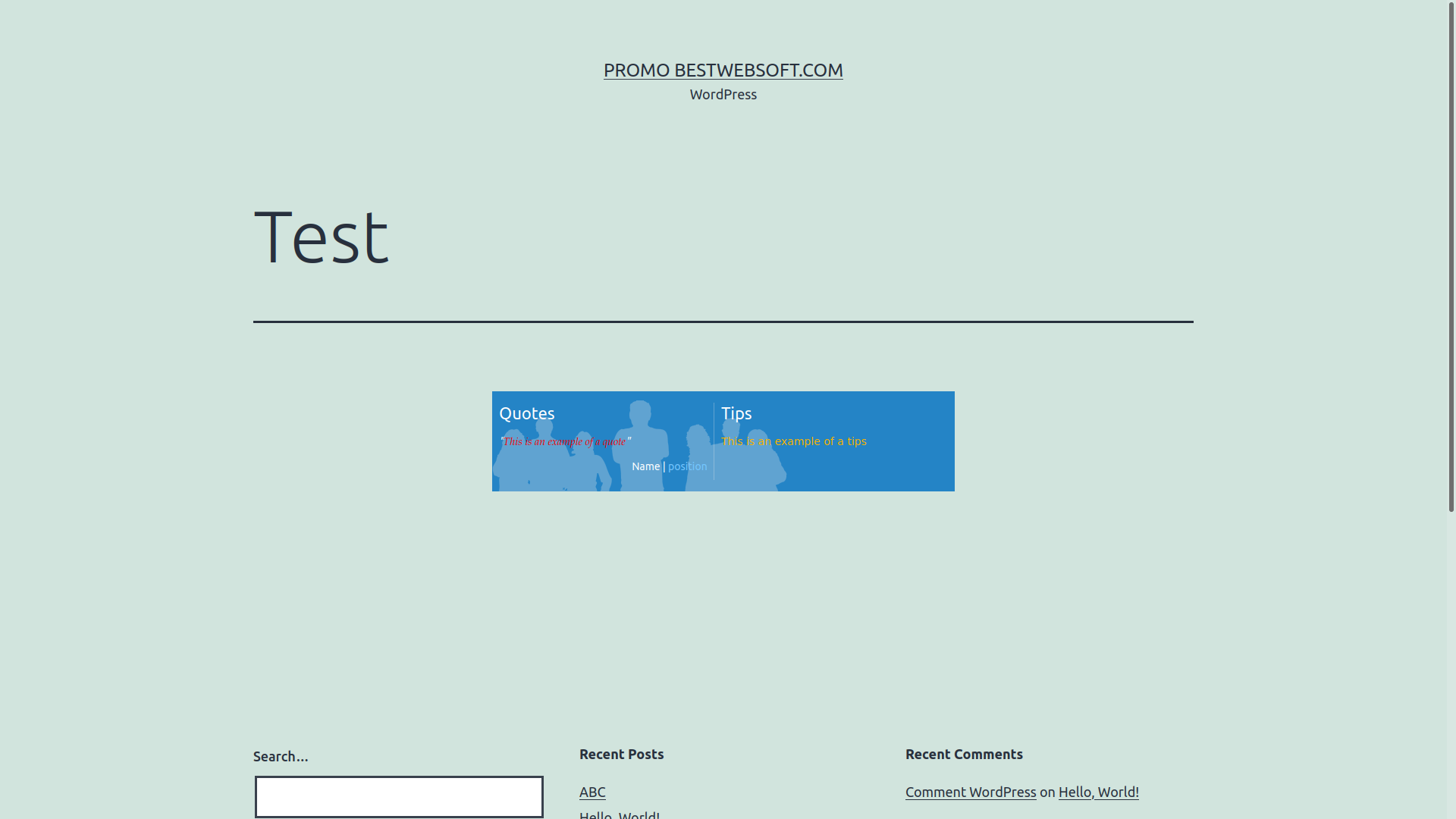
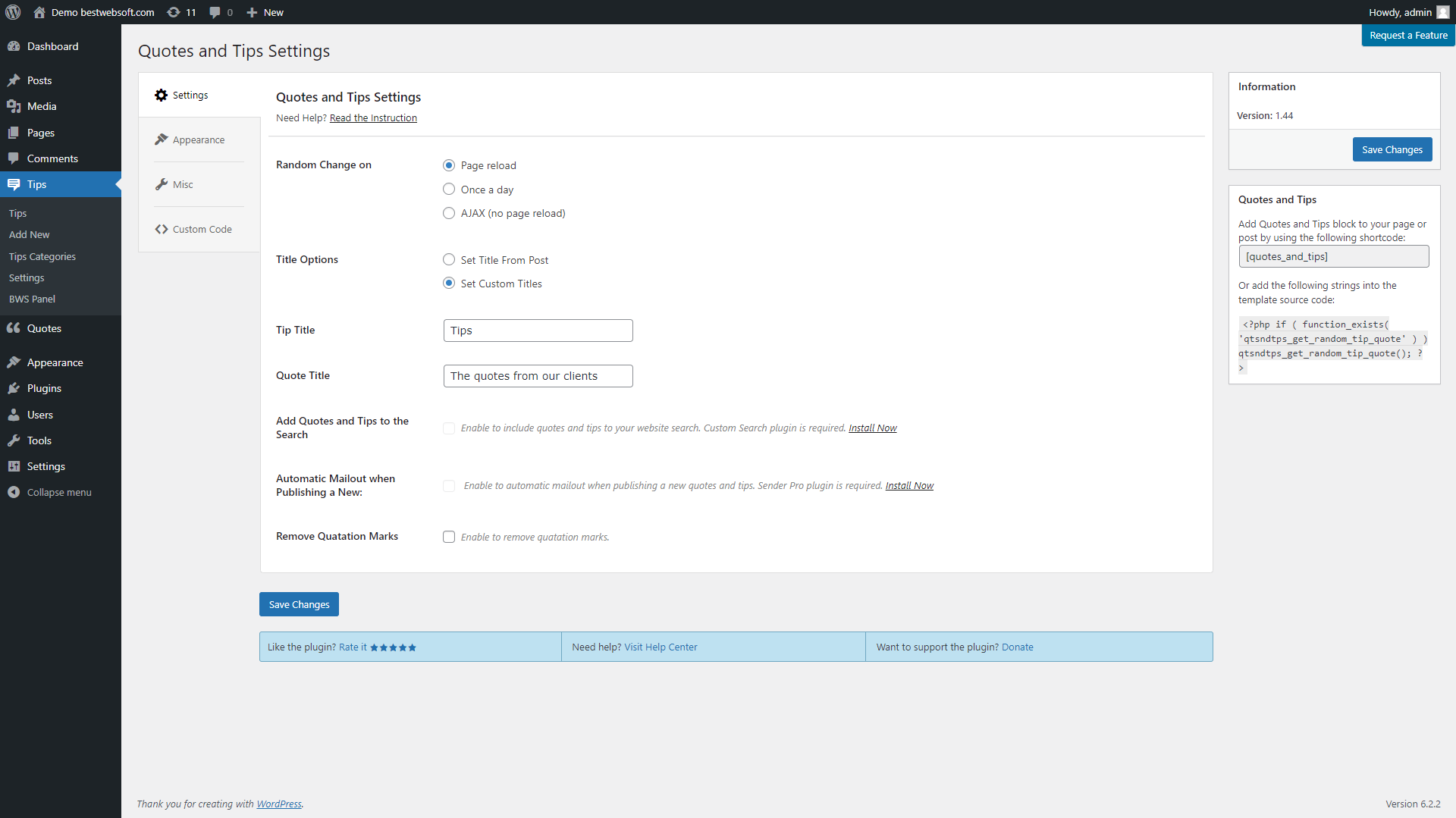
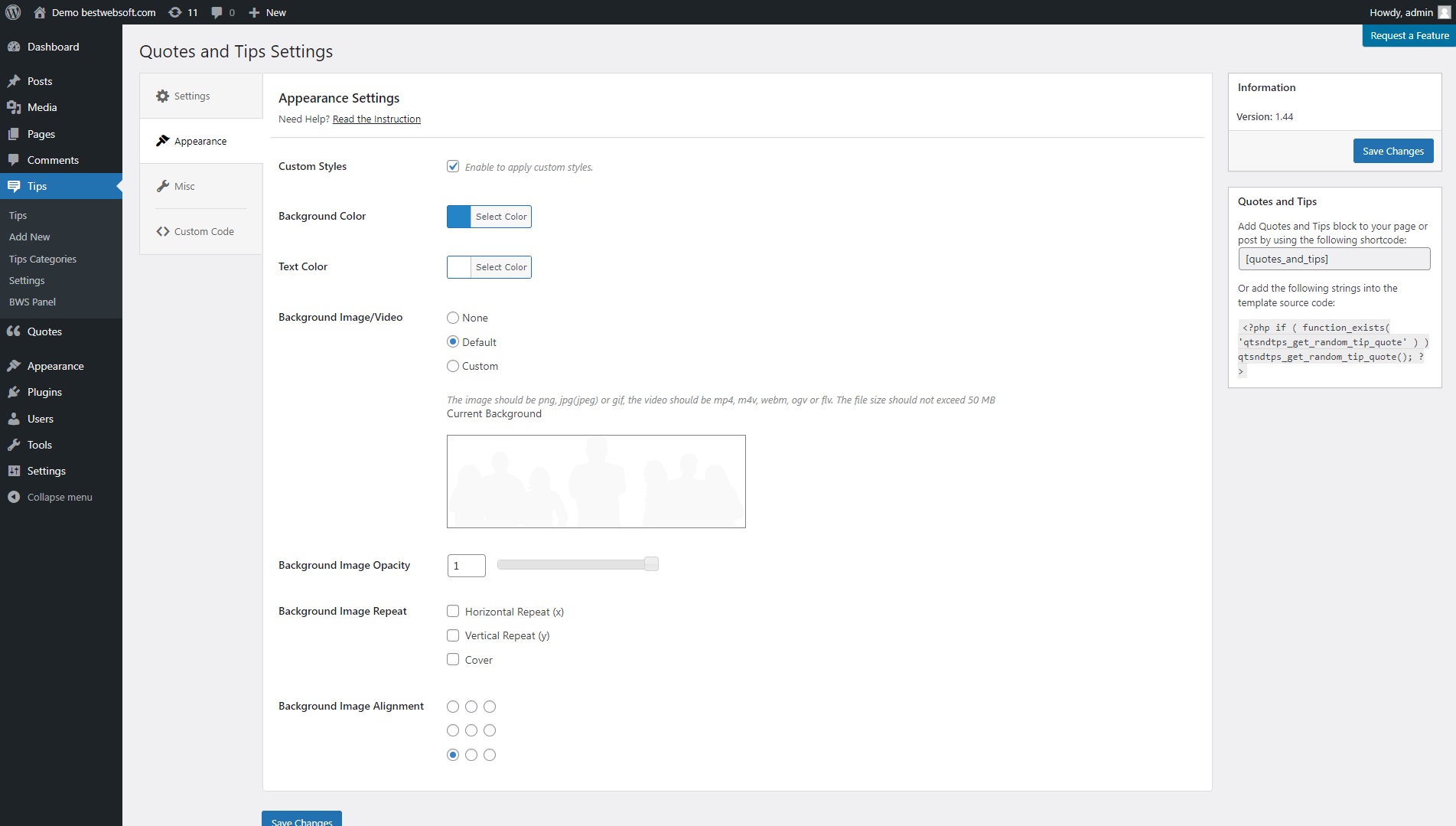
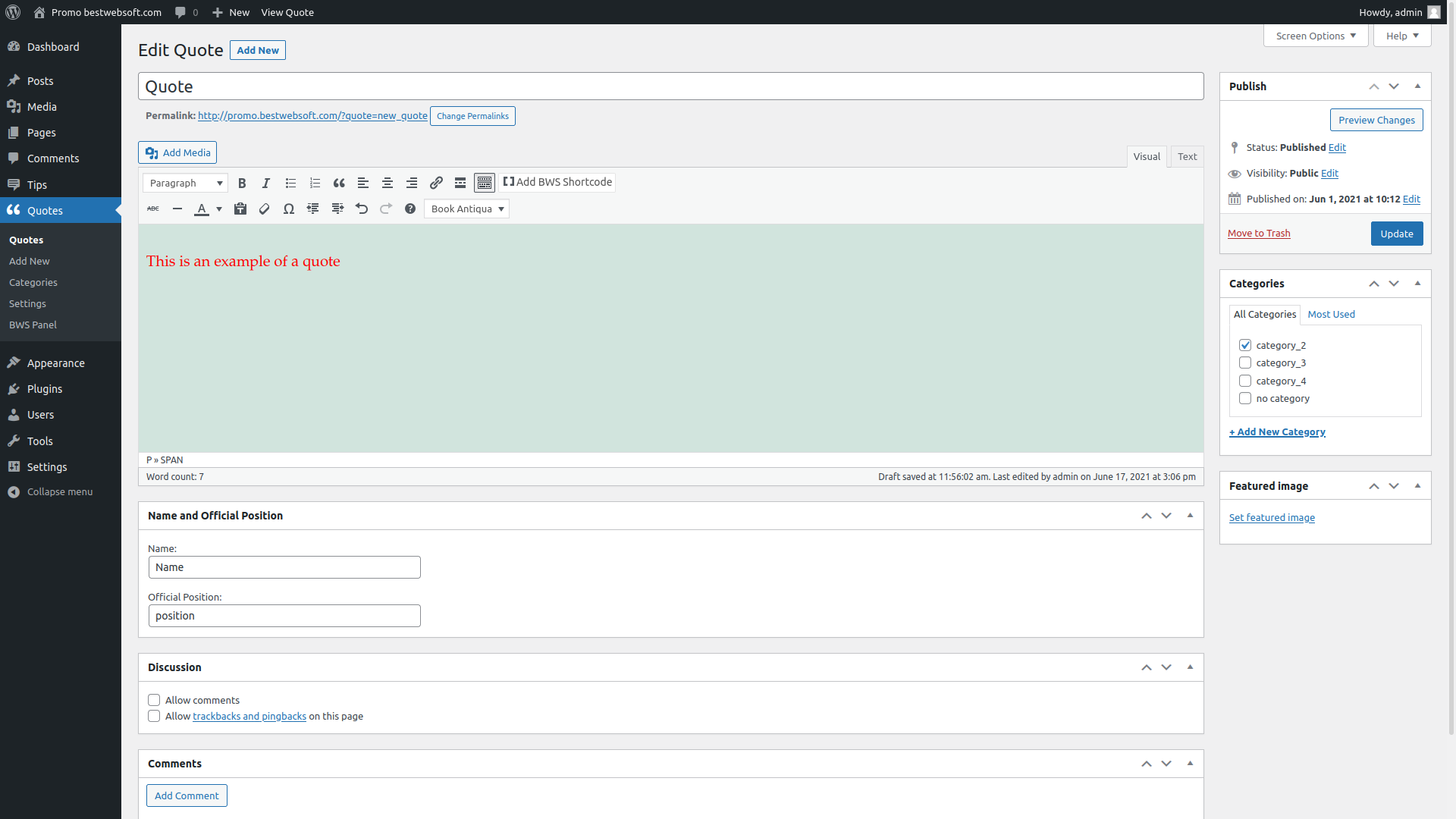

This plugin is exactly what I needed–a randomly selected quote from my repository displayed in my sidebar. I was having trouble getting the daily quote to change and it turns out WPEngine has “Allow ORDER BY RAND” disabled by default in Site Settings. After enabling that, it worked great. The support team went above and beyond to help me troubleshoot the issue. Highly recommended!
Upgrade to Quotes and Tips Pro...
Description
Why Choose Our Quotes and Tips Plugin for WordPress?
- Unlimited Quotes and Tips: Add as many quotes or tips as you like, complete with author name and official position.
- Flexible Display Options: Use shortcodes to display quotes in posts, pages, or widgets. Gutenberg block support is included.
- Random Rotation: Show a new quote each time the page reloads or automatically rotate quotes without reload.
- Custom Appearance: Personalize colors, background images or videos, alignments, and text styles to match your theme.
- Import and Export: Easily transfer your quotes and settings between sites or create backups.
- Interactive Controls: Add a button to manually switch between quotes or tips.
- Responsive and Multilingual: Fully compatible with RTL languages, responsive layouts, and multilingual setups.
- Simple Setup: Easy-to-use interface with no coding required and quick integration into your site.
- Smart Integration: Show quotes in search results with Custom Search, or automatically email new quotes using the Sender plugin.
- Advanced Author Controls: Edit the author’s title and control whether to show quotation marks.
- Resizable Quote Block: Adjust the size of the quote display container for different layouts and screen sizes.
- Premium Support: Get help from our support team within one business day (Support Policy).
How to Display Quotes and Tips on Your WordPress Website
- Install the Plugin: Go to Plugins → Add New in your WordPress dashboard, search for “Quotes and Tips by BestWebSoft,” then click Install & Activate.
- Add Your Quotes or Tips: Enter content using the built-in TinyMCE editor and include author info if needed.
- Insert Using Shortcode or Block: Paste the shortcode into a post, page, or widget – or use the Gutenberg block for easy placement.
- Customize Display: Choose background, text colors, alignment, rotation options, and whether to enable a manual switch button.
- Enhance Visibility: Use integration with Custom Search or Sender plugins to boost user engagement and visibility.
That’s it! With Quotes and Tips by BestWebSoft, you can create engaging quote blocks that enhance your website’s appearance and inspire your visitors.
Documentation & Videos
User Guide
Installation
Purchase
Brief Overview
Video instruction on Installation
We are constantly update the existing translations and add new to the list.
Quotes and Tips Free vs Pro – Share Inspiring Content with More Control
Compare the features of the free and premium versions of the Quotes and Tips plugin by BestWebSoft. Easily add motivational quotes or helpful tips to your WordPress site and enhance visitor engagement.
Main Features – Free vs Pro
| Feature | Free Version | Pro Version |
|---|---|---|
| Unlimited Quotes and Tips | ✔️ | ✔️ |
| Shortcode Support (Posts, Pages, Widgets) | ✔️ | ✔️ |
| Random Rotation with/without Reload | ✔️ | ✔️ |
| Custom Background (Color, Image, Video) | ✔️ Basic | ✔️ Extended |
| Resize Quotation Block | — | ✔️ |
| Import and Export Quotes | — | ✔️ |
| Change Author Position Display | — | ✔️ |
| Change Quote via Button | — | ✔️ |
| Gutenberg Block Support | — | ✔️ |
| Integration with Custom Search and Sender Plugins | ✔️ | ✔️ |
| Multilingual and RTL Ready | ✔️ | ✔️ |
| Premium Support | Community only | ✔️ 1 business day reply |
Deliver Memorable Quotes and Tips
With the Quotes and Tips plugin by BestWebSoft, you can highlight important information, share motivational content, or display useful tips to your visitors with ease. The Pro version adds more display control, import/export tools, Gutenberg integration, and customization options.
Whether you’re running a blog, magazine, or knowledge base, this plugin gives you the flexibility and power to present content that keeps visitors engaged.
All-in-One Quote Display Plugin for WordPress
The Quotes and Tips plugin by BestWebSoft is your go-to solution for displaying rotating quotes, motivational tips, or featured messages on any page of your site. With full layout control, background customization, shortcode and block support, and automatic rotation — this plugin gives you everything you need in a single, user-friendly package.
Whether you’re a blogger, educator, coach, or small business owner, this plugin helps you share knowledge, engage readers, and improve the user experience — without bloating your site or writing a single line of code.
Pro Features
- Resizable Quote Block: Adjust the size of the quote or tip display area to fit your layout or design preferences.
- Import & Export Quotes: Easily migrate your quote and tip collections between sites or save backups in just a few clicks.
- Author Position Control: Change the placement or visibility of the author’s position (title, role, etc.) under each quote.
- Manual Quote Switch Button: Let users change quotes manually with an interactive button, without reloading the page.
- Gutenberg Block Support: Add and configure quote blocks visually using the native Gutenberg editor.
- Custom Background Media: Set custom images or videos as the background for your quote section for a more engaging look.
- Advanced Background Settings: Control background alignment, repeat settings, and layout orientation for a polished display.
- Auto Reload with Timer: Set a specific interval for automatic quote refresh without requiring user interaction.
- Integration with BestWebSoft Plugins: Display quotes in search results with Custom Search and enable automatic email delivery with Sender.
- Multilingual and RTL Ready: Fully compatible with multilingual sites and right-to-left languages for global flexibility.
- Premium Support: Get answers from our support team within one business day (Support Policy).

Simple settings for fast setup without modifying code.

We honor all refund requests within 30 days after your purchase. If you are not happy then it’s our fault.

The support team that is passionate about their job is here to stay and solve all the questions you have!
Over 3,000,000 Happy Users
BestWebSoft is always the perfect solution for you. Just check out what other people are saying about us!

Very good plugin, the best I’ve found for quotes and tips.

A very effective plugin for including over 700 quotes on my site.
A responsive team that listens to my difficulty in integrating it properly. THANKS.

It’s not the fanciest, but it works if you want something that’s fast, easy & looks good.
FAQ
Yes, you can insert quotes and tips using a shortcode into any post, page, or widget area.
Yes, you can set the rotation to happen on page reload, without reload, or at a specific time interval.
Yes, the Pro version lets you add a manual switch button so visitors can change quotes without reloading the page.
Yes, you can customize the background using colors, images, or even video files in the Pro version.
Yes, the Pro version includes a Gutenberg block that allows you to easily add and customize quotes visually.
Yes, the import/export feature in the Pro version allows you to back up or transfer your quote database easily.
Yes, if you use our Custom Search plugin, you can display quotes and tips in your WordPress search results.
Free version users can browse documentation or submit tickets. Pro users receive answers within one business day as per our Support Policy.
Still have questions? Submit a request

