
WordPress BestWebSoft's Twitter Plugin
Add Twitter Follow, Tweet, Hashtag, and Mention buttons to WordPress posts and pages.
downloads Version 2.66
Last updated 2 years ago
Requires WP 5.6


Installation simple
Settings simple and fast
Upgrade to BestWebSoft’s Twitter Pro...
Description
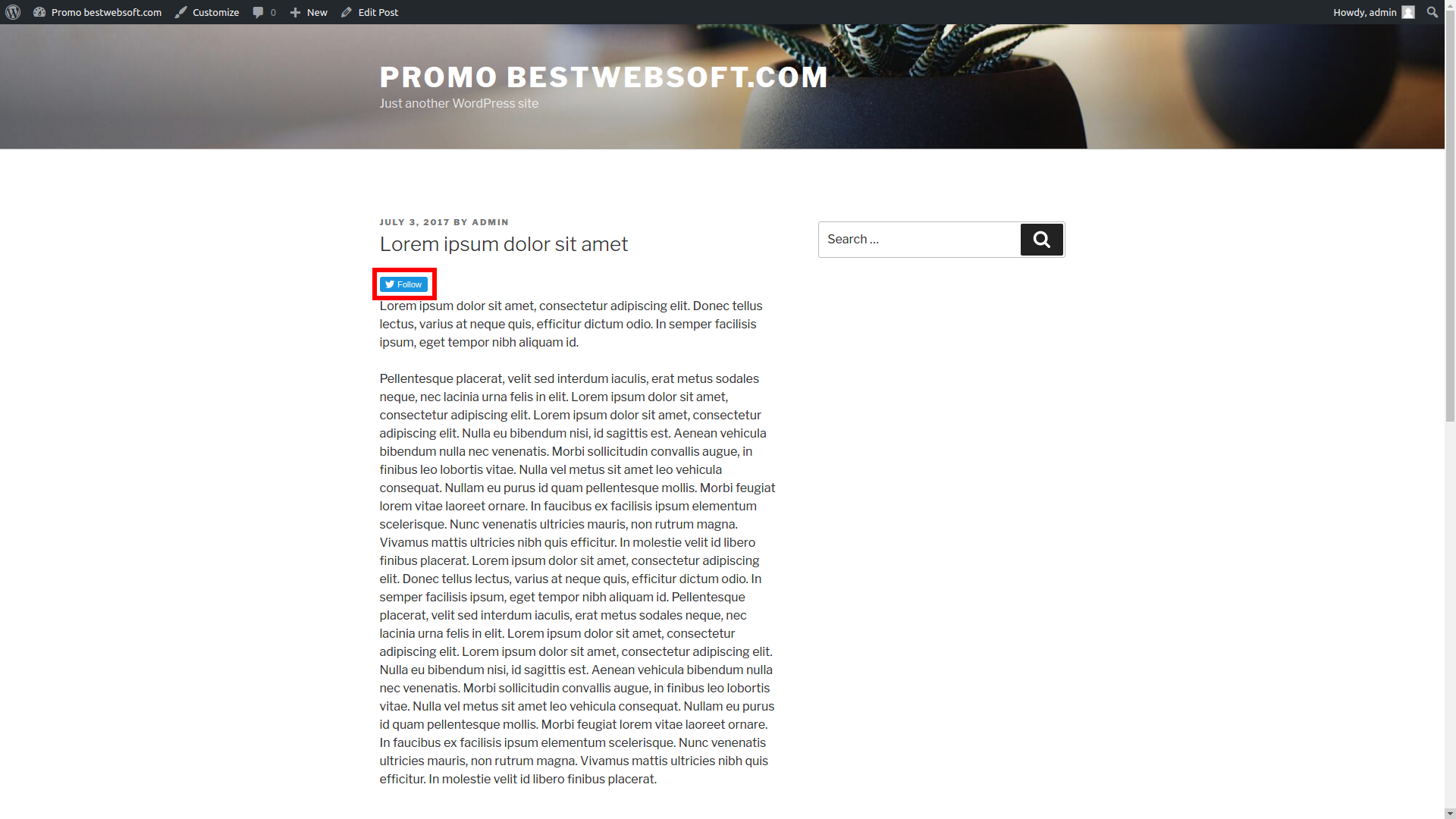
BestWebSoft’s Twitter plugin makes it easy to add Follow, Tweet, Hashtag, and Mention buttons to WordPress website posts, pages. This is a great way to increase social media shares.
Customize the appearance, configure settings, and enable other advanced options to encourage website visitors to communicate with you via Twitter.
Documentation & Videos
User Guide
Installation
Purchase
Brief Overview
Installation Instruction
We are constantly update the existing translations and add new to the list.
Free Features
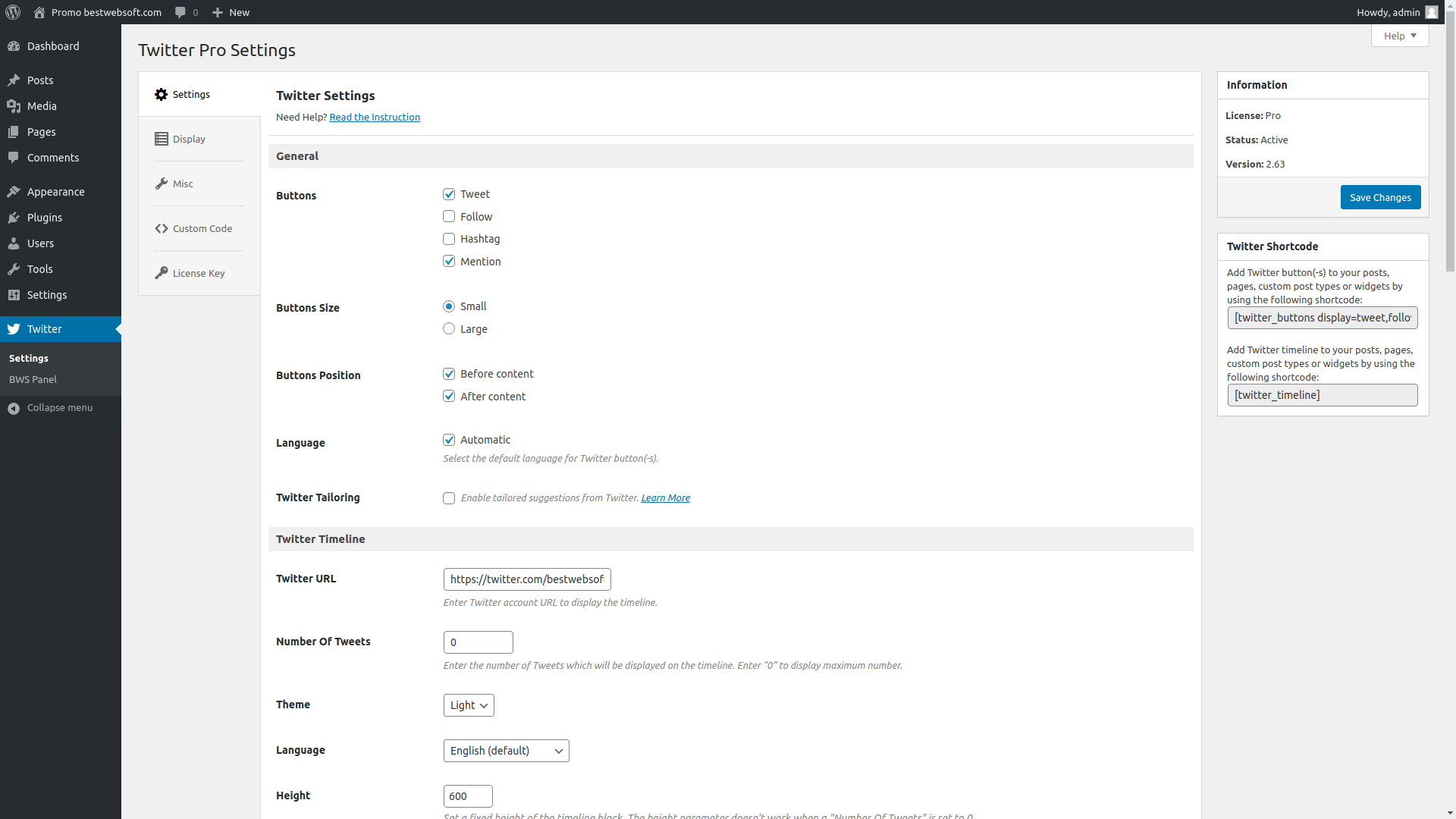
- Automatically add Twitter buttons:
- Tweet
- Follow
- Hashtag
- Mention
- Choose Twitter buttons position in the content:
- Before
- After
- Before and after
- Add Twitter buttons via shortcode
- Enable Opt-out of tailoring Twitter
- Choose the language manually or set the automatic detection
- Choose Twitter buttons size:
- Small
- Large
- Set for Tweet, Hashtag, and Mention buttons:
- Tweet text
- Page title
- Custom
- Recommended username
- Tweet text
- Set custom hashtag for Tweet and Hashtag buttons
- Set share URL for Tweet and Hashtag buttons
- Current page
- Home page
- Set the username for Tweet via parameter
- Show follow me button:
- Username
- Count
- Set custom image for Follow button
- Compatible with latest WordPress version
- Incredibly simple settings for fast setup without modifying code
- Detailed step-by-step documentation and videos
- Multilingual and RTL ready
This plugin is currently considered a legacy product, which means it is no longer under active development. However, it remains fully functional and compatible with the latest version of WordPress.
While we are not regularly releasing new features or updates, we may still provide occasional maintenance or compatibility updates if needed. Support remains available, and the plugin continues to serve many users reliably.
If you’re looking for a stable, time-tested solution — this plugin is a great choice.
Pro Features
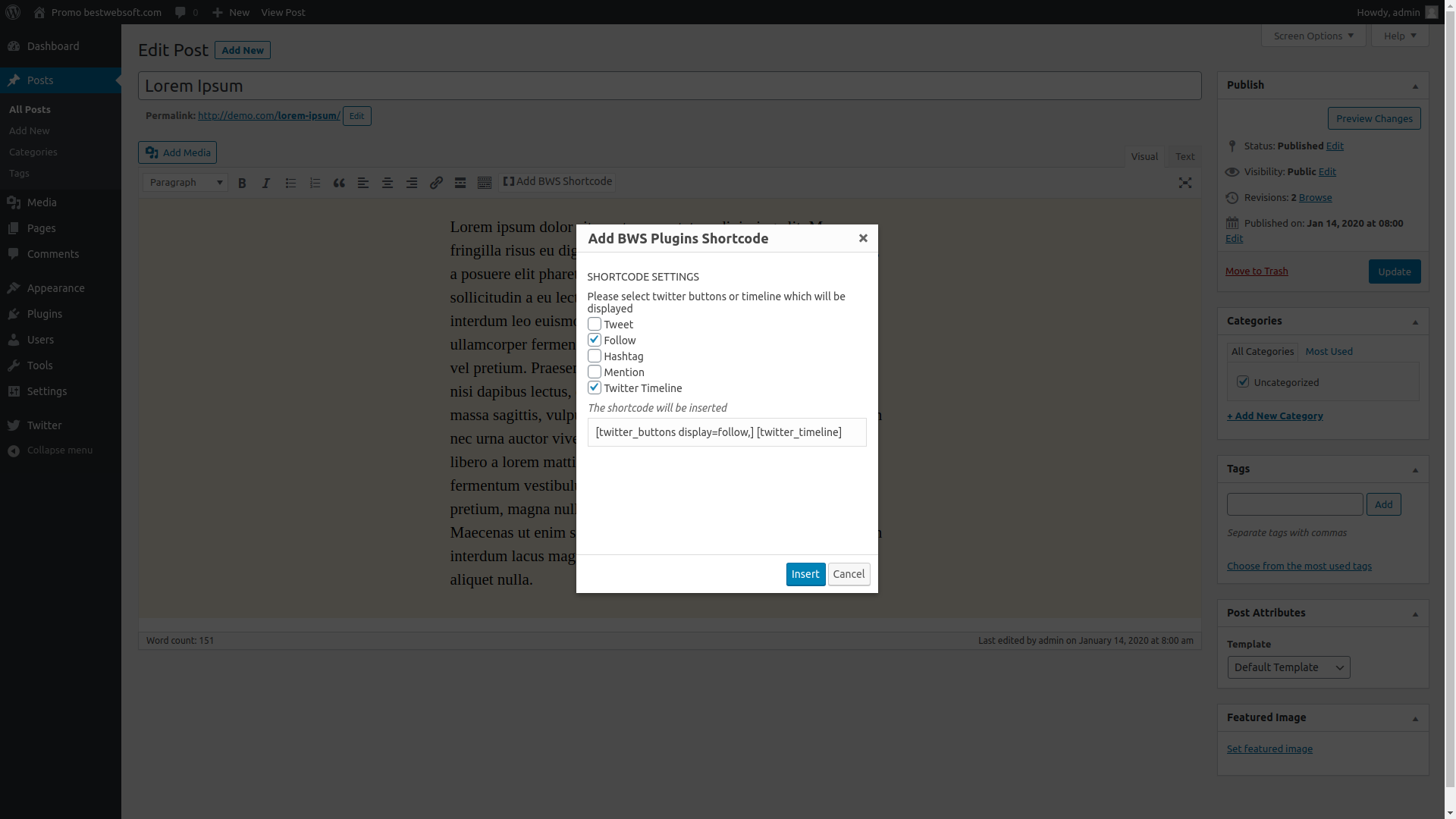
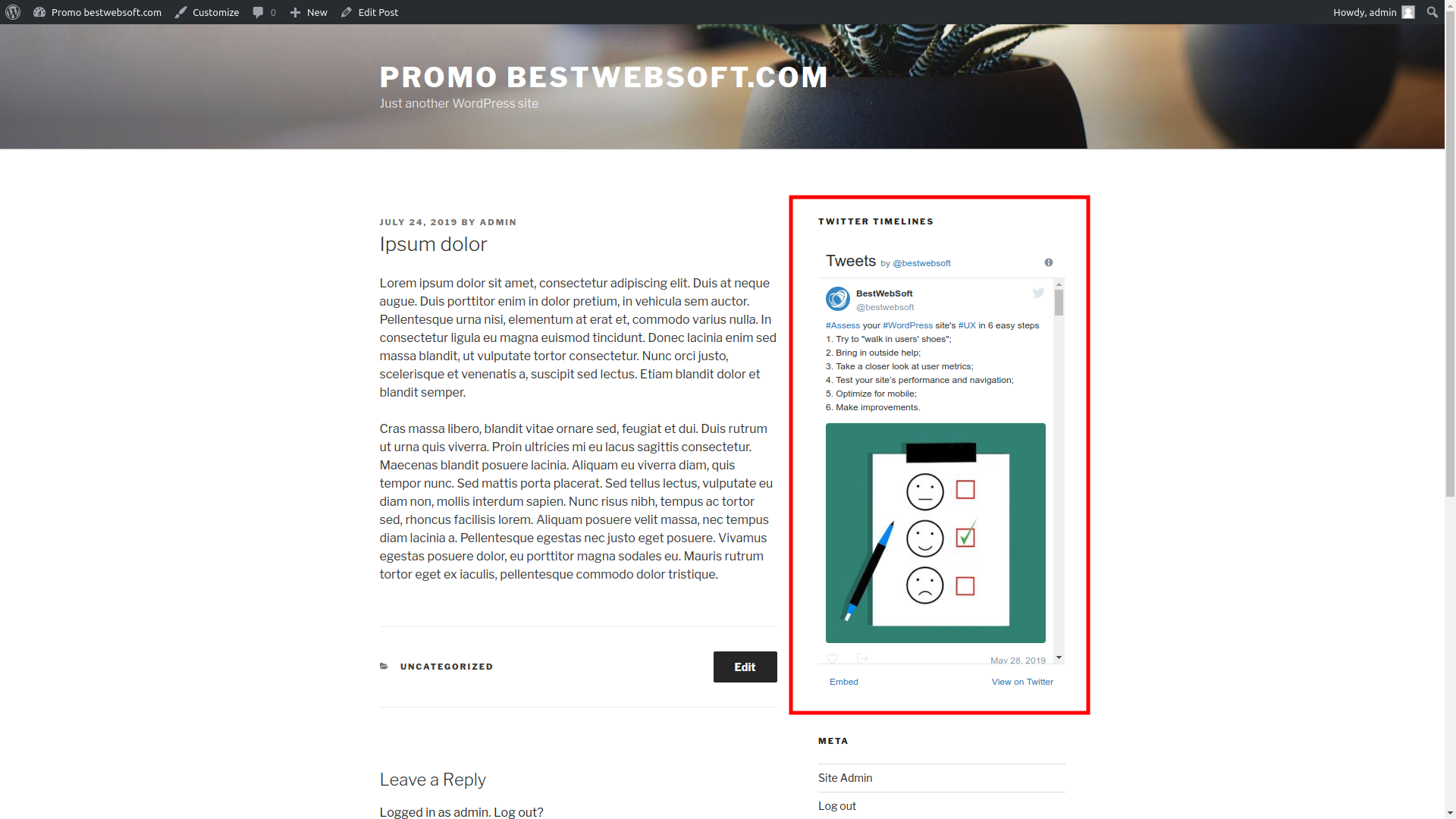
- Add Twitter Timeline
- Twitter button preview
- Display Twitter buttons for certain pages and/or post types
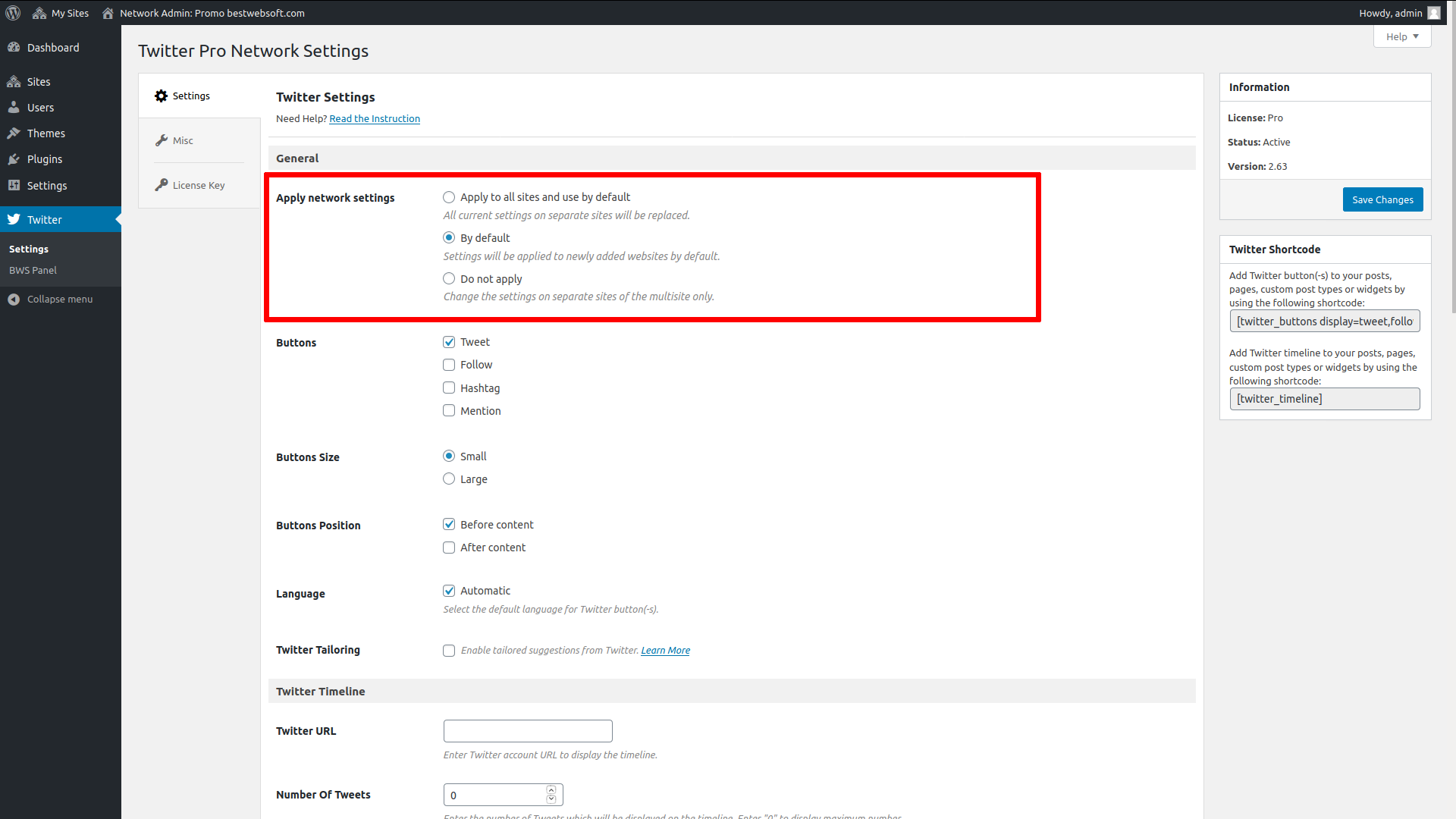
- Configure all subsites on the network
- Add custom code via plugin settings page
- Get answer to your support question within one business day (Support Policy)

Simple settings for fast setup without modifying code.

We honor all refund requests within 30 days after your purchase. If you are not happy then it’s our fault.

The support team that is passionate about their job is here to stay and solve all the questions you have!
Over 3,000,000 Happy Users
BestWebSoft is always the perfect solution for you. Just check out what other people are saying about us!

Simple settings, good work.
FAQ
- Thankful letter with awaiting payment approval.
If your payment has been successfully processed, you’ll receive the letters below:
- User registration email with an access to your personal Client Area on BestWebSoft website (https://bestwebsoft.com/client-area), where you can manage your websites, licenses and find purchase information.
- Successful purchase confirmation email with your license key and download link.
If the system considers your purchase as fraud, your payment will not be transferred to us, your money is left at 2CO and 2CO will refund it to you (as a rule, within 1-2 days). No further actions needed.
If you want to complete the purchase, we recommend using another payment method.
When you buy a Pro license, you are supposed to get downloadable ZIP archive with Pro license key including personal support, all documentation and videos, constant updates, and special offers.
Priority Support is an answer to your question within one business day. For more info see Support Policy.
You will get the download link after transaction review. Usually, it takes about 30 minutes to review one transaction. You will receive a message with a download link and license key to the email specified by you during the purchase.
Check your spam folder, the message can be there. If you haven’t got the download link within 24 hours, feel free to contact us. Please specify your name, email and order number. Submit a request
With Annual license you will receive product updates and priority support for 1 year. You will be charged automatically each year until this license cancellation.
With Lifetime license you will receive product updates and priority support forever (see License Agreement for more details).
Pro Membership is a subscription which gives you access to 30+ premium WordPress plugins, plus all the future plugins we’ll release over the course of your Pro Membership subscription for a single website/domain. Updates and dedicated support are included through the license lifetime.
In case of payment cancellation you will no longer receive top-priority support and product updates, however, you will be granted lifetime rights to use the free product. Support will be provided on a regular basis.
Cancel your previous Pro license and buy Pro Membership license. Then add new license key to your website.
Cancel your previous license and buy Lifetime license. Then add new license key to your website.
One premium plugin can be installed on a single domain and its subdomains. You should buy separate licenses for each website/domain.
NOTE: We do not support websites, which use Domain Mapping or similar plugins/server configurations.
If you are not 100% satisfied with your purchase, we may refund the cost of your order within 30 days from the purchase date. refund-policyLearn More
- Buy 2 plugin licenses and save 10%
- Buy 5 plugin licenses and save 20%
- Buy 10 plugin licenses and save 30%
- Buy 100 plugin licenses and save 50%
Have Questions? You can always ask us. Submit a request