Blog
Subscribe to Our News

Author: Catherine

Book Your Flight is an online booking PSD template based on 12 color grid. It is ideal for travel agencies, booking portals, guest houses, hotels, trips and any travel booking websites. We packed this template with common reusable elements and widgets, so it would suit for any business with slight customizations.
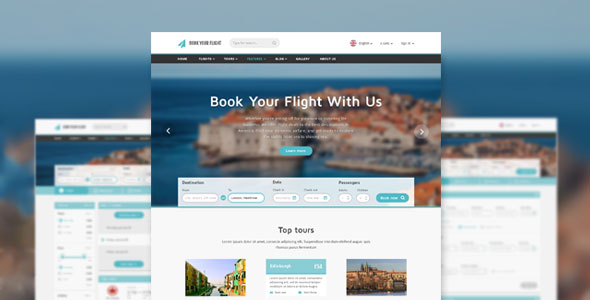
book-your-flight-online-booking-psd-template(1)

All layers are organized property, so it won’t take long time to find the necessary one. File structure is fully organized to make the editing process more easy for end-users.
Read More…

“Hotlinking” or bandwidth theft is when a person uses direct linking to files on someone else’s website (e.g. video, pictures, etc.). Bandwidth is the data that is transferred from a website to devices of its users. To be short, you are using the website’s bandwidth each time when you viewing it. Imagine some person uses your electrical outlets without your permission, and you are paying for the electricity. It is the simplest example of hotlinking.

how-to-prevent-hotlinking

Bandwidth is a serious issue, since the income of web hosts is depends on the amount of transferred data. If your website is over its bandwidth limit per month, it will be taken offline or billed for the extra data.

Read More…

Plugins in WordPress are used for enhancement, modification and customization of a website. With the help of plugins, you easily can add functionality instead of changing the codes. In brief, WordPress Plugin is a program written in PHP, which can be integrated with your website and allows to add some services or features.

How to create a WordPress Plugin?

Do you want to have new functionality? Firstly, try to find a plugin which will meet your requirements. If there is no such plugin, this article will be useful for you since it gives some useful advice related to the creation of the WordPress plugin. In addition, we hope that you are familiar with PHP programming and basic functionality of WordPress.

Read More…

Any post or page you publish in WordPress becomes visible to the public by default. In other words, a post or page has a default visibility status, based on the settings of a Edit Post Screen in the Publish box.

Password-Protect Your WordPress Content

The simple codes and options described below will help you to customize your WordPress posts` visibility. No more than five minutes of your time will protect your posts from being viewed by the people for whom they are not addressed to. Be attentive and paste the code correctly to avoid problems with the password form.

Read More…

WordPress is ready to embrace search engines straight out of the box. Your aim is to gather the information that the search engine needs to include your site within its database as well as to help the search engine crawl your site. For this purpose, WordPress` functions and features guide a search engine through the pages, categories and posts.

How To Make Your Blog SEO-Friendly

WordPress provides a number of built in search tools aimed to optimization. It includes the ability to create permalinks, to use .htaccess, pinging and blogrolling. Also, there are different hacks and third party plugins useful for search engine optimization (SEO). Read More…

Any web page is created to achieve some goal. And whatever the purpose may be – to inform, sell or entertain,  there are different ways of how to reach it. The majority website administrators know what is search engine optimization (SEO); they also know how to attract people to the websites. However, they often do not pay attention to a time frame between a person visiting a website and buying something or just registering in the system.

How To Optimize Conversion Rate on Your Website

Conversion rate optimization is called to make the interaction between the visitors and website more pleasant and comfortable. It is the process which increases the possibility that they will convert. There are a variety of factors affecting the rates of conversion, from color choice to layout. Let us have a look at the set of those factors which take part in optimizing a WordPress website for conversions.   

Read More…

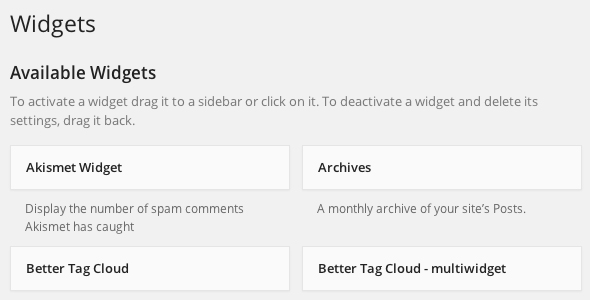
WordPress Widgets are used for adding the features and content to your Sidebars. The example shows default widgets for tag clouds, navigation, post categories, search etc., which are delivered with WordPress. Plugins, however, often introduce widgets of their own.

Getting Started With WordPress Widgets

The initial purpose of widgets is to provide the user with a user-friendly and simple way to control the design and structure of the WordPress Theme. Nowadays, this feature is common among properly “widgetized” WordPress Themes. This allows the users to include widgets in the footer, header or otherwhere in the WordPress design and structure.

Read More…

Comment moderation is a WordPress feature, which is specifically designed to let you manage comments on your website. With this feature, none of the comments will appear on your page without receiving your express approval.

WordPress Comment Moderation: The Best Way to Fight Comment Spam

While moderation is traditionally associated with addressing Comment Spam, it can also be applied more generally. Check the Fighting Comment Spam section if you wish to learn more about comment spam.

Read More…