


The default WordPress search is often limited in accuracy and relevance, especially for larger websites. To improve search quality, the Custom Search plugin now introduces a new feature – Google Search integration.
With this feature, you can replace the standard WordPress search with Google Programmable Search Engine, providing more accurate and powerful search results directly on your website.
What Is Google Programmable Search?
Google Programmable Search Engine (formerly Custom Search Engine) allows you to embed Google-powered search results into your website.
Instead of relying on WordPress search logic, your visitors will get:
- More relevant results
- Better keyword matching
- Faster search experience
- Familiar Google-style interface
How to Enable Google Search in Custom Search Plugin
Follow these steps to activate the feature:
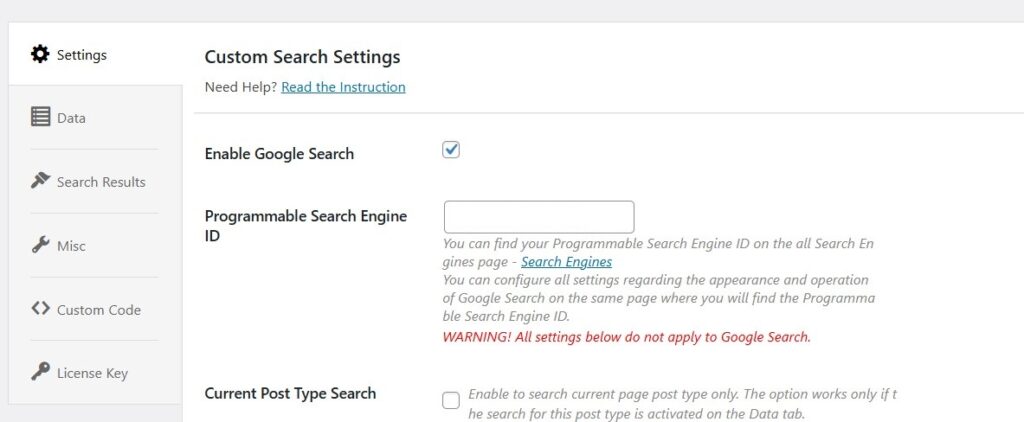
- Go to Custom Search → Settings
- Enable the option Enable Google Search
- Enter your Programmable Search Engine ID
- Save changes
Where to Get the Programmable Search Engine ID
To use Google Search, you need to create a search engine and get its ID.
- Go to the Google Programmable Search page
- Create a new search engine
- Follow the setup steps on that page
- Copy your Search Engine ID
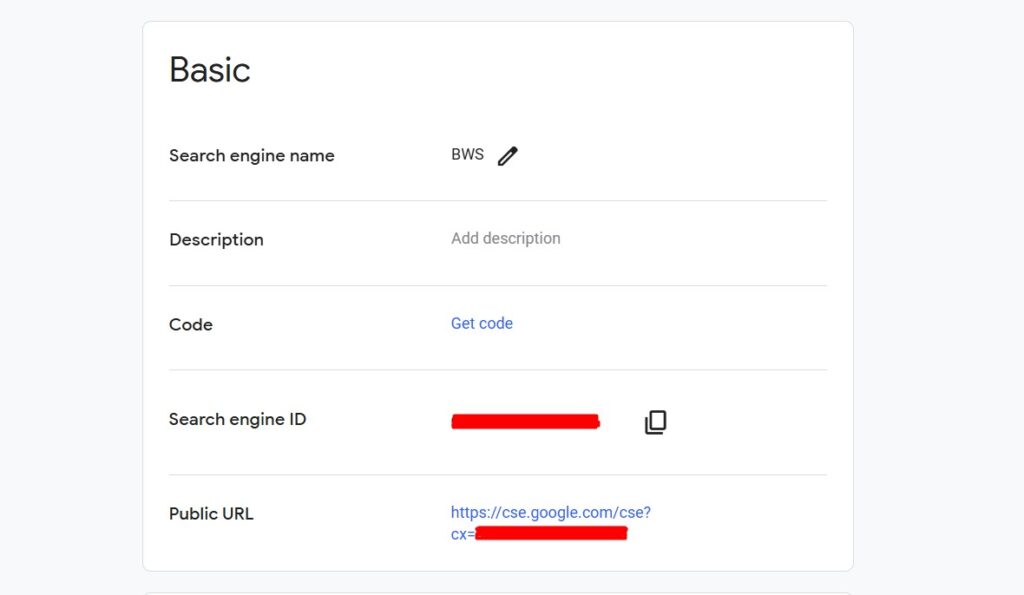
Then paste this ID into the plugin settings field:
Programmable Search Engine ID
Important Note About Settings
When Google Search is enabled:
All other search settings in the plugin will NOT apply.
This means:
- Styling options
- Search behavior settings
- Filters and configurations
…are controlled entirely from the Google Search Engine dashboard.
How to Display the Search Form
To show the search form on your website, use the shortcode:
[cstmsrch_search]
You can place it:
- On a page
- Inside a post
- In widgets or page builders
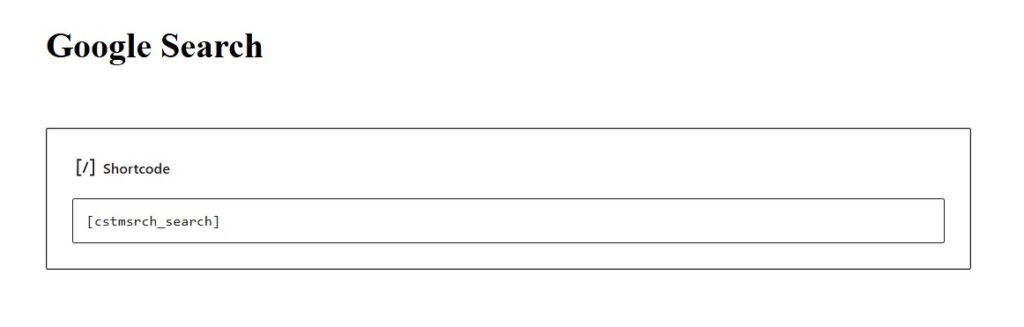
Once added, your site will use Google-powered search results.

Why Use Google Search Instead of the Default WordPress Search?
Using Google Search provides several advantages:
- More accurate results for large websites
- Better handling of keywords and variations
- Improved user experience
- Familiar search interface
- Reduced the need for additional search optimization plugins
Practical Use Cases
Content-heavy Blogs
Improve search accuracy across hundreds of posts.
Documentation Websites
Help users quickly find guides and tutorials.
Business Websites
Provide faster and more relevant search results.
eCommerce (non-Woo search)
Enhance product or content discovery.
FAQ
Do I need a Google account to use this feature?
Yes. You need a Google account to create and manage your Programmable Search Engine.
Can I customize search design in WordPress?
No. When Google Search is enabled, design and behavior are controlled via Google settings.
Can I use multiple search engines?
You can create multiple engines in Google, but only one ID is used per configuration.
Is coding required?
No. Setup is done via plugin settings and shortcode.
Conclusion
The new Google Search integration in the Custom Search plugin is a powerful way to upgrade your WordPress search functionality. By using Google’s search engine, you can deliver more accurate results, improve user experience, and simplify search configuration.
If your website relies heavily on search, this feature is a simple and effective improvement.


