


Powerful WordPress XML Sitemap Plugin to Boost SEO
Make your WordPress site easier to crawl and index with the Sitemap plugin. It automatically creates an XML sitemap and sends it to search engines like Google and Bing. No coding needed — just install, activate, and optimize your site’s visibility today.
active installs Version 3.3.6
Last updated 3 months ago
Requires WP 5.6
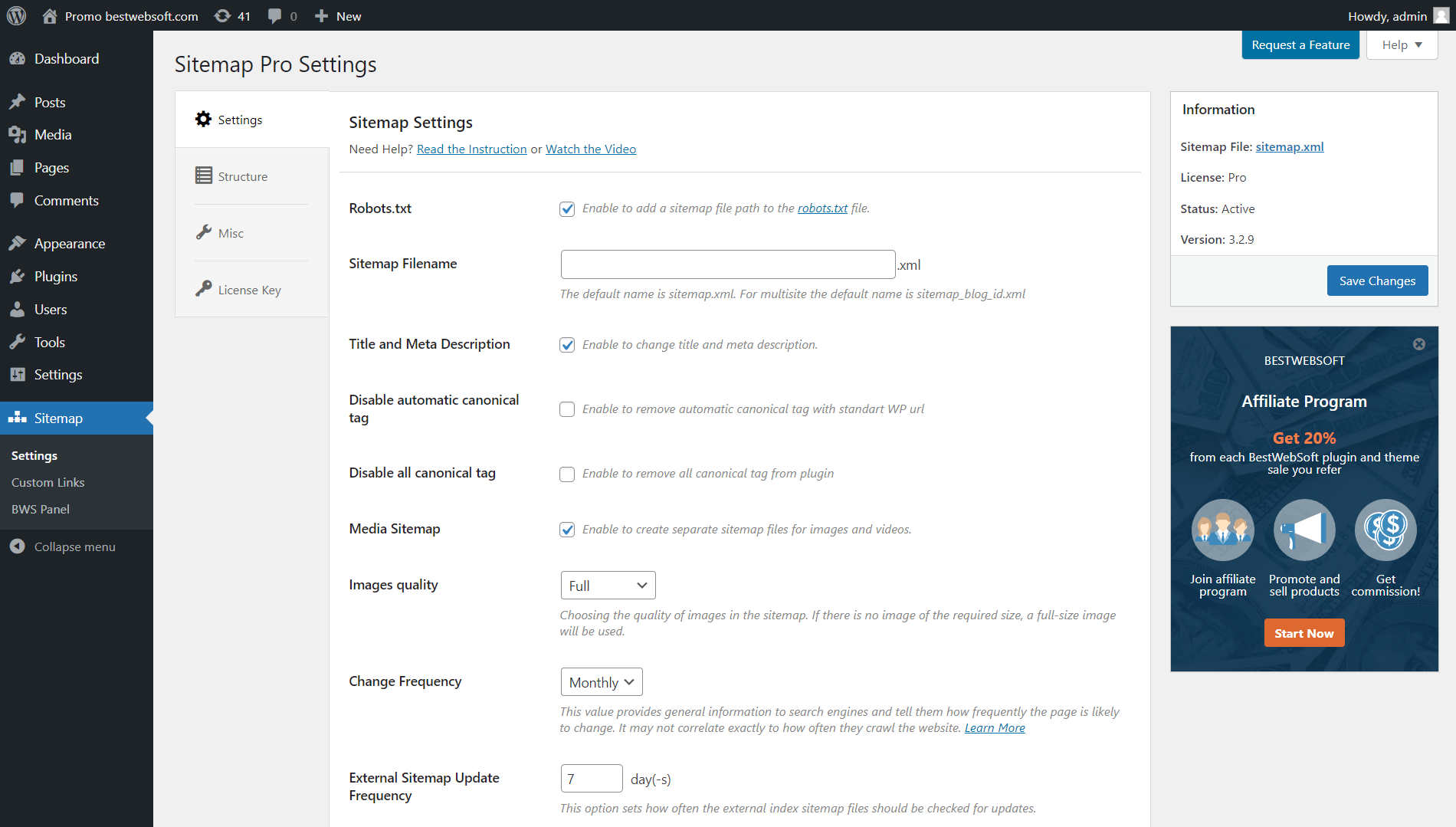

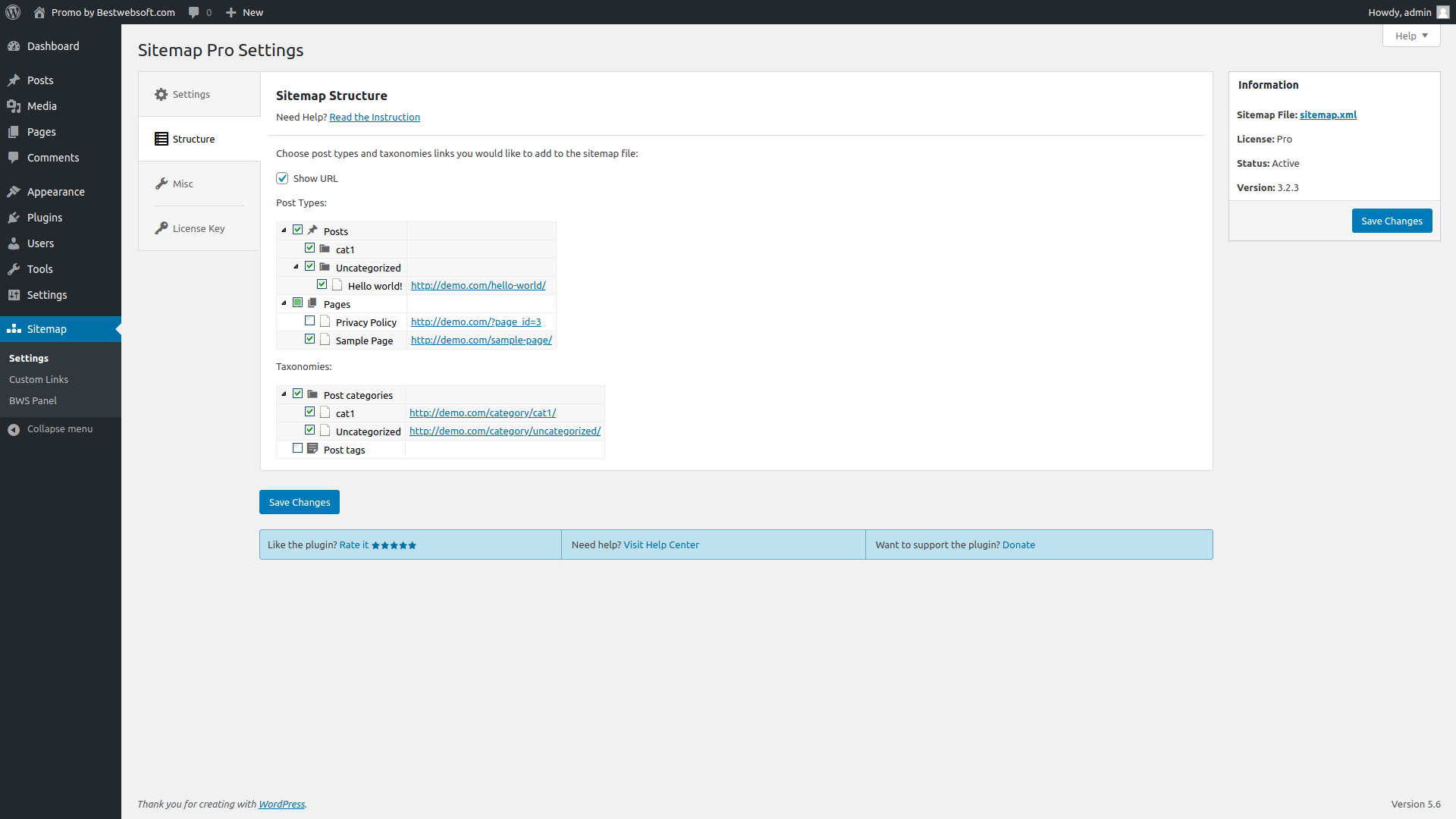
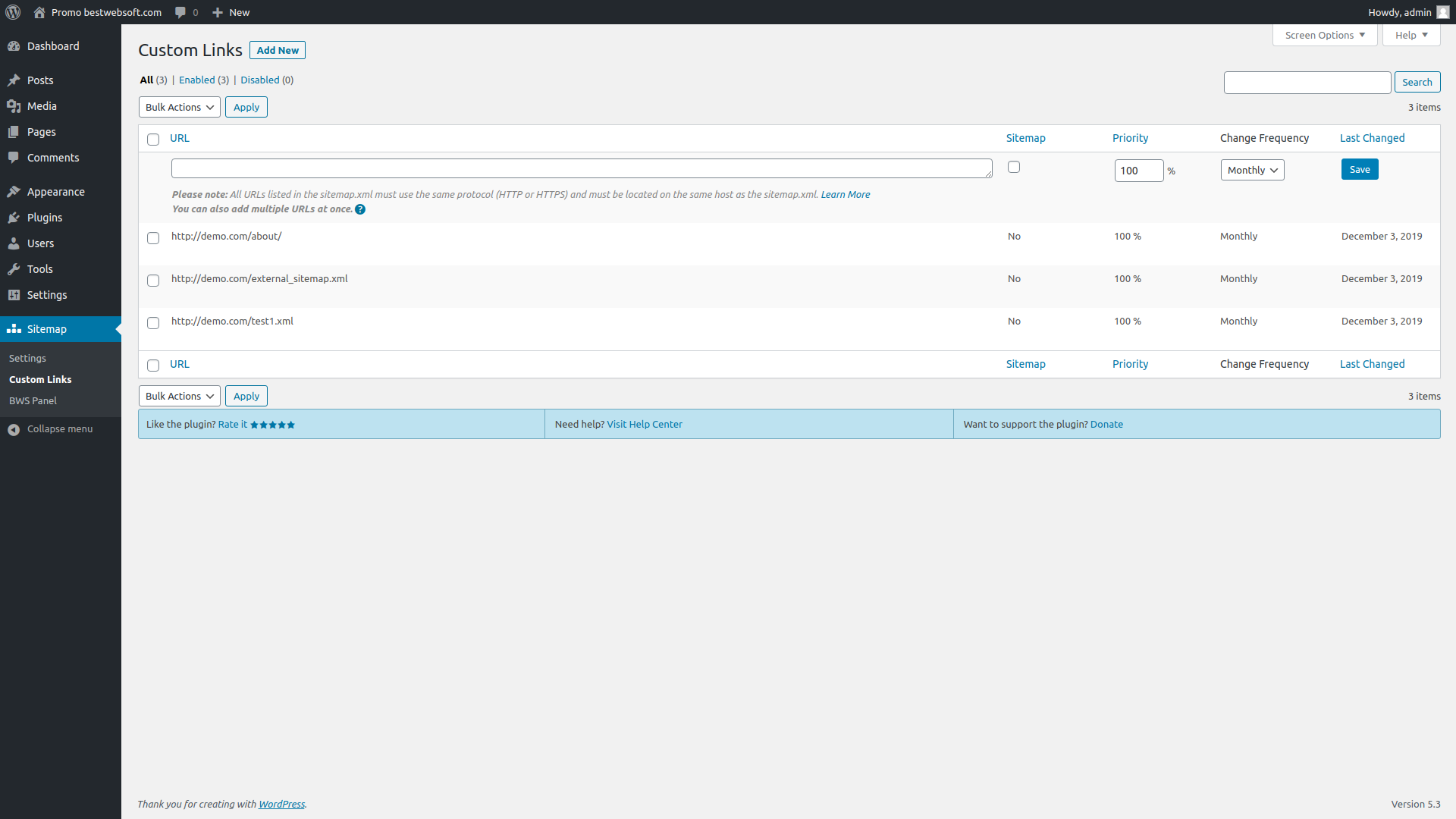
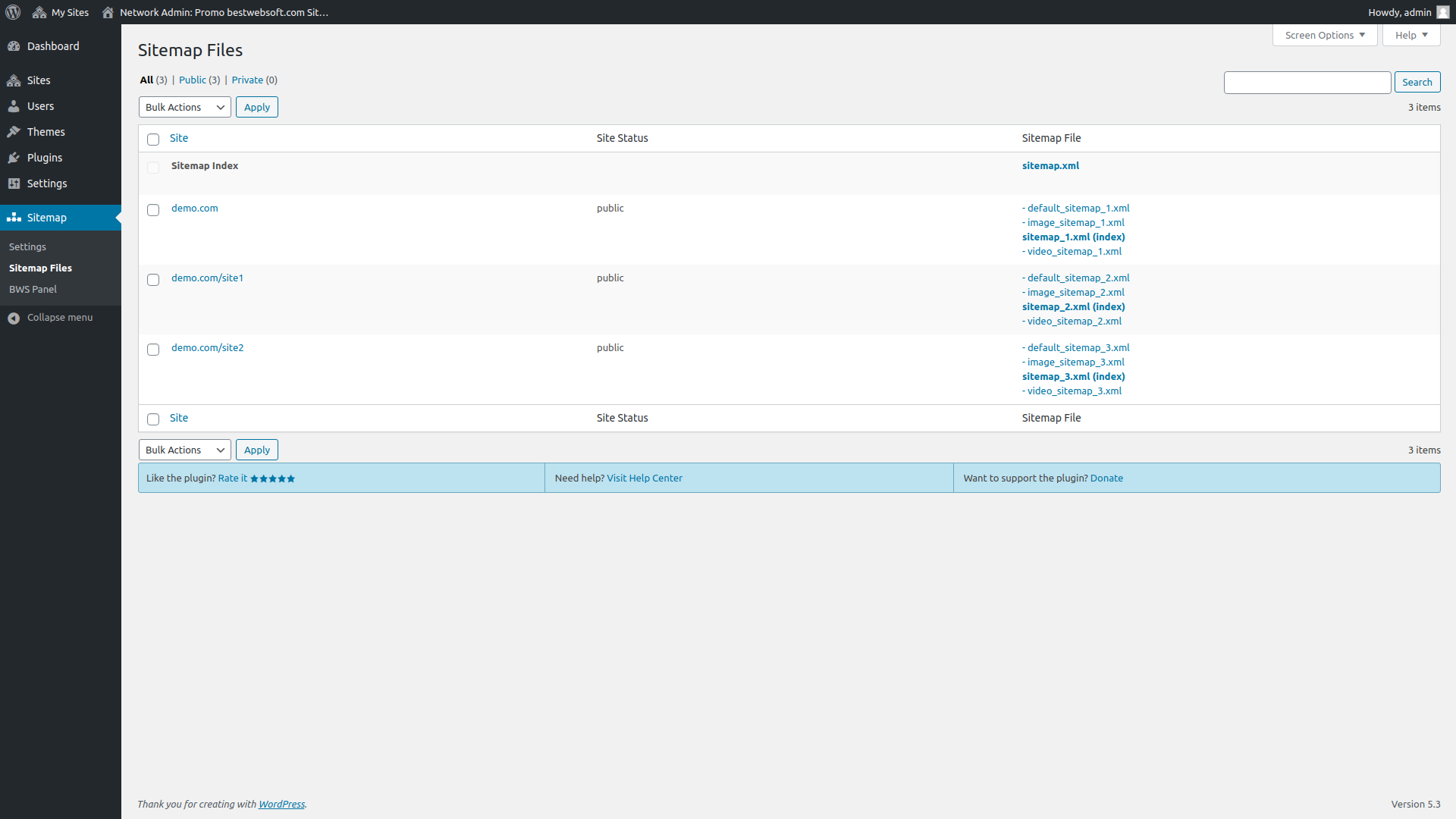

very help full pluging
Upgrade to Sitemap Pro...
Description
Sitemap is a simple yet powerful WordPress plugin that helps you generate an XML sitemap and improve your website’s SEO. Automatically include all essential URLs and keep search engines up to date with your site structure.
Why Choose Our WordPress Sitemap Plugin?
- Automatic Sitemap Generation: Generate XML sitemaps for posts, pages, categories, tags, custom post types, and taxonomies — no coding required.
- Media and Canonical URLs: Include media files and canonical URLs to improve SEO and avoid duplicate content issues.
- Custom URL Support: Add custom or external URLs to your sitemap to ensure complete indexing coverage.
- Google Integration: Connect with Google Search Console directly from the plugin to submit or manage your sitemap.
- Split and Optimize: Split large sitemaps into multiple files and set the maximum number of URLs per file for better performance.
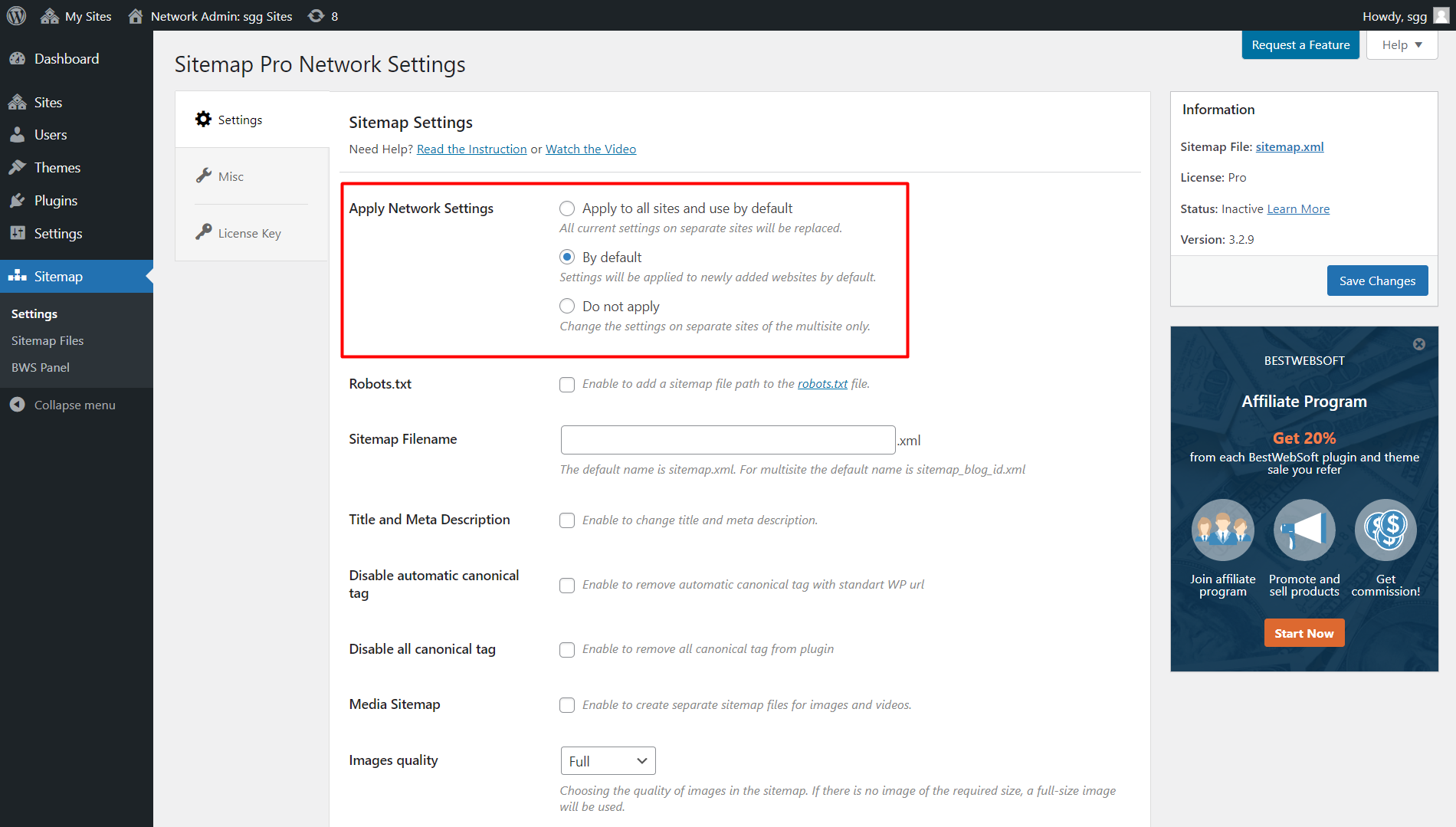
- Multisite Support: Configure and manage sitemap settings for each subsite in a WordPress Multisite network.
- Flexible Exclusions: Easily exclude specific posts, pages, post types, or taxonomies from your sitemap.
- Customizable File Name: Change the default sitemap file name to fit your SEO strategy or site structure.
- Multilingual Ready: Add alternate language URLs if you use a multilingual plugin for global reach.
- Fast and Lightweight: Clean code, no unnecessary dependencies, and minimal performance impact.
How to Add an XML Sitemap to Your WordPress Site
- Install the Plugin: Go to Plugins → Add New, search for “Sitemap by BestWebSoft,” then click Install & Activate.
- Configure Your Settings: Choose what content to include in your sitemap and set custom rules if needed.
- Submit to Google: Connect your site to Google Search Console and submit your sitemap directly from the plugin settings.
- Check Your Robots.txt: The plugin automatically adds the sitemap path to your robots.txt file for better indexing.
- Monitor and Update: Your sitemap will auto-update when new content is added, keeping search engines informed.
That’s it! Your WordPress site is now equipped with a fully functional XML sitemap — optimized for search engines and easy to manage.
Documentation & Videos
User Guide
Installation
Purchase
Brief Overview
Installation Instruction
Video Guide
We are constantly update the existing translations and add new to the list.
Sitemap Free vs Pro – Enhance Your WordPress SEO with Smart Sitemap Management
Compare the features of the free and premium versions of the Sitemap plugin by BestWebSoft. Automatically generate and manage XML sitemaps to help search engines crawl and index your website efficiently.
Main Features – Free vs Pro
| Feature | Free Version | Pro Version |
|---|---|---|
| Automatic Sitemap Generation | ✔️ | ✔️ |
| Custom Post Types & Taxonomies | — | ✔️ |
| Media Files in Sitemap | — | ✔️ |
| Custom URLs | — | ✔️ |
| Google Search Console Integration | — | ✔️ |
| Multisite Support | — | ✔️ |
| Exclude Posts, Pages, Taxonomies | Basic | ✔️ Advanced |
| Split Sitemap Files | — | ✔️ |
| Change Sitemap File Name | — | ✔️ |
| Multilingual Sitemap Support | — | ✔️ |
| SEO Plugin Compatibility (Yoast, RankMath) | — | ✔️ |
| Premium Support | Community only | ✔️ 1 business day reply |
Take Control of Your WordPress Sitemap
With the Sitemap plugin by BestWebSoft, you can improve your site’s visibility in search engines by creating accurate and up-to-date sitemaps. The Pro version unlocks advanced features like Google integration, custom URLs, and support for multisite networks — giving you full control over how your site is crawled and indexed.
Whether you run a personal blog or a large-scale business site, our plugin helps you boost your SEO performance with minimal setup and maximum flexibility.
Pro Features
- Add external sitemap files to include content from third-party sources.
- Exclude specific pages, posts, or post types from your sitemap file.
- Set the update frequency for your website content to improve search engine crawling.
- Set the update frequency for external sitemap files separately.
- Configure sitemap settings for all subsites in a WordPress Multisite network.
- Add custom URLs to the sitemap to include non-WordPress content.
- Rename the sitemap file for better structure or branding.
- Include custom taxonomies in the sitemap to help search engines index your content.
- Exclude taxonomies from the sitemap based on keywords.
- Receive answers to your support requests within one business day (Support Policy).
- Edit title and meta description directly in the plugin settings. [NEW]

Simple settings for fast setup without modifying code.

We honor all refund requests within 30 days after your purchase. If you are not happy then it’s our fault.

The support team that is passionate about their job is here to stay and solve all the questions you have!
Over 3,000,000 Happy Users
BestWebSoft is always the perfect solution for you. Just check out what other people are saying about us!

It has everything you want!

Finally found a good sitemap plugin and with language support tried almost everything. Thank you!

it's simplicity makes it unique. great plugin.
FAQ
Yes, you can add external sitemap files to include content from third-party sources.
Yes, you can exclude specific pages, posts, or post types from your sitemap file.
You can set the update frequency for both your website content and external sitemap files separately.
Yes, you can manually add custom URLs to your sitemap file to include non-WordPress content.
Yes, the plugin allows you to rename your sitemap file for better structure or branding.
You can exclude specific taxonomies from your sitemap by using keywords or specific criteria.
Our support team responds within one business day. Support Policy
Yes, with the Pro version, you can edit the title and meta description for each page in your sitemap. [NEW]
Still have questions? Submit a request

