Popup contact forms are a popular way to improve user interaction and increase form submissions without redirecting visitors to a separate page. Instead of interrupting the browsing experience, a popup allows users to contact you instantly from anywhere on the website.
The Contact Form plugin by BestWebSoft now includes a new feature that lets you display forms in a pop-up window. This makes it easier to place contact forms across landing pages, service pages, product pages, and promotional sections.
In this article, you’ll learn how the pop-up form feature works, how to enable it, and where it’s most useful.
Why Use a Popup Contact Form?
Traditional contact pages still work well, but pop-up forms provide several advantages:
- Faster access to the contact form
- Better visibility on landing pages
- Improved conversion rates
- Reduced page navigation
- Cleaner page layouts
Instead of sending users to another page, the form appears instantly in an overlay window.
How to Enable Contact Form Popup
The pop-up functionality can be enabled directly in the Contact Form plugin settings.
To activate it:
- Open Contact Form → Settings → Appearance
- Locate the pop-up form settings
- Enable the pop-up option
- Save changes
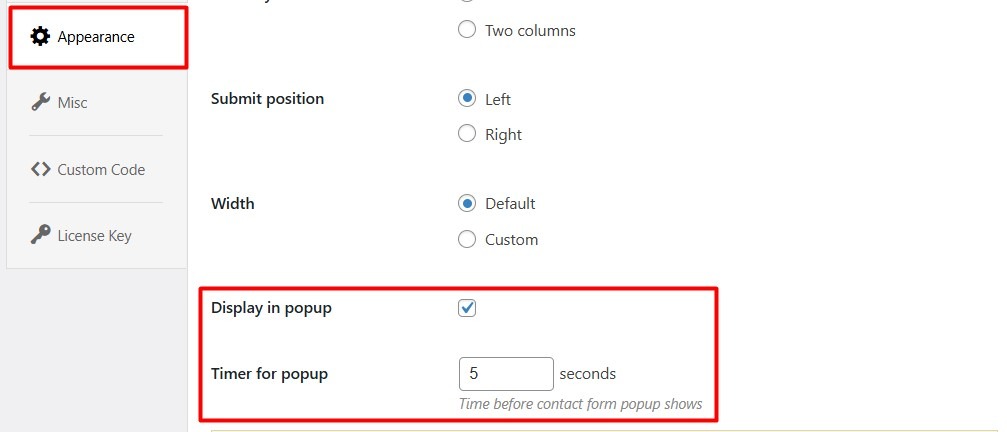
Once enabled, the contact form can be displayed inside a popup window on the frontend.
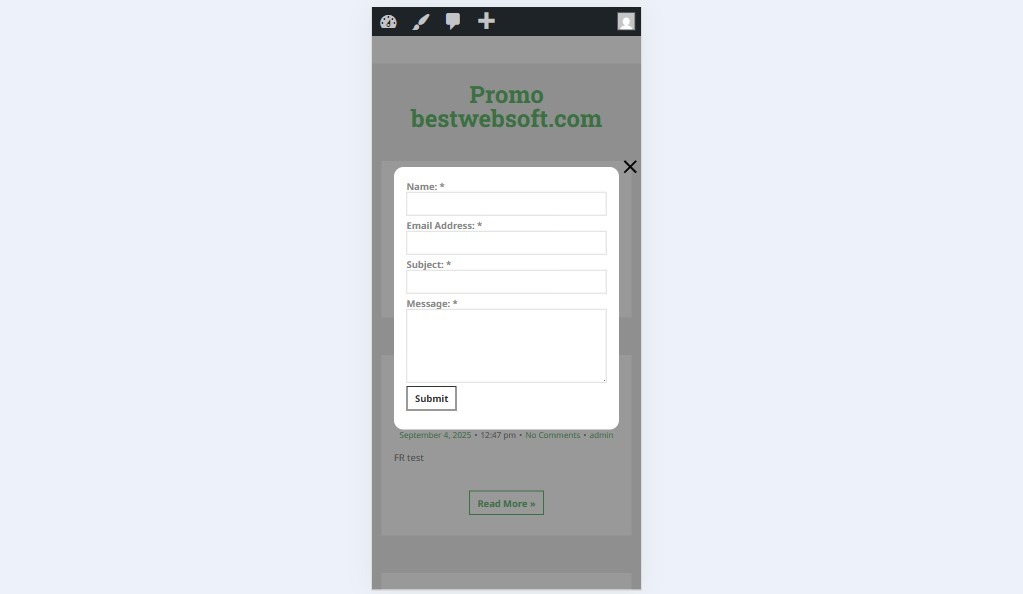
Popup Contact Form Appearance
When visitors click the pop-up trigger button or link, the contact form opens inside a modal window without reloading the page.
The pop-up layout helps keep users focused while still allowing quick communication.
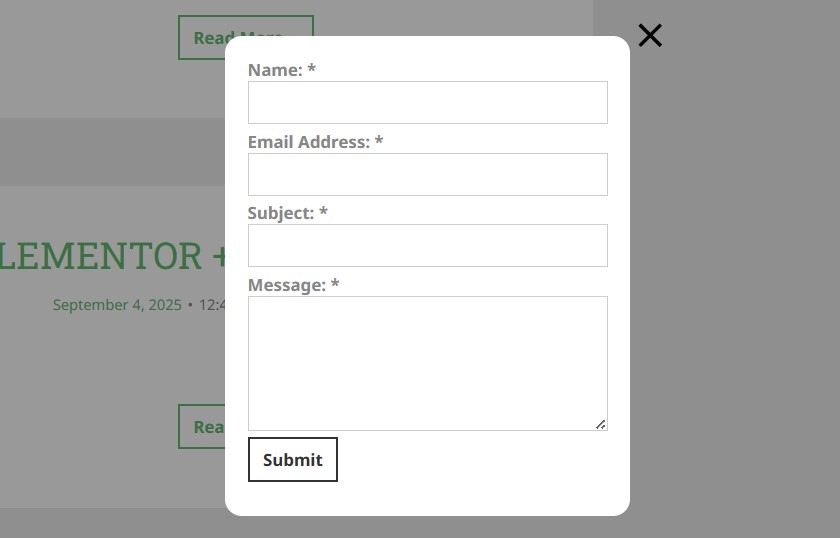
The form works the same way as a regular contact form:
- Required fields validation
- CAPTCHA support
- File attachments
- Email notifications
- AJAX submission (if enabled)
Where Popup Forms Work Best
Landing Pages
Popup forms help improve lead generation without adding long contact sections directly into the page layout.
Service Pages
Visitors can request consultations or ask questions immediately.
Online Stores
Popup forms allow customers to quickly contact support without leaving product pages.
Portfolio Websites
Freelancers and agencies can display inquiry forms in a more modern and accessible way.
Improve User Experience Without Extra Plugins
Many pop-up plugins require additional integrations or external builders. The built-in pop-up functionality in Contact Form keeps everything inside a single plugin.
Benefits include:
- Easier management
- Better compatibility
- Fewer third-party dependencies
- Simplified form workflow
Mobile-Friendly Popup Forms
The pop-up contact form is designed to work across devices:
- Desktop
- Tablets
- Smartphones
This helps maintain accessibility and usability for all visitors.
SEO & Performance Benefits
Using pop-up forms can also help improve website performance and usability:
- Keeps pages visually cleaner
- Reduces unnecessary redirects
- Helps visitors stay on the same page
- Improves interaction rates
- No need for additional pop-up builders
Because the popup is integrated directly into the Contact Form plugin, it also minimizes plugin overload.
FAQ
Can I use CAPTCHA inside the pop-up form?
Yes. CAPTCHA and reCAPTCHA integrations continue working normally inside pop-up forms.
Does the pop-up form work on mobile devices?
Yes. The pop-up is responsive and works on smartphones and tablets.
Can I use existing contact forms inside the pop-up?
Yes. The pop-up uses your existing Contact Form configuration.
Will pop-up forms slow down my website?
No. The feature is lightweight and integrated directly into the plugin.
Can pop-up forms improve conversions?
In many cases, yes. Popup forms reduce friction and make contacting you faster and easier.
Conclusion
The new pop-up functionality in the Contact Form plugin by BestWebSoft makes communication faster, cleaner, and more accessible. Instead of redirecting visitors to separate pages, you can display forms instantly in a modal window and improve interaction across your website.
Whether you run a business site, landing page, portfolio, or online store, pop-up contact forms provide a modern and user-friendly way to increase engagement and form submissions.