Blog
Subscribe to Our News
image_pdfimage_print

Any post or page you publish in WordPress becomes visible to the public by default. In other words, a post or page has a default visibility status, based on the settings of a Edit Post Screen in the Publish box.

Password-Protect Your WordPress Content

The simple codes and options described below will help you to customize your WordPress posts` visibility. No more than five minutes of your time will protect your posts from being viewed by the people for whom they are not addressed to. Be attentive and paste the code correctly to avoid problems with the password form.

Read More…

WordPress is ready to embrace search engines straight out of the box. Your aim is to gather the information that the search engine needs to include your site within its database as well as to help the search engine crawl your site. For this purpose, WordPress` functions and features guide a search engine through the pages, categories and posts.

How To Make Your Blog SEO-Friendly

WordPress provides a number of built in search tools aimed to optimization. It includes the ability to create permalinks, to use .htaccess, pinging and blogrolling. Also, there are different hacks and third party plugins useful for search engine optimization (SEO). Read More…

Any web page is created to achieve some goal. And whatever the purpose may be – to inform, sell or entertain,  there are different ways of how to reach it. The majority website administrators know what is search engine optimization (SEO); they also know how to attract people to the websites. However, they often do not pay attention to a time frame between a person visiting a website and buying something or just registering in the system.

How To Optimize Conversion Rate on Your Website

Conversion rate optimization is called to make the interaction between the visitors and website more pleasant and comfortable. It is the process which increases the possibility that they will convert. There are a variety of factors affecting the rates of conversion, from color choice to layout. Let us have a look at the set of those factors which take part in optimizing a WordPress website for conversions.   

Read More…

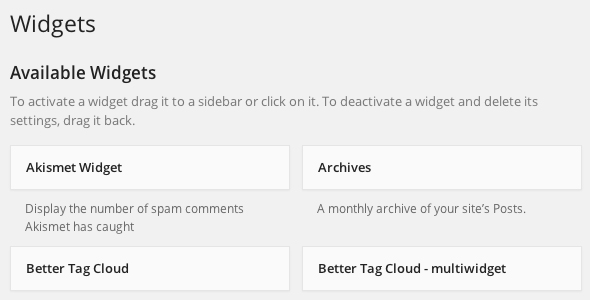
WordPress Widgets are used for adding the features and content to your Sidebars. The example shows default widgets for tag clouds, navigation, post categories, search etc., which are delivered with WordPress. Plugins, however, often introduce widgets of their own.

Getting Started With WordPress Widgets

The initial purpose of widgets is to provide the user with a user-friendly and simple way to control the design and structure of the WordPress Theme. Nowadays, this feature is common among properly “widgetized” WordPress Themes. This allows the users to include widgets in the footer, header or otherwhere in the WordPress design and structure.

Read More…

Comment moderation is a WordPress feature, which is specifically designed to let you manage comments on your website. With this feature, none of the comments will appear on your page without receiving your express approval.

WordPress Comment Moderation: The Best Way to Fight Comment Spam

While moderation is traditionally associated with addressing Comment Spam, it can also be applied more generally. Check the Fighting Comment Spam section if you wish to learn more about comment spam.

Read More…

Nowadays, WordPress is evolving almost at the speed of light, with bunches of new widgets, plugins and themes being released each day. While it hardly takes an experienced user a lot of time to browse, try out and evaluate new plugins, a beginner can easily get lost in the labyrinth of new releases. However, with a little extra help, finding a plugin that will work best for you will be easy and problem-free, and we are here to offer you a helping hand. Best Plugins that Let You Generate and Print PDF Files

Creating PDF documents is a relatively new WordPress feature. Nonetheless, there’s already a number of plugins elaborated to add this feature to your website. Therefore, we decided to take a closer look at such plugins as PDF & Print, PDF24 Article to PDF, WP Post to PDF Enhanced and Print Friendly and PDF Button, which are among the leaders in WordPress PDF-related plugins. Read More…

User Role is a perfect solution to changing WordPress role capabilities. With this simple and convenient plugin developed by BestWebSoft you are free to specify the actions each type of users will be permitted to perform on your website.

Forget about adding and removing role capabilities manually – download User Role and let the plugin do all the work for you!

Read More…